I'm having an issue with my Digistore account.
Chris suggests making a brand new Digistore account with a new email address to resolve the issue.

Edge Method course
Every question asked on the 13 live Q&A calls (April to May 2026), what the coaches answered, what was on their screen, and where the answer departs from the course. Type to search; click a topic to filter.
Chris suggests making a brand new Digistore account with a new email address to resolve the issue.

You shouldn't need contingency plans because Facebook never sees the ad or the offer with this strategy. However, they are in touch with agency providers to offer a bulletproof solution if accounts ever do get shut down.

Superior Ads is a credit-based tool where higher plans offer cheaper costs per credit. Chris recommends avoiding the lowest $49 or $59 plans and opting for the second or third tier to save money on credits. Annual plans also provide a massive discount.

There is no exact number of credits needed, as it depends on how many ads you generate. Every ad that makes money pays for the software. You can start with any plan and add credit packs if you run out, but avoid the lowest two plans.

The AI avatar is the most expensive part to generate. You don't need a full 3-5 minute avatar video. Use the "bookends" strategy: generate just the first 30-60 seconds of the avatar, and use background visuals for the rest of the video while keeping the same voiceover.

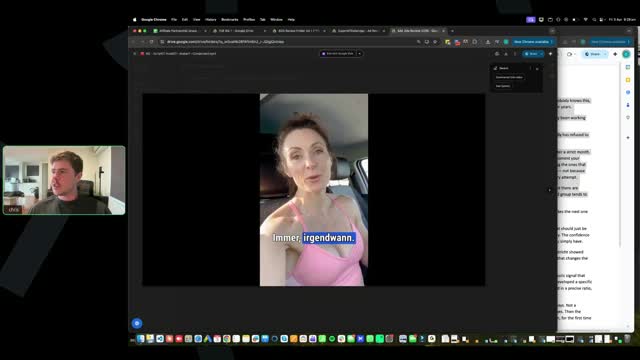
Testing different avatars is a key part of the evolution method. Antonio prefers testing the same demographic in different locations (e.g., a 50-year-old woman in a car vs. a kitchen). Chris prefers testing bigger changes first, such as a 20-year-old woman or a doctor, to narrow down what works faster.

You can upgrade to the annual plan on Superior Ads at any time. When you upgrade, you simply pay the difference in what you've already paid.

You can use the same avatar to keep variables consistent, especially since you are emulating winning ads. However, testing completely different avatars adds variance. If one avatar performs well across tests, use that winning avatar to test different scripts.

There is a delay because Antonio's team has to send your ID to a Digistore rep, who processes it and sends it back. Everyone will get approved 100%. Don't let the delay stop you; focus on creating your ads in the meantime.

You must do everything inside the provided Claude project, not in a separate chat. The project gives Claude the context that you are an internet marketer. If you use a separate chat, Claude lacks this context and may deny requests.

You can expect results within a week or two, depending on your effort and ad spend. Since you are using proven winning scripts, 80% of the work is done. You just need to test variations of those winning ads in your own account.

Follow the 50/50 rule: 50% of your ads should be very similar to the winning ads (changing the hook, opening scene, or avatar), and 50% should have more unique bodies. This feeds Facebook a variety of creatives and extends the lifetime of your ads.

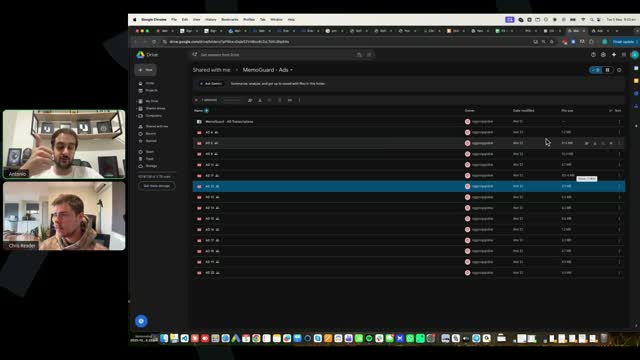
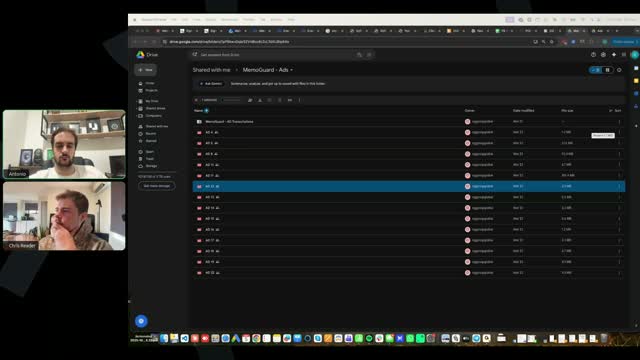
You already have access to all of those in the winning creative folder, which includes both the videos and the transcripts. Chris demonstrates how to access these in the training videos.

Yes, copying and pasting will work. To download the files properly, right-click the download button and select "Save link as." Sometimes files open in a new tab but still download to your computer.

Yes, you can just put your address in. Facebook requires this to verify your information.

Never delete business managers, as they are important assets. If you already have a business manager, you can use that exact same one, just as Antonio teaches in the training.

Go with option B. You should follow the 50/50 rule: 50% of your ads can be very similar to the winning body, and 50% should have a brand new body.

Chris recommends using Opus 4.6, exactly as taught in the training, even though Sonnet 4.6 can be good.

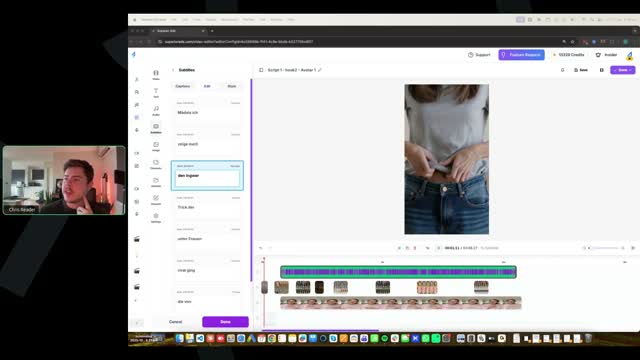
Generate the AI avatar without captions, bring it into the timeline editor, and enable the captions there. You can use Superior Ads to create all the captions.

The opening scene is good, but the captions are too low and should be moved up. The script misses key psychological points and doesn't mention the mechanism (ginger) properly. There are not enough visuals; the first minute only has two visuals. Visuals need to be frequent and engaging, like recipe visuals.

The script transitions into the background scene well, but there is only one opening scene visual and no other visuals. You need a lot of opening visuals to grip the viewer's attention.

Avoid using all caps for subtitles and make the text smaller so it fits on fewer lines. The ad lacks visuals for the first 40 seconds, and the visuals used are too long (10-20 seconds) and weak (e.g., a woman stretching). Scenes should be 3-5 seconds long with frequent switches.

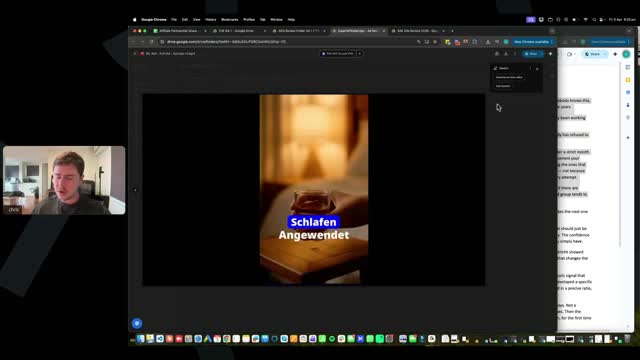
The opening scene is 8 seconds, which is too long; cut it to 4 seconds. The visuals look too AI-generated with a hyper-cinematic sheen, which should be avoided. The visuals (e.g., a cup of water, a woman walking) are weak and don't align with the script. Turn off the audio for background visuals.

This is a good ad that follows the training. It has a strong opening scene, lots of visuals (before and after, people making stuff, split screens), and the visuals look realistic. The creator successfully used reference images to generate specific elements like baking soda.

Not really. For common household products, having English text on the packaging won't affect the performance of the ad at all.

Test different AI models, as some produce more sheen than others. Ask Claude to write a prompt specifically instructing the image generator to make the image look realistic, as if it was taken from a phone.

The ads are not in English. The course teaches how to write the ads in English using winning scripts, and then you convert them into German.

Facebook pages are not specific to an ad account. You can have many Facebook pages and many ad accounts, and run a ton of Facebook pages across those ad accounts.

Yes, you should create a new page. You can only use an old page if it is related or has a broad, generic name like a person's name.

Listen to what is taught and do exactly as taught. There is no secret strategy outside of the training. Follow the exact step-by-step instructions provided.

500 characters is the limit in the AI asset generator. The training teaches how to create AI clips really fast and simply.

The big idea mechanism can definitely change. You can test different big ideas, mechanisms, and angles found at the bottom of the offer dashboard. The provided prompts already handle this, either telling Claude to change the big idea or other things. Proofread the output and reprompt if it changes the big idea too massively.

If the engagement campaign isn't working, duplicate the campaign out. Alternatively, make a new campaign with a new image and set it at $2.

Many avatars have one or two voices, so make sure you are finding the correct voice (e.g., Ben Smith 1, Ben Smith 2). Also, if you selected the advanced voice option in the settings, it adds more emotionality and tonality, making the core voice sound slightly different. It is recommended not to use the advanced voice.

Do not put 'Dr.' in front of your Facebook page name. Just use a person's name. If you already did, you can edit the page and change the name, though there is a cooling-off period for name changes. Antonio is refilming the video to remove the 'Dr.' instruction.

No, that's not why there are no impressions. If you are getting no impressions or spend on your warm-up engagement ad, you just need to duplicate it and try a new video. It has nothing to do with the page.

This is completely new and capped at 100 people. It has only been going on for about a week. There are two calls a week, so depending on when you joined, you might have missed an initial call.

After you get access to the module where you launch your ads (Module 5), the module after that will allow you to submit your ads for personal review. There will be a video explaining how to film your screen and walk through your ad account so there is actual data to review.

There are three ways to create B-roll. First, raw prompting by typing what you want. Second, using Claude to write your prompts. Third, finding a reference image on Google, putting it into the image generator, and animating that image into a video. Grok, SeaDance, and Kling are the best AI models to use.

Use the same avatar for all your scripts to begin with so you have one less variable to test. Test four different bodies and two different hooks across those bodies (4x2=8 ads). Once you find a script that works, then test different avatars and different opening scenes.

You don't need to read or watch the German VSL. The offer document at the bottom of the page has all the details about the offer, mechanisms, and winning angles. The ad you create must match the mechanism described there (e.g., if it's a ginger trick, don't talk about a honey trick).

Exactly right. You don't need to test all eight straight away; test a minimum of three and rotate through them. When you turn one ad off, launch the next one. It's two different hooks on all four scripts, so 2 x 4 = 8.

It is two of the same hooks for the same four scripts, which equals eight ads. If you had eight different hooks, you would need to test every single ad with those eight hooks, which would be 32 ads.

It is not normal if they are active and haven't spent. Check if your engagement ad spent, if your page is active and approved without flags, and if your billing is set up correctly without issues.

Yes, you should choose your first three ads to actually make from the batch you prepared. The training instructs you on how many ads to get ready and how to choose the first three.

It is in the training. As you go through the videos, you are instructed exactly what softwares are needed and how to use them.

You can just use your USD Wise account. Wise has the best exchange rates across the board, so there is no 'best' exchange rate to worry about.

Yes, when you put your details in for Digistore, it prompts you to pay in your local currency account. If there are any issues, you can update your settings and it will pay out the next week. Digistore will hold the funds if it cannot pay the account.

This is taught exactly in the training video on split testing protocol and setting up tracking/pages. Watch the in-depth video for the naming conventions.

Yes, a new section will be added that says 'batches' (e.g., batch two, batch three) and new ads will be uploaded there weekly.

It doesn't matter because Digistore does the conversions for you. Just set up your own bank account.

Digistore tracks how many people go to the VSL, but the training video on tracking teaches you how to monitor your clicks and everything else.

It depends on what module you have unlocked. Modules drip weekly (1 and 2 first week, 3 and 4 next, 5 the week after). Module 5 is where you run ads. You should be keeping up with the modules and launch your ads when you get to that module.

There has only been one prior call which was basic Q&A. You don't really need access to that recording.

Some people joined a few days earlier, so they have modules unlocked ahead of others. Everyone is in the same cohort, but unlock times vary based on join date.

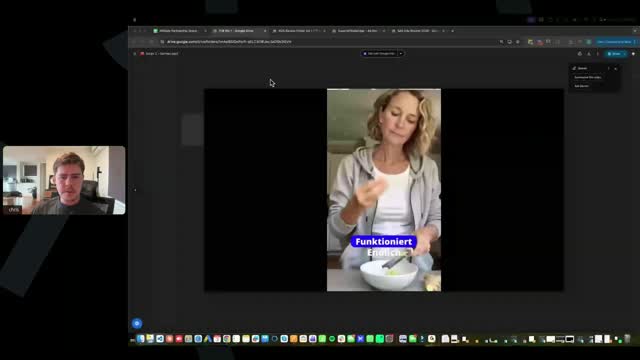
The visuals must match the winning ads provided. If the winning ad has a woman drinking ginger juice or smooshing ginger, replicate those visuals. Make sure to mute the background noise from AI generated clips when putting them in the timeline editor. This ad did a good job replicating the winning ad's visuals.

It doesn't matter too much. It's something you can test later down the line, but it won't make or break your ad.

The ad is not 9x16 and has borders, which needs to be fixed immediately. The opening hook audio must play over the visual; don't have a static visual with no audio for 10 seconds. Visuals should be fast-paced, changing every 3-4 seconds. Generate enough AI B-roll to select the best clips rather than settling for weird or boring ones.

Make sure the ad is 9x16. The opening scene correctly has text and audio on top. If using visuals from YouTube, make sure there is no branding in them. You don't need constant visuals throughout the whole thing, just load them up at the beginning and the end.

The engagement campaign is just to tell Facebook you are trying to get traffic to your page. You do not need a certain amount of impressions to warm up the account. However, having only two impressions is unusually low. You should check your CPMs and verify your payment settings and cards in the ad account to ensure it can spend.

You do not need to verify anything on your Facebook account proactively. Just create the account exactly as taught in the training.

It is crucial to add postbacks to your Digistore account so the hosts know you are getting sales for a specific offer. This allows them to optimize the offers on their end. While missing postbacks won't technically affect your campaigns, it hinders their ability to improve the offers. They are constantly testing and will likely add a new blood sugar offer to the Notion doc this week.

There is a known bug where the video does not appear in the catalog ad. You must check the catalog to ensure the video is present before launching a campaign. If it is missing, you will not be able to select the 'prioritize the video' option in the ad setup. To fix this, you can edit the catalog in Commerce Manager and re-upload the video, or simply recreate the entire catalog from scratch. A new troubleshooting video has been added to the end of module five.

You must set up three specific things in Digistore to link it properly to ClickMagick. These are the postback purchase pixel, the postback engagement pixel, and the V2S postback integration. If you are seeing sales tracking but no engagements, you likely failed to set up the engagement pixel.

There is an error in the current training regarding how ClickMagick tracking is set up. Specifically, the sequence for putting links into White Rabbit to get the final link for Facebook is incorrect. A new updated video (4.6) will be uploaded to fix this. None of the landing page or tracking setup changes, only the sequence of putting links into Facebook.

ClickMagick will only track around 90-95% of the data because some users have pixel blockers or Apple devices that prevent data from being sent back. You will always see slightly more money in Digistore than in ClickMagick. You should make all your optimization decisions based on ClickMagick data, and treat any extra sales in Digistore as a bonus.

If campaigns are taking too long to spend, you can increase the budget on the ad set by 10%. Instead of spending $25 in a 1-2-5-1 structure, you spend $27.50. Because it is not the bare minimum budget, it kicks the Facebook algorithm to spend a little bit faster.

Never mention impressions; only focus on how much money the ad has spent. If the engagement ad hasn't spent over four days, pause it and duplicate it to relaunch another one. If that doesn't work, relaunch it with a new image. You can also increase the budget by 10 to 20% to kickstart the algorithm. The engagement campaign doesn't really matter; it is just to show Facebook you are trying to get engagement.

If Facebook asks you to verify, then you should verify it. If it does not ask you, you do not need to worry about it.

Everyone who is up to module three is already approved. If you haven't received an email, check your spam or promotions tab for an email from OG Group. If you still cannot find it, let the team know in the chat and they will check. The approval process is handled by Digistore affiliate managers and might take a bit of time, but everyone in the cohort is pre-approved.

There are three main types of mistakes: execution, decision making, and clarity. Execution mistakes involve poor ad creation, incorrect tracking setup, or messing up the catalog and 1-25-1 structure. Decision making mistakes involve not following the testing protocol, like knowing when to test a new offer or ad account. Clarity mistakes involve not understanding what is going wrong when an issue arises.

The commission shows as 0% because the offers are on a CPA (Cost Per Action) model, not a revenue share percentage. You receive a fixed commission depending on how many units are bought, which protects you from having to pay for refunds or chargebacks. You do not even pay Digistore fees; you get the exact commission as pure revenue.

It depends entirely on when your campaign starts spending. It can take 1 to 12 hours for an ad to get approved, and another 1 to 12 hours to start spending. If your ad has been approved for more than 24 hours and isn't spending, increase the budget on each ad by 10% to kick the algorithm. If that fails, duplicate the entire campaign and turn off the original.

This happens because your Claude account is brand new and lacks the context that you are a marketer creating an advertisement. To fix this, use the exact same Claude project provided in the course, which has all the history and context. Do not create a brand new chat outside of that project. Alternatively, you can use ChatGPT or Google Translate for the translation.

The flagged section is not an error; it is a built-in reminder to ensure your ad aligns with the VSL. You do not need to watch the VSL because all the necessary details (mechanism, big idea, angles) are provided at the bottom of the offer section in the training. Just double-check that your script's mechanism matches the offer's details.

These exclusive German offers will die much slower due to less competition. The team tests five to seven offers a month and will continuously provide new winning offers. They will notify you if an offer is dying and provide new variations to extend its life. They only provide the top-performing offers to ensure maximum success.

This is a known Facebook bug. If you get a system error saying they are having trouble updating products, delete the products and recreate the catalog from scratch. Sometimes you have to wait a bit, delete them all, and recreate the catalog a few times before it works and the video holds.

The 2:30 limit does not apply to this specific strategy. Many winning ads are 3 to 4 minutes long, though some are 1.5 minutes. You should find the patterns in the winning ads for your specific offer and mimic them. You can test shorter versions (e.g., condensing a 4-minute ad to 2 minutes), but be careful not to remove crucial psychological elements like the big idea, social proof, and mechanism.

You can test making the voice faster in Superior Ads, but it is a micro-test that likely won't move the needle much. Prioritize testing the copy and the visual format first. Emulate the patterns found in the winning ads. Recreating an entire ad just to make the voice 10% faster is redundant and expensive; only test this on an already winning ad as an evolution.

The captions are too small and not in the correct location; they need to be larger and positioned exactly as taught. The opening scene is weak because it shows a person's face for a millisecond and then a basic shot of ginger. It should start with a more engaging, high-dopamine scene, like ginger being thrown and rubbed quickly. The rest of the video has good pacing and scene changes, but the weak hook and captions will cause it to flop.

Because you are using the catalog ad structure, you can be much more aggressive with copy and visuals than usual on Meta. You do not need to be scared of Facebook compliance rejecting your ads. While you shouldn't say anything illegal, you can use intense claims and before/after pictures if they convert better.

You can say that celebrities have used it, but do not name-drop specific celebrities or use videos/images of them. It is better to avoid being that aggressive to prevent issues.

The opening scene is better but could still be more engaging. The main issue is that some B-roll scenes (like pouring liquid over ginger) last too long (e.g., 6 seconds). Scenes should change every 3 to 5 seconds maximum to provide enough dopamine hits and keep the viewer engaged. The split-screen technique used is good, but ensure there is no excessive nudity.

The opening scene has a cinematic 'AI glare' that looks fake and should be avoided. The opening scene also lasts 8 seconds, which is too long; no scene should exceed 4 seconds. Furthermore, the video is not formatted correctly to 9x16; it was edited in 16x9 and cropped, causing the size to change between scenes. You must set the project settings to 9x16 before editing.

The recipe is used because it hooks the viewer, and the VSL explains that while they can do the recipe themselves, buying the done-for-you product is much easier and better. To improve testing, produce more ads than you plan to launch (e.g., produce 6 to launch 3). This allows you to compare them and only spend money testing the best ones.

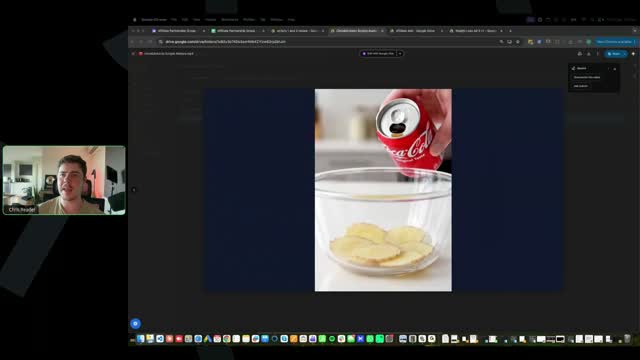
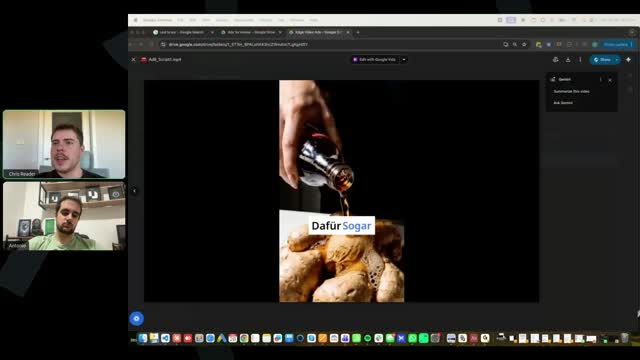
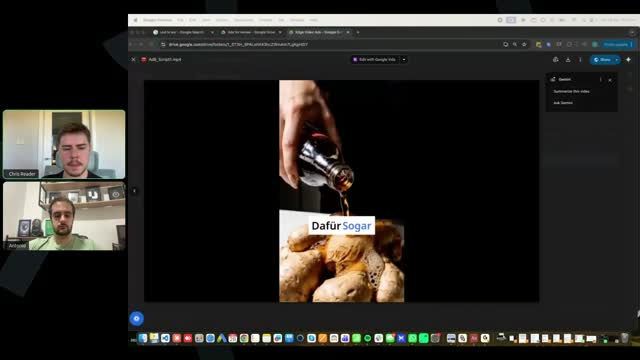
The opening Coke scene looks fake because the liquid doesn't pour naturally. There are formatting issues with gaps on the side of the video. The ad goes for 50 seconds without any B-roll scenes, which is too long. Additionally, there is a glaring AI error where a woman measuring her waist suddenly develops a distorted, 4D arm. You must proof-watch your videos and regenerate clips that have obvious AI errors.

The flagged content is not an error or an issue. It is there for you to review and make sure your scripts are aligned with the offer. The offer document has the big idea, mechanism, and angles at the very bottom. Claude flags these things to ensure you double-check that they align. The way the script writer is taught, it should automatically align, but the flag is just a reminder to verify.

Make sure you do not have advanced emotion turned on. The advanced emotion button in Superior Ads can only be used with a smaller script because longer scripts will have distorted audio. Turn off advanced emotion and it will allow you to put in 3,000 plus characters. You do not need advanced emotion, especially for foreign languages.

It can be okay depending on the context. If the script says the doctor invented the method, do not use it. You can use phrases like 'leading researchers at XYZ' instead. The main thing that does the selling in the VSL is the big idea and the mechanism, like the ginger trick. As long as the core element is carried through the script, the exact doctor's name is something you can test.

Since these are private offers with whitelisting access, you will not see any promo clicks in DigiStore. As long as you have been approved for the offers and created your affiliate link the way taught, it will work. Just keep in mind you will not see promo clicks because it is not a public offer.

You do not need to get it from the VSL itself. Everything you need to know or make sure is aligned is located at the very bottom of the offer page. You should get the details from the offer page and bake them into your script.

White Rabbit is not a data tracking platform; it is a redirection platform that filters out bots and random clicks, so it will always show different numbers. Facebook clicks and ClickMagick clicks will differ because Facebook clicks can be bots (filtered by White Rabbit) or people who click and instantly exit before the page loads and tracks in ClickMagick. As long as clicks are showing up in ClickMagick and tracking everything, that is all that matters. Do not look at White Rabbit for data.

Some people have noticed that when they upload the image and video into their catalog ads, save it, and exit, the video disappears. This is a glitch from Facebook. In the training, there is a video called 'Troubleshooting Catalog Ad' at the end of the module where you create your catalog ad. You need to watch that video and troubleshoot to ensure the catalog ad has the video in it.

In the ad setup section, you should be able to unselect multi-advertiser ads and select single image or video from a drop-down. If you cannot see this, it is either because your catalog has not uploaded the video correctly or the way you set the campaign up. You must go to your catalog, go into media, and make sure the video is there. Also, Facebook only offers this section when you choose a purchase event, so ensure you have chosen the purchase event correctly.

Yes, you can use old pages. Just make sure the name of the page is aligned to a random person's name, as taught in the course. It is completely fine if the page has a number of old posts.

You toggle the Advantage+ catalog on at the campaign level. Rewatch the video where Antonio does it rather than trying to explain it on the call. Follow the video step by step to set it all up.

No, it does not matter. Follow exactly what is taught. If creating the safe page in German is not taught, do not do it.

Just use the same Business Managers you have. You can use old Business Managers, that is completely fine.

Your pixel will only get data when you make sales because we are tracking the purchase event. Do not worry if your pixel has a red dot or caution sign next to it; it will always have that if it hasn't made sales.

Yes, we still recommend you do that because half of the engagement campaign is actually for warming up the page that we've created.

This can happen on new accounts for both engagement and conversion campaigns. To fix it, increase the budget on every ad by 10%. For the conversion campaign with dollar-a-day ad sets, increase all those ad sets to $1.10. If that does not work, duplicate the entire campaign out again.

The suggested age is where your ads get delivered. The minimum age is just a safety precaution from Facebook to ensure it never shows to minors. You can leave it at 18 or change it to 45, but changing it to 45 is fine. The suggested age is what dictates where your ads are shown.

If it's a brand new campaign, you might need to let it sit for a day or two or three. Increase the daily budget by 10% and let it sit. If that doesn't get it to spend, duplicate the entire campaign out again and see if it spends. If it doesn't, increase the budget by 10% again to kick the account into gear.

Yes, make sure your page is a random person's name. Do not name it something like 'Top Health Guide Today'. Follow what is taught in the course.

Yes, ideally if you are testing across completely different ad accounts, you want to modify them. You need to modify the winning ads we give you by changing the beginning, modifying the body, and recreating the video. Changing the avatar and B-roll and editing it yourself makes it unique.

Look in the offer page. Everything you need to align to, including the mechanism, big ideas, problem, and angles, is below the offer at the very bottom of the offer page. You should get the details from the offer page and bake them into your script.

No, it does not need to be a certain length, but it does need to be a certain size. Your video can be however long you want it to be. Rewatch the video on uploading to the catalog.

We use the strategy of catalog ads, which allows us to run these ads on Facebook without getting disapproved. Interestingly, you can actually run these ads straight without catalog ads and they can still work and get approved, though you might get some disapprovals. The catalog ad is an extra layer of protection.

You duplicate the video project you have in the timeline editor. Find where the hook ends and the body begins, split the video, and delete the first portion (the old hook). Then, generate a new avatar video using just the new hook text (the first 10-20 seconds). Import that new short clip into your cloned project, drag it to the beginning, and generate subtitles only for that new clip. You don't need to regenerate the entire video or avatar.

There is no 'Claude Superior Ads AI video editor creative helper.' You only get the Claude script writer, which is provided in the specific video where the Claude script writer is taught.

If your warm-up ad is stuck saying it needs to be reviewed, upload a new warm-up ad with a brand new photo and set up a new warm-up campaign. If it still happens, create a new Facebook page and try again.

Bump the budget by 10% and wait a day or two. If that doesn't fix it, then you duplicate the entire campaign.

The ED offer was removed because the weight loss and memory offers were having much higher conversion rates and success. We want you to focus your attention on the best performing offers. If the ED offer starts performing as well as the others, it will be put back in.

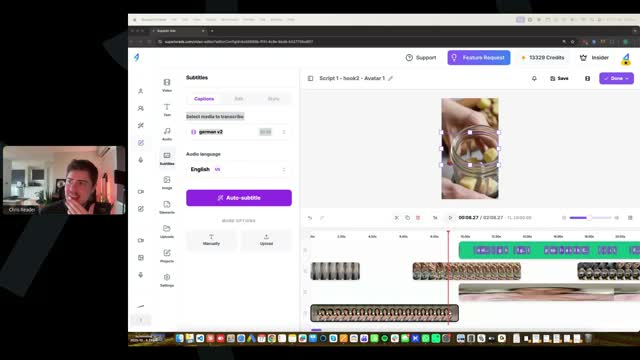
You can generate subtitles for just the new video clip. In the subtitles tab, select the new clip you imported (e.g., Hook 2 Avatar 1), and when you subtitle it, it will only generate subtitles for that specific clip.

Grammar, punctuation, commas, and full stops do not really matter in your captions. Since there are only three or four words on the screen at a time, you don't need punctuation marks.

Typically you will see around 80 to 90% of your data from DigiStore sent back to ClickMagick. Discrepancies happen because people might forward the ad to themselves, open it on a different device, or have pixel blockers, which breaks the tracking back to the ad. Always follow what's in ClickMagick for making decisions, as it has the real data tied to your ads. You will actually make more money in DigiStore than what shows in ClickMagick.

When integrating ClickMagick with DigiStore, you need to do three things: upload the sales postback pixel into DigiStore for sales, do the same for checkouts, and add the V term postback. This is all taught in the tracking setup.

It is based on the total lifetime spend of that ad or campaign. Your daily budget stays the same. You monitor each threshold based on the total spend. Gate two ($50) includes the spend from gate one ($20); it does not have to spend a new $50.

The next metric matters the most. If your CPC increases but you are getting really good cost per engagements, then a high CPC doesn't matter. If your CPC increases, your cost per engagement will likely be bad and the ad would be turned off anyway. Always look at the cost per engagement as the primary metric at that stage.

Some users reported not seeing the option to select single image or video in the ad setup. This is a UI issue. A new video called "troubleshooting ad setup" has been added to the training. Instead of selecting campaign optimization and catalog ads at the campaign level, you select it at the ad level. Everything else remains exactly the same.

ClickMagick removed the option to scan and verify if the website code is on the page because it was problematic with some websites. As long as you follow the training and put the code in the header section, it will always work.

You don't need to overthink the timetable because it doesn't appear in your ads. You can have all times available, like midnight to 11:30 PM. It won't make any difference for the ads being run. This setting is just for when building the catalog in the separate creation screen and doesn't affect the actual ad timeframe.

No, it doesn't matter. You just want to run the ads in the currency of your credit card or whatever payment method you are using.

Use the exact parameters created in the video where White Rabbit parameters are merged with ClickMagick. The URL put into Facebook and the parameters are exactly as shown in that specific training video.

No, eight seconds is not enough for the real video ad. The catalog ad uses a white hat image (like a dog or cat) for Facebook's compliance review, followed by the real ad video. Look at the winning ads in the folders to see the usual length, which is longer than eight seconds.

Each catalog represents a different script or hook, meaning each catalog is a different ad with its own naming convention. Within each catalog, you must have a minimum of five items for it to run on Facebook. You create one item with the white hat image and your real video ad, and then duplicate that exact same item five times within that specific catalog.

Different accounts have different thresholds. If your minimum is $5 per ad set, adjust the math so the initial campaign budget is around $25. Instead of 25 ad sets at $1 each, run 5 ad sets at $5 each. Also, ensure your currency is equivalent to at least 1 USD, as some currencies might require higher nominal amounts.

You do need to have the manual destination. It might say "override catalog deep links" instead of "manually override". You just need to make sure the website URL and the override catalog deep links have the real link, exactly as shown in the training video.

The vendor team is rejigging some backend tracking to optimize the checkout page and improve conversion rates. Memo Guard is already active with this update. Slim Jera will be relaunched with the update on Wednesday. You can pause Slim Jera until Wednesday or keep running it.

A new top-converting ED offer will be live in the Notion doc by Wednesday for students to apply. Offer approvals are taking longer because the vendor team has to email Digistore's team, who manually approves them, and Digistore's team has been at an event. Everyone will get approved, but there is a delay of a few business days.

Videos in the folders will change as new winners are added and fatigued winners are removed. If you start creating an ad based on a specific video, save it to your computer so you don't lose it if it gets removed. If you built an ad on a removed video, you can still run it because yours will be fresh.

The removal of the check option does not cause the code to fail. The only two reasons a redirect won't work are: the code is not in the header script (e.g., mistakenly put in the header description), or the redirection link wasn't created correctly. You must go into the link builder, put in UTM parameters, go to the optional section, and paste the redirect URL there.

Yes, if the minimum in the ad account is $1 USD, you have to put the equivalent amount in your local currency, such as $1.41 Canadian dollars.

Yes, duplicating a campaign can sometimes change the campaign settings, though it typically won't change the ad set settings. It is advised to skim through and make sure all settings are correct for all of them after duplicating.

Set up your ad account to spend in your local currency (e.g., Canadian dollars). ClickMagick will do the conversions for you, so if you receive sales in euros but spend in AUD, ClickMagick converts the spend into euros. You cannot change the currency of an ad account once it has been initiated.

Your pixel will always show as inactive, red, orange, or with a warning sign until you actually make a sale and send a data point back to it. It is set up correctly as long as you followed the training.

Chris has never experienced this issue where a saved video downloads without changes. He recommends emailing the Superior Ads support team to clarify what is going on.

You can use the same ad account and page, provided the page name is generic (like a person's name) and not something unrelated like "auto insurance". Do not run multiple different business models in the same ad account simultaneously. You must create a brand new pixel for each new offer you run.

Yes, you need to warm them up. The warm-up process takes about three days of running something for a couple of dollars. It is recommended to do this for each ad account you have.

You can share the exact same credit card or payment method across every ad account you have, as long as they are in the same Facebook profile or Business Manager.

It will only affect other accounts if the shutdown is due to Facebook being unable to charge the card. In that case, all accounts using that card will be disabled until the balance is paid. Otherwise, since the accounts are linked by the same Business Manager anyway, sharing a card isn't a major concern.

Engagement campaigns are just to tell Facebook you are a real advertiser and to get them to start charging your card. It doesn't matter how many impressions, likes, or shares you get, or what country it runs to. Run it for a few days, pause it, and then launch purchase campaigns. Do this same page warm-up process for every new ad account.

No, you do not need a new business portfolio per offer. You can use the same ad account to rotate through different offers (e.g., turning off weight loss to run memory). However, if you want to scale multiple offers at the same time, you should do it in separate ad accounts. Do not mix different offers in the same ad account at the same time.

Your ad must be formatted as 9x16 (Portrait). You cannot have a landscape (16:9) ad and just try to crop it. In the Superior Ads settings, you must explicitly select 9x16.

If captions are hard to read over the opening visual, you can split the caption block in the timeline editor and move the initial caption to a different position, like the top of the screen. You can also add rows in the settings to manage layers; whatever is on a higher row is displayed in front.

You need to match the pacing of the winning ads, which have heaps of different B-roll clips. Clips over four seconds need multiple cuts. There shouldn't be more than 20 seconds without a visual in the middle of the ad. In the beginning, you should have visuals every five seconds maximum.

No, chopping ginger is not an engaging or curiosity-building opening visual. The training specifies three proven winning visual types: a weird satisfying visual (like pouring honey on rice), a mechanism misuse (like putting ginger in an ear), or a weird recipe video. You must follow these proven patterns rather than using generic clips.

Yes, try to represent the older demographic if the product targets women 40 or 45 plus. Using avatars or B-roll of 20- or 30-year-old women for an older demographic makes it feel like the ad isn't for them. Mix the visuals to ensure they align with the target audience.

Yes, you should test different avatars. Emulate winning ads by testing a script with a younger woman, an older woman, etc. The data will tell you which avatar works best for that specific script.

If you see a thin line at the bottom or side of your video, it means it is not formatted or cropped correctly. You likely have blank space showing the video behind it. You must review your ads and fix these small formatting errors.

Do not reuse visuals within the same video. It looks redundant, loses engagement, and makes people feel they are seeing the same thing again. Have unique visuals throughout the entire video.

If you have an issue with one resizer, try a different software. There are hundreds of different tools available to compress videos.

Chris can finish a video in about 10 minutes due to his experience. Beginners shouldn't compare their time to his, but should focus on improving efficiency and speed as they practice.

Just run ads. If you follow the training 100% step-by-step, the tracking should be set up properly. Once you start running ads, you will see if there is a discrepancy between the end platform and the Ads Manager. If the data is different, you know it is not working properly.

This is somewhat normal. CPC can be low sometimes, but initiate checkouts are a more important metric. It ultimately depends on how much you have spent. Whenever asking about data, always include your total spend so the metrics can be properly evaluated.

All offers are currently back online and you should be running them. You must watch the Digistore integration video and complete the setup. If you do not integrate Digistore, the team cannot see when your specific affiliate ID gets a sale, which means they cannot optimize the VSLs on the back end for you.

If you are not running ads yet, do not feel left behind. It is completely normal because people have different access depending on when they joined. The training is designed to be go-at-your-own-pace, and it can take a couple of weeks for all modules to free up.

The Digistore integration class is located in one of the first training modules recorded by Chris. It is in the second half of the video where he discusses V-Turb and its integration with Digistore.

The modules open at their own pace for a reason, even for advanced media buyers. The training covers highly advanced strategies like catalog ads and the duped ad sets strategy, which very few top affiliates know about. You must wait for the modules to unlock naturally to ensure you learn these specific methods.

Once you find a winning ad—defined as having at least two sales with a positive ROI—you must change your testing ratio. For every three new ads you launch in subsequent batches, two should be variations of your winner using the evolution scaling method, and one should be a completely new ad. Do not just test completely new ads once you have a winner.

While pay-per-call is a different niche, the catalog method is worth testing for any campaign because it reduces ad rejections by 90%. Every ad account behaves differently; some crush with the duped ad sets strategy at a minimum budget, while others perform better with CBO. The catalog method is a powerful tool to bypass compliance issues across various niches.

Yes, if your ads are not spending within 24 hours, increase the budget on the ad sets by 10%, moving it from $1 to $1.10. The duped ad set strategy can sometimes take two to three days to start spending. If increasing the budget does not force it to spend, a second technique is to duplicate the entire campaign.

Initially, you should only use one ad account. Do not test multiple ad accounts right away because your first priority is finding winning creatives. Only after you have found one or two winning creatives—meaning they are profitable for three to seven days with at least two sales—should you test one or two additional ad accounts, and you must only test them using those proven winners.

Vertical scaling is not mentioned because it contradicts the duped ad set strategy. The strategy relies on ABO campaigns where the ad set is kept at the bare minimum budget to force Facebook to give you the best possible auction results. Increasing the budget would defeat the entire purpose of this anti-algorithm strategy.

You will receive an email from OG Group once you are approved. The approval process typically takes three to seven days because the Digistore team is slow to process the requests. You will never be denied approval, so just check your email daily for the notification and your links.

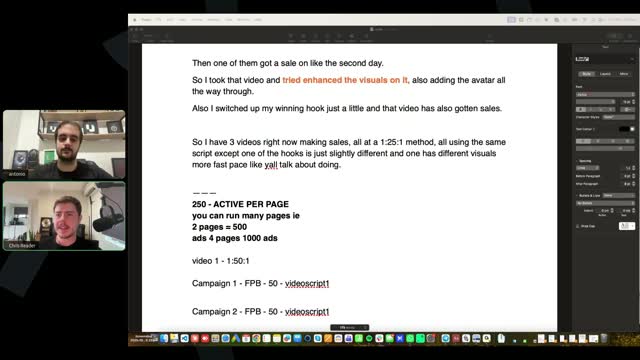
The 250 ad set limit is a limit per Facebook page, not per account. To scale past this, you must create multiple pages within your ad account. You should be creating a new page approximately every 7 to 10 days to ensure you have the capacity to scale.

Yes, you can have as many pages as you want within the same ad account. This is necessary for scaling past the ad set limits per page.

They do not compete negatively because the budget is set so low. By giving Facebook the bare minimum budget, you force the algorithm to find the absolute best auction for every single ad set rather than relying on its standard distribution. It acts as an anti-algorithm strategy.

It does not matter; you can run both testing and scaling campaigns on new pages. The page itself is not the most important variable as long as you set it up correctly without execution mistakes. Typically, using a woman's name and having a doctor persona in the beginning works best.

No, engagement ads are primarily for warming up the ad account, not the individual pages. While it might help the page slightly to spend five or ten dollars over three days, it is not strictly necessary and does not make a significant difference.

You can use one ad account for multiple pages. You do not need to test multiple ad accounts in the beginning. Once you exceed 250 active ads on a single page, you simply create a new page within that same ad account.

It does not matter where you run the engagement campaigns; you can run them to Germany, Brazil, or worldwide. The purpose is simply to show Facebook you are a real advertiser running a light campaign. When in doubt, run it to Germany since that is the main target country, but it will not affect performance.

The pixel is not tied to the page; it is set up at the campaign or ad set level. When you eventually test new ad accounts with your winning ads, you should use the same original pixel because that is where all your data lives. Do not create a new pixel for every new ad account.

It can, though the most important factor is simply having a woman's name. Using a German name will definitely not hurt performance and is worth testing, but it likely will not make a massive difference overall.

You must run your campaigns 24/7, seven days a week. Do not use dayparting or turn them off during the weekend, as weekends are actually great for these offers. Make all your decisions based on the million-dollar testing protocol metrics like cost per checkout, CPA, and ROAS, rather than the time of day.

Facebook constantly split-tests different UIs across different regions and users, so do not let it discourage you. Most updates are minor, and as long as you understand the principles, you will be fine. For catalog ads, the only critical thing is finding the checkbox that says 'prioritize the video' so the budget is spent on the video rather than the image.

Yes, you do not need to wait for anyone to approve your ads before publishing them. The Loom reviews mentioned in the training are for getting feedback on your metrics and ad accounts, not for getting permission to run the ads. Just follow the training and launch.

Facebook occasionally has bugs, but the catalog method itself is working fine. The most common issue is that the video file is over 100 megabytes; you must compress it to under 100 megabytes for it to save. If it still fails, try recreating the catalog entirely from scratch or doing it in a different business manager.

The time zone difference does not matter much. You should just schedule your ads to launch at midnight according to the time zone of your ad account, exactly as taught in the training. You should also be running ads through the weekend regardless of the time zone.

Some media buyers care about time zones because Facebook tries to spend the daily budget within the remaining hours of the ad account's day. If you launch an ad at 8 PM, Facebook will rush to spend the full daily budget in just 4 hours, which might happen during non-prime hours in the target country. However, if you schedule the ads to launch at midnight the next day, this issue is avoided, which is why the time zone ultimately does not matter.

No, the $1 budget simply dictates how much that specific ad set is allowed to spend for the day. It has no direct correlation to your Cost Per Click; you could spend the $1 and receive zero clicks.

First, ensure you have exactly 25 ad sets set to $1 each. If they are still not spending, increase the budget further to $1.50 or $2 per ad set and wait 48 hours. Also, check your billing and payments section to see if your new ad account has a restrictive daily spending limit. If all else fails, create a new ad account, though this is rarely necessary.

The play rate metric does not measure audience retention. It is a troubleshooting metric used to confirm that the catalog ad is actually spending its budget on the video rather than the placeholder image. As long as it is around 87% to 90% or above, it is working correctly; if it drops to 85% or below, you should pause and duplicate the campaign.

At this specific moment, the ED offer is not available, but it will likely be added back to the sheet by tomorrow. Currently, only the weight loss and memory offers are available and actively generating sales.

You must use a strict naming convention, especially at the ad level. Do not name ads 'ad 1' or 'ad 2'. You should either use a coded system like 'hook 1, script 4, angle 3, avatar 2' and track it in a separate sheet, or use highly descriptive names directly in Ads Manager like 'hook cutting ginger video, script weird blonde woman'. This allows you to filter data and identify exactly which variables are driving performance.

No, you should not run multiple offers in the same account because you will lose focus and the pixel data will mix completely different audiences. You must pick one offer, specialize in its psychology, and make it profitable first. You should only test a new offer if you have tested a bare minimum of 10 completely different ads for your first offer and found zero winners.

The budget should be set to the absolute minimum amount available for your specific ad account in your local currency. While this typically equates to $1, some accounts may require $2 or even $5. If you try to enter an amount that is too low, Facebook will tell you the minimum required.

You can only use that existing page if it aligns perfectly with the guidelines shown in the training, specifically regarding the naming convention and the profile picture. If it does not match those criteria, you cannot use it.

Yes, using AI like Claude to keep track of all your creative variables and changes is a great idea. It helps organize the data efficiently, and it is a technique that will likely be added to the official training in the future.

You should not rely solely on Ads Manager metrics like CPC because Facebook treats the daily budget as an average; it may spend double your budget on some days and very little on others. You must make all decisions based strictly on the million-dollar testing protocol, focusing on cost per checkout, CPA, and ROAS.

If you directly copy and paste a successful ad, it will probably not work because it has already been scaled and copied by many others, putting you in direct competition with them. Instead, you must model the ads to create slightly new variations so Facebook does not punish you. Building the skill to create your own variations is far more valuable long-term than trying to take a shortcut.

You can calculate the Earnings Per Click (EPC) yourself using the metrics provided in the Notion document. The document contains the average commissions, CPC, and target metrics needed to figure it out.

First, look at the winning ads to see what types of B-roll actually work, and describe them in detail. Second, ask Claude itself how to improve your prompt to make the output more realistic. Finally, use a structured prompting framework: define the AI's role and context, specify the exact output needed, and clearly state constraints of what you do not want.

Do not be lazy with visual and verbal dopamine. If your AI avatar speaks for more than 15 seconds straight, you must introduce a visual change, such as a split screen or B-roll. This is especially critical in the hook; the first 10 to 15 seconds must contain heavy B-roll or viral organic clips to capture attention. Maintaining high visual engagement throughout the entire ad prevents viewers from dropping off and increases conversion rates.

The goal is to emulate winning ads as closely as possible following the structure and training, and launch those ads. There will still be a testing process to find ads with good cost per click, cost per engagement, and ROI, and then scale up. Instead of creating a hundred bad ads, students base their ads on proven winners. This is how super affiliates have fast success.

The group has 100 people, and onboarding happens in stages depending on when emails were sent and calls were booked, so some people are naturally ahead. Everyone gets approved. If you haven't seen your approval email, check your spam or promotions folder for 'OG Group'. If you still can't find it, email the support team at Super Affiliate Edge, and they can check the approval document.

Some people have a new UI where the setup is slightly different. There is a video in module five called 'troubleshooting ad setup' that shows the exact workflow for this new UI. It is the exact same process, but the option to prioritize the video is located at the campaign level instead of the ad level.

You can run ads 24/7, and weekends are typically even better for these types of health offers. Just follow the million dollar testing protocol to cut losers and scale winners. Do not mix strategies from other courses (like YouTube ads or pay per call); stick strictly to the methods taught in this specific training.

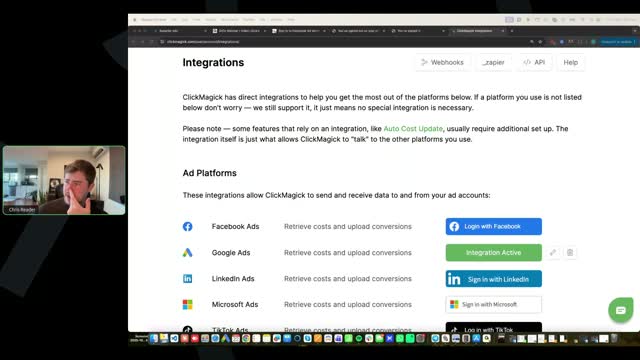
Duplicating does not affect attribution at all because each duplicate has a unique ad ID code tracked by ClickMagick. ClickMagick updates costs approximately every hour, so there is a lag. Also, ClickMagick projects are in euros, so if you spend in US or Australian dollars, it will convert the amount (e.g., $200 USD shows as ~$170 EUR). Facebook is the ultimate source of truth for costs. If issues persist, integrate your ClickMagick account directly with your Facebook ad account via the integrations tab.
To check if the video is prioritized, create a custom metric in Facebook: video plays divided by impressions, which gives a play rate that should be over 90%. Ensure you check the 'prioritize the video' box in the catalog ad setup. If Facebook spends on the white hat image instead, pause the campaign and duplicate it. For the demographic issue, check both the actual demographics and the 'suggested' demographics settings to ensure both are set to women, though Facebook's algorithm may still occasionally show it to men if it thinks it will perform.

Yes, a $31 cost per checkout is great, the CPC is brilliant, and all stats are aligned. An EPC metric is not that important; focus mainly on cost per engagement and cost per checkout.

The split testing protocol must be applied per campaign, not across all campaigns as a whole. Make decisions at the campaign level because it's an ABO structure where one campaign equals one ad, regardless of the number of duplicates. Look at the average performance over the lifetime of the campaign, not just a single bad day. Gate 1, Gate 2, and Gate 3 thresholds are based on cumulative lifetime spend, not daily spend. If a campaign has a terrible day (e.g., CPC doubles), you can pause it for that day and relaunch the next.

Do not throw away an ad that got you initial sales just because it had two or three bad days. Always check the cost per checkout against the benchmark. If the ROI and cost per checkout are still good on average, keep it. Use the ads that got sales as a baseline to improve upon, such as making the hook better, adding more scene changes for dopamine, or cutting fluff from the transcript. When launching new ads, test two variations of the winner and one completely new ad.

The evolution method dictates testing new visual hooks, then script hooks, then avatars. If those minor changes don't improve a winning ad, use 'X mode.' In X mode, you take the winning ad as a draft and create three major variations of the entire ad while keeping the core script elements. This could mean changing the entire video editing style, making the hook and villain more aggressive, or adding social proof/testimonials.
You always need a brand new pixel with no previous data for a new offer vertical. However, do not switch offers after only testing two ads. Only consider switching if you have tested 5 to 10 ads and haven't cracked the offer. Each vertical has its own specific visual and script triggers, and context switching prevents you from learning those patterns.

Instead of text-to-video, try using image-to-video. Generate an image of exactly what you want using AI, and then turn that image into a video. You can also find relevant b-roll videos on YouTube (e.g., 'healthy weight loss ginger juice'), download them, and edit them into your ads.

It is safer to wait for two sales because one sale can often be lucky. Check if the cost per checkout is consistent and under the benchmark. If you want to be aggressive, you can horizontally scale it immediately, ideally during the weekend when performance is typically better. Alternatively, you can immediately evolve the ad by creating three variations of it to test.

Generate the entire avatar script. Trying to save credits by only generating specific sentences takes ten times longer because you have to manually highlight and generate piecemeal. Do not worry about saving $20-$50 in credits; focus on making the absolute best ad possible. One winning ad will generate thousands of dollars, covering all your credit costs.

The opening scene of a woman eating pizza and salad is horrible because it lacks any weird, curiosity-building, or viral pattern interrupt. The rest of the video editing and visuals are actually very good (A+), and the CPC was $1.12, which is fine. Because the opening scene is so bad, you should just change the first 10 seconds to a much stronger hook and relaunch the ad. Do not evolve ads that have no engagements or sales; just fix the hook and test again. Also, ensure visuals are cropped correctly to avoid black gaps on the edges.

You can test four-minute ads, but you should spot the pattern of the winning ads provided in the course. If an ad is four minutes long, you don't have to rework the entire thing, but you should test a variance of shorter and longer ads to see what works best.

The opening scene of Coke pouring on ginger looks like a dark, filtered AI image rather than a real kitchen recipe. If you want it to look real, it must be hyper-realistic; otherwise, just use full animations. Do not use static images or split screens where faces are cut off. The most common mistake is leaving black gaps on the sides or top/bottom of the video—always drag the video to fill the frame. Spend a day generating 40-100 b-roll clips across different AI tools (Kling, SeaArt, Grok) to practice and learn what looks best, which will save you money on testing bad ads.

Antonio explains that testing at least two to three new scripts per batch allows for comparison. If you only test one ad, a good CPC might just be due to the ad account, but with multiple scripts, you can compare cost per engagement. Engagements and sales are much more important than CPC. Chris adds that this follows the exact process they teach, and running three ads at a time is crucial to see which ones actually get sales before turning off the losers.

Chris explains that getting clicks is only the first step and doesn't automatically make an ad a winner. The testing structure exists for a reason: an ad must get engagements and then sales. He mentions a student who let an ad run to $250 without a sale, which violates the protocol. The protocol dictates that if you do not make a sale by around $170, you turn the ad off. Running three ads at a time allows you to see which one is profitable by the $170 mark and turn off the others.

Yes, you need to integrate any new pixel into ClickMagick the same way you did with the first one because that sends data back to Facebook. You should only have a maximum of two pixels right now for the two different niches provided.

Chris confirms it is better to wait until an ad gets past gate two or makes a sale before evolving it. Evolving an ad with only one engagement is ineffective because doubling its performance only yields two engagements. It is better to test more ads initially to find one getting three or four engagements or a sale. Antonio agrees, noting that testing more scripts helps identify patterns, such as hooks that get clicks but bodies that fail to convert.

Chris shares a link to Prime Circle Agency, which provides a complete infrastructure including a Facebook profile, page, business manager, and agency ad account for $399 a month (discounted from $600), with a 7-day free trial. This is only for people whose actual Facebook profile has been disabled, not just an ad account. The base tier allows a maximum monthly spend of $2,500. Antonio clarifies that if you have a running account, you do not need this, as the catalog ads strategy significantly reduces ban risks.

Chris says yes, typically by the $180 mark you want to see one or two sales. If you are running multiple ads, you will notice some get two or three sales by $180, so you keep those and turn off the ones that are just breaking even. Antonio adds that once you find a winner, every new batch should consist of 66% variations of the winner and one completely new script. The ultimate goal is to spend 80% of your budget on proven winners and 20% on testing new scripts.

Chris states that it doesn't matter and you don't need to delete old pixels. You just need to follow the training by making a new pixel and setting it up exactly as taught.

Chris explains that costs will differ for two main reasons. First, currency differences between the Facebook account and ClickMagick. Second, there is typically a time delay of about an hour for costs to update in ClickMagick. Additionally, time zone mismatches can cause issues, which is why the ClickMagick project time zone must match the ad account time zone.

Chris says it can be either, which is why they teach a strategy where 50% of scripts model their ads exactly and 50% model the ads but use more unique bodies from the provided prompts. This allows you to spot patterns and see what works best for your account. Antonio adds that writing original scripts helps build the skill, but you must first understand the patterns of the winners before trying to write something completely original.

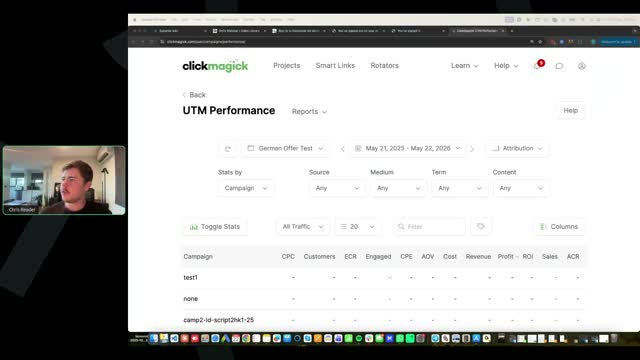
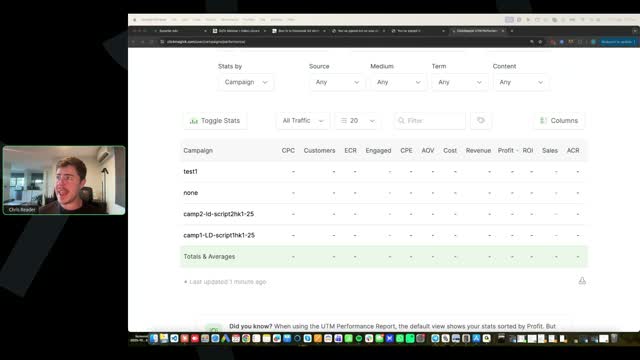
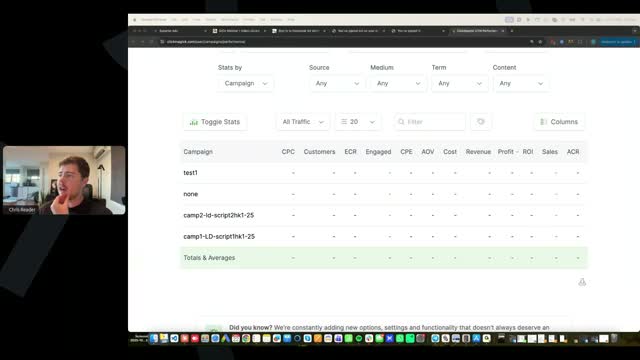
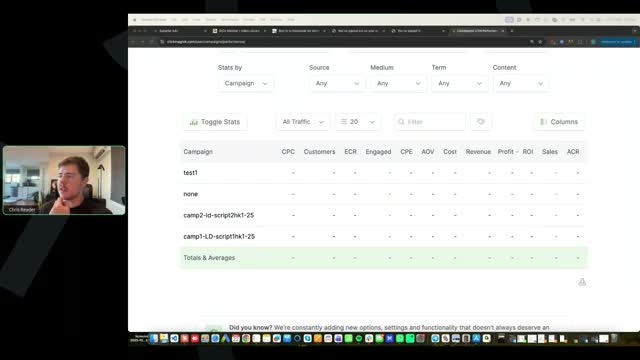
Antonio stresses the importance of naming conventions for every script and hook (e.g., Hook 1, Script 1) to recognize patterns over time. Chris demonstrates his simple method using a single Google Doc per offer, listing all hooks at the top and all full scripts below, labeled clearly (e.g., Script 1 Hook 1). He strongly advises against using complex Excel sheets with tracking codes, noting that elite affiliates keep it simple and focus on testing ads. For performance tracking, Chris shows how to use ClickMagick's UTM Performance report to see cost, revenue, and profit by campaign name.

No, Chris uses ClickMagick for this. By selecting the specific offer in the "Source" dropdown in ClickMagick, you can see the performance, profit, and loss for all campaigns under that offer without needing a separate daily tracking sheet.

No, Antonio clarifies that one of the biggest issues is having the avatar talk for too long without cuts. You need edits and B-roll within the avatar footage. Antonio notes that while memory ads can sometimes work with less engaging editing because it's a less competitive niche, weight loss ads require much faster cuts, more AI avatar presence, and higher dopamine hits. Applying the aggressive editing style of weight loss ads to memory ads will make them perform even better.

Antonio explains that Facebook is the source of truth for front-end metrics (costs, clicks, CPMs) because it charges you. DigiStore is the source of truth for sales and revenue because it pays you. ClickMagick is typically the most accurate for engagements. Chris adds that tracking is rarely 100% accurate due to pixel blockers, but you must make optimization decisions based on the data in ClickMagick. As volume increases, the missed tracking becomes less significant.
Chris explains that Superior Ads is like any video editor and takes practice to get used to dragging and resizing elements. He advises not to be frugal with AI credits when generating B-roll. If it takes generating a clip 5 or 10 times with different prompts to get a good visual (like ginger blending), do it. It's a learning process, and once you figure out how to generate a good clip, you can do it faster next time. Using bad visuals just to save credits will ruin the ad you are paying to run.

Chris says you generally can't and should trust Facebook's optimization, noting that spending $95 by 10:30 AM isn't terrible if it's profitable. Antonio offers two advanced strategies for proven winners only: 1) Duplicate the winning campaign and launch it 2-3 hours before the peak spend time instead of at midnight. 2) Create a new ad account with the German time zone (keeping the same currency) so it paces according to local behavior. Chris reiterates that beginners should not try to manipulate Facebook and should just focus on finding profitable ads.

Chris praises the ad for its fast cuts, engaging opening scene, and good use of B-roll (chopping ginger, rubbing ginger on stomach, pouring Coke on ginger). He notes that while extreme visuals like pouring Coke on a stomach capture attention, they should be used sparingly so the ad doesn't feel completely unrealistic. Antonio agrees, preferring more realistic videos overall. Chris reviews the script, noting it's a good script generated by the AI tool, and commends the overall editing and pacing.

Chris heavily critiques this ad for not following the training. It opens with a static image instead of a video visual, has poor split-screen formatting, and leaves the avatar on screen for 25 seconds without cuts. Antonio points out a fatal error: the AI-generated script starts with the words 'Here is the translation into German,' which was left in the final video. Chris demonstrates how to manually review winning ads by opening a Word doc and typing out every B-roll scene (e.g., 'Coke on ginger', 'weight loss transformation'), instructing students to replicate that exact cadence and style in their own videos.
The training explicitly states that your initial homework is to create multiple scripts and test them first. You need to go wide to identify scripts that are performing because they represent completely different angles and concepts, which gives you the most upside. Testing hooks is an optimization strategy. Only after you find a script that brings good engagement or sales should you follow the evolution method to test different visual hooks and script hooks.
This is often a temporary Facebook bug. The easiest troubleshooting step is to delete the campaign and remake it from scratch. If that doesn't work, set it up again on White Rabbit to generate a new link and use that. Sometimes creating a new ad account and building the catalog in the new account also resolves the issue.

You need to make sure you are following the entire setup video. If the ad creative section shows 'all products' and tells you to select all products from the catalog, you have catalog selected at the wrong level. You must go all the way up to the ad setup section and select 'single image or video' instead.
Sometimes Facebook gives a technical error saying it cannot perform the function at this time. You just need to redo it, sometimes taking three or four attempts to get it going. If it gives a technical error, back out and come back to it later. Also, double-check that your video is actually saved in there, as it can sometimes disappear. This is a trade-off because catalog ads are an advanced technique that reduces ad rejections to almost zero.
A new video has been added to module five specifically covering how to overcome ad disapprovals. Even with completely white hat ads, there is always a percentage chance that the algorithm will flag a safe image or disapprove the ad. The video explains how to navigate consistent disapprovals if they occur.

Once you have a profitable ad (even with just two sales), test it across two to three different ad accounts using the same 1-2-5-1 setup. This allows you to compare performance and find a better ad account. Once you identify the best performing account, use it as your new benchmark to test new scripts and variations. This horizontal scaling across accounts provides stability and allows you to scale harder, potentially running two ad accounts spending $5k-$7k each.

Typically, you will have two business managers, and each business manager allows up to five ad accounts. Initially, your business manager might only give you one ad account. After you spend money on it for a couple of days, it will allow you to have three, and with further spend, it will unlock the full five ad accounts.

The initial goal is 100% ROI, meaning you spend $500 to make $1,000 in sales. At lower spend levels, you might see much higher ROI, but performance can be choppy and inconsistent day-to-day. As you scale up, the ROI averages out and becomes more stable. Eventually, accepting lower margins (like 20-30%) at high scale ($50k/day) becomes a business decision because the absolute profit is much higher. Focus first on getting profitable and building skills before worrying about scale margins.

You partially followed the evolution method but missed the strict batch testing structure. You must test in batches of three: first test three opening scenes, find the winner, and then test three script hooks on that specific winner. You only tested one new hook instead of three. Everything should branch off like a family tree so you automatically optimize. Additionally, you can test two different avatars (e.g., a blonde girl vs. an older woman) with the winning script and visuals to attract completely different audience pools.

Yes, you can only have 250 active ads per Facebook page when using the minimum budget strategy. Every duplicated ad counts as an active ad. Every time you go over 250 active ads, you need to make a new page. This specific structure outperforms others by 75%, making the extra setup worthwhile. Name your campaigns with the page acronym and ad count so you can easily track how many active ads are running on a specific page. Proactively create and warm up new pages every 10 days.

If you are using Digital Solutions, you should make the Facebook pages at the profile level. You can make as many pages as you want at the profile level without issues.

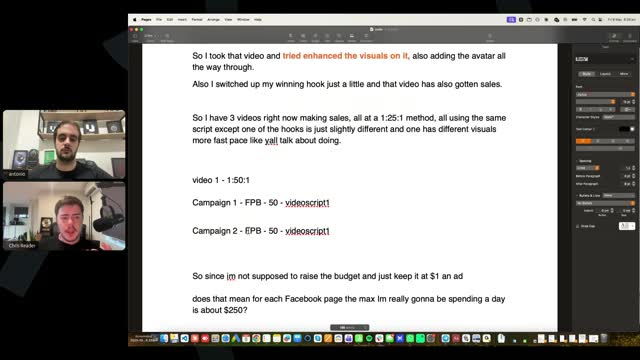
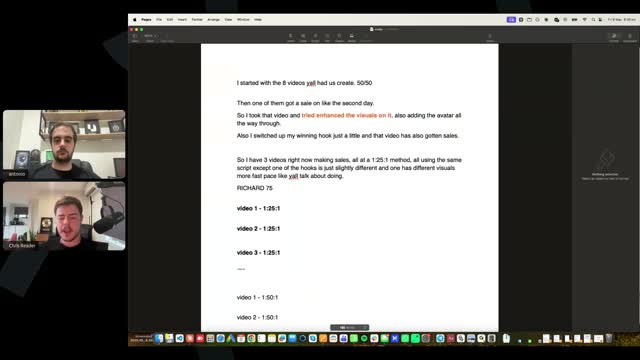
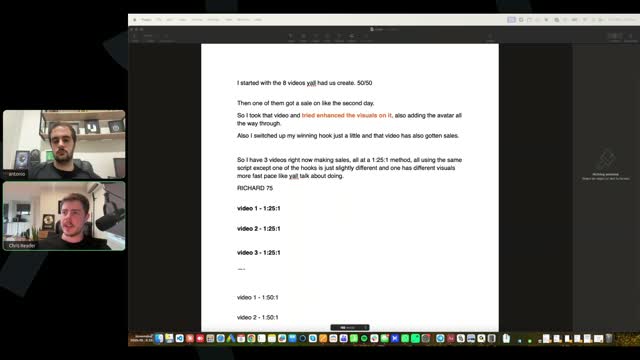
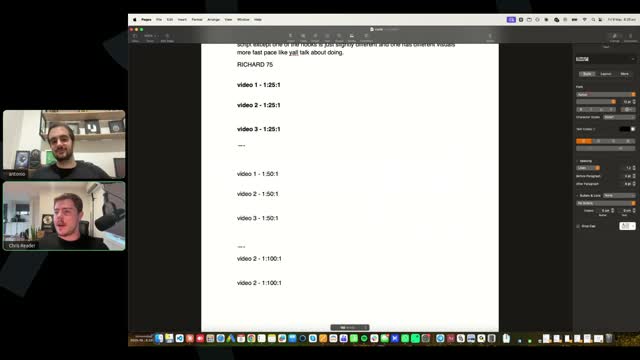
Richard has 175 ads left on his current page limit. He should aggressively scale by launching Video 1, Video 2, and Video 3 each at 1:50:1 (1 campaign, 50 ad sets, 1 ad) to add $150 in spend, while keeping his original 1:25:1 campaigns running. If the 1:50:1 structure doesn't hold ROI, he should instead scale at the campaign level by duplicating multiple 1:25:1 campaigns for the winning videos. Always write out your structure visually to keep it simple.

You must turn your ads off if the Cost Per Engagement (CPE) goes over $50. The testing protocol strictly dictates cutting the ad if CPE exceeds $50 with no sales. Do not let an ad spend $175 for only two engagements.

This is a known Facebook system error that is highly buggy when trying to edit an existing catalog. Instead of trying to edit the broken catalog ad, you should create a completely new one from scratch. Sometimes it is a temporary internet or system issue, so waiting 15 minutes or testing in a new ad account can also resolve it.

First, verify that you actually duplicated the ads at the ad set level so that you have 25 ad sets, each with a $1 budget. If the structure is correct and it is still not spending, bump all the ad set budgets up by 10% to 20%.

When selecting audiences for an offer (e.g., women over 40 or 45), Facebook will prompt you to use it as a suggestion. You must turn that off. It is not a suggestion. You need to use the previous UI from Facebook to force it to serve ads only to that specific demographic. A lot of people are making the mistake of using it as a suggestion.

Data is never 100% accurate. Look at Facebook as the source of truth for costs, CPMs, clicks, CTRs, and CPCs because they charge you. For engagements, ClickMagick is the biggest source of truth. For sales and commissions, Digistore is the source of truth because they pay you. You must look at all three platforms together every day. If you have incomplete data, like a sale in Digistore but no attribution, look at which campaign had the most engagements in ClickMagick and assume the sale came from there.

When you look at an account, ask yourself what variables you are most certain of. If you have two campaigns with a decent cost per checkout using the same hook, stop testing new hooks and start testing new scripts with that winning hook. Try to reduce the variables you are testing as much as possible. Once you find a winning ad, test ad accounts to see if you get a better one. When you get clarity on a winning variable, use it to test other new variables.

Weekend time (Friday to Sunday, specifically Saturday and Sunday) is generally better for these offers. Try spending a little bit more on Saturday and Sunday because they give a better probability of making sales. If your cash flow is very limited (e.g., $1k to $2k), you might only test during the weekend and leave winners running during the week. If you want to optimize for speed, test every single day.

Both, especially in the beginning. Instead of keeping a promising ad at $25, you might duplicate it to 1-50-1 to make it spend more on Saturday and Sunday. You can also launch more ads on Friday so by Sunday night you can make good decisions and cut losers. In an ideal world, you are always testing new ads, but if optimizing for cash, testing more on weekends is good.

There are two main ways to scale. One is duplicating the ad sets within the campaign (e.g., going from 1-25-1 to 1-50-1 or 1-100-1), which increases the overall campaign budget without increasing the $1 budget per ad set. The second way is duplicating the campaign itself. Both are valid and you have to test which works better for you. Bear in mind the page limit of 250 ads per page; if you hit that, you need to create a new page every 7 to 10 days.

The key metric is the cost per checkout (cost per engagement). If your cost per engagement is good (generally below 60), let it run a little bit longer. If you pause it because it spent quite a bit and isn't in profit, try relaunching it during the weekend rather than throwing it away. Since it got a sale and the cost per engagement is really good, try to improve the ad by making the script more powerful and adding more dopamine to the visuals.

Let it run because it is currently profitable at 60% ROI. You should also evolve the ad and try to improve it while testing more variables. The missing metric in the question is the cost per engagement (CPE). If you spent $200 for one checkout and got a sale, it's not a good ad because the CPE is too high. If the CPE is $40 or $50 and it's breakeven, let it run longer because it's getting enough checkouts to likely be profitable on average. Follow the Million Dollar Testing Protocol rules first, then learn to look at CPE and CPA together.

If your CPA is $200 and it's breakeven, or CPA is $150 and slightly profitable, pause it. Take your profit and run because the cost per checkout is too high for it to be profitable on average. If you see a lot of checkouts not firing in the ad account, but that main ad is getting checkouts and a purchase, you can assume some checkouts belong to that ad. This is the skill of making assumptions based on incomplete data.

It is 100% normal to have a $1,000 day followed by two days with no profit. Media buying is not linear, which is why you optimize for averages. Don't get scared if you get zero sales on certain days. Look at what happens during the weekend with that same script and what other variables (hooks, scripts, ad accounts) you are testing.

Different ad accounts have different UIs, and you just need to be resourceful. You do not need to connect a Threads account; you can just unselect the Threads placement. The Threads placement is generally the worst placement for most campaigns. You can run with Advantage Plus, remove Threads, or remove both Threads and Audience Network. If in doubt, just remove Threads.

Digistore generally overshoots engagements, so trust ClickMagick more. The only time to trust Digistore more is if you are getting sales more than proportionally (e.g., ClickMagick shows 1 checkout a day, but you get 1 sale every 2 days, making the checkout-to-sale rate 50%, which is too high since checkouts convert at 30-35% at best). Pull engagements from ClickMagick and costs from Facebook campaign by campaign to get an accurate cost per checkout.

Yes, but CPC and CTR are not the most important metrics. Weekends (Saturday and Sunday) are generally better for engagements and sales, which is what matters. Front-end metrics can be more expensive on weekends because more people are running ads. Always look at bottom-of-funnel metrics like engagements and sales. However, ad accounts have variance, so if you test for 2-3 weekends and results are always worse, it might just be that specific ad account.

Yes, you should create one catalog per ad. Every new campaign gets a new catalog, and every new campaign is a new ad. The exception is if you are duplicating a winning campaign, in which case you use the same catalog. Some affiliates test multiple ads in the same catalog to give Facebook more data, but this removes your control over metrics for individual hooks, so it is not recommended.

There is no golden number; it depends entirely on how much budget you have to test and how many scripts/ads you are testing. Once you have ads that are close to profitable or are profitable, you should spend more on them and their variations rather than constantly spending money on completely new tests.

Gross is the overall amount the offer owner gets. The vendor pays platform fees, chargebacks, refunds, and cost of goods sold (producing, shipping, delivering). The vendor's profit margins are very thin, aiming for 5%, and sometimes they lose money on front-end sales. Affiliates do not pay these variable costs.

The duplication pattern changes account by account. For some, duplicating at the ad set level (1-25-1 to 1-50-1 to 1-100-1) is better. For others, duplicating the campaign itself is better. Doing both (duplicating a 1-50-1 campaign) makes it unclear whether the account prefers campaign-level or ad set-level scaling. It is better to duplicate at the campaign level using 1-25-1, or duplicate at the ad set level (1-50-1, 1-100-1). Test these structures on weekends (Saturday/Sunday) to see which pattern works best for your account.

It means one campaign, 25 ad sets, with the same ad per ad set. This is run with the lowest budget possible, typically $1 per ad set, meaning the campaign spends an average of $25 a day.

It is a tracking issue. You can reset it up from scratch using the training. However, ClickMagick is meant for tracking engagements. Look at costs and clicks in Meta. To get an accurate cost per checkout, pull the cost campaign by campaign from Facebook and the engagements campaign by campaign from ClickMagick.

If you got a sale but the cost per engagement was very high (e.g., $150 or $160), you likely just got lucky, and there is no risk in switching offers. If the cost per engagement was good (e.g., $40), it was a potential winner that got unlucky. If the CPE was around $100, look if other ads had better CPEs and combine their best elements. Since the engagements were too high, switching to the memory niche is fine.

Yes, you can do both styles of horizontal scaling at the same time. It is more aggressive because you are putting more budget out to test it. If you don't have enough clarity yet, do this on Saturday and Sunday, which are better days.

The potential for backend revenue (email lists, SMS, subscriptions) is already factored into the high CPA paid to affiliates. The vendor is willing to lose money on the front end because they expect to make money in two or three months. Subscriptions are a very hard game, but they do try to have them.

For most people, it is better to have shorter scripts, at most 4 minutes or 3:30. If a script is 4:30, the extra minute is likely fluff because most affiliates are not amazing copywriters. It is easier to cut fluff than to write new amazing copy. Cut a 4:30 script down to 3:30 to force yourself to remove things that shouldn't be there.

You can test it, but the demographics provided in the training are what have been tested. Anything else you test is at your own peril.

If it was one of your first ads, it's probably bad anyway. Compare it with your new ads; if it's really good and you haven't tested it enough, turn it back on. If it's worse than the new ones, don't waste money turning it back on.

Yes, you can launch it, especially if it's only been an hour or two. However, it depends on the time zone of your ad account and its spend spikes. If your ads typically spend their full budget at 4:00 AM, losing those hours matters. If it takes 10 hours to spend and you only lost two, it's fine. For new accounts, you can try changing the time zone to German time (keeping your local currency) to make analyzing spend spikes easier.

They all work. Use the free trials to create the first version in all of them for a few pieces of B-roll, and see which one is more realistic. This develops your sense for reviewing AI output. Depending on your prompting style, you will find you are better at using one of them to create realistic B-roll.

The basics are to launch at midnight for your account's time zone. If you are creating new ad accounts, you can create them with a German time zone so it matches the time zone of when you're running ads, but this is not a necessity. Don't switch launch times for every new account as it adds another variable.

Sometimes Facebook has these issues, and dealing with them is part of the media buying skill. You have to be resourceful. Don't let frustration hold you back since you found a way to get through it.

Correct, there isn't one. The CPC is a combination of CPMs and CTRs, so you just look at the CPC. Follow the Million Dollar Testing Protocol by heart.

This is a really cool tip. Creating subtitles in both German and English helps you find the right placement for B-roll to match the script. Just make sure to delete the English subtitles when you are finished.

Digistore generally overfires checkouts, so they are typically not accurate. First, double-check your ClickMagick setup to ensure it is correct. If you are 90% sure the setup is correct, pause the $60 campaign and let the $40 one run. As you get more data, you will develop experience with how many checkouts don't fire in ClickMagick for your specific account.

If you haven't spent much (e.g., $50 across two ads), you just haven't spent enough per ad. Bad traffic generally comes from bad ads, execution mistakes (catalog issues), or the ad account itself. If you are spending enough (e.g., $200-$400) with good CPCs but no engagements or sales, test your best ad on a new ad account during the weekend (Saturday/Sunday) to see if you get a better account. If the new account is better, run with that one.

Yes, use the same pixel since it's the same offer. If you can create new ad accounts in the same Business Manager, do that. If you can't, you will have to do it in a new Business Manager. Testing new Business Managers is too advanced for 99% of people right now.

If you have a winning ad, you do not need to change the mechanism of that ad. It doesn't make much of a difference because people don't pay close attention to the specific trick mentioned. For new ads, you can match the current mechanism, but it's not required to redo existing ads.

People come into the course at different paces, so access to Loom reviews opens up eventually. Pay close attention to the instructions in the course platform to understand how to submit them. First, the fundamentals are taught, and then the more advanced stuff like reviews becomes available.

We are always changing and testing new lead mechanisms on the VSLs. You don't need to completely change your existing ads if this happens. For new ads, you can try to match the current mechanism, but it won't make a difference if you keep doing the same mechanism you were doing before. The most important thing is finding the winning script and hook.

At the ad set level, when selecting genders and ages to match the offer, Facebook has a box saying "use as a suggestion". You must check that box off. If it is left on, Facebook will try to serve your ads to demographics outside of your ideal target, like spending money on 20-year-old men when your offer is for women over 45. Never leave that box checked on.

The source of truth for cost and cost per click (CPC) is Facebook. For engagements (checkouts) campaign by campaign, the most accurate place is ClickMagick. For purchases and commissions, the absolute source of truth is Digistore. Sometimes engagements do not track properly, but purchases do. Compare costs on Facebook and engagements on ClickMagick to calculate the cost per engagement per campaign.

After testing 3-4 scripts and 2-3 hooks, find patterns to see which ones bring the best cost per engagement and ROI. If you have a winning script, use it to test new hooks or test new ad accounts. Friday to Sunday are the best days to test more and spend a little bit more money. For new ad accounts, prioritize creating German time zone ad accounts. Whenever you test 2-3 new ad accounts with a promising script, you will often find a better ad account than your original one.

There is no set amount per week. Once you have at least one winner or a really promising ad, test two or three new ad accounts with that ad to see if you can find a better one. If you find a better ad account, test a little bit more in that account to check if it's consistently better. It's an evergreen three-step process: find patterns in your data, use winning variables to test new variables, and keep testing new scripts and hooks based on what you learn.

Chris already has a complete training on how to create the winning ads, so refer back to that training. As an actionable tip, use another AI like Claude or ChatGPT to create a hyper-realistic prompt for your video generation tool (like V03 or Sora). Tell Claude you need a hyper-realistic prompt for your specific tool, describe the scene in detail, and then copy and paste Claude's output into your video tool.

Pick your absolute best ad right now, or your top two profitable ones, and test two to three new ad accounts for the weekend. This will give you more data and you might find a better ad account. Once you find a better ad account and potentially a better hook, go back to testing new scripts with that winning ad account and winning hook. Always leverage the winning variables you already have.

If it shows as organic, it's not tracking perfectly, but you can assume based on other data. Check which campaigns got checkouts (engagements) on ClickMagick that day. If only one campaign got a checkout, the sale likely came from there. Over time, you will see which campaigns consistently get checkouts at a good cost (e.g., $50 per checkout) and can attribute organic sales to those consistent performers. You have to make good decisions with incomplete data.

Generate subtitles in English in the first iteration of your video so you can match the visuals to your script. At the end, remove the English subtitles and put the German ones. This helps you see if there are words you need to change and visuals to match the script. It will never be 100% perfect using AI, so don't be a perfectionist, just ensure there are no massive mistakes.

Always launch your ads for midnight of your account's time zone. If you are creating new ad accounts in the German time zone, launch for midnight German time. This helps the ad account spend evenly throughout the day. You do not end tests based on a timeframe; you end them based on the million dollar testing protocol and the data intuition you gather from your campaigns.

When selecting demographics like age and gender at the ad set level, Facebook often has a box saying "use this as a suggestion". You must uncheck this box. You still need to match the demographics to the offer (e.g., women over 40), but unchecking the box forces Facebook to stick to those demographics instead of serving ads to people outside your target, like 20-year-old men.

First, check if the video is still in the product catalog. Second, look at the ad preview when creating the catalog ad. Third, ensure the box saying "prioritize the video" is checked. Fourth, create a custom metric in Facebook for "play rate" (video plays divided by impressions). If the play rate is above 85%, you are good; if it's 80% or below, your image is showing too much and your CPCs will be skewed.

If you can't find the "prioritize video" box, first try the workarounds provided in the course for different UIs. If that fails, test different ad accounts or Business Managers, as this feature is very account-dependent. As a last resort, you can run ads without a catalog (standard video ads), but be aware there is a higher chance of ad rejections, so you may need to tone down your visuals and script.

Typically, a really good winner will have a $40 to $50 cost per checkout (engagement). Sometimes you can find an outlier getting $30, or profitable ones getting $100, but $40-$50 is the golden range. Don't pause ads solely based on cost per engagement if they are close, because engagements often underfire. Let the ad run a little longer if you know the script typically works, but follow the million dollar testing protocol as your baseline.

100%, yes. A winner should always be running. There is no scenario where you should pause a profitable winner, even if you are testing new ad accounts. If it's profitable, you never pause it.

If there are no payment issues, there is no concrete reason why campaigns just stop spending. The two main techniques to fix this are to keep duplicating the campaign or keep increasing the budget if they are winners. Testing new ad accounts eventually helps with spend issues as well. A cost per engagement of $15 NZD is a massive winner, so keep trying to push spend on it.

I use the recommended setup so Facebook cannot use that audience as a suggestion, forcing it to spend only on the audience I tell it. I will double-check the training to ensure it's clear, but you should not let Facebook use your demographics as a suggestion.

Digistore has a habit of overfiring engagements, while ClickMagick can underfire them. The truth is usually somewhere in between. You have to get used to making decisions with incomplete data. As you scale and get 1-2 engagements a day, patterns will emerge showing which scripts and hooks work best. Run fewer ads at a time so you know exactly where engagements are coming from.

You don't pause based on days; you pause based on metrics. If the CPC and cost per engagement are constant and it's still profitable on average, keep it running. If it becomes unprofitable, pause it. For duplicates, if the duplicates are profitable on average, keep duplicating. However, compare duplicates to the original—if a duplicate's CPC is double the original's and it's not profitable, pause it quickly. Evaluate scaling strategies: if duplicating 3 times yields 1 winner that pays for the losers, keep doing it.

If you are able to change the name to be similar to what is taught in the class (at least a person's name), yes. If you can't change the name, do not use it. For new pages you create, giving them a German name is a good test and makes a lot of sense, though it shouldn't make a massive difference.

Essentially, nothing. If you are running the same offer, you can use the same pixel and the same Facebook page (if you haven't reached the active ads limit). You only need to change things like the pixel if you are changing offers. Never run two different offers in the same ad account at the same time, as it confuses the account's learning.

Yes. The catalog issue is very account-dependent. If you only want to run catalog ads as taught in the training, simply use your other ad accounts where the catalog feature works properly.

First, when selecting demographics, always uncheck the "use as a suggestion" box so Facebook sticks to your target audience. Second, the lead mechanisms (tricks) in the VSLs sometimes change (e.g., ginger trick to oat trick). You do not need to redo your currently running ads if this happens, as people don't pay close attention to the specific trick.

Find patterns in your scripts or hooks. If one script got a sale, pause testing new scripts for a moment and test new hooks with that winning script. Use that winning script to test 2-3 new ad accounts. Once you find a really good winner, 80% of your work should be creating variations of that winner (changing the avatar, background, hook) rather than testing completely from scratch.

Horizontal scaling also happens at the ad account level. After you have a winning, profitable script with a decent cost per engagement, you can launch it in all the ad accounts you have. Very few people do this, but top affiliates scale across ad accounts once they have a winner.

It is based on profitability. If the ad becomes unprofitable (hits break-even), turn it off, unless it has a really good cost per engagement, which might mean it's just unlucky and will get a sale soon. A sale is the most valuable data, so use that winning ad to test new ad accounts from Friday to Sunday. For new ad accounts, create them in the German time zone but keep your native currency.

Typically, the script plays a bigger role because it's the larger portion of the ad. However, you only truly know by finding patterns through testing. If you test multiple scripts and hooks, and notice that all your sales came from ads using "Hook 1", then Hook 1 is likely the winner. To confirm, test new scripts with that winning hook, and test new hooks with a winning script. This isolates the variables and shows you which element is driving the performance.

100%, yes. The pixel is the intelligence, so it learns from the sales you get to find more sales. It is normal for performance to be a little worse in the beginning with a new pixel. However, you should still aim for profit on day one because the offers are strong; don't waste money banking solely on pixel maturity.

You shouldn't try to improve the ones that didn't work. Pause them. Focus entirely on the ad that did generate sales. Use that winning script and hook to test new variables (new hooks, new scripts, new ad accounts). Trying to fix a losing ad is much harder than building upon a winning one. Keep digging in the "backyard" where you already found oil.

First, double-check your tracking setup because you should be seeing checkouts on Facebook. Checkouts don't fire 100% of the time, but they should be at least 50% to 70% accurate. If you are duplicating the campaign, you need a new White Rabbit link because it's one link per campaign. If you are just duplicating ad sets, you do not need new links. Engagements are always more accurate on ClickMagick, so compare the number of engagements there with the cost per campaign on Facebook to get an accurate cost per checkout. The most accurate place for overall purchases is DigiStore.

Use the same pixel if you are not changing offers. The only time you should switch pixels is when you are switching offers. You shouldn't switch offers unless you have already tested over 10 ads and couldn't crack the offer at all, without even having an ad close to being profitable.

That is amazing and a great example of success. Congratulations on starting horizontal and evolution scaling.

If you already have a better ad, test two to three new ad accounts during the weekend (Friday to Sunday) with that ad. If that doesn't work, you can try switching offers, as people are finding winners in both offers. People have different timelines for finding winners, but the offers are proven, so don't get discouraged. Follow the process even for worst-case scenarios.

Different ad accounts have different performance, which is why you test two to three new ad accounts with your best ads. Create new ad accounts in the German time zone so spending patterns start and end at midnight German time. For pages, the only limit is 250 active ads per page, so you typically only need to create a new page every 10 days or when you approach that limit. You can initially scale with just one page and one ad account, which is what the training teaches.

This is very unusual and not something typically seen. You should always be able to put links there. Submit a Loom review so the specific UI issue can be examined. If you are completely stuck, reach out to support to figure it out.

You can create a custom metric called "play rate" to see if the catalog ad is working properly and if the video is getting played at least 85% of the time. Go to customize columns in Facebook Ads Manager, click create custom metric, and set it as "video plays divided by impressions" formatted as a percentage. If the percentage is over 85%, you are good; if it's below 80%, there is likely a problem with the catalog setup and you should pause the campaign and launch another one.

Payouts depend entirely on the quality of the traffic and the number of bottles sold on the front end. If a customer buys two bottles, the payout is around 100; three bottles is 120; and six bottles is around 170 or 180. In the long run, the average tends to be around 160 because more six-bottle packages are sold. If you get a streak of two- or three-bottle sales, your average will temporarily drop. The process is completely automated based on the number of bottles.

It typically takes two to three days, depending on where the customer is located. Sometimes customers input the wrong address, which can cause delays, but the team handles all the customer support and logistics.

If you have specific UI questions, please talk to support because there are multiple different Facebook UIs. Running the catalog ad should be straightforward, but if your UI is completely different and you can't figure out the principles shown in the training, support can help you figure it out.

You need to accept the Ireland reseller contract. You can open a bank account in Payoneer or Wise with a currency that is not Euros and set it up via international bank transfer. Alternatively, if you have a Euro account, you can use SEPA through DigiStore payment support.

No, we cannot provide metrics for each individual creative because it would be more confusing than helpful, and we cannot guarantee you will get the same metrics. We provide the overall metrics per offer. All the videos provided are either winners or variations of winners, so you should test variations of them as shown in the course.

Even with catalog ads, rejections can still happen, though they are rare. Typically, a single rejected ad does not immediately ban or flag your ad account. Check for any red banners in the Ads Manager indicating the account is disabled, and check your billing and payments for issues. If there are no flags, the account is likely fine. To get it spending again, try increasing the budget slightly on every ad set (e.g., from $1 to $1.20 or $1.50, up to $2) or duplicating the campaigns. If neither works, create a new ad account in the German time zone.

Accept the Ireland reseller contract. If you have an account in Euros, use SEPA. If you have an account that is not in Euros (like a US account), use an international bank transfer. This is all covered in the training and DigiStore support can assist.

I do not recommend deleting inactive campaigns. Deleting every inactive ad could act as a red flag to Facebook. Furthermore, you want to keep the metrics of the ads you tested that did not work for your own data analysis. Getting an ad rejected after it is paused is very rare, but it happens and is just part of being an affiliate marketer.

Yes, definitely unpause it. You need to look at overall averages, especially when spending $25 a day. If an ad got five sales, it is likely crazy profitable even over a one-week timeframe. Do not pause based solely on a couple of days without sales; monitor the cost per engagement (CPE) and cost per checkout on ClickMagick. If the CPE remains relatively constant (e.g., below 30 or 40), the ad will likely be consistent. Build clarity on your variables: if you test five scripts with one hook and one wins, the script is the winner. Then test new hooks with that winning script, and test that winning campaign across new ad accounts.

No, testing page names or identical pages is not an important variable and is not taught in the training. The most important variables are scripts, hooks, opening scenes, and ad accounts. Creating identical pages might actually flag Facebook as suspicious behavior. When you do need new pages, you can use a German woman's name, but don't do it as a split test.

Do not wait too long to send the Loom. Even if you are having tracking issues, the review can help with your ad setup and decision-making process. You still need to figure out the tracking, as checkouts and sales should at least be showing in ClickMagick.

You cannot directly fix a daily spend limit. You can try talking to support, though it's rarely helpful. If you consistently hit the limit and your budget is set higher, the limit will eventually increase, though there's no guaranteed timeline. The best workaround is evolution scaling: take your winning ad and test it in different ad accounts (in the German time zone) to spend more money on that winner across multiple accounts.

Yes, you can hide negative comments, and it doesn't hurt. At a very high scale, it becomes too difficult to manage manually, but you can use a blocklist of words to exclude them automatically. It is especially useful to monitor and hide negative comments on your winning ads.

You receive commissions based solely on the number of bottles purchased on the front end (e.g., 2 bottles = ~100, 3 bottles = ~120, 6 bottles = ~180), regardless of how many upsells the customer buys. The gross revenue includes upsells, but the vendor keeps that to cover product costs, shipping, fees, chargebacks, and refunds, which you do not pay for. The profit margins for the vendor are actually very low (often 5-10%). In rare cases, if you are scaling massively and your traffic consistently buys more upsells than average, the vendor may negotiate a higher CPA to help you scale further.

The more sales data the pixel gets, the smarter it becomes. It is possible to find a winner even if tracking isn't set up properly because the offers are proven and the ad creation training is world-class. However, it is not ideal. You should fix your tracking so that at least 50% to 70% of sales show up on Facebook, which helps the pixel optimize and aids your decision-making.

Likes and positive comments on the posts don't mean much, and you shouldn't look at them as performance metrics. The only time you should look at comments is to exclude negative ones on your winning ads.

The more data, the better. It is normal that not 100% of sales show up, but if it's below 50% or 60%, there is likely a tracking problem. If tracking was fundamentally broken, you would see zero checkouts or sales. Since you are seeing some, the tracking is probably not completely wrong.

It is not a strict requirement, and for most people, it is not a problem. However, it is not ideal. Just like using catalog ads reduces rejection chances but doesn't eliminate them, matching the names is the safest practice, but you can use a different name if necessary.

Do not base the decision just on the number of days without a sale; base it on spend and the stability of intermediate metrics. If the cost per engagement (CPE) remains stable, do not pause it. If the CPE shoots up, you can either pause it, try to improve it and relaunch, or pause it and relaunch it during typically better days (Friday to Sunday) to see if it actually fatigued or just had a bad streak.

You should never run two different offers at the same time. Since you got your first sale with the memory offer, and memory is currently crushing, focus entirely on the memory offer. You do not need to change the pixel right now because one sale will not significantly mess up the data. Just keep the current pixel and run only the memory offer.

Yes, you can typically use short, real clips from platforms like YouTube or TikTok in your ads without getting in trouble. Facebook is very relaxed about this. However, avoid using clips taken directly from Instagram, because Facebook owns Instagram and might flag it.

Yes, they should, but checkouts are the least accurate metric in Ads Manager. They are much more accurate in ClickMagick. You should always check the engagement amounts on ClickMagick and manually compare them with the cost and amount spent on Facebook, campaign by campaign. This helps you build clarity on which hook or script is actually winning.

Facebook assigns a quality score to each account, but there is also a degree of randomness. While older accounts or accounts with higher spend are typically better, sometimes a brand new account outperforms an old one. Every campaign and ad account starts by testing a different initial pool of users; depending on how that initial pool reacts, the algorithm becomes smarter or dumber. Because of this randomness, testing different ad accounts is a necessary strategy.

Currently, the memory offer is doing a little bit better than the weight loss offer, but both are crushing it and have affiliates scaling over $1,000 a day. Do not switch offers based on momentary trends. If you have been running one offer, you are finding patterns for that specific offer, and switching will set you back. Only consider switching if you have tested multiple ads with zero engagements and your tracking is perfect.

As the account starts spending, it usually gets better. However, a 24-hour delay might just be a pattern for your specific ad account. If this happens often, try launching campaigns with a budget of $1.11 instead of the minimum $1 to help force spend. You can also try duplicating the campaign, as the new one might spend faster.

That is a great situation because it shows you have a winning script. You can evolution scale right now by taking your top one or two winning campaigns and testing them in three different ad accounts. After finding a winning account, you should test a new script using your best hook, best opening scene, and best ad account. This allows you to build upon your proven variables while finding new data.

We are always testing different VSLs with different styles. Often, the ugly VSLs work best, but we are constantly trying to improve them.

If you see a strong pattern like nine out of 10 sales happening before 10 AM, and you are spending most of your budget after that time, you should absolutely pause the ads at 10 AM for that specific account. However, this is highly dependent on the specific ad account and time zone. Do not let this prevent you from scaling. Take your winning ads and test them in three different ad accounts in the German time zone to see if the pattern holds. Focus on testing major variables like scripts, hooks, and ad accounts before relying heavily on dayparting.

You can test launching in that account and monitor the video play rate to see if it performs well. However, if it lacks the prioritized video feature, it is usually better to just test a different ad account to ensure Facebook spends the budget on the video rather than the image.

Sometimes ugly works best. Over 150 VSLs have been tested for this niche, and decisions are made based on backend metrics, not aesthetics. The VSL currently being used is the one converting the best, even if it doesn't look beautiful.

We are always testing new mechanisms (ginger, oats, gelatin, etc.), but you do not need to change your current running ads. Testing shows that running a ginger ad to an oat VSL does not significantly hurt performance. However, for new ads, you can model them after the new mechanism. A good test is to take your winning ginger ad, change the script and visuals to match the oat mechanism, and compare the two.

Yes, always start campaigns at midnight according to the ad account's time zone. Unless you are testing a specific dayparting strategy based on established patterns, the general rule is to schedule campaigns to start at midnight.

For your very first ads, it's best to create four or five and only launch the best three, as the first few usually have execution mistakes. Once live, your routine should be obsessing over creating better hooks and script variations. After you get enough data (specifically cost per engagement), use the winning ads to build new tests—testing new variables against your proven winners.

If you change the mechanism (e.g., from ginger to oats), you must change both the script and the visuals. If the script says oats but the visual shows ginger, it will be super weird and perform poorly. You can take an existing winning script and swap the mechanism, but ensure both audio and video match the new mechanism.

No, you do not need a new pixel. You use the same pixel. The only thing that must change is that you need to generate a new White Rabbit link for every new campaign.

It is subjective and depends on the specific ads. If the new avatar clips are clearly much worse than the benchmark of your winning ads, then yes, it will hurt quality. If they are comparable, it shouldn't be a problem.

We have tested this extensively with millions of dollars, and it does not make a significant difference. When an ad says ginger but goes to an oat VSL, most people completely forget about the specific trick. It is better to send traffic to a higher-converting VSL with a mismatched trick than to a lower-converting VSL with a matched trick. Do not change your current winning ads, but you can test the new mechanism in brand new ads.

If the avatars are speaking too slowly, you can speed them up slightly. Speeding them up to 1.1x or 1.2x speed is typically not a problem, as long as it doesn't look super weird.

The length doesn't matter. We test VSLs based purely on conversion rate and earnings per click (EPC). If a VSL has a better EPC, we switch to it, regardless of its length or style.

Some ads perform better with background music and some don't. If you notice a pattern in the provided winning ads for a specific offer (e.g., memory ads using music), feel free to test it. Just ensure the volume is low so it doesn't overpower the script and cause execution mistakes.

Yes, for brand new ads, you should match the new VSL mechanism. Check the folders of winning ads, which are updated every two to two-and-a-half weeks, to see if there is a new trick, and model your new ads after that.

We add the videos first and then the transcripts. You can easily generate transcripts yourself using a tool called TurboScribe, which works really well and has a free tier.

I am never married to a specific tool. While Chris teaches using Superior Ads because it's easier for most, some people crush it using different tech stacks. The most important thing is understanding the principles of media buying, creatives, and decision-making, not the specific tool you use.

Loom ad account reviews are a very valuable asset that helps with the decision-making process, and you should submit one a week. All decision-making comes down to the million-dollar split testing protocol and the evolution method. The method is simplistic and relies on testing many ads that replicate the provided winning scripts, hooks, and visuals. Even if your ads are making sales, you still need to follow the testing protocol and optimize your ads.

If you can't select 'prioritize video' in the new UI, go to your Commerce Manager where you created your catalog ad. Inside that catalog ad, click the button that says 'create campaign'. This will open Ads Manager and create a campaign, ad set, and ad with the catalog in it, allowing you to select 'single image or video'. You still need to manually set up the rest of the campaign correctly, including the pixel, demographics, country, URL, and tracking. One user reported a glitch where the URL wasn't recognized, but another confirmed the workaround worked perfectly.

To integrate ClickMagick with Facebook, go to your top right profile picture in ClickMagick, select Integrations, and click 'log in with Facebook'. Follow the prompts to select your page and ad accounts. However, remember that tracking will never be 100% accurate; it typically tracks about 80% on average due to Apple blocking cookies. More sales get tracked compared to checkouts based on how DigiStore is set up.

If someone clicks an ad, copies the URL, and sends it to themselves to watch on another device like their phone, it breaks the link to the direct ad. It won't track back to the exact ad because it's on a different device and doesn't register as the same person. This is why some sales show as organic or don't track. This is a common issue across all tracking tools and businesses due to Apple's tracking prevention.

If barely any checkouts are showing, you need to ensure all your tracking links are set up correctly within your Facebook ad tracking parameters. Make sure your CMC vid and parameters are set up correctly across all ads. Also, ensure you have the ClickMagick tracking code on the redirect page in the header. If these aren't set up correctly, it won't track properly.

No, you always make your commission on the sale. Even if someone copies the URL to another device, the URL has your affiliate link embedded in it. Tracking is just for seeing data in ClickMagick, but DigiStore always collects your commissions. If something doesn't track on ClickMagick, it still comes through on DigiStore and you still make money.

Make all decisions in ClickMagick, specifically for cost per engagement and sales, and then make the adjustments in Facebook. Use the UTM Performance report in ClickMagick to analyze data easily. Sort stats by campaign to see the performance of every campaign, and adjust the date range to today or yesterday. This allows you to see which ads are performing best even if Facebook isn't showing all the data.

ClickMagick is on a timer and doesn't track live ad spend; it updates costs every hour or so. Sometimes your profit will look crazy good because sales have pulled in but costs haven't yet. Also, ClickMagick won't pull in spend for ad sets that haven't received a click. Since the goal is a $1 cost per click, as long as you hit that benchmark, the spend should come through. The strategy of 20 ad duplicates at $1 each means many ads might spend just under a dollar without a click, accounting for the missing spend.

If you're not getting any spend tracking, you need to make sure you have followed the training to set up audience optimization, set up your pixel, and complete the integrations. Your spend should definitely be tracking if these are set up correctly.

It's not just about trying different opening scenes and ads; it's about doing it in a structured process and looking at your stats. You need to ensure you're following the exact strategy taught to replicate ads, where 50% of ads are very similar with unique hooks and 50% follow the prompts to replicate winning bodies. You must evaluate your cost per click and cost per engagement to make decisions.

Yes, the $1 per ad set method is the exact strategy used even to get to $10,000 a day because it converts better than anything else. The only limitation is you can run 250 ads per page, so scaling up requires a lot more different Facebook pages. When you get to scale, you can test the standard strategy (e.g., $50 per ad) to avoid needing tons of pages, but the $1 per ad strategy is currently performing the best.

Make sure your integration and all tracking parameters are set up correctly across all ads. However, you have to work with the data you have. Look at which ads are getting the highest checkouts, the cheapest cost per checkout, and the most sales among the ones that are tracking, and focus on scaling those. Even with partial tracking, you still have enough data points to make decisions in ClickMagick.

It's the pixel set up with the audience optimization and then also the integrations. Those are the two things for the setup with ClickMagick.

Yes, scale the ads that are making the most sales and have the lowest CPE. If you have two winning hooks and one winning opening scene, duplicate all of those out and begin scaling them. You can definitely start with 1-50-1 on the ad set level for those because you'll be spending more money to scale. Remember to always evolve while scaling by testing new opening scenes and hooks to find even better performers.

Breaking even so early on is a perfect scenario and a very good sign. Every campaign starts negative, moves to break-even, and then to profit. Since your ad spend is covering itself, your goal now is to identify which ads are converting best with the lowest CPE, trim the fat by turning off non-performing ads, and optimize through the evolution method to find the ones that are in profit and scale them.

Your ads aren't meant to be identical word for word, but they must visually match the quality and essence of the winning ads. You need to ensure your B-rolls are engaging, the pacing and cadence are the same, and the overall quality matches the examples provided, even with completely different scripts.

Yes, if you're getting a 20% ROI, you should definitely scale it. You can test 100 ads (1-100-1) or even 200 ads. When you duplicate campaigns horizontally, some might fail, some might hit 20%, and others might hit 150% ROI. Crucially, you must also do evolution scaling on the side: test new opening scenes, new hooks, and new avatars. Evolving a 20% ROI ad can easily push it to 60%, 70%, or 100% ROI.

Breaking even is a good scenario. Since you've only made 7 or 8 sales in a month, you need to double the amount you are testing. Focus on what's making sales and optimize by working through the evolution method—testing different opening scenes, hooks, and actors, and focusing on the winners.

Check if you submitted it in the correct place; Loom reviews should never be sent to support, they must be added to the correct drive. Chris checks and confirms Antonio has watched it, and updates Natalia to see what's going on.

Yes. Not every stage of the evolution method will give you an improvement. If testing 3 to 6 new opening scenes doesn't yield a better cost per click, cost per engagement, or sales, keep your original opening scene and move to the next stage, which is testing new hooks. You must work through all the stages even if one doesn't show improvement.

The standard strategy is 1 campaign, 25 ad sets, 1 ad per ad set (1-25-1) at $1 per ad set. You can test $2 or $4 per ad set, but do not test anything different from the taught $1 method until you are already in profit making $1,000 a day. Once you reach financial profitability, you can experiment, as different ad accounts behave differently, but stick to the known $1 method to get there.

Yes, they are always testing new versions of offers and hooks on the backend. A new diabetes offer is crushing it and will be launched soon. There is a new 'oat trick' hook for the weight loss offer, but stick with the 'ginger trick' for now until Chris and Antonio work out the intricacies and give the official go-ahead. They will organize and provide the new links and VSLs when ready.

Yes, every new niche needs a new pixel. There is no 'German pixel'; it should be a specific pixel for each niche, such as a weight loss pixel, memory pixel, or diabetes pixel.

Every single new campaign needs a new ClickMagick setup with its own tracking link. If you do not separate the tracking between your campaigns (e.g., campaign 1, script 1, hook 1 vs. campaign 2, script 2, hook 1), everything will track as the same thing and you won't be able to analyze performance.

Built by scripts/edge_course/qa_site.py from campaigns/edge-course/qa-calls/. Rebuilt 31 Oct 2026 15:24 Melbourne.