Full timestamped transcript with on-screen notes
[00:00] Chris Reader: Welcome to the call guys. Hope you guys are all doing well. Let me know if you guys can see and hear me in the question box there. Just a heads up as well guys, GoToWebinar has changed their software, so just want to make sure everyone knows where to submit your questions. You submit your questions in the question box there. You should see two chats, one says chat, one says questions, and then you submit your questions in the question box there and I can see it.
[00:37] Chris Reader: Awesome and super excited to be on here with you guys. Real quick, Antonio is actually very, very sick. He just messaged me earlier today that he won't be able to be on today because he's very sick, but that's all good. I'll be on here with you guys and we'll jump into all your questions.
[00:56] Chris Reader: Firstly, super excited for everyone that is here, super excited for everyone that is going through the training. Make sure you're attending the live calls. Of course, we are doing two live calls per week. So try to attend them if you can. If not, just make sure to watch the replays.
[01:17] Chris Reader: Real quick, I just want to also mention guys, because each time we do a call some people get confused, but depending on when you guys got the email to join this live group, and then depending upon when you actually had your call booked in, and when you actually joined, there is a big period of time between, not big, but like there could have been a week time between when you got the email versus someone else versus when you actually booked your call to sign up versus when you actually got onboarded guys.
[01:53] Chris Reader: So every single person here, this group has been capped at 100 people. You're all a part of the live cohort here. We're all doing this at the exact same time together. However, some people might be further ahead than you depending on when they got access. So I just want to say this because you might be at a point because you've just been onboarded or you've, depending on the timeframe of when you got started, some people might be a bit further ahead than you. Plus also because the first two modules get released, then the next two modules get released, it can seem like there's a bigger gap between some people than there actually is.
[02:33] Chris Reader: So I just want to mention this to get this out of the way, because some people might be further ahead than you, but again, it does not matter. We're all going through this journey together and we're all working on the same stuff together, okay? So I just want to mention this, all right?
[02:56] Chris Reader: And also in saying that guys, it's all at your pace. So there is no past live calls you get access to, you all get the 24 live calls, okay? So everyone gets the same amount of live calls. So if you've started and you're like, oh well someone already had a live call, you get the same amount of live calls. Everyone gets the same amount. It's all at the time you join, okay?
[03:25] Chris Reader: So I just want to get that out of the way because people always get confused when we start talking about certain things and they're like, oh I haven't started and they think that they've been left behind, but no one's left behind guys. It's all the same thing.
[03:40] Chris Reader: Now, I always see the exact same people, not the exact same people, but the exact same confusion topics. So I just want to get all of these out of the way before we jump into the good stuff, all right?
[04:06] Chris Reader: First things first, people talking about the Claude script writer flagging content. Guys, the flagged content is not an error, it's not an issue. When you get Claude to write a script, at the very bottom it has these flagged points and it's literally just for you to review and make sure that your scripts are aligned with the offer.
[04:29] Chris Reader: So when you go to the offer document that we have, at the very bottom it's got the big idea, the mechanism and the angles. And the reason Claude sort of flags these things is just to make sure that you're aware that these things need to be aligned to the offer. So it's just there for you to double check. However, the way I teach you to write these scripts with Claude, it should automatically be doing that, but it's just there for you to double check. The flag is not a negative, even though it sounds like flag sounds negative, it's just to make sure you double check, okay?
[05:19] Chris Reader: Let's go through, let me read some of these questions here as well. We'll go through and we'll answer, going from the bottom guys and I'll go through and answer the questions.
[05:34] Chris Reader: So someone here said, so as of today Superior Ads reduced my number of characters allowed in the script writer from 3,000 to 1,000 characters. Is this normal? Yeah guys, so the Superior Ads, make sure you don't have advanced emotion on. So the advanced emotion button in Superior Ads can only be used with a smaller script because the longer your script is, the more distorted your audio will be if you use the advanced emotion.
[06:14] Chris Reader: So the advanced emotion control can only be used on shorter scripts. So I believe that's the issue that you're talking about. So just make sure you have the advanced emotion off and then it will allow you to put in 3,000 plus characters in there. So that's literally the issue that you're talking about right there.
[06:38] Chris Reader: So again, you don't need advanced emotion guys. I don't even think advanced emotion works for foreign languages either. So you don't need the advanced emotion, so just make sure you turn that off. It's alright with English language, it's alright. It's still not like that crazy of a difference. So just make sure you turn off the advanced emotion. And I want everyone to take note of all of this because I don't want to be repeating the same stuff all the time guys, alright? Because some people ask the exact same questions literally seconds after I just answer it. Okay. So yeah, make sure you just have the advanced emotion off.
[07:30] Chris Reader: Someone said, when Claude inserts a random doctor's name into our script, is it okay if it doesn't match the VSL? So it can be okay, right? But it depends what context it's saying it in the script. Okay, so if it's saying it in the script as in like this doctor invented this method, then I wouldn't do it. I wouldn't have the doctor's name in there.
[07:55] Chris Reader: But you also don't have to have a doctor's name. You can say like leading researchers at XYZ, right? But also that would be something to test. It's not like it's going to make your ad not perform if the doctor's name doesn't align with the VSL. Because the main thing that actually does the selling in the VSL is the big idea and the mechanism. Right? So for example, like the ginger trick and the mechanism of melting fat calories or whatever mechanism that you've got.
[08:30] Chris Reader: But even the mechanism, right? Like if you look in the offer details section, there's actually a range of different ways that you can say it. So as long as like the core element, which is the big idea of like the ginger trick, that is like really kind of the main thing that needs to be in your script. Because the other things get described like many different ways within the VSL, but the core element that's carried through the entire VSL is the ginger, okay, the ginger trick.
[09:10] Chris Reader: Someone said, my affiliate link is not working. It's not showing any click report to my DigiStore24 account. Yeah guys, look, so the way it's been set up, since these are private offers, you will not see any promo clicks in DigiStore, okay? So the way it's been set up, since these are private offers that aren't, you know, you guys are getting like private whitelisting access to, you won't see any promo clicks in DigiStore.
[09:37] Chris Reader: But as long as, you know, you've been approved for the offers and you create your affiliate link the way that we have informed you to create it, it is, it will work. It does work, okay? But just keep in mind you will not see any promo clicks because it is not like a public offer.
[10:06] Chris Reader: Alright, so someone, I think this is the same one that I just answered. Yeah, so Claude is flagging, you know, things to be congruent with the VSL and confirm congruence with the VSL before using. And then they ask, how do I get this from the VSL? Guys, you don't need to get it from the VSL. It's all below the offer, okay? Everything that you need to know or make sure is aligned is below the offer at the very bottom of the offer page.
[10:38] Chris Reader: Alright, so this is also a question that some people are getting. Any idea why ClickMagick has completely different data from Facebook and White Rabbit? Yeah, guys, so this is something that is always going to happen. And two things, again, like I teach in the training, when we want to look at our click, cost per click, okay, when you're analyzing the data, I show you guys in that video where to look for the data.
[11:01] Chris Reader: So first things first, never, ever, ever look in White Rabbit for data. White Rabbit is not a data tracking platform. It's literally just the redirection platform. So White Rabbit is always going to show completely different numbers to, you know, ClickMagick, okay? Because White Rabbit filters bots out. Right? White Rabbit filters bots and random clicks.
[11:26] Chris Reader: And so what you will notice guys, is the ClickMagick, okay, ClickMagick is the actual like people that are clicking through to our VSL. Alright, so there's a range of reasons why the, you know, Facebook clicks and then the ClickMagick clicks will look a little bit different. And that's because one, the clicks on Facebook either can come from like, sometimes they can be bots, alright, which White Rabbit will filter out. And the other reason is some people might click and then instantly just get off the page before it actually lands on the VSL and tracks a ClickMagick click, okay?
[12:08] Chris Reader: So they can and there will be a difference there. But we just, we don't want to isolate on these tiny little issues, okay? So as long as all of the, as long as the clicks are showing up in ClickMagick, we're tracking everything, that's all that matters. If there is a difference in clicks, it's not to be worried about. Alright, we just need to focus on running our ads, finding ads that are, you know, getting good cost per engagement, getting good cost per sale and then scaling that up.
[12:35] Chris Reader: But again, do not look at White Rabbit for data because it's not like a tracking thing, it's literally just a redirection thing. And it is completely normal for the amount of clicks on Facebook versus ClickMagick to be slightly different. Because if, because for one reason, some of them are bots clicking through that actually don't ever get to ClickMagick, they don't actually see the ClickMagick link. Secondly, because some people might click through and then instantly just like exit the page, alright, before it even loads, okay?
[13:17] Chris Reader: Okay, so this is, so just to recap also on some common issues that we've seen, I just want to recap on some common issues we've seen guys. So me and Antonio, you know, we keep an eye out on like the support email and I'm even in there answering your guys emails as well myself. Um, because we, you know, a part of this group, you know, you guys are getting like the best support we've ever provided. You know, two calls a week, plus I'm literally in the emails answering a lot of your guys questions as well.
[13:52] Chris Reader: Because this is a new group, we have noticed that there is some glitches that me and Antonio have never seen before. And a lot of people aren't having these glitches, but some people are. So what we've noticed is that some people when they create their carousels, okay, when they upload the image and then they upload the video into the carousels, what we've noticed is that some people's carousels, the video, they'll upload the image and the video and it will look good and then they will like save it and exit out, but then the video will be disappeared. The video won't actually have been saved or be there.
[14:33] Chris Reader: So in the training guys, there is an important video that everyone needs to look at and it's called Troubleshooting Carousel Ads. Now in that video, Antonio shows you how to double check and confirm your carousel ad is there with the video. Okay, because if you do not have it there, or if you set it up, and again, we've tried to recreate this on like many different accounts, we haven't been able to see it, but we have heard from some people, and a lot of you might have the same issue as well, where they'll create the carousel ad, they'll add the video in there, it will be there, then they'll save it and they'll get out of it, but if you go back into it, the video won't be there.
[15:16] Chris Reader: So this is clearly just like a glitch or something from Facebook. Okay, so make sure you double check that with the troubleshooting carousel ad, okay? Make sure you go in there and troubleshoot it to make sure that the carousel ad has the video in there. Okay.
[15:36] Chris Reader: So has anyone had this issue so far and has that then helped you guys fix it? We know from the people that did report it and were telling us that they had that issue, the fix did fix it. You know, you just got to redo it. And Facebook's just glitchy. It's got nothing to do with how we teach it, it's literally just Facebook being glitchy, which is, you know, sucks, but it's not, it's a little bit annoying, but it's not that annoying, you know? So it's just us, we just want to really make sure that you guys understand everything and we just want to really err on the side of caution that everyone is aware that that can happen. Even if it's not happening to you, that's great, but for some people it has been happening. Okay.
[16:27] Chris Reader: Catalog ad, sorry. I think someone said I was saying carousel, sorry, catalog ad. Yeah, catalog ad. Sorry, if I was saying carousel, catalog. Right, and that is in the module three, okay. Actually no, sorry, that's in the module where you're creating your catalog ad. Alright, so it's at the very end of that. It's called Troubleshooting Catalog Ad. Okay.
[17:00] Chris Reader: So with that, we've then been hearing from some people as well, and again, for some reason some people, you know, are running into issues that we've never seen before, which is totally fine, that's why we want to do these two weekly calls, make sure everyone's getting every, like as much support as needed, right?
[17:17] Chris Reader: So from what we've also heard from some people is when they go through the entire process and they go to select their ad, again, if you're not up to this point, you're still making ads, do not worry, do not stress. I'm just talking about this because I want to make sure everyone is aware or we can, you know, fix anyone's issues, okay?
[17:37] Chris Reader: Some people have been saying that when they go into actually like set up the ad, one sec, trying to find this question. One sec. Can't find the question. This new GoToWebinar is so annoying.
[18:12] Chris Reader: Anyway, so when you go to create your ad in the ad setup, it should be like, you should have a selection where it says more options in the ad setup. I'm actually going to find it in the document here. And then it should say, in the ad setup section, you should be able to, you should unselect multi-advertiser ads and then select single image or video. Okay.
[18:44] Chris Reader: So some people have been reporting to us that they can't see the option where it says in the ad setup, they can't see the single image or video option. Alright, so if you can't see that in the ad setup section, make sure you go to the troubleshooting video that we've uploaded. Because if your catalog has not uploaded the video correctly, and again, you need to make sure you watch that video, you need to make sure you go into your catalog, you go into media, you make sure the video is there. Because if the video is not there, that section will not appear in the Facebook ad setup. Okay.
[19:29] Chris Reader: So you need to make sure that you've troubleshooted the catalog. And then the multi, in the ad setup section, okay, it should have where you can select, you know, deselect multi-advertiser ads and then you should select single image or video. Now that section is going to be in a drop down just like Antonio shows. Alright.
[20:03] Chris Reader: Now someone here had a good point here, said Facebook only offers carousel ads when I choose purchase as the event. Okay, which is yeah, you're meant to have a purchase event in there, okay. But that is good intel because we've been trying to recreate this issue that some people have been saying where they can't select the carousel and they can't select the single image or video.
[20:30] Chris Reader: So if you have had that issue, Chloe, I know you have, and I know Linda has, they're the only two people that I've seen who haven't had it. But we have been unable to recreate that in brand new accounts, brand new business managers, brand new ads, we've been trying to look into this to try and recreate this error and we have not been able to recreate it. So if you have this issue where you cannot select it, like let me know. If you had the issue and you fixed it, also drop it in the chat because it could be some small little setup thing that someone's doing wrong.
[21:05] Chris Reader: But just like Alex said in the chat here, it only offers this section when you choose a purchase event. So maybe you have not chosen the purchase event correctly. Or you have not, you know, you do not have a video in your carousel. So Theresa, you said you're having the issue. Alright, so that's why I just want to, you know guys, the purpose of these calls is really to just fix these little issues and stuff as well. Especially at this point in the training, we want to make sure everyone's overcoming these little issues, okay.
[21:57] Chris Reader: Alright, someone here said, I have a previous page called Brianna Johnson, can I use this page? Yes, you can. Yeah, you can use old pages as long as the page name is aligned to like a random person's name like we, like we have. That's completely fine.
[22:12] Chris Reader: Someone else asked the same question, can I use, I used an old Facebook page and changed the name and images, this page has a number of posts. Yeah, again, you can use old pages, that's completely fine, just make sure the name of the page is aligned to just a random person's name like we teach. Alright.
[22:32] Chris Reader: Alex, you said that you fixed it. And yeah, someone said I think a lot of us haven't started running ads yet. That's completely fine, again, that's completely fine guys. You know, some people, it's completely fine. Alright.
[22:59] Chris Reader: So someone here said that they fixed it, they need to toggle the Advantage+ catalog on. So yeah, we've tried to recreate this issue and we have not been able to recreate it. So the biggest thing is like most likely it's the way you've actually set the campaign up. So make sure you go through and follow everything step by step. It's either the way you set the campaign up or it's the fact that the carousel does not have the video in it, which we have seen reports from people saying that they, you know, set up the carousel like normal and then when they go back and look at the carousel, the video is not in it. So it's either one of those two steps, okay.
[23:45] Chris Reader: Someone then asked, where do I toggle the Advantage+ catalog on? Look, I'm not going to answer that directly in the call because it's going to be confusing, so just rewatch the video where Antonio does it, right? Rather than me saying oh it's here and here, if you just rewatch the video it will be a lot clearer. Okay. Um, okay, so just rewatch the video and set it all up. If you're still having that issue, email our support team as well because we're in there fixing issues, alright? But everything will be fine as well guys. Like, you know, that's one of the reasons why I'm super excited for this group as well because again, we're providing like the most support we ever have. Two weekly calls, I'm also in the support email answering people's emails as well. Um, but again, we just want to make sure all the foundations are set up correctly, make sure everyone's issues are fixed. If you have issues, we're going to fix them for you. And then obviously once, you know, everyone starts getting their ads running, then that's where the really exciting stuff's going to happen. But for now, that's okay. We fix the issues, we work through the basics, make sure everyone understands everything. That's completely fine.
[24:59] Chris Reader: So Daniel, you said yeah, toggle the Advantage+ catalog at the campaign level. Did that fix the issue for you? Um, let me know.
[25:09] Chris Reader: Alright, someone said, Chris, is it worth changing the content of the safe page to German language? No, it does not matter. Again, if we teach you a specific way, just follow what we teach. If I don't teach creating the safe page in German language, then you know, like just don't think of anything that we don't teach, you know? If I teach it in a specific way and I tell you to pay attention to it, then do it. If I do not teach it, do not contemplate it. Okay.
[25:39] Chris Reader: Someone here said, I have two Facebook Business Managers I haven't used in years, should I use them or start a new one? Just use the same Business Managers you've got, that's completely fine. Just use, you can use old Business Managers, that's fine. That's completely fine.
[26:03] Chris Reader: Also, someone said, also I can't see my pixel is getting any data in the Events Manager. Yeah guys, your pixel will only be getting data when you make sales. Okay, so the pixel, because we're tracking purchase event, you will only get data when you make sales, okay? So do not worry if your pixel says like, if your pixel's got like a red dot or like a caution sign or something next to it, it's because it hasn't made, if it hasn't made sales, it will always have that. Okay.
[26:36] Chris Reader: Someone said, if I've already ran ads on my Facebook account, do I need to run the engagement campaign? Yes, we still recommend you do that because half of the engagement campaign is actually for the page as well, okay, for the page that we've created.
[26:53] Chris Reader: Alright, so someone is saying, my campaigns are not spending any suggestions? Yes, so this can happen on new accounts where your campaigns aren't spending. Either your engagement campaigns aren't spending or you can also see the same issue even on your actual like conversion campaigns. It's a very simple fix guys. You just run, you just increase the budget on your ads by 10%. So if you're doing your engagement campaign, just increase the budget by 10%. If it's your actual like, you know, conversion campaign, you increase the budget on every ad by 10%. Alright, so like if you're running the, you know, you guys should all be doing the dollar a day ad sets, you increase all those ad sets to $1.10. Right? And this just allows the algorithm and, you know, it just kicks the algorithm into gear. If that does not work, just duplicate the entire campaign out again. Alright, and that's been fixing it for everyone, alright.
[27:56] Chris Reader: Someone here said, when setting up the ad, I changed the suggested age to 45+, but then in another section it says the minimum age 18. Should I change that to 45+ or leave it? Look, that section doesn't matter too much. The reason, in the suggested, um, in the suggested section, that's where like your ads get delivered. Okay, the way Antonio shows the setup. Where it then says like the minimum age, that's just like a safety precaution thing from Facebook because it automatically sets that at 18 because if you're running like an ad that is, you know, that cannot be seen by minors, then it like, it's like a safe safety thing for Facebook to make sure it's never going to show to anyone below 18 at all ever. Okay, now that doesn't mean that your ad when you select 45+ is going to be getting sent to 18 year olds. It's just like a sort of safety sort of setting in Facebook. You can literally leave it at 18 or just change it to 45. I would just change it to 45 as well. But again, the suggested age that you put in is where your ads are going to be shown. So yeah, just change that to, you can just change that to 45 as well.
[29:26] Chris Reader: Alright.
[29:37] Chris Reader: Alright.
[29:51] Chris Reader: Alright, um, yeah, so someone said, I have a previous page called Brianna Johnson, can I use this page? Yes, you can. Yeah, you can use old pages as long as the page name is aligned to like a random person's name like we, like we have. That's completely fine. Someone else asked the same question, can I use, I used an old Facebook page and changed the name and images, this page has a number of posts. Yeah, again, you can use old pages, that's completely fine, just make sure the name of the page is aligned to just a random person's name like we teach. Alright.
[30:39] Chris Reader: Alright, I'm just going through reading some more questions here. Just give me a sec guys.
[30:57] Chris Reader: Alright, someone here said, alright, my first campaign wasn't spending on day one, I put its budget up 10% and it only spent a dollar, the second day $2.80, and today I just duplicated the campaign and turned the original one off, anything else I can do? So you might need to let it, again, if it's a brand new campaign, you might need to let it sit a day. So you might need to just let it sit a day or two or three even if it's a brand new campaign. But again, like we suggest, increase the daily budget by 10% and then let it sit there. If that doesn't get the campaign to spend, duplicate the entire campaign out again and then let it see if it spends. If it doesn't, increase the budget by 10%. That should get it to work because your, the account just sort of needs to kick into gear, okay? So that will most likely get it to work. Alright.
[31:57] Chris Reader: My old page name I was going to use is called Max Health Guide, so you're saying I should change it to a random person's name? Yes. Okay, guys, I don't want to like honestly re-answer all the same stuff in the course guys. If we tell you to do something in the course, do it, right? So if we tell you the page name should be like a random person's name, make sure your page is a random person's name. Don't name it like Top Health Guide Today or something like that, alright? So everything in the training is what you need to do. Okay.
[32:31] Chris Reader: Alright.
[32:41] Chris Reader: Let me just go through and read these questions here. I need to scroll through. Um.
[32:50] Chris Reader: Alright. So, um, you mentioned that the creatives need to be modified before we use them. Yes, exactly right. Uh, in the case where you are doing horizontal scaling across multiple ad accounts, would you change the creatives in that case too? Yeah, ideally like if you're, if you're testing across completely different ad accounts, you do want to modify them. But the goal here is guys, like we give you these winning ads and then you need to modify them the way that I teach. And there's a couple ways you can modify them, right? Changing the beginning of them, changing like or modifying the body of them. So that's the biggest key, okay? And then also just recreating the video of it as well is also very important. Um, and that makes it unique as well, okay? Just, just the act of changing like the avatar and the B-roll and editing it yourself, that also makes it unique, okay?
[33:46] Chris Reader: Um.
[33:53] Chris Reader: Again, people are asking about the flagged in the ad copy. Guys, the offer, the offer page has the things that you need. The offer page, okay? The offer page has all the details of the VSL that you need to align to, okay? So if you go into the offer page, it has all of it. So someone just asked, so to follow up on my flagged question, does, you know, Slim Jaro have this, you know, mechanism and villain? Look in the offer page, okay? You need to learn how to learn guys. Look in the offer page, it has the answer to that exact question you asked me, the way I answered it. So when the Claude project has the flagged things, you need to look into the off, you don't even really, like you should be getting, the way I teach you guys to use the script writer is to get the details from the offer page, right? The mechanism, the big ideas, uh, the problem, the angles. So if you've gotten that from the offer page and baked that into your script, then the answer is it's already aligned, okay? The flag is just there for you to double check and make sure, alright?
[35:09] Chris Reader: Okay.
[35:13] Chris Reader: Alright, alright, alright, alright.
[35:19] Chris Reader: I'm just going through here.
[35:28] Chris Reader: Alright, someone here said, uh, maybe I missed the question, but when uploading a video for the catalog library, does it need to be a certain length? No, it does not need to be a certain length, but it does need to be a certain size. So your video can be however long you want it to be, but it needs to be a certain size. So again, I would recommend rewatching that video, okay? I would recommend rewatching that video. Alright.
[35:51] Chris Reader: Someone said, how are these ads so aggressive and they're still passing compliance? Um, sorry if it's covered in later modules. No worries, that's fine. Yeah, so, so we use the strategy of the catalog ads. So we use this strategy of the catalog ads which allows us to, um, to run these ads on Facebook. Now here's also something that's very interesting as well. Uh, you can actually just straight up run these ads without catalog ads and they can still work as well. You just get some disapprovals. Uh, there was actually someone, I don't know if he's in the chat here, he messaged me that he like just ran the ads before the part in the training told him how to, and all of his ads got approved just straight running them like normal and he was making sales with them as well. So the catalog ad is like a special strategy we use in order to make sure our ads aren't getting disapproved. But these ads will still get approved on Facebook as well, which is pretty crazy, without the catalog ads. But in saying that, we obviously teach you guys to use the catalog ads, it's just like an extra layer of protection, alright?
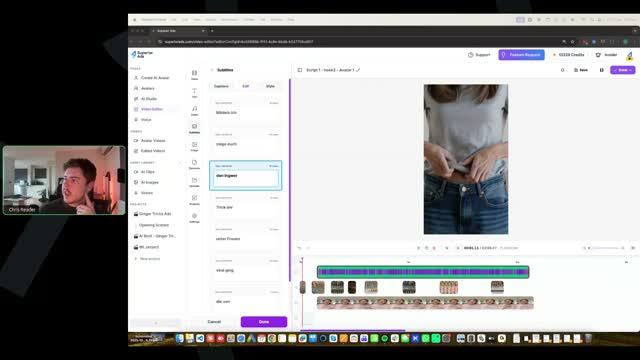
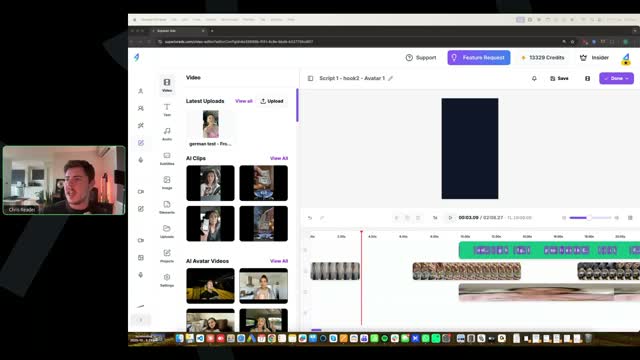
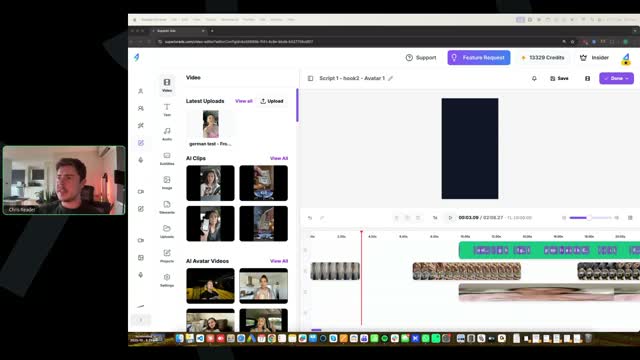
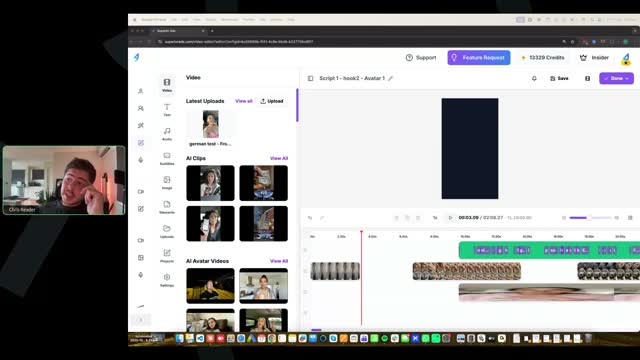
[37:00] Chris Reader: Someone said, how can I just recreate the hook of a video in Superior Ads without having to recreate the entire video from scratch? Yes, so what you want to do is you just get your, your video, okay? So just the video that you have in the timeline editor, right? And you duplicate that video. So you copy that, that video. Right? So you can click like the three dots. I'm going to go into Superior Ads now and just sort of discuss it. But the key is, yeah, when you're creating just hooks guys, you don't recreate the entire avatar. You just have to figure out where in the script are you going to change the hook. So where is the hook versus the body, okay? And then you just get your new hook and you put it into the avatar generator. So you use the same avatar, you use the same voice, but instead of generating the whole script, you just put in like the first two sentences or whatever the hook is, right? Two sentences, three sentences. And then you generate the avatar with that hook. And then in your edited videos, okay, you just open up the new video. So you clone that video that you have. So let's say it's like Script 1, Avatar 1, right, Hook 1. You just clone that video that you've edited, okay, and you call it Script 1, Hook 2, Avatar 1. Then in that video, you open it up and then you import the new hook that you've created and then you trim the old hook. Alright, so I'm just going to show you guys on my screen here. It's actually very, very simple. Um, right, so let me just share my screen.
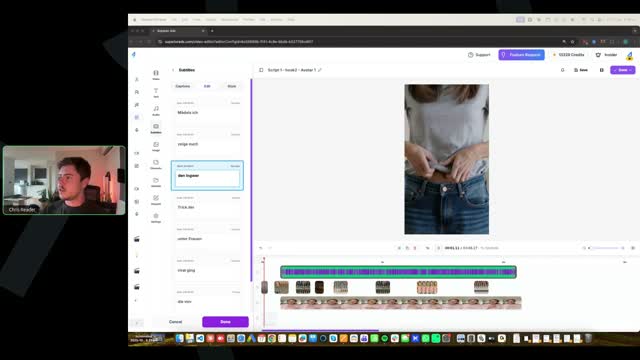
[38:58] [SCREEN 39:00] Chris shares his screen showing the Superior Ads interface at superiorads.com/video-editor. The page is titled "Avatar Videos" and shows a grid of video projects. Visible project names include "Script 1 - Hook 2 - Avatar 1", "German test - Hook...", "AI Clips", "AI Avatar Videos", "Untitled", "Script 1 - Hook 1 - Avatar 1", "german test - hook 2", "german test - hook 1", "german test", "german v2", "german v1".
[39:00] Chris Reader: Right, so you come into your edited videos. Let's just say it's this one here that we're going to do. You press clone.
[39:08] [SCREEN 39:08] Chris clicks the three dots on the "Script 1 - Hook 1 - Avatar 1" project and selects "Clone".
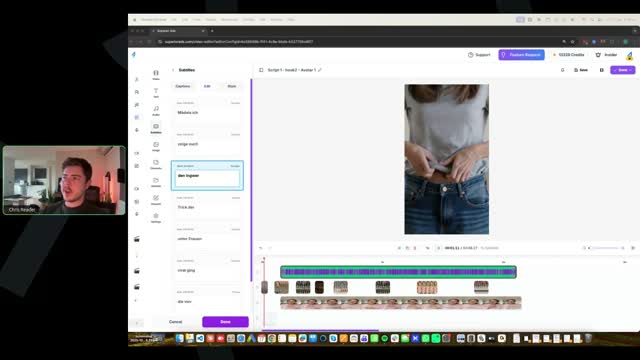
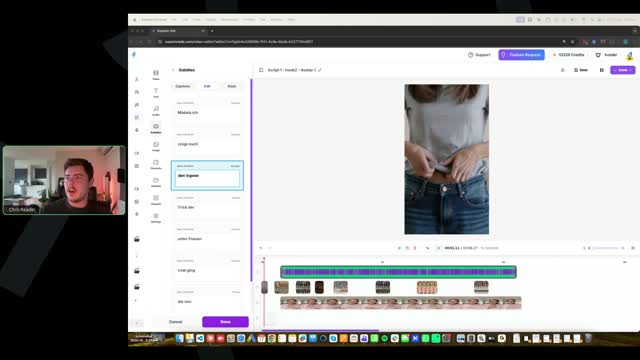
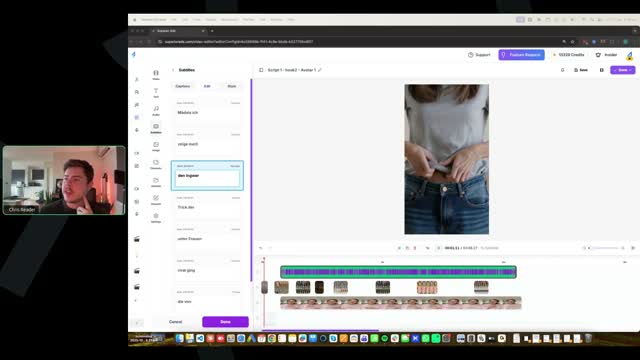
[39:11] [SCREEN 39:11] The cloned project opens in the video editor. The video preview shows a woman in a white t-shirt and jeans. The text overlay says "Models Ich". The timeline shows the video and audio tracks.
[39:12] Chris Reader: Okay, we'll obviously now call this like Hook 2. Okay.
[39:18] [SCREEN 39:18] Chris renames the project to "Script 1 - Hook 2 - Avatar 1".
[39:22] Chris Reader: We then come into our script, right, and let's say our hook is the first, you know, 10 seconds or so. You obviously find where like the caption, you know, you find the part where your hook ends and then the body begins. And then you just press split it.
[39:42] [SCREEN 39:42] Chris splits the video on the timeline at around the 10-second mark.
[39:44] Chris Reader: And then you delete that portion. For some reason, I don't know why the avatar, there it is, the avatar is there. So you delete the first portion of it.
[39:51] [SCREEN 39:51] Chris deletes the first portion of the video on the timeline.
[39:54] Chris Reader: And then you import the next one. So then let's just say, right, we've got our, one of our avatars that we created here.
[40:02] [SCREEN 40:02] Chris clicks on "AI Avatar Videos" in the left sidebar. A list of videos appears.
[40:06] Chris Reader: And again, let's just say, since it's just the hook, it would be, it wouldn't be like a two minute one. Let's just say it's this one here, because I don't want to import a whole thing. It would obviously be a lot shorter. You would just import it.
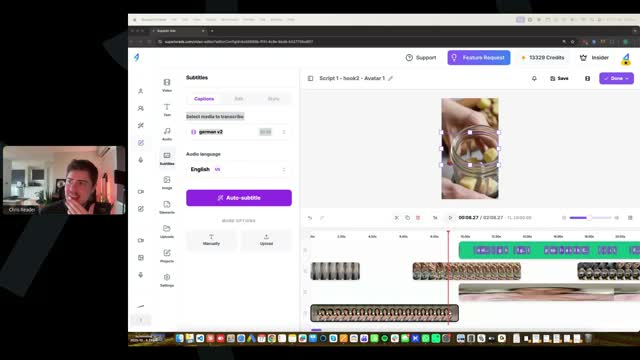
[40:19] [SCREEN 40:19] Chris selects a video named "german v2" and imports it. The clip shows a jar with liquid and a spoon. The text overlay says "Ohne Spritzen".
[40:22] Chris Reader: Okay, and then you literally just drag it there. This is, you know, I'm just going to, I'm literally just going to, um, one sec.
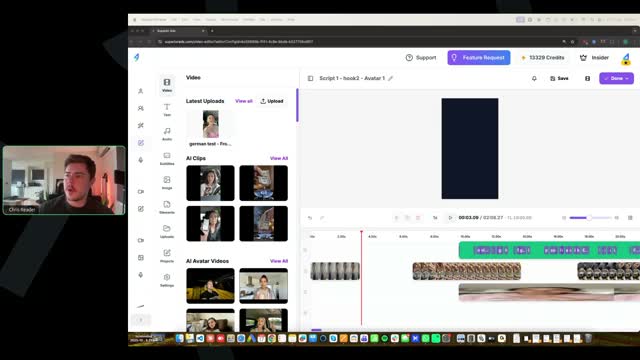
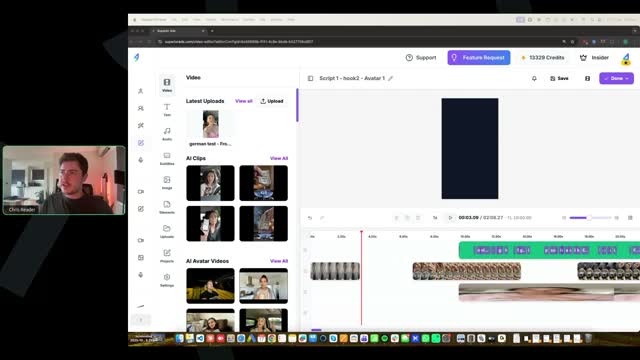
[40:31] [SCREEN 40:31] Chris drags the new clip onto the timeline, placing it before the remaining part of the original video.
[40:40] Chris Reader: So you would just import your new hook, then you would come into your subtitles, you would then select the new hook that you've uploaded, and you would generate the subtitles for it, and then boom, that's finished. It's as simple as that. Alright, does that make sense guys?
[40:56] [SCREEN 40:56] Chris goes to the "Subtitles" tab, selects the new clip ("german v2"), and clicks "Auto-subtitle".
[41:00] Chris Reader: So that's how you create new hooks at scale really fast. So all you need to do is you just need to regenerate the new hook itself, like the first, you know, 10 seconds or whatever. You don't regenerate the entire avatar, and you don't need to regenerate the entire video, because now the entire video is still here. You've still got the entire video with all the edits, all the B-roll, and all you need to do is just re-put in the new hook. And that's how simple it is guys. Does that make sense?
[41:35] Chris Reader: Alright, awesome.
[41:42] Chris Reader: Someone said, where do we get the Claude Superior Ads AI video editor creative helper? Um, I'm not sure what you mean by that. Um, everything, you get the Claude, I built you guys the Claude script writer, okay? So that's in the specific video where I teach you guys the Claude script writer. Alright, Mitsy? So there is no, um, I'm not sure what you're asking here. A Claude Superior Ads AI video editor creative helper? I'm not even sure what that means. So I give you guys the Claude script writer, that's all that you have. There is no Claude Superior Ads creative helper.
[42:31] Chris Reader: Um, we saw it in the Claude project Superior Ads AI. I don't know what you're talking about. There is no Claude Superior Ads AI video creative helper. There is only what I've provided in the training, which is the Claude script writer, alright?
[42:55] Chris Reader: Alright, Jack said, had these errors for the, for a while here in my warm-up ad, ad needs to be reviewed, it may take up to 5 to 7 days to resolve. Alright, so your warm-up ad has had this error saying ad needs to be reviewed. Um, what I would do in that situation, if you're having like a, an error like that or your ad is still, is saying that it needs to be warmed up, I would just upload a new warm-up ad. So like a new photo, uh, and just reset up a new warm-up campaign with a brand new photo. Uh, if it still happens, then I would create a new Facebook page as well. Again, the new, the new, just creating a new engagement campaign, a new completely different photo and a completely new campaign should fix it, uh, if you've got your original one is just stuck up in like a warm-up mode.
[43:50] Chris Reader: Someone said, I'm still building my ads, but when I start running, if I have an ad that isn't spending, I bump the budget by 10%. If that doesn't work, I should duplicate right away? Yes, so bump the budget by 10%. Guys, if your ads aren't spending, you bump the budget by 10%, and then if that, and then wait like a day or two. If that doesn't fix it, you just duplicate the entire campaign. Yes.
[44:24] Chris Reader: Alright, someone said, in the training you mentioned an ED offer, but it's gone from the Notion page. Yes, so when we originally filmed the videos, which was like not long ago at all, there was an ED offer in there guys. But the ED offer stopped, well it's still performing and working really well, but it wasn't having as high of a success rate as the memory offer and the weight loss offer. So part of the benefit of you guys being in this group is we, you know, me and Antonio talk to each other and we're like, let's just get rid of it, you know? Like the weight loss offer, the memory offer is having much higher conversion rates, much higher success. So rather than giving you guys two offers that are like 100% the best and then one offer that's like 70%, we just wanted you guys to run the best ones and put your attention to the best ones. Uh, if the ED one comes back and does perform as well as the others, then we'll obviously put it back in. But we thought since no one had actually set up anything for the ED stuff yet, we just wanted to remove it. And again, it's not that it's not working, it's just these, the weight loss and the memory offers are performing better, so we want you guys to focus on those, alright?
[45:41] Chris Reader: Someone said, can you just generate the new section of the subtitle for the hook or do you have to generate the subtitle for the whole video? Just the new video. So the way it works in here guys is, um, let's say this is the hook. So the way it works is when you come into subtitles, you select the video that you want, right? So your new hook, okay, you would import it as, like I'm just going to select this one, right? See this one was called German video v2 or something. So I can come into my subtitles and I can see it, German v2. Right? So this will then generate only subtitles for this clip that I had. Alright? So when you upload your, your new hook, right, you literally could just call it like Hook 2 Avatar 1 and it should only be like, you know, 10, 20 seconds. You know, you then match it to a line. Obviously this is a completely different avatar, I'm just showing this to demonstrate. But you would then come into subtitles, you would then select that clip, okay, and then you would subtitle it and it will only generate subtitles for that clip you've selected. Alright? So that's how you do that.
[47:17] Chris Reader: Alright guys, does anyone have any final questions? We've gone over a lot of questions here. We do have to jump off uh in a couple minutes. I just want to make sure I answer everyone's questions so far.
[47:33] Chris Reader: Uh, yeah, so someone here said that uh punctuation marks, commas and stuff. Yeah guys, the uh grammar, uh punctuations, commas, full stops, that stuff doesn't really matter in your captions. Uh it doesn't really matter that much in your captions because the way, you know, punctuation marks are there to help you read long text. Where we don't have long text, it's just like, you know, three or four words on a screen at a time, so you don't need any punctuation marks.
[48:09] Chris Reader: Someone said, where were we meant to see your screen before? Yeah, so when I was just demonstrating the captions, I have my screen shared. Can you guys see my screen? Alright, people said that they can see my screen, yeah. Awesome.
[48:28] Chris Reader: Alright, someone said, uh, I'm seeing a large discrepancy in order form visitors in DigiStore and engagements in ClickMagick, is this normal? So typically you will see around 80 to 90% of your actual like data from DigiStore sent back to ClickMagick. So that could be sales as well as uh engagements. The reason this is the case is because not all the data can be tracked back to ClickMagick because if some people have specific pixel blockers or if some people, you know, what can even happen as well is someone might see your ad on Facebook and then they might like forward it to themselves and then they might look at it on their phone and buy, and that cannot track back to that ad. Also what people do is they can also like open up the VSL in like a new tab or something and then if they like walk away from their laptop and they buy it the next day, that will also not track it. So there is, you know, a ton of different things that can happen that will allow, will not allow us to track it back to the ClickMagick sale, like where it came from. Because again, if someone like forwards it to themselves or saves the link or opens it up on their laptop and buys, like if they saw the ad on their phone, they clicked it, then they copy the link, go onto their desktop or something, you've lost the tracking code's been lost. So that in that, that's also what what can happen. But as well sometimes the pixels can't get across depending on if they have certain settings on their iPhone for example. So typically we'll see like 80 to 90% of everything be tracked in ClickMagick. Okay.
[50:15] Chris Reader: Um, yeah, so if there is, if there is a bigger discrepancy, I'd just make sure you got everything set up correctly, right? Like maybe even reset it up. But again, you should always just follow what's in ClickMagick for making decisions. Uh, and again, for example, like in ClickMagick, you know, you might see that you've made, like let's just say even for me for example, like it will show that I've made $10,000 today in ClickMagick, but when I look at DigiStore I've actually made like 12 grand or 11 grand, $11,000, $12,000. Because again, there's always like a percentage of people that do not get tracked across. And it's always, you just monitor and make all your decisions based on ClickMagick because you have the real data there. But the Digi, but you actually, when you look at DigiStore you actually make more money. So that's kind of like the cherry on top, I always call it. I always just think of that as like a bonus, right? But unfortunately that's just the way it is.
[51:14] Chris Reader: Someone said, isn't there a risk of losing sales? No, because you're, you're getting paid from DigiStore. So if sales don't appear in ClickMagick, you're, and they appear in DigiStore, that's where you get paid, you know?
[51:29] Chris Reader: Someone said, what were you talk, what are you talking, what are the codes for DigiStore? So yeah guys, you know, you need to make sure you've got your DigiStore set up correctly. So when you're integrating ClickMagick with DigiStore, there's actually three things you need to do. You need to upload your, the sales postback pixel, okay, the ClickMagick pixel into DigiStore for sales. You also need to do the same for checkouts. And then you also need to add the V term postback. Okay, so in the, in the tracking setup, I teach you guys all of that, alright?
[52:06] Chris Reader: Someone said, can it happen the other way around? No. Like DigiStore is the 100% source of truth. You cannot lose sales, like there's no chance it can happen the other way around. No. Like if you, if you, if you have sales showing on ClickMagick and not DigiStore, you've set up your tracking completely wrong because it's not like you've made a sale and DigiStore didn't track it. The sales come from DigiStore, right?
[52:37] Chris Reader: Alright, so someone said, after 20, so someone's asked a question here about the testing protocol. Uh, and again, if you guys are not up to this, you know, do not worry, just follow the process of where you're at. Um, but you know, you still pay attention because you will have questions like this soon. Someone said, so based on the testing protocol, after you spend $20, you go to the next threshold, do you have to up the budget or is it $50 on the total spend? Yes, it's the total spend. So on the million dollar testing protocol guys, it's just, your, your budget stays the same. Your daily budget stays the same. You just monitor each threshold and each gate based on the total spend of that ad. Alright, or that campaign in this situation. So it's not like once it passes the next gate, it has to spend that amount in a day. It's the total, it's the total lifetime spend. So, you know, it's not like oh my gate has passed 20, I now need to bump the budget to 50 and then it spends 50 in a day, then I can monitor it. It's the actually the entire spend. So gate two includes gate one spend. Alright, it's not like it has to spend the difference either. So it's not like it has to spend $20 and then it then has to spend a new 50. It just has to spend 20 and then get to 50. So the same 20 is included, alright? It's, it's like that.
[54:11] Chris Reader: Is it better to have a DigiStore ID that is a German word or phrase? No, it does not matter at all. Um, it does, that does not matter at all.
[54:35] Chris Reader: Someone said, if CPC is okay at level one, do we stop looking at CPC after, you know, we get engagements? Um, I noticed that my CPC is good and then around, you know, $40 in spend I noticed that the CPC is moved up. So, like if you're getting good cost, so the key is like the next one matters the most. Right? So if you've got really good CPC and then you get to the engagements level, like if you're not getting good engagements, the ad needs to be turned off anyway. But like if your CPC increases but you're getting really good cost per engagements, then it doesn't really matter if your CPC is high because you're getting good cost per engagements. Right? So it does matter if your CPC obviously increases over time, but we should always then be looking at the cost per engagement. And you know, if you're getting like a $3 CPC but your cost per engagement is like $15, who cares if your CPC is $3, you know, because you're getting such good cost per engagements. So they all kind of interact with each other anyway. Like most likely if your CPC increases, your cost per engagement is going to be bad and your ad would be turned off anyway. Alright.
[55:51] Chris Reader: Um, alright guys, cool. Alright, we got to jump off here now. Alright, I got a, I got a hard stop here. I'm actually a bit over time. But um, yeah, someone said here, my CPCs are crazy, they're all around 60 cents. Yeah, so for the people that have been running ads, people have already been making sales as well guys. So if you haven't started running ads, look, don't worry, there is no, you're not falling behind. Like I mentioned, depending on when you got the email to join, depending on when you booked the call with my team, and I know that the team was smashed, so a lot of you guys had to book even like a week after because the phones were full at my team. And then depending on when you got onboarded, there is like a, like a week and a half gap between when some people got in and others. Okay, you're all a part of the same cohort here, we're all going through this together, you're all going to get the 24 calls, okay. Um, so just stick with where you're at, you will be up and running with ads very soon. Uh, it's just a matter of time. But yeah guys, so I'm super excited for everyone. Um, I'll see you guys all on the call next week. For anyone that again is um having those issues with, you know, not being able to select the image or, you know, single image or video in your ad, we will, we're working through it with some people uh that have messaged us through email to try and figure out what's going on in their account where other people again, like other people have not had this issue, so we're trying to identify what it is. And that's the benefit of being with this group guys. So don't worry, if you have that issue, just keep working on ads, building scripts. Uh, we're going to find a solution or figure out what could possibly be going on in the people's accounts that have that issue. And uh we'll, we'll, once we figure that out, then it's going to be solved. But I'm pretty sure it will be something quite small um in the settings or something like that. But that is all everyone. I'll see you guys all on Monday EST. Thanks guys. Bye everyone.
Call 04 of 13, recording 04-Apr 16 2026.mp4. Gemini video pass at one frame every 2 s. Rebuilt 31 Oct 2026 15:24 Melbourne.