Full timestamped transcript with on-screen notes
[00:00] Chris: Hey everyone, let me know if you guys can see and hear me in the question box there.
[00:07] Chris: Welcome to the call everybody. Just a heads up, the question box, you know, in order for you guys to put your questions in, you guys have a chat box there and also a question box there.
[00:19] Chris: Apologies for being a little bit late. For some reason this new software, every time I log in I have to log out and re-log and it's a bit annoying.
[00:28] Chris: But we're here now guys. I'm excited to be here. Good to see you guys all. It's also good to see a lot of familiar faces as well guys. Good to see you all.
[00:39] Chris: Someone said no audio, so I don't know how to communicate to you that everyone else says they can hear me, but I'm sure they will figure it out.
[00:50] Chris: So alright guys, welcome to the call. Unfortunately Antonio will not be here on this call, but that's okay. He's actually on a plane right now, but that is all good.
[01:04] Chris: Alright guys, so let's jump into some questions. I want to make sure I help you guys understand any questions that you guys may have and then we'll go from there.
[01:13] Chris: And I want to jump in also, discuss some sort of some ads. We'll even do some ad reviews as you guys know on these live calls. We're going to do a range of different things, right?
[01:24] Chris: Because we've got two a week, we're going to try and cycle through a lot of different sort of structures here. So obviously we'll be doing Q&A, but then also we'll be doing like some ad reviews as well.
[01:38] Chris: We gave you guys the ability to submit ads. Specifically, you know, before you guys actually get to running ads, we want to make sure that you guys have understood what we're teaching and making sure that you're actually running good ads.
[01:52] Chris: Making sure that the ads that you actually submit do follow the structure that we teach. And yeah, and then obviously we'll jump into then like media buying strategy calls where when you guys actually go ahead and submit your ad accounts to review.
[02:08] Chris: We're obviously going to do those personalized ones as well, but we will also choose some each week to do live on this call so we can actually elaborate and break things down to everyone.
[02:21] Chris: So you kind of get your own ad account review and then also see us review other people's as well. So yeah, I'm really excited for this, okay.
[02:38] Chris: Sandeep, I will get back to you on that. I'll get back to you on that. Let me just take a note of what you said here.
[02:55] Chris: Sandeep, have you tried remaking a new Digistore account? Like have you tried just making a brand new Digistore account with a new email? If I was you I would try that.
[03:07] Chris: Alright, so guys let's jump into some questions here. Just give me a moment. Alright. But other than that, how is everyone finding the training so far?
[03:23] Chris: Obviously there has to be some element of like a course to this, even though this is basically like, you know, you guys get two calls a week and all this extra like support with me and Antonio.
[03:34] Chris: These live calls are really where a lot of it's going to be at. But instead of just having to like repeat all the exact same stuff all the time, that's why we've created these training videos.
[03:43] Chris: And they are, you know, the foundations of running ads still. Like how to set up Facebook accounts, you know, we'll have the training there on how you guys can set up like the website so we can use the redirects.
[03:57] Chris: We'll also have like, you know, how to emulate the winning ads and everything like that. So let me know how you guys are finding it. Very thorough, main, excellent. Alright, awesome, great, great, great, okay.
[04:16] Chris: Alright, so let me jump into some questions now and then we'll get into, once we finish some of the questions, I want to also then discuss some different things, okay.
[04:34] Chris: Just reading through some of the pre-submitted questions here. Alright, one sec.
[04:52] Chris: Someone said info about like contingency plans, you know, do we need multi-login, different profiles, all this sort of stuff. So guys, you really wouldn't, you really shouldn't need any like contingency plans.
[05:04] Chris: Especially with the strategies we're teaching you guys. Like we're teaching you strategies that like we really ever never get banned because like Facebook never even sees our ad and Facebook never sees the offer.
[05:16] Chris: But um, you know, we're definitely will have, we're in touch with different agency providers and we want to get you guys the best deal so that if you guys ever do get your ad account shut down or anything, that you have like a permanent bulletproof solution that you can use.
[05:33] Chris: Um, for this setup specifically, it has to be a little bit different to other things that you guys may have used, but we're in the middle of uh organizing that for you guys.
[05:47] Chris: Alright, some people asking about Superior Ads, like no idea what 20,000 credits will do. Um, I see some other people asking about that. Another person here, what level should we get when setting up Superior Ads account?
[06:00] Chris: Look, so guys, Superior Ads, it's a credit-based uh tool, right? So I don't know, like credit-based tools are very common. I'm not sure if you guys have used credit-based tools. You can use any um plan you want, okay?
[06:17] Chris: But one thing to know, and I again, like I don't want to be like having to really repeat everything in the training guys, but like I tell you guys in the training, I give you guys specific ways to understand the credit systems, okay?
[06:31] Chris: And I also tell you guys the way most credit system softwares work, the bigger the plan that you get, the cheaper the cost per credit, okay? So the more expensive plan you have, the cheaper each credit costs, okay?
[06:48] Chris: Like I don't know the exact numbers on what each credit costs across each plan, but you know, the lowest plan, you're paying like a lot more for each credit versus the top plan, you're paying the absolute lowest per credit.
[07:04] Chris: And even the top plan and then on the annual, like every new plan you go and then if you do annual, it's like a massive discount, okay? So you can start with any plan that you want.
[07:14] Chris: I would recommend the um, I would recommend probably on, I wouldn't go for the $49 plan. I would probably go for the one above that or the one above that, just because, you know, if you guys are in this group, you know, we want to be creating these ads and we want to be getting a lot of ads emulating our winning ads.
[07:33] Chris: And so the bigger plan that you get, the cheaper it costs you guys, okay? So you're basically saving money because the, the, yeah, does that make sense? Like the lower plan you have, the more you're paying per credit.
[07:48] Chris: Everything on the tool is the same credits, okay? So generating like an asset, an AI avatar is always the same amount of credits if it's the same length, but then depending on the plan, you're paying less for credits. So you're getting it cheaper overall.
[08:07] Chris: Um, but in saying that, you know, you don't need to get the most expensive plan, but I wouldn't say get the absolute cheapest plan either because then you're not going to be able to really do much either, right?
[08:20] Chris: So, and through, through the training as well, I sort of give you guys some strategies around credits and that's why I even demonstrate the different models as well for you guys.
[08:30] Chris: So I demonstrate what it looks like for like, you know, Grok, Imagine, Seed, Dance, Kling, like I sort of, in that training, it's actually a pretty long training because I want to demonstrate to you guys like the best way to use the tool, the best models to use, uh, and the best ways to create prompts for, you know, different assets and so on.
[08:50] Chris: But you guys will get, um, you guys will get the hang of it as well. Someone here said, yeah, you can also, if you run out of credits, you can also add credit packs. Exactly, yeah.
[09:02] Chris: Someone said how many credits are needed for this course? 2,000? There is no answer to that, Warren. Like it depends on how many ads that you want to generate, right?
[09:11] Chris: So, um, you know, I'm sure you guys, like I don't really, like honestly, I don't really look at the credits because for me it's like every ad that I make that I make money with just pays for like the soft, pays the software off like straight away.
[09:25] Chris: Now obviously I'm in a different position to you guys and I understand and respect that, but I would say just go with a one that you want. And again, I wouldn't go for like the lowest two. I'd probably go for like the second top one or at least the, not the $59 one because then you'll probably have to top up pretty soon.
[09:44] Chris: Like $59, think about it, like we're going to be creating ads here and obviously these ads will cost money to generate and make with the avatars and so on, but we do want, um, we do want to get the, get the hang of it, like get the hang of creating these ads.
[10:01] Chris: Now in saying that as well, you know, you guys will develop a flow, you guys will understand it. Like that's why I try to teach you guys the way I use it. For example, sometimes I'll just raw prompt, okay, I'll tell you guys the difference between just raw prompting it and also then getting Claude to write out a prompt for the assets specifically, right?
[10:22] Chris: So if the ass, you know, and then you will notice different, um, models, okay? So like I show you guys the difference between, um, the difference between like Grok, for example, Grok Imagine for the AI videos. Grok Imagine is like the cheapest one and it's also really good, but sometimes it's also pretty shit as well, right?
[10:44] Chris: So sometimes you have to re-prompt things a couple times to get what you want and so on, but the good thing is once you have the assets with the visual, uh, the assets, they're done.
[10:54] Chris: The most expensive thing, guys, is actually the AI avatars, okay? And that's because, um, generating AI avatars, I don't know, but like you can't really do it without that tool.
[11:08] Chris: Like you can use, you can use the AI video model, uh, like the AI studio and you can actually get it, I think the maximum is like 14 seconds for one of the models there, but you can get that to make you a lip-synced avatar speaking for 14 seconds, um, in German, but you can't layer them together because there's no character consistency with German.
[11:35] Chris: There is with English, but not with German. But you can use that to create like a 15-second intro of your hook, but then again, you won't be able to have the, then the voiceover is not going to be accurate. So
[11:50] Chris: I'm just trying to explain some things here to you guys, like the flow. So that's why in the training I let you guys know, you know, you do not need a full three minutes or a full 15, full five minutes of an AI avatar, okay?
[12:07] Chris: So in the, obviously the longer your AI avatar is, that's going to be the biggest part of your cost, alright? So that's why in the training I talk about how you only need the first half of your video or the first like 30 seconds of your video to be the AI avatar.
[12:25] Chris: So that's why in my video, I actually show you guys the strategy of doing like the bookends, we call it the bookends, and you don't even need to do the very end of it if you don't want, you can, but you will notice a lot of our winning ads as well, a lot of the winning ads do have just the first like 30 seconds of the avatar and then it's got the background visuals, okay?
[12:47] Chris: So if it, if you guys don't want to spend all of those credits on an entire, you know, three-minute or five-minute avatar video, you don't have to, okay? You can just do the first minute, you can do the first 30 seconds.
[13:01] Chris: And then like I show you in my training, you know, note down in your script what part you're using for the, the avatar and then make a little like indentation, make a little note, and then use that section to generate the very beginning.
[13:17] Chris: And then you, and then get the rest of it and generate the script, the voice with the same, uh, with the same voice, the same voice person speaking, and then you just put them together in your, uh, in your timeline, okay, in the timeline editor. And so that's what you can do as well, alright?
[13:36] Chris: Uh, and then obviously as you go, then you can test, you know, the full-length avatar and, you know, if you find that ad is winning, then you could, you know, spend all the credits making that entire avatar in full.
[13:49] Chris: But something that you will learn guys as we go is we will be testing, uh, we will be testing different avatars. So one of the main tests that we've got coming, like right now, you guys are just like, you know, following the winners and so on, which is exactly what we do.
[14:08] Chris: But when we teach you guys like the evolution method for this specific style of what we're doing here, um, you guys are probably already familiar with the evolution method, right? So obviously one of the main things we're doing is, you know, testing hooks, uh, we're testing, you know, the, the super hook, all of these things, obviously the script part.
[14:29] Chris: But one of the things that we also test a lot is the avatar itself, okay? So we'll take the script that we're running and for example, you might be testing like a 50-year-old woman in a car. Well, now you could test a 50-year-old woman sitting on a couch, a 50-year-old woman, you know, standing in the kitchen.
[14:49] Chris: Or you could then test a 20-year-old woman, okay? So there's different, there's different things that we test. The first thing that we would typically do, and this is where me and Antonio sort of have differing ideas, Antonio likes to test the exact same, uh, person in a different sort of, like not the same person, but he likes to test the exact same like age, demographic, and gender, uh, in just different locations.
[15:15] Chris: Where I like to test different, bigger changes to begin with to find what is, like to narrow it down faster. So they both work because again, the goal is just to find something that a different avatar that performs better.
[15:32] Chris: Because for example, you might have a script and it's like a 50-year-old woman sitting in a, in the car, and then you might change it to a 50-year-old woman sitting in the kitchen or sitting on a couch, and that, that alone can make a massive improvement.
[15:46] Chris: But then you could also test the same script with like a 20-year-old girl, or the same script but it's like a doctor or a woman doctor or a woman nurse. So there's a ton of different ways and all of these things can increase performance and it's something that we do test and it's something that we will teach you guys to test as well.
[16:05] Chris: Um, it's good to test and it's also good to scale, okay?
[16:28] Chris: Someone said I got the $99 plan, it didn't give me the uh annual as an option which I wanted. So you guys can also upgrade, you can upgrade on Superior Ads. The way, when I, when I, I have upgraded to like the top plan as well, and it's kind of, it basically you just pay the difference in what you've paid.
[16:48] Chris: So if you upgrade to the annual plan, you just pay the difference. So um Cheryl, if you did want to upgrade, you can upgrade. I've done it before to annual and it just, you just pay the difference.
[16:59] Chris: Alright, someone said is it best to use a different avatar when starting for every ad and then tweak our performance or can we use the same avatar for all the ads in the same niche? So, good question.
[17:12] Chris: I would recommend, look, honestly, because you guys are emulating our winners, there is room for leeway because you're already like 80% of the way there. So I would typically say always use the same avatar and then that way you've got all the variables are the same and you know that they're the same.
[17:40] Chris: However, for this, um, it really depends on the script, right? So you could have a script that's more like an authority figure and then you would obviously need like a doctor or like a nurse or something like that.
[17:54] Chris: You could then, um, so I would say look, feel free to use the same avatar, also feel free to use completely different avatars as well. That will also then add variance and then you can sort of spot the trend.
[18:07] Chris: Like, you know, if you've tested like four of the scripts and they're all different avatars and then one avatar is performing, I would then use that avatar to test different scripts as well.
[18:39] Chris: How long in days does it typically take? Yeah, so guys, for the offers, um, so guys, for the offers, just be patient. The way we get you guys approved for the offers is we actually have to, so someone on Antonio's team has to first obviously get your ID and so on, and then they have to send it to a Digistore rep.
[19:02] Chris: And then the Digistore rep has to then go ahead and do their thing, and then that Digistore rep then has to send it back to Antonio's team, and then Antonio's team has to send it to you. So there, there has been a bit more of a delay than we would like.
[19:16] Chris: But guys, you're not anywhere near running ads right now. You will all 100% get approved, even if there is a delay, so just don't worry, do not stress, you will all get approved. You don't need to get approved in order to start creating ads, which is what you guys should be doing right now.
[19:30] Chris: So don't let it delay you, but every single person will get approved for every single one of our offers, okay, or Antonio's offers, alright? So don't worry about that.
[19:47] Chris: Alright, yeah, so some people, some people have been saying that their Claude has been like denying their requests to write scripts because it's like deceptive and stuff like this. I've personally never ever seen that. I've never ever seen that. I know Chloe, I know you had that issue which you fixed, I saw that in the support emails.
[20:05] Chris: So if you're, if you're getting Claude denying specific things because it's like deceptive or they don't want to write weight loss ads or whatever, let me know in the chat and if you guys have fixed it, also let me know in the chat because we can share that information.
[20:21] Chris: What you should be doing is, you said you told Claude to write five variations of a winning script. Now did you, did you write that, did you put that inside the, the Claude project I gave you, okay? So did you put it inside the Claude project? Alright?
[20:43] Chris: So let me know if you put that inside your Claude project. Let me know if anyone else has had that issues. Um, so Chloe said I fixed it by doing everything in the same project without Chris's prompt. Oh, with Chris's prompt. So yeah, if you do it in the same project.
[21:13] Chris: Someone else said I had the same issue and then I said that it was a high converting ad and that was part of it. So if you guys do it in the same project, it shouldn't deny you. If you're doing it in a completely separate chat, then it will, it might deny you because your ad, your Claude might not have context that you're like an internet marketer, right?
[21:34] Chris: So the more context your entire Claude has, the more it will do things. But if you're brand new to Claude, do it inside the project.
[21:50] Chris: Right, so again, I just want to mention that again, do it inside the Claude project, do not do it in a separate chat.
[22:01] Chris: Someone said once we start running ads, what's a reasonable budget needed and timeline to start hitting 1k profit? So timeline-wise, we are honestly expecting you guys to get results very, very fast because again, you know, 80% of all the work is pretty much done for you guys.
[22:19] Chris: You know, we don't have to spend money testing landing pages, you don't have to test money finding winning scripts, you've already got winning scripts. But you do still need to find ads that are performing in your ad account and you still will need to do testing.
[22:34] Chris: So I'm expecting honestly, depending how much effort and how many ads people run, I'm expecting people to really start hitting pretty good success rates like I would say literally within, within a week or two weeks.
[22:48] Chris: Um, but again, it depends on how many ads you're running, uh, obviously how much money that you're spending to get test, to test those ads. And it still depends on your ads, you know, that's why we still will need to test a lot of ads.
[23:01] Chris: Um, but again, it's, you're not just testing a lot of ads that you've created from scratch and that might be very far from being a winner. You're testing a lot of ads based on our winning ads, okay?
[23:13] Chris: And it's the exact same structure that we do, right? So like we have all of our winning ads and then we just figure out what's working and we test variations of those to find new versions of them.
[23:27] Chris: Um, and so I want to really hammer down on one thing as well here guys. One thing that you will need to do is you do need to take the 50/50% important rule, which is, right, 50% of your ads can be very, very similar to ours, but 50% can be, has, they should all be based on our winners, but 50% should also be more unique, right?
[23:50] Chris: So they should have more unique bodies. Um, this will just allow you guys to have a bigger chance of success because if every single person is, is running barely any changes, then it's, you know, we don't know what, what that's going to do, okay?
[24:08] Chris: Obviously you will still have success and so on, but the process is 50% of your ads, again, change the hook, change the opening scene, you're already getting a new avatar, so they're going to have a high success rate.
[24:20] Chris: But you also still need to have at least 50% of your ads to have different bodies, okay, slightly different bodies. You can even use the same hooks, um, but more uniqueness because we want to feed Facebook a variety of things.
[24:36] Chris: And we, we do this exact same thing as well. So the way I mentioned it is, the way I mentioned it is when we have like a winning ad, we don't just have like, we don't just test like thousands and thousands of hooks and every single thing is like working, right?
[24:52] Chris: We still have to find new bodies or new versions of those ads so that we can extend the lifetime. And that's how we have all these winning ads, right? If we only ever just tested the exact same ad and made no changes, we would only have one ad and this, what we have here wouldn't exist.
[25:08] Chris: So I want you guys to get in the flow of understanding that as well, okay?
[25:19] Chris: Someone said are we going to be able to get the swipes so we can see the fullness mechanisms? So, uh, Michael, uh, I think that's how you name is, you have all of those. So in the training, uh, in, in, yeah, so you have all of those.
[25:33] Chris: I don't know if you've not gone through the training or whatever, but yeah, we give you guys, you know, in the winning creative uh folder, you guys have the videos and then you've also got the transcripts and I show you how to access these in the videos. So you can, you can see everything.
[25:58] Chris: Someone said in module 2.7 the files won't download for me, they go to a, a page that looks like a text file with no toolbar. Will it work if we copy and paste it into Microsoft Word file and then into Claude? Yes it will.
[26:12] Chris: And I do not know why that's happening to you guys. So one thing to make sure of is sometimes when you download a file on the internet guys, it will open it in a new tab, but it still has downloaded to your computer. So you still need to go into your download sections and check that it has downloaded to your computer.
[26:31] Chris: Um, someone here said click on the, right click on the download button and pick download. So okay, there you go. So yeah, that's the other thing. Maybe if you just click on the file it opens it up, but you, you need to click on the download button, alright?
[26:45] Chris: Because I know some people are saying they couldn't download it and I've, I've never heard of that before. So yeah, click on the download file. Someone said it's because it's a markdown file. It doesn't matter if it's a markdown file, you still, you're still able to download everything from Thinkific even if it's a markdown file.
[27:02] Chris: Um, alright, let me try and get through some more questions here real quick and then we'll, I want to jump into some ads. Um, Marco, module 4 has been uploaded as well by the way guys. Module 4, if uh, has been uploaded.
[27:32] Chris: I hate, I hate this new uh GoToWebinar. Every time I click a um, every time I click a message, like if I'm scrolling halfway down, I click a message and then I go back, it automatically takes me to the top and I can't find where I am. Uh, which sucks.
[27:52] Chris: Alright, so Warren, I have an old business manager account, today it logged in and it asked me to put my address. Yes, you can just put your address because you need to verify your information. That's correct.
[28:03] Chris: Alright, David, you said my Facebook profile says I have too many business managers, I've deleted a few but can't add any more. Alright, you should never delete business managers. Business managers are important assets. Don't delete business managers.
[28:15] Chris: What can I do if I can't delete them and can't create a new business manager? So exactly like Antonio teaches in the training guys, if you already have business manager, you can use the exact same business manager, alright?
[28:26] Chris: Guys, it's very important that you just listen to the training videos, okay? So in it, Antonio says if you've already got a business manager, you can use a business manager that you already have, alright?
[28:41] Chris: Alright, someone said what is a good combination of ad variations, which of the following is correct? Okay, two ads, alright, so he's got A and B here. A is two ads same as the winning body and six ads with a brand new body, all eight ads with unique hooks.
[29:01] Chris: Or option four is four ads with the winning body, four ads with brand new bodies, all eight ads with unique hooks. I would go with option B, like I tell you guys, we want 50/50, okay?
[29:18] Chris: 50% can be very, very similar, for example the winning body, and then 50% can have the brand new body. Um, another thing you can do as well guys is like, you can also take some of these scripts that are quite long, okay, for example some of the scripts are like four minutes long, and you can compress it and you can say make this shorter.
[29:38] Chris: Now I demonstrate this in the training for you guys, but when I do it, you will notice that it removes a lot of the good psychological points. So in that specific video where I do that, I believe it's the script writing lab or making the video from start to finish, I think it's in the very start to finish video, the final video one where I do it all from start to end.
[30:00] Chris: It removes the psychology and I go in and I identify that and I tell you guys, you know, make sure that you're not removing all of the good psychology, okay? So yes, okay.
[30:18] Chris: Someone said can you copy questions to page where we can see it? Uh, I will do that Robert for like more specific detailed questions when we get to that.
[30:26] Chris: Alright, so someone said right click the download button and download and pick save the link as and it will save correctly. Alright, so if you guys are having issues downloading the actual resources, right click the download button and click save as.
[30:43] Chris: Alright, now guys let's jump in, we've got uh a little under 30 minutes here. Uh, so let's jump uh, let's jump into some ad reviews here.
[31:05] Chris: Alright, just a heads up, there's only been uh seven people submit their ads by the way. I need to have, oh I need to update this. I need to have it so it puts your your name in there so I can see who's actually submitting these.
[31:21] Chris: Alright, I'm going to add that in there. Now you guys don't have to submit your ads, okay, you don't have to. Uh, and again we're not going to be able to review every single person's ads, that's not a part of what this is.
[31:34] Chris: The purpose is that we can, um, we can, we can all learn together because I can guarantee you if someone's making a mistake, a lot of you guys are going to be making the same mistake, alright?
[31:47] Chris: So the purpose of these uh ad reviews are just to make sure that you guys understand the concept correctly and everything, okay?
[31:55] Chris: Someone said do these download methods work for Mac? Yes, they do exactly right.
[31:59] Chris: Someone said for Claude, have you tried using Sonnet 4.6 or should we also use Opus 4.6? Just like I teach in the training guys, Opus 4.6 is what I recommend. Um, I know Sonnet 4.6 can be good, but I definitely recommend Opus 4.6, okay?
[32:22] Chris: Uh, alright. Someone said Sonnet is kind of slow. Yeah, I just would recommend using 4.6, Opus 4.6.
[32:50] Chris: Alright, let's have a look at these ads. Okay.
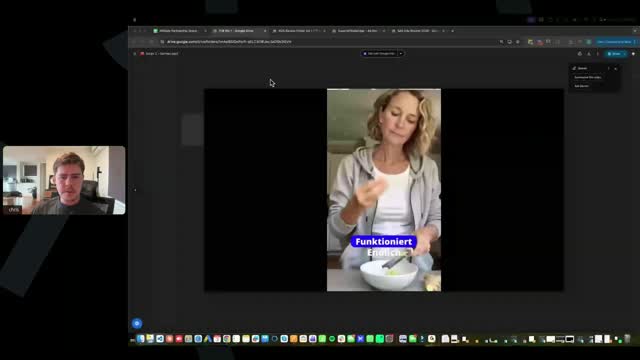
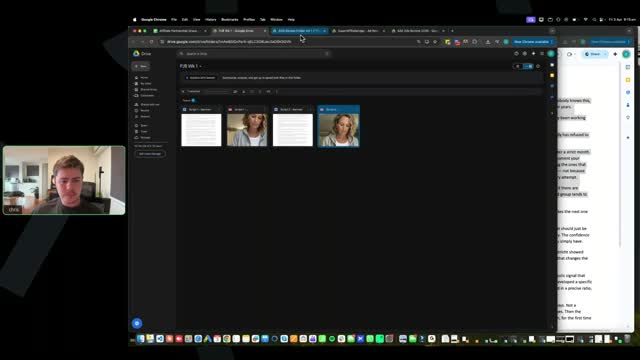
[SCREEN 33:01] Chris shares his screen. It shows a Google Drive folder named "Ads Review Folder A21...". There are four video files visible. He clicks on one. The video opens in a player. It's a vertical video. A woman is squeezing a lemon into a bowl. Text overlay: "Funktioniert" then "Einfach".
[33:11] Chris: Just let me get these up real quick, I'm just selecting them.
[SCREEN 33:22] Chris clicks back to the folder view.
[SCREEN 33:30] Chris clicks on the first video again.
[33:35] Chris: Okay.
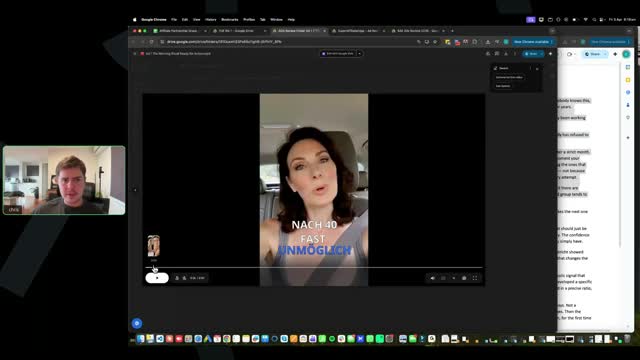
[SCREEN 33:45] Chris clicks on the second video in the folder. The video opens. It's a vertical video of a woman speaking to the camera. Text overlay: "Okay, Frauen über 45,".
[33:45] Chris: I'm just going to get a couple of these up so we can sort of just like blast through them. Uh, okay, sorry guys.
[SCREEN 34:03] Chris clicks play on the video.
[34:11] Chris: Okay, just a sec here everyone. Uh, yeah, yeah, you can't see my screen yet, I haven't enabled it.
[34:23] Chris: Someone said do you personally enable caption when creating the video, like the AI avatar, or do you add the caption later in the timeline editor? I just add it later in the timeline editor.
[34:34] Chris: So um, I just generate the AI avatar and I just bring it in and then I just enable the captions uh at that later time uh in the timeline editor.
[34:53] Chris: Okay. Alright, I'm going to share my screen now guys.
[SCREEN 34:58] Chris's screen is shared. It shows the Google Drive folder with the videos. He clicks on the first video.
[SCREEN 35:01] The video plays. It shows a woman squeezing a lemon into a bowl. Text overlay: "Frauen über 50".
[35:00] Chris: Okay. Alright, so we've got, I want to mainly look at like the visuals in this session guys, because the visuals are important.
[SCREEN 35:14] The video continues. The woman is now rubbing her stomach. Text overlay: "Heißes Wasser", "Zu Geben".
[35:13] Chris: Uh, keep in mind also that the quality is probably not going to be the best in Google Drive, like the visual quality.
[SCREEN 35:23] The video cuts to an AI-generated woman speaking to the camera. Text overlay: "Aber Hartnäckiges".
[35:22] Chris: See that's like a good opening scene, right?
[SCREEN 35:30] The AI woman continues speaking. Text overlay: "Genau Warum", "Weit Weniger", "Mit Willenskraft".
[35:29] Chris: Yeah, very weird. It looks so real, AI is so real. Um, one thing I would say here guys, uh, is you, I can see like in all the submissions everyone used the exact same sort of caption style that I used.
[SCREEN 35:44] The video continues with the AI woman. Text overlay: "Mit Willenskraft".
[35:43] Chris: You don't need to use the exact same one guys. Um, with the blue karaoke, that was purely just like me just choosing one of them.
[SCREEN 35:53] The video cuts back to the woman squeezing the lemon. Text overlay: "Zum Fettverbrennen", "Ingwer In".
[35:52] Chris: Um, you can use it, it's not like it's bad, okay, but you don't have to, not everyone, you don't have to use the exact same one.
[SCREEN 36:01] The video cuts back to the woman rubbing her stomach. Text overlay: "Erkläre Ihnen".
[36:00] Chris: Alright, so let's just review. So good opening scene, right, it's quite interesting, comes into this woman, which is good.
[SCREEN 36:08] The video cuts back to the AI woman. Text overlay: "Genau Warum", "Aber Hartnäckiges", "Weit Weniger".
[36:07] Chris: One thing I would say is I would actually move these captions up just a little bit. I would honestly just move them like one space up, just because this is a little bit low. I know you don't want to get in front of the woman's face, but you don't have to be right in front of it, just a little bit higher I would say.
[SCREEN 36:23] The video continues with the AI woman. Text overlay: "Mit Willenskraft", "Zu Tun", "Jahrelang Erzählt".
[36:22] Chris: Okay.
[SCREEN 36:29] Chris clicks back to the folder view.
[36:29] Chris: Let's also now, let me get the script up so we can sort of do this.
[SCREEN 36:38] Chris opens a Google Doc titled "Script 1 - German". It contains the German text of the script.
[SCREEN 36:46] Chris splits his screen, showing the video player on the left and the Google Doc on the right.
[SCREEN 36:50] The video plays the AI woman speaking. Text overlay: "Jahrelang Erzählt", "Das Schlimmste", "Daran Egal", "Geputzt Sind".
[36:49] Chris: Okay.
[SCREEN 37:02] The video continues. Text overlay: "Und Heimlich", "Gearbeitet Den".
[37:01] Chris: Alright, first thing is you don't have enough scenes in the beginning. Guys, this is why I wanted to do ad reviews. You really need to, uh, someone said create captions in Superior Ads. Yes, you create, I recommend just using Superior Ads for everything. You can create all the captions in Superior Ads.
[SCREEN 37:20] The video continues. Text overlay: "Gearbeitet Den".
[37:19] Chris: Um, alright, first thing guys, I cannot say it enough, it's why I wanted to do these ad reviews. The visuals, they all need to, like, they need to emulate um what our ads have, okay?
[SCREEN 37:34] The video continues. Text overlay: "Gearbeitet Den".
[37:33] Chris: So I know some of the ads, alright, some of the AI avatar ads that are winners don't have heaps of visuals, okay? I understand that. However, you will see a pattern that majority of all of the ads have a lot of visuals, okay? Specifically like I tell you guys in the very beginning section.
[SCREEN 37:54] Chris scrubs back to the beginning of the video. It shows the woman rubbing her stomach. Text overlay: "Genau Warum".
[37:53] Chris: So here you've got an opening scene, but then you don't have any visuals. You have a visual at like 30 second mark.
[SCREEN 38:01] Chris scrubs forward to a scene showing a woman taking a mirror selfie. Text overlay: "Bewegung Die", "Richtig Gemacht", "Disziplin Und", "Ihr Körper".
[38:00] Chris: But it's not even like a visual like we discussed, right? We need recipe visuals, okay? We need interesting visuals.
[SCREEN 38:13] Chris scrolls through the Google Doc script.
[38:12] Chris: Like...
[SCREEN 38:23] Chris highlights a section of the text in the Google Doc: "There are women who keep reaching for the next programme, the next phase, the next reset. And there are women who stop and ask: am I working against a mechanism I don't know about yet? The second group tends to find an answer."
[38:22] Chris: Okay, women are researching for the next program, the next phase, the next reset, and there are women who stop and ask, am I working against a mechanism I don't know about yet? So that's a pretty weak part um of the script.
[SCREEN 38:38] Chris highlights the same section again.
[38:37] Chris: Again guys, like it's very important that, you know, when AI builds it out for you, you still need to review it, okay?
[SCREEN 38:45] Chris highlights a different section: "If you've done everything correctly - the portions, the movement, the discipline - and your body has refused to follow the rules, you know exactly what it feels like to be failed by the instruction."
[38:44] Chris: So in this section of the copywriting formula, right, like the, are you in the group or out of the group, that's an important, that's an important psychological point, but like this, am I working against a mechanism I don't know about yet, and the second group tends to find an answer. It's, it's not really like the example ads that we have, okay?
[SCREEN 39:06] Chris scrolls down the Google Doc.
[39:05] Chris: Second thing here is um...
[SCREEN 39:14] Chris highlights the first sentence: "If you're a woman over 50, stop adding ginger to hot water, and I'll explain exactly why."
[39:13] Chris: You don't have any mention of, alright, you've got the stop adding ginger, you know, stop adding ginger to hot water, which is alright, but then you're not really mentioning any of it here. Like you have, you don't mention the mechanism at all uh again through here.
[SCREEN 39:30] Chris highlights a section further down: "The spontaneously-around-getting-dressed is already gone. The ease in your own body at events that should just be enjoyable - already thinner. The energy that used to carry a full day - already leaving by midday. The confidence that used to be quiet and steady - almost something you're managing instead of something you simply have."
[39:29] Chris: You do mention it here, which is, is good, but again guys, a really, like you guys have winning ads at your fingertips. I want you guys to really review the ad transcripts and, you know, the AI tool is there to help you guys get everything done and do it really fast, but you still need to be familiar with what a good ad is.
[SCREEN 39:49] Chris scrolls through the document.
[39:48] Chris: Because this is what I'm talking about, right? Even though this is following the process, you're still missing a lot of key things that I've taught and that the scripts that we provide as an example have as well.
[SCREEN 40:03] Chris highlights a section: "It always starts the same way. A kilo that won't shift after a holiday. Then two that won't leave after a strict month. Then the realisation that what used to work in three weeks now doesn't work at all. This is the moment your wardrobe quietly changes. The clothes you reach for stop being the ones you want and start being the ones that hide. Your energy disappears by early afternoon. And somewhere along the way, you stop trying - not because you've given up, but because your metabolism has been restructuring itself against you with every attempt."
[40:02] Chris: So I want everyone to do this. I want not just this person guys, I want every single person, make sure your scripts, review your, especially when you're first starting guys, you still want to build the skill here. Review your transcript with the transcript of a winning ad as well and let's see how we can, you know, improve them, alright?
[SCREEN 40:21] Chris clicks back to the video player.
[40:20] Chris: But then in the visuals, okay, you've got this visual here, but the goal is we need a lot of visuals, like we need a lot of like visuals, we need a lot of um, you know, engaging elements as well.
[SCREEN 40:35] Chris scrubs through the video. It shows the AI woman, then the mirror selfie woman, then the AI woman again.
[40:34] Chris: So you've only got this opening scene and you've got this visual here, and then you've got another visual of someone going through a wardrobe.
[SCREEN 40:40] The video shows a woman looking through clothes in a wardrobe. Text overlay: "Garderobe Still".
[40:39] Chris: That's one minute in and there's only basically two visuals. That's not very engaging.
[SCREEN 40:46] The video continues. Text overlay: "Kleidungsstücke Nachdem", "Denen Sie".
[40:45] Chris: Okay, and then another visual, another minute in then, another minute in.
[SCREEN 40:50] The video shows a woman sitting on a couch looking tired. Text overlay: "Die Leichtigkeit", "Veranstaltungen Die", "Einfach Schön".
[40:49] Chris: And only now do you have this. These elements are like the curiosity producing parts, right?
[SCREEN 40:55] The video shows hands grinding something in a mortar and pestle. Text overlay: "Hatte Fast", "Gestoppt Ein", "Ruhender Stoffwechselsignal".
[40:54] Chris: And then that's it, no more visuals. Oh, one more visual here.
[SCREEN 41:07] The video shows a before and after image of a woman's body profile. Text overlay: "Sogar Frauen".
[41:06] Chris: Right? But I, you want to put visuals in the beginning, just like all of the winning ads, just like I teach in the training as well.
[SCREEN 41:21] Chris clicks on the second video in the folder. The video plays. It shows a woman squeezing a lemon. Text overlay: "Mein Stoffwechsel".
[41:20] Chris: Alright, and so here, yeah, this, so this person, they've done the script at the beginning, which is great, and now they've gone into the background scene, which is also great, that's perfectly fine.
[SCREEN 41:34] The video cuts to an abstract background with lines and dots. Text overlay: "Und Fragen", "Den Schwellenwert", "Zum Nächsten", "Halten Inne", "Ist Nicht", "Desselben Kreislaufs".
[41:33] Chris: However, again, you've got one opening scene visual and no other visuals, guys. This is why I wanted to review ads. I would never launch this ad, alright?
[SCREEN 41:45] The video cuts to a woman putting in an earring. Text overlay: "Wieder".
[41:44] Chris: You need to make sure you have a lot of opening visuals that create the engagement, that create the visual like engagement. It's very important.
[SCREEN 41:53] The video cuts to the AI woman. Text overlay: "Hätte Wenn", "Den Schwellenwert", "Das Signal".
[41:52] Chris: Like I need every single one of you to go and look at our winning ads and make sure that you identify that hey, all of these ads have a lot of visuals, especially in the very beginning, which grip the person's attention, okay?
[SCREEN 42:16] Chris clicks on the third video in the folder. The video plays. It shows a woman speaking to the camera. Text overlay: "OKAY FRAUEN ÜBER 45".
[42:15] Chris: Let's look at this ad. This ad, I'm not really a fan of this text, okay, this subtitle. I'm not really a fan of like the all caps.
[SCREEN 42:26] The video continues. Text overlay: "MECHANISMUS MACHT DER ABNEHMEN", "DAUERT ES HAT MIT", "INGWER ZU TUN UND".
[42:25] Chris: Uh, you know, within Superior Ads, within the caption, you can change, you can change it and tweak it and so on. Like you can edit and make your own if you want. I'm just not really that big of a fan of this uh all caps. Like I would never do it all caps. And then I'm not really a fan of...
[SCREEN 42:45] The video continues. Text overlay: "INGWER ZU TUN UND".
[42:44] Chris: I mean it would probably be better if it wasn't just all caps to be honest.
[SCREEN 42:51] Chris clicks on the fourth video in the folder. The video plays. It shows a split screen of a woman's face. Text overlay: "OKAY FRAUEN ÜBER 45".
[42:50] Chris: So let's come here. Alright, interesting opening scene. Again, opening scenes are something that we're going to want to test quite a lot anyway.
[SCREEN 43:05] The video continues. Text overlay: "OKAY FRAUEN ÜBER 45".
[43:04] Chris: But you don't have any captions on the opening visual, which can be okay, that you don't have like, you don't have any words, but a part of the hook guys is like really getting the hook in there. Like we want to have an opening scene and the hook.
[SCREEN 43:23] The video continues. Text overlay: "OKAY FRAUEN ÜBER 45".
[43:22] Chris: You will see in some of the winning ads that we have as well, we do have scenes that don't have any captions or voices, but that's when we're layering. That's when we've already found a winning ad and we just throw in a visual on top and see if it improves performance.
[SCREEN 43:36] The video continues. Text overlay: "OKAY FRAUEN ÜBER 45".
[43:35] Chris: Now if you're just beginning, I always recommend having your script start with the voice, okay? And you can do that easily, you just keep the audio, or you just, you just put this visual above the avatar, okay? You just put this visual above the avatar.
[SCREEN 43:55] Chris scrubs back to the beginning of the video. The video plays. Text overlay: "OKAY FRAUEN ÜBER 45", "SCHREIB DAS AUF WÄHREND", "ALLE FÜR OZEMPIC ANSTEHEN", "MACHEN 31 000 FRAUEN".
[43:54] Chris: And again, because it's, because it's, because your text is so large, like I would recommend making the text smaller and so it fits and it's not in as many lines.
[SCREEN 44:21] The video continues. Text overlay: "IN DEUTSCHLAND JEDEN MORGEN".
[44:20] Chris: Now even if you guys put, oh I want it on two lines or one line in Superior Ads, sometimes it will still go into like three lines or more depending on how big the words are. That's totally fine, however if it's happening so much, you know, you've just got too much, it's probably because it's quite large the font, but you want it to be smaller, okay?
[SCREEN 44:45] The video continues. Text overlay: "MACHEN 31 000 FRAUEN", "ALLE FÜR OZEMPIC ANSTEHEN", "KOSTENLOS ZU NUTZEN GERADE".
[44:44] Chris: And another same issue with this person's ad is here as well, alright? 40 seconds in, there's not a single visual. 40 seconds in, there's not a single visual.
[SCREEN 44:58] The video shows a woman holding her stomach. Text overlay: "ES GEHT NICHT UM", "MECHANISMUS MACHT DER ABNEHMEN", "STOFFWECHSEL NICHT ANGEHST VERSTÄRKT", "ADIPOKINRESISTENZ EIN".
[44:57] Chris: Alright.
[SCREEN 45:03] The video shows an animation of cells. Text overlay: "DER SIGNALPROTEINE", "DIE DEINEM", "FREIZUSETZEN NACH".
[45:02] Chris: This visual is going for way too long. We've got it at 56 seconds all the way to like, you want your scenes to be like three, four, five seconds, okay?
[SCREEN 45:29] The video shows an animation of a glowing cell. Text overlay: "CHRONISCHE UNTERSCHWELLIGE", "PROTEINE KOMPLETT", "ZUM SCHWEIGEN", "KALORIENRESTRIKTION BESCHLEUNIGT", "DIESES ABSCHALTEN".
[45:28] Chris: This one's a bit too long. The more, the more switches you have, the more engaging it is.
[SCREEN 45:41] The video shows a woman stretching in a park. Text overlay: "SPORT ALLEIN", "NICHT AUSGLEICHEN", "LÄUFT DESTO", "ES GIBT", "GLEICHE".
[45:40] Chris: Same with this visual, this visual is also way too long. Minute four, a minute oh four, all the way to, it's like 10 seconds long that visual, and it's like just a woman stretching, so it's very not that good.
[SCREEN 46:01] The video shows an abstract animation of lines. Text overlay: "DER MECHANISMUS", "WARTEST VERTIEFT", "BEREITS VERLIERST", "ZUKÜNFTIGES RISIKO", "ES IST".
[46:00] Chris: Alright, and then it goes into...
[SCREEN 46:14] The video shows a cup of coffee. Text overlay: "SELBST ZU".
[SCREEN 46:17] The video shows a woman looking in a mirror. Text overlay: "NIMMT SIE".
[SCREEN 46:20] The video shows the abstract animation again. Text overlay: "BONN HABEN", "DOKUMENTIERT DASS", "VISZERALE ADIPOKIN", "EIN".
[SCREEN 46:29] The video shows the abstract animation again. Text overlay: "PROTOKOLL REAGIERT".
[SCREEN 46:31] The video shows two women looking at a phone. Text overlay: "ICH DACHTE MEIN KÖRPER HÄTTE EINFACH BESCHLOSSEN DASS ES JETZT SO BLEIBT ICH LAG FALSCH".
[46:30] Chris: I'm not sure what this is here, like what is this? Is this like a testimonial?
[SCREEN 46:41] The video shows the AI woman. Text overlay: "DU WIRST ES".
[SCREEN 46:44] The video shows the AI woman. Text overlay: "ZUERST DARAN MERKEN", "DASS DIE ENTZÜNDUNG RUNTERGEHT LEICHTER".
[46:43] Chris: Alright, so not bad, but it's still, I would never run this ad guys. I would never run this ad, and I don't want you to run this ad either. One, the captions is not looking good, uh, and two, uh, there's not enough visuals, okay?
[SCREEN 47:01] Chris clicks on the fifth video in the folder. The video plays. It shows a woman pouring honey into a bowl. Text overlay: "DIE ALLES".
[47:00] Chris: So let's jump into the next person's ad here.
[SCREEN 47:08] The video shows a woman mixing something in a bowl. Text overlay: "JEDE FRAU".
[SCREEN 47:11] The video shows an AI woman. Text overlay: "BAUCHFETT ANSAMMELN".
[SCREEN 47:13] The video shows a before and after image of a woman's body profile. Text overlay: "FRÜHER WAR", "BEI 91", "SELBSTGEMACHTEN TRICK", "ICH DENSELBEN".
[47:12] Chris: Uh, opening scene, eight seconds, look, a bit too long honestly. You're going to get a better outcome by having this at like four seconds and then immediately going to this element here, which is more like, because you're getting more, you're getting more.
[SCREEN 47:33] The video shows a woman pouring liquid into a bowl. Text overlay: "ZUTATEN UND", "EINE KOMBINATION".
[47:32] Chris: If someone watches eight seconds of your ad, they're going to get the before and after and they're going to get this, whereas if you don't have that, they're not, you're not going to be able to get that much across, okay?
[SCREEN 47:51] The video shows a woman mixing something in a bowl. Text overlay: "VERÄNDERT HAT".
[47:50] Chris: Another thing as well is guys, we do want our visuals to look like realistic. This is okay, but it does have a bit of that like AI sort of like hyper-realist, like hyper-cinematic like look, which we, we want to kind of stay away from.
[SCREEN 48:09] The video shows a woman pouring liquid into a bowl. Text overlay: "EINE KOMBINATION".
[SCREEN 48:12] The video shows a woman mixing something in a bowl. Text overlay: "JETZT ERZÄHLE".
[SCREEN 48:15] The video shows the AI woman. Text overlay: "ÜBER 35", "BAUCHFETT ANSAMMELN", "DIESEN INGWER", "KLATSCHSEITEN DASS", "MEHRERE HOLLYWOOD", "ABNEHMEN VERWENDEN", "UND ICH", "WAR FRÜHER", "HOLLYWOOD SCHAUSPIELERINNEN", "KÖNNTE".
[48:14] Chris: This is alright. Again, I would still try and find if I can put a visual in here, but they've, they've already got two visuals and then it's not that long until they get to the next visual.
[SCREEN 48:35] The video shows the AI woman. Text overlay: "WAHRSCHEINLICH VERKLAGT".
[SCREEN 48:46] The video shows a glass of liquid. Text overlay: "ZU SAGEN".
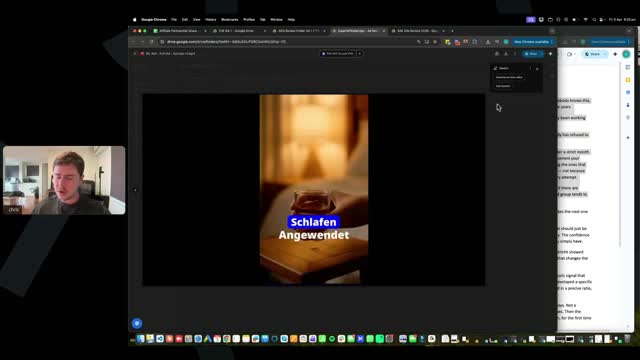
[48:45] Chris: But again, the visuals are quite weak. Like what is this? Just a cup of water, right? That's not very visually engaging at all.
[SCREEN 48:51] The video shows the glass of liquid. Text overlay: "VOR DEM", "SCHLAFEN ANGEWENDET", "MANCHMAL SOGAR".
[SCREEN 48:59] The video shows the AI woman. Text overlay: "DIESE SELBSTGEMACHTE", "MISCHUNG HAT", "WAR DIESER", "DU WAHRSCHEINLICH".
[48:58] Chris: Like I don't even know what that is. Like that's not a very good visual at all. Okay.
[SCREEN 49:07] The video shows a fridge opening. Text overlay: "ZUTATEN DIE", "DEINEM KÜHLSCHRANK".
[49:06] Chris: It's alright.
[SCREEN 49:11] The video shows a woman walking. Text overlay: "UND ES".
[49:10] Chris: And it was not new rebel. Behind the scenes I heard...
[SCREEN 49:14] The video shows the woman walking. Text overlay: "KULISSEN HABE".
[49:13] Chris: Also guys, when you put in the visuals, make sure you turn the audio off. This visual has like the person walking, so you want to make sure the audio is off.
[SCREEN 49:21] The video shows the woman walking. Text overlay: "DASS SOGAR", "ES GAB", "NIE FOTOS".
[49:20] Chris: Also again, this visual goes for way too long. Holy crap. It's like a 20-second visual. That's like 20 seconds. And again, it's a weak visual. It's just a woman walking with like a drink.
[SCREEN 49:35] The video shows the woman walking. Text overlay: "HINTER DEN", "KULISSEN HABE".
[SCREEN 49:40] The video shows someone stepping on a scale. Text overlay: "UMFANG EINFACH".
[49:39] Chris: And I'm going to be a bit harsh on you guys, right? Like I'm going to be a bit harsh because I want you guys to get this right.
[SCREEN 49:45] The video shows the AI woman. Text overlay: "MEHR ZUNEIGUNG".
[SCREEN 49:49] The video shows ginger, cinnamon, and a jar. Text overlay: "UM DAS", "MÖCHTEST KLICKE", "AUF DEM".
[49:48] Chris: I like this, this is alright. You've got this here, this is okay.
[SCREEN 49:55] The video shows the ginger, cinnamon, and jar. Text overlay: "DEINEN ALTERNSTOFFWECHSEL", "ZU VERBRENNEN".
[SCREEN 49:59] The video shows the AI woman. Text overlay: "UND ICH", "WENN SIE", "SAGE DIR".
[49:58] Chris: So yeah, this is, again, I would not run this ad guys. There are so many things wrong with all of the ads that I've looked at so far guys, alright? The biggest thing is it does not even look like you guys have tried to implement what I've taught, okay? So I am going to be brutally honest and help you because I want you guys to have success.
[SCREEN 50:16] The video shows the AI woman. Text overlay: "SAGE DIR".
[50:15] Chris: In the training, I have two training videos where I demonstrate the exact process of creating the AI assets and creating the visuals. None of these look like that, okay? None of these look like that, right?
[SCREEN 50:30] The video shows the glass of liquid. Text overlay: "SCHLAFEN ANGEWENDET".
[50:29] Chris: Um, you know, the UG, the visuals, I even have in the training, like the visuals are not just filler, they have an actual purpose, and if we don't fulfill that purpose, it does nothing for our ad.
[SCREEN 50:43] The video shows the glass of liquid. Text overlay: "MANCHMAL SOGAR".
[50:42] Chris: For example, this scene, you know, just picking up a water bottle, like a glass, it does nothing. It doesn't do anything, okay?
[SCREEN 50:49] The video shows the AI woman. Text overlay: "GEMACHT REBEL".
[SCREEN 50:51] The video shows the woman walking. Text overlay: "EINER STRENGEN".
[50:50] Chris: This visual of the woman walking with this thing, it does nothing. Not once in here do I see any recipe being made either, uh, apart from the beginning, and yeah, apart from the beginning.
[SCREEN 51:03] The video shows the woman pouring liquid into a bowl. Text overlay: "EINE KOMBINATION".
[51:02] Chris: That is what's interesting. These things are what make things look good, okay? So often these visuals align with the script. Yeah, like the visuals should align with the script, but like how does this visual align with the script, you know, a woman walking to work with a, you know, ginger thing, okay?
[SCREEN 51:21] The video shows the woman walking. Text overlay: "SCHON IN".
[51:20] Chris: Uh, even this, does the script have like 10 seconds saying someone pick up a cup of water? Or does it say like do this trick in the morning, which you could have the person making some recipe, um, right?
[SCREEN 51:28] The video shows the glass of liquid. Text overlay: "SO OFFEN", "DIESEN TRICK".
[51:27] Chris: And guys, again, remember, you have our winning ads. Look at our winning ads and ask yourself, does this look like the winning ads Chris and Antonio have, okay?
[SCREEN 51:41] The video shows the glass of liquid. Text overlay: "DIESEN TRICK".
[51:40] Chris: The winning ads we have are packed full of like recipe videos, people making this stuff, chopping ginger weirdly, blending ginger, pouring the ginger into a cup. It's chock block full of these visuals because they're engaging. A lot of these visuals are very weak and again, I would never run this ad, I would never run this ad with these visuals, okay?
[SCREEN 52:08] Chris clicks on the sixth video in the folder. The video plays. It shows a woman walking on a beach. Text overlay: "MEINE DAMEN".
[52:07] Chris: So guys, I got two minutes here, let's jump into this person's ad here.
[SCREEN 52:13] The video shows hands breaking ginger. Text overlay: "ANZUWENDEN DER".
[SCREEN 52:17] The video shows hands breaking ginger. Text overlay: "DIE VON GRÖßE".
[SCREEN 52:19] The video shows an AI woman. Text overlay: "40 WECHSELTEN".
[SCREEN 52:21] The video shows the AI woman. Text overlay: "GANZ OHNE DIÄT".
[52:20] Chris: Good opening scene.
[SCREEN 52:23] The video shows a before and after image of a woman's body profile. Text overlay: "OHNE SPORT UND".
[SCREEN 52:25] The video shows a woman showing her stomach. Text overlay: "LASSEN SIE ES".
[SCREEN 52:27] The video shows a woman showing her stomach. Text overlay: "SCHAUEN SIE".
[52:26] Chris: Yeah, visuals looks good.
[SCREEN 52:29] The video shows the AI woman. Text overlay: "ICH WEIß DASS SIE".
[SCREEN 52:31] The video shows the AI woman. Text overlay: "INGWERTRICK".
[SCREEN 52:33] The video shows the AI woman. Text overlay: "BAUCH FLACH MACHT".
[SCREEN 52:35] The video shows the AI woman. Text overlay: "ABER HIER IST".
[SCREEN 52:37] The video shows the AI woman. Text overlay: "DIE MEISTEN".
[SCREEN 52:39] The video shows a woman holding ginger. Text overlay: "FALSCH DARGESTELLT".
[SCREEN 52:41] The video shows ginger in a pot of water. Text overlay: "DESHALB PROBIEREN".
[SCREEN 52:43] The video shows ginger in a pot of water. Text overlay: "DIE ERGEBNISSE".
[SCREEN 52:45] The video shows a lid being put on the pot. Text overlay: "DIE SIE ERWARTEN".
[SCREEN 52:47] The video shows ginger in a pot. Text overlay: "DARUM INGWER".
[SCREEN 52:49] The video shows Coca-Cola being poured over ginger. Text overlay: "IRGENDWELCHE".
[52:48] Chris: See this is a good ad. It's a bit long, five minutes is a bit long, but again some of our ads are five minutes.
[SCREEN 52:52] The video shows Coca-Cola being poured over ginger. Text overlay: "WILLKÜRLICHEN".
[52:51] Chris: But look how many visuals it's got. It's got the opening scene here, and it's layered with then like the ginger, it's got like before and after, it's got people making stuff, it's got the Coca-Cola stuff.
[SCREEN 53:08] The video shows an animation of a spine. Text overlay: "WIRKSTOFFE".
[53:07] Chris: It's got split screens in here even with these visuals.
[SCREEN 53:11] The video shows the spine animation and hands mixing something. Text overlay: "FUNKTIONIEREN NUR".
[SCREEN 53:13] The video shows the spine animation and hands mixing something. Text overlay: "MIT DEN RICHTIGEN".
[SCREEN 53:15] The video shows the spine animation and hands mixing something. Text overlay: "OHNE DIESE EXAKTE".
[SCREEN 53:17] The video shows the spine animation and hands mixing something. Text overlay: "STÖßT DEIN KÖRPER".
[SCREEN 53:19] The video shows the AI woman. Text overlay: "WISSENSCHAFTLER ALS".
[SCREEN 53:21] The video shows the AI woman. Text overlay: "BEZEICHNEN".
[SCREEN 53:23] The video shows the AI woman. Text overlay: "DER".
[SCREEN 53:25] The video shows the AI woman. Text overlay: "FEUERT NIE".
[SCREEN 53:27] The video shows the AI woman. Text overlay: "MILLIONEN VON".
[SCREEN 53:29] The video shows the AI woman. Text overlay: "INGWER UND".
[SCREEN 53:31] The video shows the AI woman. Text overlay: "RICHTIGE PFLANZE".
[SCREEN 53:33] The video shows the AI woman. Text overlay: "AKTIVIERUNGSSCHLÜSSEL".
[SCREEN 53:37] The video shows a scientist holding a glowing yellow liquid. Text overlay: "KAROLINSKA-INSTITUTS".
[SCREEN 53:39] The video shows the scientist holding the glowing yellow liquid. Text overlay: "INGWER-WIRKSTOFFE".
[SCREEN 53:41] The video shows the scientist holding the glowing yellow liquid. Text overlay: "HÖHERE AUFNAHME".
[SCREEN 53:43] The video shows hands breaking ginger. Text overlay: "SIE MIT BESTIMMTEN".
[SCREEN 53:45] The video shows hands breaking ginger. Text overlay: "NATÜRLICHEN".
[SCREEN 53:47] The video shows hands breaking ginger. Text overlay: "JETZT KOMMT".
[SCREEN 53:49] The video shows hands breaking ginger. Text overlay: "DER TEIL DER".
[SCREEN 53:51] The video shows the AI woman. Text overlay: "MENSCHEN HABEN".
[SCREEN 53:53] The video shows ginger in a strainer. Text overlay: "FACEBOOK GESEHEN".
[SCREEN 53:55] The video shows ginger in a strainer. Text overlay: "HAT DIE VOLLSTÄNDIGE".
[SCREEN 53:57] The video shows ginger in a strainer. Text overlay: "DEM KORREKTEN".
[SCREEN 53:59] The video shows ginger in a strainer. Text overlay: "GESEHEN".
[SCREEN 54:01] The video shows a blender. Text overlay: "DAS LIEGT".
[SCREEN 54:03] The video shows the blender. Text overlay: "MIT P ANFÄNGT".
[SCREEN 54:05] The video shows the AI woman. Text overlay: "ALLES GETAN HAT".
[SCREEN 54:07] The video shows the AI woman. Text overlay: "SCHLIMMSTE".
[SCREEN 54:09] The video shows the AI woman. Text overlay: "KÖRPER ZU LEBEN".
[SCREEN 54:11] The video shows baking soda being poured into a bowl. Text overlay: "ZU ENTGIFTEN".
[SCREEN 54:13] The video shows the AI woman. Text overlay: "MEINEN AUGEN".
[SCREEN 54:15] The video shows the AI woman. Text overlay: "ICH ESSE IMMER".
[SCREEN 54:17] The video shows baking soda being poured into a bowl. Text overlay: "ZU ENTGIFTEN".
[54:18] Chris: Look, this person's done a great job. Look, they've even got, for example, like they've gone into, they've created, like in my training I teach you guys like, you know, you can get real elements, you can make an image with the image generators.
[SCREEN 54:33] The video shows baking soda being poured into a bowl. Text overlay: "HAT ANGEFANGEN".
[54:32] Chris: Because if you get the video to generate uh baking soda with this brand, it won't do it, okay? It just doesn't know how to do it. But if you get the baking soda image and you put it as a reference image and then you, you get it to make an image like this, and then you get the video to make it, you can make video images like this, okay?
[SCREEN 54:55] The video shows the AI woman drinking from a glass. Text overlay: "ES AKTIVIERT EINEN".
[SCREEN 54:57] The video shows the AI woman drinking from a glass. Text overlay: "FETTVERBRENNUNGSMODUS".
[SCREEN 54:59] The video shows the AI woman drinking from a glass. Text overlay: "SCHMILZT SOGAR".
[SCREEN 55:01] The video shows the AI woman drinking from a glass. Text overlay: "SCHLAF".
[SCREEN 55:03] The video shows a woman looking in a mirror. Text overlay: "MEINEM SPIEGELBILD".
[SCREEN 55:05] The video shows a woman looking in a mirror. Text overlay: "AUSZUWEICHEN".
[SCREEN 55:07] The video shows the AI woman. Text overlay: "HINGESCHAUT".
[SCREEN 55:09] The video shows the AI woman. Text overlay: "WIE FRUSTRIEREND".
[SCREEN 55:11] The video shows a jar being opened. Text overlay: "KOSTENLOS".
[SCREEN 55:13] The video shows a jar being opened. Text overlay: "KOSTENLOS".
[SCREEN 55:15] The video shows the AI woman. Text overlay: "ICH TUE DIES".
[55:14] Chris: Alright, so this is a good ad. This is a good ad. This is the only ad I've seen so far that looks like what we've taught in the training, okay? So this is a good ad. Congratulations to this person.
[SCREEN 55:26] The video shows the AI woman. Text overlay: "ICH TUE DIES".
[55:25] Chris: Um, they actually, this one is apparently condensed, so it is a quite a long ad. Um, like I would not be running ads more than five minutes guys, and I would make sure, you know, your AI isn't like rambling.
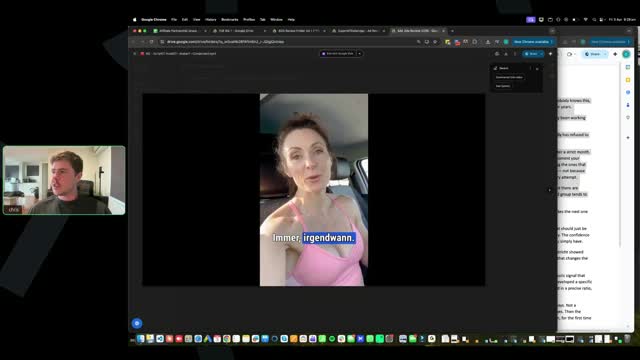
[SCREEN 55:40] The video shows the AI woman. Text overlay: "IMMER IRGENDWANN".
[55:39] Chris: Uh, someone said does it matter if English is used in the visuals? Not really, like a lot of these brands, like it doesn't really matter that much, like it's not going to make that big of a difference honestly.
[SCREEN 55:51] The video shows hands mixing something in a glass. Text overlay: "NUR EIN GLAS".
[55:50] Chris: Where is it? Yeah, this is obviously like an English brand, but you know, it's probably, it's a very common household product and it's not going to affect the performance of your ad at all, um, that this is here.
[SCREEN 56:08] The video shows a before and after image of a woman's body profile. Text overlay: "ABER DIE".
[56:07] Chris: Alright, but this is the only ad so far guys that looks like it's actually followed the training videos, okay? So I really want to emphasize that. Um, I really want to emphasize that, like a lot of these videos that we've looked at do not have anywhere near enough visuals.
[SCREEN 56:25] The video shows hands pouring liquid into a bowl. Text overlay: "VERÄNDERT HAT".
[56:24] Chris: Um, this one particular, a lot of the visuals here look very AI-y, okay, like with the cinematic effect, like compared this scene to like this scene, right? This looks, it's got that sort of AI cinema effect. And guys, I spent a lot of time in the training making sure I demonstrate how to not have this effect.
[SCREEN 56:51] The video shows hands pouring liquid into a bowl. Text overlay: "VERÄNDERT HAT".
[56:50] Chris: So you guys need to play around with it, get the hang of things, but the biggest thing guys is after you've, like you should be creating your ad side by side with one of the winning ads, exactly like I teach in the training.
[SCREEN 57:04] The video shows hands pouring liquid into a bowl. Text overlay: "VERÄNDERT HAT".
[57:03] Chris: So if you do that, you, you will see that these ads are not like at all the winning ads, okay?
[SCREEN 57:13] The video shows the AI woman. Text overlay: "UND SO".
[57:12] Chris: Someone said how do you quantify the AI-y effect? So the AI-y effect, right, is it always has this kind of like perfect like glow, sheen, like very cinematography, cinematic style.
[SCREEN 57:28] The video shows hands pouring liquid into a bowl. Text overlay: "DIE ALLES".
[57:27] Chris: See how this looks very like cinematic and it's got this like perfect sheen and color? That's not what, like even this has it. Like it looks like it's, it does not look like you filmed it with your phone.
[SCREEN 57:41] The video shows the AI woman drinking from a glass. Text overlay: "FETTVERBRENNUNGSMODUS".
[57:40] Chris: Compared to with this, it doesn't have any crazy weird glow, it just looks very real.
[SCREEN 57:47] The video shows the AI woman. Text overlay: "REZEPT MORGENS".
[57:46] Chris: Okay, so guys, I gotta jump off now. I gotta jump off here now, but um, so out of the ads we've reviewed guys, only one of these is good. Alright, I'm just going to be straight up because I, I don't want you guys wasting, firstly, I don't want you guys wasting time making ads that are not following the training, alright? That's the first thing.
[SCREEN 58:11] The video shows the glass of liquid. Text overlay: "VOR DEM".
[58:10] Chris: Second, I don't want you guys wasting money doing it either and running these ads. Now if you've generated this avatar, it's fine, you don't have to regenerate the avatar and stuff guys, you just need to re-edit the ad, okay? So it's not like things have been wasted and lost.
[SCREEN 58:26] The video shows the AI woman. Text overlay: "UND ICH".
[58:25] Chris: But you need to review the training, you need to make sure you're creating your videos like I'm creating them. And as you watch me create them, I literally have the winning ad side by side with mine and I am generating all the assets as I go and I am editing them in, okay?
[SCREEN 58:43] The video shows the AI woman. Text overlay: "UND ICH".
[58:42] Chris: So you guys will get the hang of this, uh, and that is exactly why we wanted to do these ad reviews before you guys ran ads, because I can tell you guys straight away if you are on track or not.
[SCREEN 58:54] The video shows hands mixing something in a bowl. Text overlay: "ZU ENTGIFTEN".
[58:53] Chris: So I know there hasn't, we, we only looked at four ads here from people, but I'm just going to say it now, only one out of the four did it correctly. And it's not because this person's ad is five minutes guys, your ad doesn't have to be five minutes.
[SCREEN 59:08] The video shows hands mixing something in a bowl. Text overlay: "DARUM INGWER".
[59:07] Chris: It's because they actually layered in the visuals that we have in our winning ads, alright? And these three people didn't. So I guarantee you now, if we take that percentage out, I'd probably say 80% of you guys are potentially doing the same thing as these people, okay?
[SCREEN 59:25] The video shows hands mixing something in a bowl. Text overlay: "DARUM INGWER".
[59:24] Chris: So I need to make sure that you are following it, okay? You are following the training and you are doing it. And it's not because I want to be rude to you or say that you're not doing it right or point my finger at you, it's because I want you guys to get the hang of this straight away because it is simple and easy, you just need to follow what we're teaching, okay?
[SCREEN 59:43] The video shows hands mixing something in a bowl. Text overlay: "DARUM INGWER".
[59:42] Chris: Alright, um, yeah, someone said these seemed a bit rushed. Yeah, guys, don't rush it, okay? Don't rush it.
[SCREEN 59:53] The video shows hands mixing something in a bowl. Text overlay: "DARUM INGWER".
[59:52] Chris: Um, alright guys, that is all for this call. Thank you all for being here. Hopefully you guys got a ton of value out of this and hopefully you can see, you know, these calls are coming like that. I feel like we just ended the first one and we're on this the second one and we're going to do another call in like three days.
[SCREEN 1:00:09] The video shows hands mixing something in a bowl. Text overlay: "DARUM INGWER".
[1:00:08] Chris: So let's keep this feedback loop going guys. Uh, everyone now, review your ads. Everyone review your ads and be like, holy shit, I didn't even follow what Chris said, I need to redo it and get my ads ready to go, okay?
[SCREEN 1:00:21] The video shows hands mixing something in a bowl. Text overlay: "DARUM INGWER".
[1:00:20] Chris: And uh, we'll do some more ad reviews next week and we'll jump into more questions and get you guys ready to go. Alright?
[SCREEN 1:00:29] The video shows hands mixing something in a bowl. Text overlay: "DARUM INGWER".
[1:00:28] Chris: Okay. Someone said how do you get the scenes without sheen? Watch my videos that I tell you. We will do some live training on how to create visuals and stuff like that, but I, I show you in the chat, right? Um, you need to test different models, okay?
[SCREEN 1:00:43] The video shows hands mixing something in a bowl. Text overlay: "DARUM INGWER".
[1:00:42] Chris: Different, some models have more sheen than others. Um, but you just need to create different prompts, okay? Read the prompt that you're giving it. Ask Claude, make me a prompt to have it look realistic like it was taken from a phone, okay?
[SCREEN 1:00:56] The video shows hands mixing something in a bowl. Text overlay: "DARUM INGWER".
[1:00:55] Chris: You can ask, whatever the issue is you have, literally ask Claude and it will solve it for you. Okay?
[SCREEN 1:01:01] The video shows hands mixing something in a bowl. Text overlay: "DARUM INGWER".
[1:01:00] Chris: Alright guys, I gotta run here. I'll see you guys all on the next call on Monday EST and um, yeah, let's get going guys. I'm excited, I'm excited. A lot of room to improve here, but that's why we're doing these calls so much so we can get you guys really aligned with everything.
[SCREEN 1:01:17] The video shows hands mixing something in a bowl. Text overlay: "DARUM INGWER".
[1:01:16] Chris: So we'll see you guys all on the next call. Bye everyone.
Call 01 of 13, recording 01-Apr 02 2026.mp4. Gemini video pass at one frame every 2 s. Rebuilt 31 Oct 2026 15:24 Melbourne.