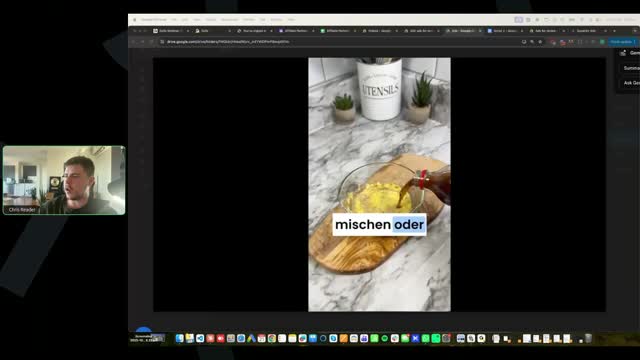
Full timestamped transcript with on-screen notes
[00:00] Chris Reader: to the first call of the week. Hope you guys are all doing well. We've actually got Antonio on the call here as well, but his camera is off. Antonio, how's it going, man?
[00:13] Antonio: Hey legends, so sorry for not being here last Thursday. Actually I was getting back injections, because for some reason my back is non-existent anymore. So yeah, I can't be sitting down for too long, so I'm not going to be showing my face, but I am here. I'm here with you guys again.
[00:30] Chris Reader: Awesome. Awesome. So guys, super excited to be here. So let's, you know, again, let's jump in guys. So part of the benefit of this group guys is obviously you get two weekly live calls, right? So this is the first call of the week and then the next call is on Thursday EST.
[00:50] Chris Reader: So half of the benefit of that is, you know, we can keep the feedback loop short. We can keep you guys updated. We can work with you guys. We can fix issues. And ultimately once we, you guys start really getting your ads going, we can have a shorter feedback loop of, you know, helping you guys scale and make more money, because that's the ultimate goal out of all of this, right?
[01:12] Chris Reader: So just some quick sort of feedback and updates. So firstly, guys, 100 people in this group. I just want to get this out of the way because it always sort of comes up and people get confused if they haven't been attending the live calls or so on. You guys are all a part of the 100 people. Everyone here, everyone who's watching the recording.
[01:31] Chris Reader: Some people did get access earlier than others. So some people may be a bit ahead of other people. Again, depending on when you got our email, then depending when you actually booked a call, then depending on when you actually got onboarded. So because of that, there's a wide range of gap there of when you may have got the email, when you may have booked a call, and when you may have got onboarded.
[01:55] Chris Reader: That some people may be ahead of you. And that's just the way it is. And it's not that you're falling behind. It's not that there are people ahead of you and you're missing out. It's just the nature of bringing in 100 people into a group that some people will be ahead or may not be ahead depending on when you got access, all right?
[02:13] Chris Reader: So because of that, I just want to get it out of the way because some people may have already launched ads and some of you may still be getting your ads ready. Okay, it's not because anyone's ahead of you or this or that. It's just the nature of the way these things go. So regardless, you all get the correct amount of calls. It's all based on the position you are at and that's where we're going to help you guys, okay?
[02:41] Chris Reader: So now that that's out of the way, we have had reports from some people guys that the campaign setup is a little bit different for some people. All right, so in the video training where Antonio shows you guys how to set up the catalog ads, when you then go into launching your ad, in the primary video that Antonio shows, you select the single image or video, you know, to prioritize the video, all right, in the ad level.
[03:18] Chris Reader: Now some of you guys had reported in that you were not seeing that in your campaign setup, all right, when you're launching your ad. Now this was just a UI issue and we have solved it now. So in the video training, at the very end of that module, you know, in the module where you launch your ads, there's another video we've added called troubleshooting ad setup, okay?
[03:44] Chris Reader: And you need to watch that video if you're facing that different UI where it doesn't allow you to select single image or video in the ad setup. And it's very, very simple. Also, you know, our support team has been helping people that have had that as well. But I just want to let you all know that we did add an extra video into the training there for you.
[04:05] Chris Reader: And it's really, really simple. Like instead of selecting campaign optimization, catalog ads at the campaign level, you select it at the ad level and then it works like normal. So if you're not facing that issue, you know, you don't need to worry about it. It's not even an issue, it's just a new UI. But if you are, again, we have a video in the training that fixes it.
[04:28] Chris Reader: And it's everything is just the exact same. It's just on one UI you have to select the button at the campaign level, on the other UI you have to select it at the ad level. So if you guys have been facing that, that's the fix, super simple, super easy.
[04:48] Chris Reader: Um, also some other things that people have sort of been asking. So two things here guys. So with ClickMagick, it always sucks guys, like when we literally, by the way, these videos were created like days before they get released. So everything's fully, fully like up to date. However, ClickMagick, when you guys set up the landing page website code, some of you may have seen this now, but there is no option to verify or confirm the website codes added to the page.
[05:24] Chris Reader: So in my video, when we add the website code to our page, our ClickMagick website code, in the video it shows that there's a place you can put your URL and then it verifies that it's there. They've removed that. So ClickMagick has removed that. And I know the CEO of ClickMagick, so I asked him and I said, hey, what the hell is going on? And he said, oh, we removed it because it's problematic because some websites don't allow us to scan if the code's there.
[05:51] Chris Reader: So that option won't be available on ClickMagick anymore guys, to scan if the website code is on your page. But that doesn't matter. As long as you just follow the training exactly how I teach, you put it in the actual code section in the header, it will work always, it will always work. But it's just annoying because, you know, they've just, they've just changed that literally like a couple days after I filmed it, which is annoying. Uh, so that's another thing.
[06:26] Chris Reader: All right, so they're the two kind of updates, guys. So they're the two kind of updates. Um, some other people were asking questions about one thing, the catalog ads and specifically what days do they select. So in the catalog ad, do you want to discuss this Antonio? So when they add products, it's got like a timetable available.
[06:50] Antonio: Yeah, 100%. For the timetable guys, honestly you don't need to overthink this. Uh, it's the reason why I don't show it because all that doesn't appear in your ads. So you can just have all the times available, for example from midnight to 11:30 PM. Honestly won't make a difference at all. This is just when you're actually using catalog ads to run other kinds of ads. For the ads that we're running, this is not going to make any difference.
[07:14] Chris Reader: Yeah, so again, when you create your catalog ad, it says like set hours available or something in the catalog creation section. It doesn't show in the actual ad setup or anything like when you're running ads. Again, this is not related to your actual ad timeframe guys. It's when you're building the catalog in that separate catalog creation screen. And yeah, that doesn't actually affect our ads or anything like that.
[07:47] Chris Reader: Uh, someone said, does it matter what currency we run ads in? No, it doesn't. Uh, you just want to run the, you want to run the ads in the currency that is your credit card. That's like the ideal, or whatever your card is. Okay.
[08:08] Chris Reader: Um, all right. Now someone's asking when we're creating the parameters for our ad. Yeah, so guys, just a real quick tip again here. Everything we teach in the training is exactly how you need to do it. All right. So a question here on how do we put the parameters into the ad that we created. It's the exact parameters that I create in that video where we merge the White Rabbit parameters with ClickMagick.
[08:33] Chris Reader: So in that video, I specifically show you guys the exact way to create the parameters that we put in our ad. And I explain that, you know, this is the URL we put into Facebook, this is what we put into the parameters. And then that is what Antonio then uses when he's showing you guys how to launch them. So yes, the parameters you put into your Facebook ad are the White Rabbit one plus merged with the ClickMagick one. Okay.
[09:07] Antonio: I'm seeing a question as well. Hey guys, the catalog video is eight seconds long enough? This is, this worries me a bit because remember guys, for the catalog ads, you have a white hat image, so really like can be a dog image or a cat image, it really doesn't matter, which is the image that Facebook is going to see when it's trying to review for compliance. And after that, you're going to have the real ad, the real video that you're going to be launching.
[09:29] Antonio: And for videos, no, eight seconds wouldn't be enough. Just look at the winners that you guys have in the folders and you can see a usual length of the ads that we have ran and that have been winners. And then you're going to see obviously based on the trainings and the creative trainings and the script trainings and the editing trainings and all that that Chris recorded for you guys, uh, then you're going to see the types of videos and how to create them. So eight seconds is not enough. Uh, it's a white hat image and it's a longer video for sure as the real ad.
[10:00] Chris Reader: Yeah, so someone here said confused about the catalog ad setup. Antonio sets up new catalog ads with name, you know, script one, hook one, etc. He then says pick your video and multiply that by five times. So is my, is that my actual ad then multiplied by five times? Five times what? Same video? Five times under the same single catalog name? Seriously confused what goes where.
[10:30] Antonio: Okay, no problem. Because you could just follow exactly what I'm clicking in the video and you should be fine. But just so you understand conceptually, within every catalog, you have what we call items, right? And then every item is literally going to be a media. So the media is what's going to show you in your ad. You don't need to understand all of that because you can literally just follow step by step what I do.
[10:52] Antonio: Regardless, it's just a standard on Facebook that you need to have five items on a catalog for the catalog to be able to be run, right? And because you create one item with the white hat image just like I show in the training and with a video, after you finish setting up the first item, you just duplicate that item five times just so your catalog can actually be run. That's it.
[11:15] Antonio: But if you just follow the step by step there, um, it's going to be fine. You're just trying to honestly overthink it and and try to understand why it is what it is literally. Um, you don't need to, but that's just so you know. So you need to have minimum five items, but it's going to be the same white hat image with the same long video that you created according to what Chris showed.
[11:38] Antonio: And this is going to be duplicated. This setup is going to be duplicated five times within every catalog. So you're going to have one video that you're going to run for one catalog with the naming convention for that video, for that ad. Then for a new catalog is going to be a second ad with the same naming convention, but you're going to change the video. Everything is in the training. Uh, I know it can be a little bit confusing because the catalog ads is probably the most advanced way of running ads, but you have the whole step by step. Obviously we have the support.
[12:07] Chris Reader: So just to, so just to sort of just to simplify it all Antonio, right? Like just lay it out simple for them. So is one catalog with the five, is it five duplicates of their winning ad, is it five duplicates of their ad per catalog? Or is it each, is each of the five is their different video? So just like lay it out simple for them.
[12:33] Antonio: Okay, so each catalog is a different script, right? So it's a different script or hook. So it's a different ad. Each catalog is a different ad. First thing, very important, right? With its own naming convention. Then within each catalog, you have the same combination of the white hat image and the actual ad that you want to have. So for example, ad one is going to be in catalog one, right? And ad one with the white hat image is going to be duplicated five times within catalog one.
[13:01] Antonio: Then for catalog two, it's going to be just for ad two. And then within catalog two, you're going to have five items with the white hat image and ad two. Catalog three, etc, etc. Right? So each catalog is a different ad and within each catalog you have that same ad for that catalog duplicated five times.
[13:23] Chris Reader: Yeah. So that, yeah, so that's clear. So someone just said I just joined, is it being discussed in module three? Yes. So like I just mentioned guys, um, some people depending on when you joined, depending on when you got the email, um, some people are further ahead. Everyone is a part of the 100 people here. Everyone is a part of the same cohort, but some people will be further ahead depending on when they joined, okay?
[13:47] Chris Reader: So you do not need to freak out or get confused or concerned. Everyone's still a part of the same people. It just depends on when you guys joined, okay? All right. So, um, all right, so hopefully that answers your question, Robert. And if anyone else is, is, had that question, again, uh, the way you set up the catalog ads is you got one, your catalog's like a container, and then within the container you've got multiple like products.
[14:14] Chris Reader: So each catalog is unique per ad, and then you have five duplicates of that ad in there, okay?
[14:23] Chris Reader: So, uh, someone here saying Facebook is only allowing me to run an ad of minimum $5 per ad set, not $1. Uh, have you ever seen that on any accounts, Antonio?
[14:36] Antonio: Yeah, the accounts have different thresholds sometimes, so this can happen. So then you just do the math, right? So once again, if the minimum budget in my campaign was $25 and I had 25 ad sets with $1, if your minimum budget per ad set is $5, then you would have five ad sets. So five ad sets, $5 each, you just do the math. So your initial budget per campaign is $25.
[15:02] Chris Reader: Yeah, and also, what I, I've never seen them have a minimum, normally it's like a dollar, that's like the minimum. However, maybe it's the currency that you've got. Like if you've got, you know, Brazilian reals for example is like super cheap. So like one Brazilian real, what is that, like 10 cents or something Antonio, maybe, I don't know.
[15:23] Antonio: Yeah, 20 cents, yeah.
[15:24] Chris Reader: Yeah, so maybe your currency, because like, you know, if you're using like Indian rupees, it's not going to let you put like one Indian rupee, it's like nothing, you know? So it maybe it's related to your currency. So, um, maybe that's the case. But again, if it is, if it is set to $5 minimum, uh, again, yeah, just set it up as, as, if that's the minimum, that's again completely fine. It's not going to ruin the strategy we're doing.
[15:50] Chris Reader: So yeah, if it's $5 minimum per ad set, then just do one, one, five, right? Or one, five. And by the way, you've wrote a thing here one, one, five, but it's actually one, five, one, okay? Because we have one ad per ad set, all right? So yeah, if it, if it is your minimum is $5, if anyone else is seeing that as well, let us know. We haven't seen, I've never seen that before in an account.
[16:15] Chris Reader: But um, yeah, just do five times $5 is 25, okay? And just run it like that, all right?
[16:22] Antonio: Yeah, the values in the training are USD, right? So just make sure that your currency is going to be minimum one USD or around that. The lowest you can go, go, and then just make sure the budget at the campaign level is around $25.
[16:39] Chris Reader: Yeah. Someone said, uh, Antonio, I think you responded to them in the chat here. So they said there's no need to have the manual destination. Um, so Chloe, I think you're referring to the photo you sent into support. And yeah, you do need to have the manual destination. Uh, and again, you, it's just the exact same way that it's taught in the video guys, right?
[17:04] Chris Reader: Um, so when you guys create your ad, you have to put in, you know, override deep, override catalog website with deep links, and then you put your URL in there, okay? So it's the exact same way in the training guys when you set up your ads, all right?
[17:26] Chris Reader: So Chloe, you're saying it doesn't show it for you. In your photo, it literally shows it. I can see it says manually override catalog links, and then you put in your link there. It might not say manually, but it says override catalog deep catalog links, and you've put it in. So your photo is the exact same way it shows in the training. Uh, does that make sense, Antonio? I don't know, I think you may have answered that question in the chat there.
[17:51] Antonio: Yeah, literally just need to make sure the website URL and the override catalog deep links have the real link just like Chris shared.
[18:06] Chris Reader: Okay, some people, all right, so here's some, a question. So, uh, guys, so the vendor, so Antonio's vendor side, uh, sent out an email to some people saying that they're basically just reformatting the backend tracking just to help optimize the campaigns a little bit more, uh, the offers a bit more. So if you guys got an email from the OG group, that's what Antonio's team's, uh, emails called.
[18:33] Chris Reader: Um, they're just rejigging some of the backend tracking. Now it shouldn't really affect many of the campaigns. If you did get that email, pretty much just to summarize it, so they're just resetting some of the stuff on the backend of the offer side, the checkout side. It shouldn't really affect anything, but they sent an email out just informing you guys that it will be updated and pushed live on, uh, when is it, Wednesday, is that right Antonio?
[19:02] Antonio: Yeah, Memo Guard is already active, just, just so you're very clear. So Memo Guard is active and then Slim Jera, uh, just relaunch it for Wednesday. And we're always going to say these things via email or in these lives guys. So yeah, just make sure you're in these lives and via email. Um, but yeah, this is going to make sure the tracking is going to be even better.
[19:20] Chris Reader: Yeah. So again, it's not like, it's not going to work right now, but they're just improving the tracking, they're actually improving the conversion rate on Slim Jera on Wednesday. They're basically what Antonio mentioned to me is they're just fixing up or not fixing, but they're just optimizing like the checkout page.
[19:39] Chris Reader: So again, you could, if you're running Slim Jera, you could pause it till Wednesday or you could just keep running and keep testing your ads and by Wednesday it will probably be converting better anyway. Uh, that's, and Memo, the memory offer has already been, has already, we've, they've already done that fix or that improvement optimization.
[19:59] Chris Reader: Um, also other good news is, uh, Antonio, you mentioned that there's a new ED offer that you guys have been testing internally that's, that's performing really well.
[20:10] Antonio: Yes sir, correct. So it should be live probably by Wednesday for you guys to apply. So guys, always remember, it's going to be live in the Notion doc so you guys can apply to it. And then after you apply, it's going to take a few business days for us to actually approve you guys, you get your links and you're able to run it. But this week is definitely going to be in the Notion doc so you guys can apply to that new offer as well.
[20:39] Chris Reader: Yes, which is great, which is great. So, uh, you know, again, as a part of this group, you will, you guys will be getting access to other top converting offers that Antonio's team's been building out. Uh, Antonio's team, you know, I can see on the backend, I work with, obviously work with Antonio very closely, and I, they test, they test a shit ton of offers, right?
[21:00] Chris Reader: So the ED one is, is performing well, but, you know, they've got like a range of different offers working, you know, there's a blood sugar one as well that's, that's performing really good, but you guys, we're still like optimizing that. But the diabetes offer that will potentially come out soon, maybe, maybe not, depending on how the performance holds up.
[21:21] Chris Reader: Um, and so, yeah, so some people are saying I applied, guys, so for approvals, uh, for approvals to the offers, it's taking a bit longer than expected everyone, just because, uh, Antonio's team needs Digistore. So you guys have to submit the form, Antonio's team has to then email Digistore's team, you don't have to email Digistore's team, Antonio's team emails the Digistore team member they work with, that Digistore team member needs to manually approve you guys, then needs to email Antonio's team, Antonio's team then needs to email you, all right?
[22:00] Chris Reader: So there's this sort of long chain and Digistore's team has been at an event and it's slowed everything down. So don't worry guys, if you're still at the process of getting approved, um, you've still got a lot of setup to do anyway before you launch your ads. So do not worry, you will all 100% get approved. It's just a, a very, there's been a bit of a delay, okay, uh, as of like this last week or this week, okay?
[22:30] Chris Reader: Um, all right, let me go down here. Um, find these questions. Just a sec guys.
[22:46] Antonio: One thing from Robert as well, he's saying he was creating ads based on a specific video. Guys, just so you know, videos are going to change in those folders because as we find new winners, we're going to be adding new videos there, new batches, and as winners fatigue, we're going to be removing videos from those folders.
[23:01] Antonio: So if you start creating an ad based on a specific video, make sure you save it to your computer. I think that's going to be pretty important because otherwise if it gets removed, it gets removed, right, because it fatigued. So we're always going to be optimizing the folder of ads for you guys, so it's always up to date. But obviously, yeah, if you start creating ads based on a specific video, just make sure you download that video so you don't risk losing it if it ever fatigues.
[23:28] Chris Reader: Yeah, and you know, if you, if you built your ad on a video and it then we removed it because it's not as good as the ones right now, it doesn't, like, still run that video you created, right? Because it was still a winner and yours is obviously going to be fresh. But again, just because we're just getting, this is, you know, you guys are a part of the first thing, we're sort of evolving this as we go to make sure you guys have all the best stuff, right?
[23:51] Chris Reader: So, um, someone here said, uh, so Ryan wrote a message here talking about the ClickMagick redirect. So Ryan, you said my custom code didn't work and I'm wondering if it's because ClickMagick removed the option to check. So no, ClickMagick removing the option to check if the code is not going to cause your code to not work, okay?
[24:14] Chris Reader: So you said when I try pasting in my redirect link in the new tab, it takes me to my blank offer page without redirecting. All right, so the only 100% reasons that the redirect with ClickMagick will not work is either you do not have the code in the header script, okay, or you have not created the redirection link correctly. They're the only two reasons guys that your redirect code, your redirect link, your ClickMagick redirect link will not work.
[24:51] Chris Reader: Okay, that's literally the only two options. One of the most common ways I see people have an issue is they put the...
[25:00] Chris Reader: ClickMagick website code into the description, right, instead of the code section. Okay, so that's one of the, I've done that many times. That's why I know it's the most common because sometimes when I'm rushing through the setup, I'll paste the ClickMagick header code into the header description instead of the actual code section. Okay, so that needs to be followed. And then when you create the ClickMagick redirect link, right, you must, you know, go into the link builder, you put in your parameters, your UTM source, your UTM medium, but then you need to go into the optional and you need to paste that URL, the redirect one in there, following the exact video I did. That will 100% work. We've not heard of that not working for anyone. So Ryan, if that's not working for you, it's one of those two issues. Okay.
[26:00] Chris Reader: Um, all right. So someone here said correct. Yes. So someone here, when we're talking about the spend, the minimum spend, someone here actually said that that was the issue for them. Um, someone said, I noticed that I had to enter $1.41 Canadian, which equals $1 USD. So they actually had to put $1.41 because the minimum in their ad account was $1 USD. So they had to actually put the equivalent of their Canadian dollars in there. Okay.
[26:42] Chris Reader: Um, all right. So someone here said, uh, Facebook AI keeps changing my settings even though I selected the ones from the training. I need to keep checking before publishing. It seems to be that duplicating campaigns might be the reason. Um, yeah. So guys, if you duplicate campaigns, okay, so it's really important to be clear with the difference of the structure here, right? So you got your campaigns and your ad sets. Typically, like, you know, our campaign is our ad. Okay, so we only have one ad per campaign. You duplicate all of those ad sets. But yeah, it is advised that you sort of skim through and make sure that all the settings are correct for all of them. However, yes, if you do duplicate a campaign, sometimes that it will change the campaign settings. Okay. Typically it won't change the ad set settings when you duplicate it. But yeah, you just want to make sure, guys, like when you're duplicating stuff out, like just skim through and make sure like nothing has changed.
[27:54] Chris Reader: All right. Um, Antonio, are you still there?
[28:03] Antonio: Yeah, I'm typing, answering a lot of questions.
[28:06] Chris Reader: That's okay. Uh, uh, someone said, is this the question box? Yes, Renee, this is the question box. Someone said, will my Canadian dollar be converted to another currency? Because I want to use the currency I'm being charged in. Yes. So that is exactly why in the training we tell you guys, when you set up your ad account, you set up the currency, the account of the currency, whatever your currency is. So if you're Canadian, you set up your ad account to spend Canadian dollars. If you're Australian, you set up your ad account to spend Australian dollars. If you're Brazilian, you set up your account to spend Brazilian reals. Right. That is how you set up your ad account to spend money. In ClickMagick, ClickMagick does the conversions for you. So you receive, you know, sales in euros and I'm spending Australian dollars, the ClickMagick account will be in euros and it will convert my Australian spend into euros so that it's correct. Okay.
[29:12] Chris Reader: Um, okay. Renee is asking, we get approved automatically for every offer? Yes, but there's a delay. So yes, because I'm the offer owner, so nobody is not going to get approved, guys, just to be very, very clear. Uh, but there's a delay because as Chris mentioned earlier, uh, we need to ask the Digistore team, so the Digistore team does it on their end. That's why there are a few days delay sometimes. But yes, nobody is not going to get approved, just to be very, very clear.
[29:40] Chris Reader: So some people asking about pixels showing that they're not active. Guys, your pixel will always show that it's not active or it will look broken, people always think that it looks broken, unless you make a sale. So until you actually send a data point back to your pixel, it will show like red or orange or even have like a little like warning sign next to it. And the only reason is because it hasn't actually been, like a pixel has not officially been like set up until it's made an actual sale. So it will not show active until it's actually made a sale. All right. So, and again, as long as you follow the training, it is all set up correctly. Okay.
[30:26] Chris Reader: Um, just going through some of these questions. So someone said, uh, I'm having issues with Superior Ads. I edited my video in the editor with more B-roll, saved it, but when I download the video, the changes I made were not there. Uh, I've never had that issue before. Again, you need to make sure you save it. You did mention that you saved it. Um, okay. So I'm not exactly sure what that issue is. Uh, I would recommend emailing the Superior Ads team because I've never had that issue. Like if I, if I save a video and I download it, it will be the video that's saved. So I'm not exactly sure how to answer that one. Uh, someone said, all right, so if you guys are having an issue with Superior Ads, just please email their, the Superior Ads team. Um, and then they will be able to help you clarify what, what's going on with those.
[31:23] Chris Reader: All right. Someone said, if I had an ad account and page that I used for an alternate method, pay-per-call, can I use that page or ad account for this? Uh, what do I need to change it for this offer? So you can use the same ad account and you can use the same page, but again, making a page is so easy. So like, I don't know why you'd want to use the same page anyway. But as long as the page matches what we teach in this, guys, like it's very simple. If the page is some completely unrelated page that says like auto insurance, then obviously you cannot use that page for what we're doing here. Right. But if your page is, you know, a person's name, then yes, you can use that page. Uh, and you can use the ad account as well. I would just make sure you're not running multiple different methods in the same ad account. Like you don't want to be running campaigns for a weight loss offer in an ad account that you're actively running ads for an auto insurance offer. Okay. So you don't want to mix them, but you can swap them across, right?
[32:30] Antonio: Yeah, same thing for the pixel. I wouldn't run with the pixel you have already used in the past. I would definitely create a new pixel because yeah, the pixel is the most important data point.
[32:38] Chris Reader: Exactly. Yeah. Definitely you need a new pixel. And guys, you need a new pixel for each offer. Okay. So each, if you're running weight loss, all right, you need a weight loss pixel. If you then decide that you want to test the memory offer, you need a brand new memory offer pixel. You cannot use the same pixel. Okay.
[32:57] Chris Reader: Someone here then also said, I realized I can create up to five ad accounts in an old Ads Manager. Brilliant. You know, you should open all those five ad accounts up straight away. Then they said, do I need to warm up the new ad account create that I've created? Yes. You need to warm it up. The warm-up process, guys, is literally like what, three days of running something for a couple dollars. So it's very, very simple and easy. And we would recommend doing that for each ad account that you, you have. Okay.
[33:28] Chris Reader: Uh, can you change the currency of an ad account after an ad has been ran? No, you cannot. You cannot change the currency of an ad account, guys, once it has actually been initiated. You cannot do it.
[33:48] Chris Reader: Um, okay. Someone saying, is there any discount codes for paid subscriptions? Guys, there is no discount codes for paid subscriptions. Um, there is no discount codes for any of the paid subscriptions.
[34:09] Chris Reader: Uh, someone here said, I started running my engagement campaign in the same ad account as, uh, an auto insurance campaign. No, yeah, guys, so just answer, we literally just answered that question, right? So if you have an ad account that you've already ran, you know, auto insurance for or any other, right, any ad account that you've got, okay, as long as you're not actively running another method in that ad account, you can use that ad account for this. All right. So we've just answered that now three times. All right.
[34:48] Chris Reader: Um, okay. What are some good low-cost options for getting more payment methods across multiple ad accounts? I only have one credit card and one debit card. Uh, you can totally share, you can have the same credit card, guys, or you can have the same method, payment method across every ad account that you have, as long as it's in the same profile, right? The same Facebook profile. I have my credit card attached to all my ad accounts across multiple Business Managers in my profile, my same card. Okay. So that's not an issue. All right.
[35:31] Chris Reader: Um, when creating new ad accounts, do we need to run the page warm-up? Yes. Uh, I recommend that you run the same page warm-up across, uh, all the ad accounts that you do. Just, it's just safer. It's just, it's just, you know, it's just a bit safer to do it like that, right?
[35:56] Chris Reader: So when sharing payment methods, if one ad account gets, if one ad account gets shut down, will it affect all the other ad accounts sharing the same payment method? Only if your ad account gets shut down for your payment method. So some ad accounts can get shut down for, you know, if Facebook is unable to charge your card. If Facebook's unable to charge your card, then every ad account using that card, once it's unable to charge the card, will get hit with a, a, it's, it's not really like it gets shut down. Like this happens actually quite frequently to me sometimes, it's super annoying. But if Facebook's unable to charge your card, it will basically disable the account until you pay off the balance, which is, you know, that makes sense. But I, I wouldn't get too concerned and worried about like, you know, if an ad account gets shut down, you know, your ad accounts are all linked anyway by the same Business Manager. So it's not going to be an issue if you're, if you're using the same payment method. Okay.
[37:07] Chris Reader: Oh my gosh. Guys, guys, people keep asking the exact same question that I've already answered five times. All right. Okay. So someone here just asked, so I shouldn't use the same ad account I've used to run car insurance even though I have a new pixel? Guys, I just said yes, you can. Okay. You can use the exact, you can use, all right, if you have an ad account, I'm going to say it clearly here. If you have an ad account that you have ran auto insurance for, you can use that exact ad account as long as you're not actively running auto insurance in it. Okay. And so the answer is yes, you can use the same ad account as long as you're not actively running another business model in that ad account and you have a new pixel. All right.
[37:53] Chris Reader: And a lot of people are still asking questions about the engagement campaigns. Guys, again, engagement campaigns is just for you to tell Facebook that you're a real advertiser, is literally just to warm up the ad account. Like literally, it doesn't matter how many impressions you're getting, how many likes, how many shares, it really doesn't matter. Run it for a few days, just like we show in the training, then pause it and launch the purchase campaigns.
[38:15] Chris Reader: Yeah, and it doesn't matter what country it runs to either. It's literally just get to, it's literally just to get Facebook to start identifying that you're a real advertiser and to start charging your card to that ad account. Because once an ad account has successfully charged a credit card and, you know, it goes through this process of delivering, you know, getting activity on the ad account, that's all it's trying to do, right?
[38:40] Chris Reader: Um, uh, Chris, did you just say that we should use the same page warm-up across all ad accounts? Yes. So I said that when you're going to use a new ad account, guys, we recommend you do the same ad account warm-up. Okay. Again, just to get activity on that account before launching our actual conversion ads. So the same ad account warm-up process and it's a really fast and easy one with this strategy that we teach you guys. So it doesn't take that much time. You don't need to do that for all your ad accounts before you run on them. Just when you, if you decide to run on a new ad account or make a second ad account, then we recommend doing it there.
[39:29] Chris Reader: Do you guys use the Ads Manager on your phone to check performance? No, I always use my laptop. I wouldn't recommend, you know, using your phone.
[39:40] Chris Reader: Um, all right. Okay. All right. Looks like we've answered all the questions so far. I know Antonio's, I can see him just writing a ton of messages to you guys. So let us know if you guys have any major questions right now. Otherwise, what we're going to do is we're going to jump into, um, we're going to do some ad reviews, make sure you guys are all following the structure of, you know, creating ads correctly, following the structure that we teach. Uh, real quick, one person said, uh, all right, you're already answering that person, Antonio, great.
[40:30] Chris Reader: Um, should a new business portfolio be created for a totally different offer? No. No, no, no, no. You, you know, guys, the way it works is just think of it like this, okay? Your ad account is like a workbench or a kitchen top. Okay. So like, you know you're not meant to cut raw chicken on the same, you know, chopping board that you cut vegetables that you're going to put in a salad, right? Okay. So it's like the same thing, okay? Like it's like a workbench. An ad account is like a workbench, right? You don't want to be cutting raw salad and raw chicken on the same workbench. But anyway, I don't even know if this analogy makes sense. All right. The ad account, you should be using it primarily for one thing at a time. Okay. You do not need to create a new business portfolio for a new offer. Right. If you want to scale multiple offers at the same time, you would want to do it in separate ad accounts. Okay. But you can use the same ad account to rotate through things. Right. Like if you were running weight loss and you've decided to turn weight loss off completely and you just want to run memory, you could do it in the same ad account. Okay. It's just not advised that you have two different things happening in the same ad account at the same time. You definitely do not need multiple business portfolios per offer, you know, per ad account. If you're running weight loss and you're scaling weight loss, cool, use ad account one. You want to start testing memory, use ad account two. Okay. You just don't mix and match them, all right guys? And it doesn't matter if you have an old, again, if the ad account's old and it's had activity before, just turn everything off and start new, start with the new stuff, all right?
[42:30] Chris Reader: Cool. All right guys, let's jump now into some ads that have been submitted here. So as you guys know, uh, when we get you guys to create your ads, we re- we get you guys to submit your ads. Now these are not, you know, one-on-one ad review, uh, you know, guaranteed ad reviews that we're doing here, but we do give you the option to submit some ads that you have created because what we want to do is on these calls every now and then, we will be reviewing video ads for two reasons, okay? First, we want to make sure that you're following the structure that we teach. Okay. Because even though we teach people to create ads in a certain way, a lot of people don't. And that's what this is for. It's to catch you guys out that are not following the structure correctly. Because it's so easy and simple to create these ads and we give you guys such a structure to follow that you need to follow them. Okay. So this is not, you know, we're not going to review every single person's ad like on these weekly calls, but typically everyone always makes the exact same mistakes. So as we go through this process, guys, I want every single person to, you know, get your ad up right now. Like we're going to jump in and do some ad reviews here. Get your ad up on the screen right now or a couple of your ads or whatever. And as we walk through this ad, I want you to look at your ad and ask yourself, does, is my ad good? Okay. Because, um, through this process, a lot of people have been creating ads that are just not following the structure that we teach. And we don't want you guys to run bad ads. So we want you guys to understand that if your ad does not look like our winning ad, it's not a good ad. Okay. If your ad does not look like the ad that I create in the training, it is not a good ad. Um, you know, if you have really bad scene selection, if you do not have enough B-roll in your thing, if you have a bad opening scene, then it's a bad ad. Okay. And you don't want to be spending money on bad ads. That's the number one reason why people don't have success is because they just consistently make bad ads without the awareness that they're bad and they just waste money on them. All right.
[44:46] Antonio: And also guys, honestly, very likely the first ad that you create are going to be bad. Like that's completely normal because it's the first time you guys are creating these kind of ads. So I said it before, I'm going to say it again, I'm probably going to say this literally every class. Uh, if you're going to launch, for example, two ads, always try to produce at least double of what you're actually pretending to launch, right? This is going to be very important because then at least you're going to be able to compare your ads against each other. So you're going to know, okay, which ones are the better two from the four ones that I produced. So you don't need to launch every single ad you produce, especially because in the beginning, the ads that you're going to launch probably, or that you're going to produce are not going to be good, which is normal because you're learning a new skill.
[45:31] Chris Reader: Yeah. Yeah, yeah, exactly. So especially, so yeah, especially, um, when you get started, you know, like you're getting used to the process. So like, it's the same thing with like creating the B-roll and stuff. Like, you know, create, it's, this is a skill creating ads. So don't just create one ad and think, oh, this is like the best it's ever going to be. Like, you're going to get better at like navigating how to edit. You're going to get better at, you know, understanding the process. And that's what the purpose of what we're going to jump on here is for. Okay. It's for us being able to, um, review because again, most people make all the same mistakes. Okay. It's just how it's been, right? So let's have a look here at, uh, this person's ad and we're going to break it down and review it.
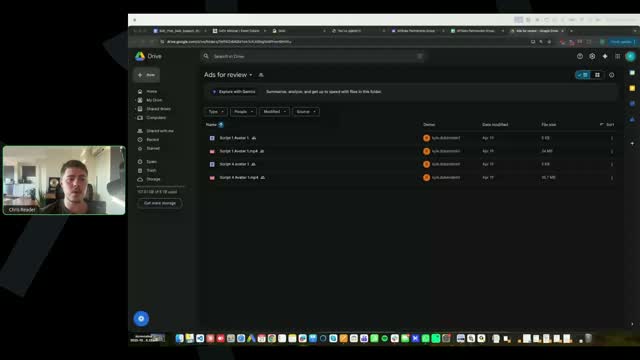
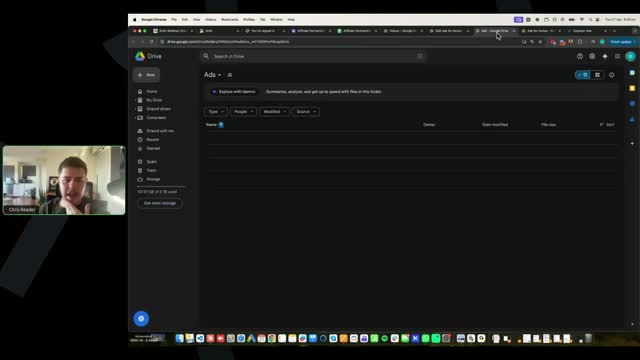
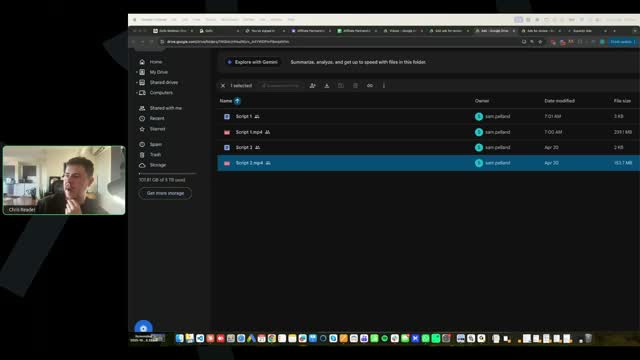
[SCREEN 46:10] Chris Reader shares his screen. It shows a Google Drive folder named "Ads for review". There are three video files listed: "Script 4 Avatar 1.mp4", "Script 4 Avatar 1.mp4", and "Script 4 Avatar 1.mp4". The owner is "Nyle Allred(Nyle)".
[46:26] Chris Reader: Now we're not doing like script reviews here, guys. We're not doing script reviews. We're doing ad reviews for the visuals to make sure people are understanding how it's visually edited.
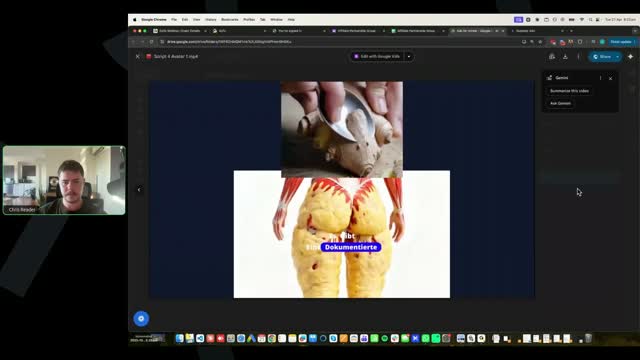
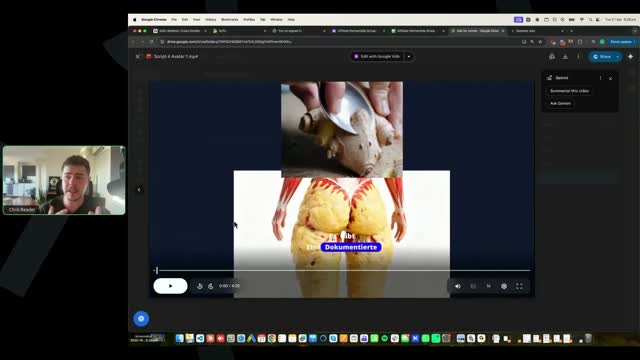
[SCREEN 46:26] Chris Reader opens one of the videos. It's a split-screen video. The top half shows someone slicing ginger. The bottom half shows an animation of a muscular figure with yellow fat on the thighs.
[46:38] Chris Reader: The script, we're basically giving you everything for a script, right? We're giving you winning scripts, transcripts, we're giving you the, you know, the, the software that creates the, um, that helps you modify the scripts with that Claude project. So it's primarily the video that a lot of people are like not good at. Uh, and straight away off the bat, this is not a correct done video. Okay. So I just need to show you guys this real quick. So guys, it's very important, when you come into your ad, okay, in your settings, you must select, so when you're editing your ad, guys, you need to go into settings and you must select 9x16.
[SCREEN 47:08] Chris Reader switches to a tab for "Superior Ads". He clicks on "Create AI Avatar".
[SCREEN 47:14] Chris Reader is in the Superior Ads editor. He clicks on "Settings".
[SCREEN 47:20] Chris Reader shows the "Size" setting. It's currently set to "Landscape (16:9)". He changes it to "Portrait (9:16)".
[47:27] Chris Reader: You see how this is now 9x16, right? Your ad must be 9x16. You can also do 4x5 as well, but 9x16, yeah, it's basically the same. But you cannot have a landscape ad, guys, and just try to crop everything to be 9x16 because you end up with this, right?
[SCREEN 47:48] Chris Reader goes back to the Google Drive video. He points out the black bars on the sides, showing it's a landscape video.
[47:50] Chris Reader: Like, I don't understand, none of our videos look like this, guys. So I don't know who submitted this, but it needs to be 9x16. And these are the issues that we're trying to fix straight away. This ad should not be launched and every single person needs to make sure they're not making this mistake. All right. So your ad must be 9x16. Okay. And then once it's 9x16, you can see that it cannot be anything other than 9x16, right? You see this? I've made the video a rectangle and it doesn't matter how much I mess it up, it's still 9x16. Where this is not 9x16. So this, you know, you must fix this straight away. Okay. All right. So that's the number one thing. All right. Does that make sense to everyone? Your ad must be 9x16. You cannot have a landscape ad and then try to just crop it to be 9x16, right? Like if I do this, firstly, you're just guessing, you have no idea what 9x16 is, right? But this is not a 9x16 ad, even if I crop it like this. It must be 9x16 here. Okay.
[SCREEN 47:56] Chris Reader plays the video. A woman is speaking German in a car. The video is a small square in the middle of a black landscape frame.
[SCREEN 48:10] Chris Reader goes back to Superior Ads.
[SCREEN 48:14] Chris Reader adds a video clip of a woman to the timeline.
[SCREEN 48:34] Chris Reader goes back to the Google Drive video to show the incorrect format again.
[SCREEN 48:40] Chris Reader goes back to Superior Ads.
[SCREEN 48:51] Chris Reader changes the setting back to "Landscape (16:9)" and shows how the video looks. He says even if you crop it, it's not a 9x16 ad.
[SCREEN 49:01] Chris Reader changes it back to "Portrait (9:16)".
[49:05] Chris Reader: Someone said I cannot see what Chris is showing. So can you guys see my screen here? I can see on the software that my screen's sharing. Can you guys see? All right. So if you can only see me, make sure you have the software open. I believe if you've got the software minimized, my head might be floating somewhere. But um, make sure you've got GoToWebinar open. Okay. So that's the first most important thing. So every single person should check that. All right. But now let's look through here.
[SCREEN 49:33] Chris Reader goes back to the Google Drive video and plays it. The split screen is shown again. The German text overlay says "Es gibt eine dokumentierte Stoffwechselreaktion auf eine bestimmte Ingwerkombination, die Forscher der".
[49:39] Chris Reader: So firstly, you know, the person's done something great here, which they've, they've got really interesting opening visuals. Uh, and they've done the split screen effect, right? So they've, it's a good opening scene. I don't know, I don't know about, again, opening visuals is one of the first things that we test, right? In the evolution method, opening visuals.
[50:00] Chris Reader: visuals are the are the first thing we we test and we want to test a a ton of them. I don't know if I would have an opening visual this like aggressive with the weight loss and stuff. I don't think I've ever actually tested it. But again, it all comes down to testing at the end of the day. So it's a good test. I like how it's quite interesting. The one thing I would say is, you know, you can't read the captions. See how it's quite hard to read the captions.
[SCREEN 50:00] A video ad is playing in a Google Drive preview window. The video is split screen. Top half shows hands peeling ginger with a spoon. Bottom half shows a 3D animation of a lower body with yellow fat deposits. German captions are overlaid in the middle, but they are partially obscured by the videos. The file name is "Script 4 Avatar 1.mp4".
[50:31] Chris Reader: So guys, what you can do, okay, uh, I've got, I've got a test plan. My, my, this has got a, I've got a test plan here, so I can't really demonstrate what I'm trying to do here. But let me just go actually in here.
[SCREEN 50:31] Chris switches to a browser tab titled "Superfiliate Studio". It's a web-based video editor. He clicks around, trying to find a project to demonstrate on. He clicks "Back" and goes to the "Edited Videos" dashboard.
[51:08] Chris Reader: All right, I'm in the wrong... wait, let me test this. All right, so one thing you can do guys is let's say... So... Okay, so let's say this is like our... Let's say this is our hook, right? So let me zoom this in.
[SCREEN 51:08] Chris opens a project named "German test - END of script". The editor shows a timeline with video clips, audio, and subtitle blocks. He zooms in on the timeline.
[51:41] Chris Reader: Let's say this is our hook. What you could do guys is you can press this split button. All right. And then now we've split the captions here. So let's say this is our opening visual. All right, this is our opening scene. You could split the captions. See how I've split the captions? And you could move the captions... Oh, I've selected the wrong one here. Let me just go back.
[SCREEN 51:41] Chris selects a subtitle block on the timeline and clicks a "Split" icon. The block splits into two. He tries to move one, but accidentally selects the video clip instead. He undoes the action.
[52:18] Chris Reader: So I've split the initial caption. I've now clicked it. Okay. I can now move the initial caption on the hook somewhere else. And now the caption in the body is somewhere else. Right? So if I want the initial hook caption to be somewhere else, like at the top, and then I want the regular captions to be in the main section, I can do that.
[SCREEN 52:18] Chris successfully selects the first part of the split subtitle block and drags it to a different track on the timeline. He then moves the text box on the video preview canvas to the top of the screen.
[52:55] Chris Reader: By the way, this is just a completely... this has got all audio messed up because this is just like a test project that I was like playing around in. Okay. So that is how you can do that. So for this person's ad, I would move the captions up here so it's more visible in the beginning, like in that first opening visual. Okay.
[SCREEN 53:06] Chris switches back to the Google Drive tab showing the first video ad ("Script 4 Avatar 1.mp4"). He points with his mouse to the top of the video, suggesting the captions should go there.
[53:18] Chris Reader: All right. Someone's asking, could you show again how to add different layers and which layers should be used for which elements? Yeah. So guys, you can, um, come into your settings and you could press different rows. So if I like zoom out here, right, see I've got, you know, et cetera. Like I can come into settings and I can add a row.
[SCREEN 53:18] Chris switches back to the Superfiliate Studio tab. He clicks on the "Settings" tab in the left sidebar. Under "Timeline Actions", there is a "Rows" setting with a counter.
[53:45] Chris Reader: So I can scroll down. So I can actually remove some rows. So you obviously want your captions at the top because your captions need to be overlaid on top of everything. And then you can add rows. So see I've got one, two, three, four, five rows. I can add a row and then you can move things down.
[SCREEN 53:45] Chris decreases the number of rows, then increases it to 6. He scrolls down the timeline to show the new empty row at the bottom.
[54:06] Chris Reader: So obviously it's just like every other tool, like the higher up it is, the more in front it is. So like if I were to move these captions at the bottom, I can't even move the captions at the bottom because it won't let you, because the captions will be invisible. Right? So you could just add layers like that. I'm just going to delete all this stuff. Right? So like whatever is above is what's in front. Okay. And so that's how you can, you can navigate through there. All right.
[SCREEN 54:06] Chris tries to drag a subtitle block to the bottom row, but the editor prevents it. He then deletes several clips from the timeline to clean it up. He demonstrates that a video clip on a higher track covers a clip on a lower track.
[54:55] Chris Reader: Um, someone said, is there a way we can remove the voice and the captions from the video you provide and rescript them or cut them into bits? Uh, yeah, you can do that. Just, you could just do that in the timeline editor. Yeah.
[55:11] Chris Reader: Um, all right. So that's the first issue, guys. Firstly, it's not formatted correctly. Secondly, you know, you need to make sure everything looks good and the captions here do not look good, uh, specifically in this opening visual. So if in the opening visual, the captions look weird, guys, like you can, like I showed you, you can split it and you can move it up so it fits into a better position.
[SCREEN 55:11] Chris switches back to the Google Drive tab with the first video ad.
[55:33] Chris Reader: All right. So now let's keep having a look. All right. So they've got enough engaging visuals throughout this, which is good. So that's like the biggest key, guys, is you want to make sure your ads are, you know, constantly like... you want to pretty much look at our winning ads and you want to make sure like the pacing is the same. Okay.
[SCREEN 55:33] Chris plays the rest of the video ad. It shows various clips: an AI avatar speaking, a split screen of a woman's profile (before/after), slicing a potato, squeezing lemon into a bowl with soy sauce and cinnamon, the avatar speaking again, a woman holding ginger, a woman drinking from a glass, a woman in a car, grating ginger, the avatar speaking, a split screen of a doctor and the avatar, grating ginger again, the 3D fat animation, and the avatar speaking.
[56:20] Chris Reader: So like when you look at the winning ad, you want to see, oh, this winning ad has like heaps of different like b-roll clips and engaging recipe videos throughout it. So you need to match that. Okay. You need to match the same thing.
[56:32] Chris Reader: Uh, one of the other issues that most people are seeing is, um, they're not like adding enough engaging visuals. Now, one thing as well, which I've mentioned is, so we'll look at this clip here. So it's 40 seconds. All right, it's all right because she's now drinking the water. So that's like a 10-second clip, but she's doing multiple things. She's like, you know, showing the ginger, then drinking, which is fine. But you want to make sure your clips are engaging. Like if they're over four seconds, they need to have multiple cuts through them. Okay.
[SCREEN 56:32] Chris scrubs through the video timeline. He pauses at 0:40, where a woman is holding ginger, then drinks from a glass. The clip lasts until about 0:50.
[57:07] Chris Reader: So again, see how this clip here is too big? It's not 9x16, this one that's coming. See how it's bigger? So again, that's the reason why we need to, you know, make sure our things formatted correctly.
[SCREEN 57:07] Chris scrubs to 1:01. The video shows a woman in a car, but the video is not full screen; it has black bars on the sides, indicating it's not a 9:16 aspect ratio.
[57:27] Chris Reader: All right. So this is good. Look, it's got multiple different visuals. Right? So this is good. Okay. Different b-roll. So this is good, right? It's got a range of different b-rolls in here, which is engaging. And again, it's mainly needed at the beginning. All right. Then we've got this visual. Yep. I'm just skipping through here, guys. Cool.
[SCREEN 57:27] Chris scrubs through the rest of the video, showing various b-roll clips (cooking, doctor, grating ginger, 3D animation) interspersed with the avatar speaking.
[57:59] Chris Reader: Uh, Antonio, I don't know if you've been paying attention or just answering the questions in the chat there, but, um, I don't know if you have any comments, but this is, this is pretty good. This is pretty good, you know, outside of the main issues that I've just mentioned at the beginning there. All right.
[58:12] Antonio: Yeah, I, I like the test as well as a, as a completely different hook. Um, honestly, I also think it was decent. I always like, like err on the side of just having more dopamine. So having more types of videos, having more types of scroll stops. So for example, if you're already testing that weird kind of hook, maybe you could test having that same kind of style of image in other parts of the video, maybe in two or three parts. Obviously, I do think it would be too tiring to be looking at that same stuff for, for more than like two or three times in the video. But maybe just peppering it in would be pretty interesting. But honestly, apart from that, I do like how you alternate pretty quickly between the b-roll and the, the AI avatar. So I do not think it's a bad one. The rest is going to be in the script.
[58:59] Chris Reader: Yeah. So the key here is again, we just need to make sure you guys are following the correct video editing style that we're teaching. All right. Uh, and we want to make sure you guys are not making issues, making mistakes. Okay. So for example, like initially the person had the... oh. Okay, so initially the person had these errors here of the format and the captions. So now every single one of you guys need to see if you have this issue. Okay. Is your thing not formatted 9x16? Do you have like captions that are not visible in the beginning because of the hook opening visual? All right.
[SCREEN 58:59] Chris switches back to the Google Drive folder "Ads for review 1". He clicks on a file named "Weightloss 2.MP4".
[59:44] Chris Reader: So let's have a look at now this next video.
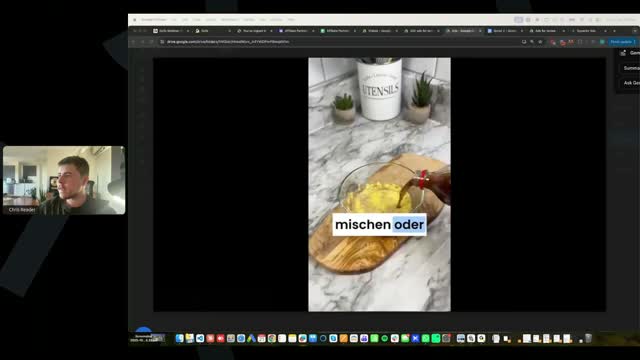
[SCREEN 59:44] Chris plays "Weightloss 2.MP4". The video starts with a clip of someone pouring Coca-Cola over sliced ginger in a bowl. The German caption says "Ein einfacher Ingwer-Trick".
[59:54] Chris Reader: All right. So see this is good, right? It's got a good opening visual. But then it immediately cuts to something else here talking... and obviously the hook is about an airplane or not being able to fit on an airplane. So that's good, right? Because they've got like multiple hooks at the beginning, multiple visuals at the beginning. So that's that's something that I would always really recommend as well is like even on this scene, straight after this, I would then have like another visual of like another kind of interesting visual. Um, right? Maybe even like this Coke scene as well. Uh, this, this scene pouring the Coke. Okay. Because then you're doubling the effect of like the dopamine impact or like the curiosity element. All right.
[SCREEN 59:54] The video cuts to a clip of two Asian flight attendants sitting in jump seats. The caption says "den einige strenge asiatische Airlines". Then it cuts to a young woman speaking to the camera. Chris scrubs back and forth between the Coke/ginger clip and the flight attendants clip.
[1:00:43] Chris Reader: So someone said it's hard to see your screen, it's very small. So you guys can click and drag to be bigger or you could double click the actual screen that I'm sharing and it will be bigger. Okay.
[1:00:58] Chris Reader: So let's have a look at this one.
[SCREEN 1:00:58] Chris switches back to the Google Drive folder and opens a file named "Weightloss 3.MP4". He plays it. The video starts with a young Asian woman drinking from a glass, then cuts to her holding ginger, then cuts to a young woman speaking to the camera.
[1:01:06] Chris Reader: All right. So see how they've got like someone drinking, but there's multiple cuts? See how there's like multiple cuts? That's really good.
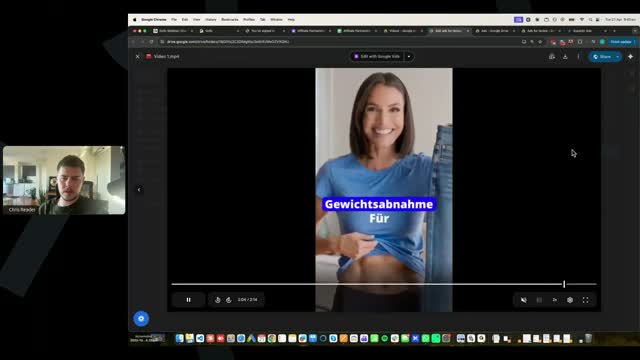
[1:01:18] Chris Reader: All right. And their script is obviously about like a plane or something. So they've got this stuff of like a plane. Probably talking about like not being able to fit on a plane. Uh, one thing I would be careful of is like throughout your entire video, you've got like Asian women. So, um, I would just keep that in mind. Like at the beginning it's Asian woman, this is Asian woman, this is Asian women. So like, you know, our ad is running in Germany, right? Not, not Asia. So that's something that I would sort of keep in mind that like the target demographic is like a mix. And all of these women are also quite young.
[SCREEN 1:01:18] The video shows clips of a flight attendant walking down an aisle, then a woman putting luggage in an overhead bin, then pouring water over ginger, then squeezing a lemon. Chris scrubs through the video, pointing out the different clips featuring Asian women.
[1:02:00] Chris Reader: But yeah, lots of good visuals in here. Um, you know, consistent good visuals. The only thing I would say here is this script is quite small. So again, you can test shorter scripts, guys, like modifying like a winning script to be shorter. But you do want to make sure you... again, like majority of all of our winning ads are all like two minutes plus. So I would just keep that in mind. Right?
[SCREEN 1:02:00] Chris scrubs through the rest of the video, showing clips of a woman drinking, slicing ginger, and pouring Coke over ginger. The video is only 1:01 long.
[1:02:29] Chris Reader: So this is a good ad. So see how you guys can see if it's a good ad or not? Like you guys, you guys should be able to understand like the editing style, the pacing. This is what you guys need to understand. So when you're looking at your ads, you can ask yourself, is this good? Right? Like has it got a good pacing? Has it got engagement? Because guys, the reality is editing the visuals, you should be able to get... editing the visuals is like a foundational skill, like creating it good visually. And then what it comes down to is really testing different scripts and then following the evolution method. Finding a script that's working really well, then testing new opening visuals, then testing new hooks, then testing new avatars. So you really need to get like... the hard part here shouldn't be, you know, creating the visuals.
[1:03:22] Chris Reader: And that's why what Antonio always talks about, which is so true, is like get in the hang of it. If you guys are only going to test three ads, make... like get familiar with, you know, making your ads. Because if you're not getting the editing down or you're not getting the visuals, you don't understand how to like create the pacing, again, that's just like a foundational thing. That's not the hard part, right? The hard part... it's not even hard, but the main part that we want to be focusing on is like testing scripts. But we obviously need to make sure all the visuals are good so that our scripts can actually flourish. Because if we've got a really good script and horrible visuals, horrible editing style, it's going to reduce the ability of its performance, right?
[1:04:12] Antonio: Yeah, in general, guys, obviously you do want to make obviously good angles in your scripts and really good editing. But initially, you just need to not have any execution mistakes. Because if you have execution mistakes, like having poor subtitles, it just completely destroys your testing, right? And that's why sometimes it's important to produce more than what you're going to launch, because then you're going to be able to just reduce these mistakes just with more practice.
[1:04:38] Chris Reader: Yeah. And someone made a good, a good point here. Instead of me skipping through, just put it at 1.5 speed and play it with no sound. That's a good idea. That is a great idea. Um, okay. So, um, so let's play it here.
[SCREEN 1:04:38] Chris switches back to the Google Drive folder and opens a file named "Video 1.mp4". He clicks the settings gear icon in the video player and changes the playback speed to 1.5x.
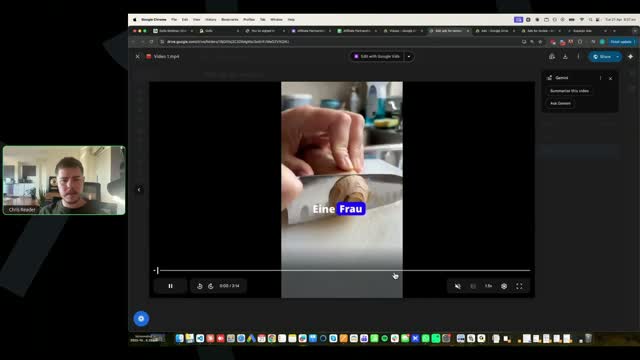
[1:04:55] Chris Reader: Also, one thing I am noticing, guys, is a lot of people are, you know, doing the opening scene of this, like chopping ginger. Now, again, what I want you guys to do is look at our winning ads and look at the opening scenes, right? Like you guys have, you know, so much available to you to like already get your ads performing well. So like look at all of the opening visuals of our winning ads and ask yourself, like, you know, not many of our opening visuals start with someone chopping ginger. Okay.
[SCREEN 1:04:55] Chris plays the video. The opening scene shows a knife chopping a piece of ginger. The caption says "Eine Frau über 35 teilt".
[1:05:29] Chris Reader: And if you really pay attention to the training course, the three opening visuals are viral, um, satisfying visual. So for example, pouring honey. I use the example of pouring honey onto rice because it creates a weird visual effect. The second one is the mechanism misuse. So using the the mechanism in a weird way. For example, pouring honey onto your foot or putting ginger into your ear. And then the other one is a weird recipe video. Okay. A lot of all the opening visuals that we've seen are literally none of what we have taught. Cutting ginger here is neither of the key proven winning visuals. Okay, guys? This is neither a weird satisfying visual. This is neither a mechanism misuse. And it's also not a weird recipe video.
[1:06:28] Chris Reader: And I'm seeing that for pretty much... this is interesting because it's ginger and now it's got another element. But a lot of the... this is good because it's got the Coke and the ginger. But this is just someone chopping ginger. That's not really engaging or curiosity building at all. Okay.
[SCREEN 1:06:28] Chris switches back to the tab with "Script 4 Avatar 1.mp4" (the first ad) to show the split screen of ginger peeling and the 3D fat animation. Then he switches to the tab with "Weightloss 2.MP4" to show the Coke pouring over ginger. Then he switches back to "Video 1.mp4" showing the ginger chopping.
[1:06:46] Chris Reader: So that is also the biggest key, guys. All right. That's also the biggest key. Is making sure you're again following what we're teaching in the training. Looking at the patterns of the winning ads that we give you guys. Ask yourself, all of these have such weird, interesting opening visuals, but mine is just someone chopping ginger, right? So can you guys all write in the chat if that makes sense? Because again, it's all just execution issues that I'm seeing here, right? The training has all the details in it, but a lot of you guys are just not following what is actually in the training. Okay. And it's just going to help you guys in the long run. Eventually we're going to get to the evolution method where we're testing, you know, heaps of different opening visuals, but you need to get this stuff nailed down to begin with, all right?
[1:07:33] Chris Reader: By the way, this is on 1.5x speed, so we're just going to play it fast.
[SCREEN 1:07:33] Chris plays "Video 1.mp4" at 1.5x speed. It shows clips of pouring Coke over ginger, a woman looking at the camera, pouring Coke again, a woman holding a mug, a woman holding a glowing green stomach icon, a woman slicing ginger, a woman walking up stairs, a split screen of a woman and slicing ginger, a woman holding a mug, a woman drinking from a glass, pouring liquid into an ice cube tray, putting the tray in a freezer, and the woman holding a mug again.
[1:07:40] Chris Reader: This is also a, you know, this doesn't make sense either. So you've got this visual and again, now it cuts to this woman on the left for like a tiny split second. And now you've got another visual of pouring Coke. So again, like that just looks like it's been poorly edited and it doesn't really make sense. Okay. So you want to make sure like you don't have any weird issues like that.
[SCREEN 1:07:40] Chris pauses the video and scrubs back to 0:07. The video shows the Coke/ginger clip, then a very brief flash of a woman's face on the left side of the screen, then back to the Coke/ginger clip.
[1:08:03] Chris Reader: This is interesting. You know, I like this visual overlay.
[1:08:07] Antonio: Ooh, I really like it.
[1:08:08] Chris Reader: Yeah, I like this visual overlay.
[1:08:11] Antonio: So cool.
[1:08:13] Chris Reader: And that's the thing. I don't think that's in any of our videos, but guys, you can, you know, you want to use ours as the base. Like make sure it's following it. But you can also add different things. Like that visual overlay, I've seen that in a lot of organic viral videos. Like in a lot of Instagram viral videos, like they have like a spokesperson and then they have like a visual overlay exactly like this. And it adds engagement. So that's a great thing to to add. So I like that.
[SCREEN 1:08:03] Chris pauses the video at 0:13. The video shows a woman speaking to the camera. Overlaid on her lower torso is an image of a stomach with a glowing green center.
[1:08:47] Chris Reader: All right. I like how that had a lot of, you know, chops in it. Like a lot of cuts. All right. They've got the split screen, which is good. See how it just... see how this looks like engaging because there's so many different visuals happening and there's like split screen, there's the full screen visuals.
[SCREEN 1:08:47] Chris resumes playing the video. He points out a clip of a woman slicing ginger with multiple quick cuts, then a split screen showing the avatar on top and slicing ginger on the bottom.
[1:09:08] Chris Reader: I would add more visuals in here. See how there's not many visuals in here, this whole part? And again, we're on 1.5, so it would actually seem a lot slower. So there's no visuals in here. I'd recommend adding some. Because, you know, we just need to keep it engaging.
[SCREEN 1:09:08] Chris scrubs through a section of the video (from about 0:25 to 0:35 in the video's timeline) where the avatar is speaking continuously without any b-roll or overlays.
[1:09:29] Chris Reader: All right. It's good they're like, you know, emulating the examples of what we've got in our ads. Let's speed this up actually. 2x speed. And see again, we're on 2x speed, there's not enough... there's no visuals here. Like again, you don't need visuals like... in the very beginning you want more visuals, but I would recommend, you know, just still add some in there quite frequently. Like there shouldn't be more than like 20 seconds without a visual in the middle. Like in the beginning you should have visuals like every five seconds. Like the person should be speaking for like five seconds max and then visual, five seconds max visual.
[SCREEN 1:09:29] Chris changes the playback speed to 2x and plays the rest of the video. The avatar speaks for a long time without any b-roll.
[1:10:08] Antonio: Yeah. Otherwise it gets too boring, guys. And you don't want to lose people after that. Like it gets... they get a lot of dopamine and then nothing. So it's very important.
[1:10:18] Antonio: And then second thing as well that I noticed, um, for these products, a lot of the times for older women, for example, right, 45 plus, uh, or 40 plus at least. So maybe sometimes it makes sense to test the avatar. I do like the video overall. Uh, maybe just a few moments in between like Chris shared where you do not have enough split screens and visuals and all that fun stuff. But apart from that, try to represent more the older demographic as well, because I feel like a lot of these women that are shared there, they're too young literally. So it just for the older demographic, it doesn't feel like it's for them, you know what I mean?
[1:10:53] Chris Reader: Yeah, especially like the avatars are right. It's like, you know, an older woman, you know, mature woman. Um, but then in these visuals, you know, this is like a looks like a 20 year old or a 30 year old. Um, you know, another really young woman here as well. Um, so yeah, you want to mix, you want to mix, right? You want to mix.
[SCREEN 1:10:53] Chris scrubs back through the video, pointing out the avatar (an older woman) and then the b-roll clips featuring younger women (drinking from a glass, showing off a flat stomach).
[1:11:19] Chris Reader: But yeah, so that's, that's good. This is getting better, right? The opening scene again, I think is just weak here. So for example, like you've got really good... the visual here as well is also kind of messed up. I don't know why that's like... again, you want to make sure you review stuff, guys. This is looking a bit like weirdly edited. All right.
[SCREEN 1:11:19] Chris scrubs back to the beginning of the video, pointing out the ginger chopping scene and the weird edit with the Coke pouring and the brief flash of the woman's face.
[1:11:37] Chris Reader: So let's have a look at one more here.
[SCREEN 1:11:37] Chris switches back to the Google Drive folder and opens a file named "Script 1.mp4". He plays it. The video starts with a split screen: top shows a young woman holding dumbbells, bottom shows a close-up of a young woman's face. The caption says "o sah ich vor drei Monaten aus".
[1:11:47] Chris Reader: So this is good. Look, this person's added like this little... the section, they've cropped the video here, which is good. That's nice. That's a cool effect. I like that. And see the opening scene, they've got like a viral sort of weight loss visual, which is good.
[SCREEN 1:11:47] The video cuts to a young woman speaking to the camera. The video is cropped with a white border on the left and right sides. Then it cuts back to the split screen.
[1:12:06] Chris Reader: One thing again, I would just sort of make sure, guys, is make sure you crop everything correctly. So I don't know why there's this weird white gap here. Oh, I think it's... all right, it's good. Um, but for some ads, you know, you make sure you everything's touching correctly because for some ads we've seen where they'll have like a b-roll overlay, but there's like a gap on the left where they can see the avatar still and it looks all weird. Okay.
[SCREEN 1:12:06] Chris pauses the video on the split screen and points to a thin white line between the top and bottom videos. He then realizes it might be intentional or a minor glitch.
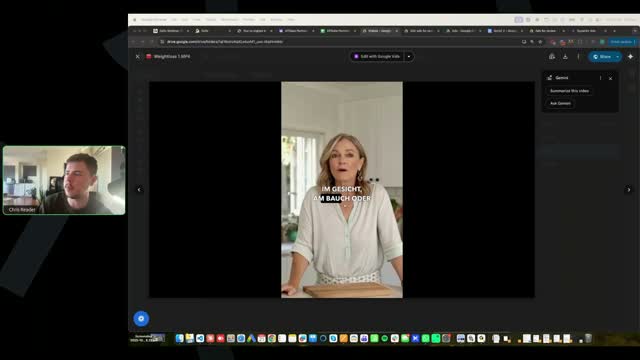
[1:13:28] Chris Reader: Yeah. So this avatar does look young, but one thing I will say is that in a lot of our winning ads, there's a range of different avatars. So you will see that there's... and obviously this person actually would have emulated the avatar from one of the ads where the woman looks very young. So there are some ads where the women look very young, like it's younger women, and then there's some ads where they're older women. So this would be something, again, whatever ad you're basing it on, you could test this girl, you could test an older woman, you could test a really old woman, you could test a middle-aged woman, right? But eventually you'll be testing different avatars anyway. Okay. Um, so eventually through the evolution process, you will be testing different avatars anyway.
[1:14:11] Chris Reader: And also one thing that I would suggest for you guys is let's have a look if they've done it. Is it... look, yeah, they've done it. Right. So across your different scripts, again, your initial tests, test different avatars, right? Again, if you remember the way we taught you guys is you want to emulate our winning ads. So they've obviously emulated a winning ad that had like a younger woman, and so they used a younger woman as the avatar. And then they would have emulated another ad with an older woman, and they would have used an older woman. So just the nature of this test, guys, you will be able to see what's working. Okay. Because they will test this script one with this older woman, script two with this younger woman, and then the data will tell you the exact process. Okay.
[SCREEN 1:14:11] Chris switches back to the Google Drive folder. He points out that there are multiple video files. He opens "Script 2.mp4", which features an older woman as the avatar, then switches back to "Script 1.mp4", which features the younger woman. He explains that testing different avatars across different scripts is a good strategy.
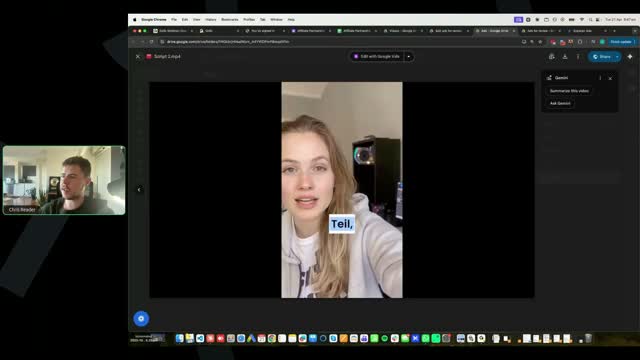
[1:15:00] CHRIS READER: Does that make sense, guys? All right, let's have a look. We've got 2x speed here. So again, really good, I like really good opening visuals. Good opening visuals, good editing throughout it. Ah, and this is what I'm talking about. You guys see at the bottom here? See at the bottom here when I play? What the hell is going on? Wait, let me see. All right, it must just be... no, no, no, it's there. All right, I'm not tripping out.
[SCREEN 1:15:00] Google Drive video player showing a video. A young woman is talking to the camera. German subtitles: "Teil,".
[SCREEN 1:15:07] The playback speed is set to 2x.
[SCREEN 1:15:11] The video shows a slice of pizza being lifted, then a drink being poured into a glass with lemon, then food cooking in a pan. German subtitles: "Drei Monate später", "Ingwerrezept und", "Ich hätte es fast", "nicht getan."
[SCREEN 1:15:26] The video shows a woman's body from the side, then a before and after split screen of a woman. German subtitles: "der Menschen", "52,350", "Ingwerrezept, Fett".
[1:15:39] CHRIS READER: So see the bottom, you can see that weird line? That means that your video is not formatted correctly. And you just want to make sure you fix that. So that means your video is not... like what you've done in this situation is you've got, you must have like some weird blank space and it's showing the video behind it. So I'd recommend just fixing that. It's a small thing that people make a mistake. All right, let's have a look.
[SCREEN 1:15:39] The video shows the food cooking in a pan again. There is a thin white line across the bottom of the video frame.
[SCREEN 1:15:56] The screen briefly shows a video editing interface (looks like CapCut). A video of a woman in a pink top is in the preview window.
[SCREEN 1:16:00] The screen returns to the Google Drive video player. A different video is playing. A young woman is talking to the camera. German subtitles: "Kilo verloren."
[1:16:07] CHRIS READER: All right, so one thing here is, look, we've got 20 seconds in, no opening, no visuals. Another 10 seconds, no visuals. Another 10 seconds, no visuals. And you've gone to now like a... you've gone to like a... like a testimonial. So I really like the opening visuals, but then you kind of lose interest after, you've got like 30 seconds, 20 seconds of no visuals, right? And so I would recommend like trying to add visuals in there, okay?
[SCREEN 1:16:07] The video shows the young woman talking. German subtitles: "von Männern, die", "mich vorher nicht", "Sogar Leute,", "auch damit an,", "In weniger als".
[SCREEN 1:16:18] The video cuts to a different woman in a pink hoodie talking to the camera. German subtitles: "neidisch auf", "ihren Körper."
[1:16:41] CHRIS READER: Then they go, you know, but this person's done a great job, you know, they've got now like a... a sort of... my brain's not working... testimonial. But see these visuals, right? These are visuals that you could put in that beginning part.
[SCREEN 1:16:41] The video shows the woman in the pink hoodie again. German subtitles: "erwartete ich nie,", "als einem Monat.", "Mein Mann macht", "Außer meiner".
[SCREEN 1:16:50] The video cuts to a woman in a black top and jeans, then a pink top and black pants, showing off her body. German subtitles: "Frauen dieses", "Ingwerrezept, Fett", "Und nein, du", "zu verbrennen.", "Schokolade und".
[1:17:08] CHRIS READER: All right, I like the split screen. You know, I like how there's like a lot of different... like, you know, it's like a lot of different clips, like a lot of different cuts, which is great. And then they don't have any more visuals until... no more visuals. So again, it is more important to have visuals loaded at the front, but we do want to kind of layer them through, okay?
[SCREEN 1:17:08] The video shows a split screen. On the left, the young woman is talking. On the right, someone is preparing food in a pan. German subtitles: "Ingwer und drei", "für weniger als 5", "Euro findest.", "zur Zubereitung", "weil es von deinem", "abhängt.", "das Video von Dr.", "Rezept für".
[1:17:37] CHRIS READER: But I like this, you know, they're doing a lot of different things here, which is good. So I think that this is good. I think that this is good. I would just say like try to add a little bit more visuals in the beginning here. If you're going to make a before and after, make it like more realistic, more believable. Um, but yeah, that's... that's...
[SCREEN 1:17:30] The video shows a split screen. On the top, a woman is exercising with dumbbells. On the bottom, the young woman is talking.
[SCREEN 1:17:38] The video shows a woman in a floral dress twirling. German subtitles: "das bin ich jetzt."
[SCREEN 1:17:48] The video shows a before and after split screen of a woman. German subtitles: "der Menschen".
[1:17:53] CHRIS READER: So you guys, the scripts, the videos, the editing, they're all getting a lot better. Um, there was still some small errors there across some of the people, but overall they're looking good. And again, overall, all you need to do is you just need to look at your ad, guys, and then look at our examples and say, hey, does this have the correct sort of pacing? Does it have the correct sort of engagement? Does it have the correct sort of visuals? These are the questions you need to ask yourself and you can automatically just review your ads yourself, right? Like you could literally just review your ad with the example that you're emulating and ask yourself, does this look similar? Does this have the same energy? Does it have the same engaging... does it have the same amount of cuts? All of this stuff, right?
[SCREEN 1:17:54] The screen shows a Google Drive folder named "Explore with Gemini". It contains three files: "Script 1.mp4", "Script 2.mp4", and "Script 3.mp4".
[1:18:40] CHRIS READER: Someone said, what are your thoughts about reusing some of the same visuals that are early in the video versus later? I would not do that because it just looks redundant and it will just be like, you know, it's not like engaging again. People are going to be like, oh, this is like the same thing I just saw, right? So I'd recommend having unique stuff throughout the entire video. You don't want to be reusing things.
[1:19:16] ANTONIO: By the way, somebody asked, is there the demographics for each product? Yes, guys, in the Notion offers document. I think this just means you didn't watch everything because we mentioned this a few times. But yeah, just remember, always also make your scripts and your visuals related to the demographics of every offer. A lot of the times it's going to be women over 40 or 45, but just check the Notion offers doc because sometimes it can change.
[1:19:41] CHRIS READER: Yeah. Yeah, yeah. So, all right guys, well that's all for this video. Um, so let us know if you guys have any final questions before we jump off. Someone said, can we spend some more time reviewing ads next time, it's really helpful? Yeah, definitely we can. Again, the way these sort of calls will go is like, firstly, we just want to make sure everyone's technical issues are solved, right? If anyone has any major questions, major issues, we just want to make sure they're solved. And then we jump into more of the sort of tactical like, you know, stuff. What we'll also be doing next week or what I want to do as well is like, yeah, jump more into ad reviews and also into the scripting. Like we haven't really looked into the scripting much. But because we want to get the easy wins out of the way first, right? Instead of deep diving into scripts, like it's very simple for you guys to just get the video editing styles done correctly, right? So we want to make sure you guys all understand the video editing, making sure your videos look good.
[SCREEN 1:20:24] The screen briefly shows a Google Doc titled "Script 2".
[SCREEN 1:20:32] The screen returns to the Google Drive folder.
[1:20:46] CHRIS READER: And so see this is good. See how it's got the pouring of the Coke and then it cuts to then, you know, they've got this visual, like I like that, right? That's like engaging.
[SCREEN 1:20:43] A new video is playing in the Google Drive player. It shows someone pouring Coca-Cola over chicken in a pan. German subtitles: "Das ist der", "Facebook gelöscht".
[SCREEN 1:20:51] The video shows a split screen. On top, a woman is exercising with dumbbells. On the bottom, a woman is talking. Then it cuts to a woman in a floral dress twirling. German subtitles: "Frauen, die ihn", "sind von Größe 48".
[1:20:59] CHRIS READER: Uh, but again, I would, again, the issue with this person's ads again is like they've got this engaging scene, but then they've got no real visuals for another like 10 seconds, even more. More than 10 seconds here. They got this here, but there is no real more visuals until like 45 seconds, right? So that's, that's a wasted potential. It's wasted potential because you're losing out on like having it be very engaging, especially in the beginning, like we were always saying, the beginning it should be very engaging. So, you know, they've got a good opening visual, but then they're losing out on people because it's not engagingly edited. All right?
[SCREEN 1:20:58] The video shows a woman in a pink top talking to the camera from inside a car. German subtitles: "Weise und", "flacher macht.", "Aber hier ist die", "dass er denselben", "meistverkaufte", "auslöst."
[SCREEN 1:21:14] The video shows a before and after split screen of a woman. German subtitles: "kein Sport,".
[SCREEN 1:21:18] The video returns to the woman in the pink top in the car. German subtitles: "gerade wieder", "wie lange noch."
[SCREEN 1:21:22] The video shows the Coca-Cola being poured over chicken again, then someone mixing something in a glass bowl. German subtitles: "mit Coca Cola zu", "die das sagt.", "Heidelberg und", "Universität", "Rezepte werden", "kein Sport,", "so viele Frauen", "darum, Ingwer", "mischen oder".
[1:21:40] CHRIS READER: So, um, okay, so let's answer some final questions here. Someone said, should the final video be downloaded in 1080p or 760p? I would go 1080p, you know, the higher the quality the better it would be. You don't need to go into like 4K or anything like that or 2K, but yeah, just like HD 1080p is what I would say.
[1:22:08] CHRIS READER: Someone said, what's your average time spent on video ad creating and editing more or less? I could get one of these videos finished in like 10 minutes. So, but you know, I've obviously got a lot more experience and I've done this for a lot longer. Um, I would not, you know, compare your time creating these videos with me guys, but I would just again remember the more you do it, the better you're going to be at it and the more faster you're going to be at it. And you know, that's going to translate across to other things as well. Like the better you get at this, you know, the better you're going to get at, you know, editing videos, right? I've been editing videos since I was super young across a range of different things and it's a really good skill to have, okay? But I wouldn't compare your time with mine, but I would always be telling yourself like, how can I improve? How can I get more efficient? How can I get faster at it?
[1:23:04] CHRIS READER: Uh, so I can see Antonio is rapid fire answering a ton of your questions in the chat there, which is awesome. That's good. Um, all right. So that looks like we've answered pretty much all the questions there.
[1:23:27] CHRIS READER: Um, yeah, so some people say I feel a bit behind. Guys, you know, you don't need to feel behind. Again, remember these live calls, we answer a range of different stuff. Some of the stuff, you know, all of the stuff will be somewhat valuable to you, okay? Some of the stuff might be answering someone's particular technical issue that you're not having, but it doesn't matter, right? This is all go at your own pace. There is no need to feel behind. You know, just the training literally has every single thing you need to be successful, right? Even if you did not even attend one of these live classes, the training alone has everything you need. The training alone, go at your own pace. But of course, these live calls are where we try to add a lot more, make sure you guys are actually following the training, make sure you guys, we can answer questions and support you. So you don't need to feel like you're, you know, getting left behind or anything. It's all go at your own pace. You're going to have all the exact same amount of live calls and you will all get to the point of running ads, creating videos, starting to scale and all that good stuff, all right?
[1:24:30] CHRIS READER: Cool. All right, everyone. That's all. Um, Antonio, any final words or anything?
[1:24:36] ANTONIO: Guys, just make sure you're not making any flagrant mistakes, literally. So tracking, setting up your catalogs, setting up your campaigns, just pay close attention to the course, honestly, because everything you need is in the course. If you're not making just these classic mistakes, these setup mistakes, then the rest is going to be the fun part. Editing, scripting, and then actually testing it with media buying and looking at the data, following the million dollar testing protocol. Uh, if you guys haven't seen all that, you know, obviously just watch the whole course that you guys are going to have access to. Uh, but in the beginning, that's it. And then class after class, every Monday, Thursday, we're going to be here reviewing ads, making you guys better, because at the end of the day, it's all about the skills as well. Like we're building skills that are going to be better for you for any campaigns you guys run. For example, I've never seen nobody teaching about catalog ads, like literally ever, worldwide. So I think just by itself, I know obviously it's more complex than probably a lot of you guys are used to, but it's the absolute best way to run ads in Meta right now, right? Because you don't have to worry about compliance. So the skills are absolutely fantastic. Focus on building the skills and the rest we're going to develop together.
[1:25:46] CHRIS READER: Exactly. Exactly. Awesome, guys. Thank you all for being here. Just a quick heads up, I am not going to be available uh at the end of the week. So Antonio is going to be covering this call, uh the next call this week by himself. Um, so just a heads up there as well.
[SCREEN 1:25:26] The screen shows a different Google Drive folder named "Weightloss > Videos". It contains three files: "Weightloss Concepts VSL.mp4", "Weightloss V1.mp4", and "Weightloss V2.mp4".
[SCREEN 1:25:30] A video is playing. A woman in a white shirt is talking to the camera. German subtitles: "UND TROTZDEM", "HAT DIESES EINE", "TAGEN EINEN UNTERSCHIED".
[SCREEN 1:25:36] The video shows a close-up of a drop of liquid falling into a dark liquid. German subtitles: "HÖR ZU,", "EIN EINFACHES", "GEHEIMNIS:".
[SCREEN 1:25:40] The video shows a glass of water with a lemon slice next to it. German subtitles: "WO SICH DAS FETT".
[SCREEN 1:25:42] The video returns to the woman in the white shirt. German subtitles: "IM GESICHT,", "IM BAUCH ODER".
[1:26:03] CHRIS READER: Um, all right, one sec. Someone just said that I have a problem with resizing the video under 100 megabytes. Guys, if you have an issue with that, just try a different resizer or a different, like there's hundreds of different softwares out there to that compress your videos. Um, so I would just uh test a new software if one of them is not working for you.
[1:26:26] CHRIS READER: But um, that's all for now. So cheers. Thanks Antonio. See you guys all next week. Antonio will be on uh the following call this week. But thanks guys. See you all. Bye everyone.
[1:26:36] ANTONIO: Glad to. Bye guys.
Call 05 of 13, recording 05-Apr 20 2026.mp4. Gemini video pass at one frame every 2 s. Rebuilt 31 Oct 2026 15:24 Melbourne.