Full timestamped transcript with on-screen notes
[00:00] Chris Reader: Cool, let me know if you guys can see and hear me in the question box there. Uh, as you guys, you know, if if you're new to the the software here, the software has updated. Oh, just a sec.
[00:21] Chris Reader: Uh, just a sec. All right, there we go. All right. So, um, this software, GoToWebinar, has sort of changed and updated. So just so you guys know, the question box is where you guys will be going ahead and, um, submitting your questions for me and Antonio to see.
[00:38] Chris Reader: Antonio will actually be jumping on here in just a minute as well. But in the meantime, I wanted to get started to answer a lot of your questions, all right? So, uh, let's jump in, guys. I just want to go through and see, uh, some of the pre-submitted questions here as well for everyone that couldn't make it to the call.
[00:58] Chris Reader: Um, so just a moment here, guys. But what we'll do is we're going to go through some questions, we're going to go over, clarify anything that needs to be clarified for you guys. And then we're going to jump into, you know, some ad reviews, okay?
[01:13] Chris Reader: So making sure that you guys are replicating our ads well, making sure that you guys are, you know, following the structure of having a good script, uh, making sure your visuals look good, making sure that everything, uh, is aligned to what we're, what we're teaching here.
[01:33] Chris Reader: Um, all right. So with that said, let me just go through these pre-submitted questions here.
[01:50] Chris Reader: Okay, so, uh, someone said, the ads are in English, question mark. No, the ads are not in English, guys. So we teach you obviously how to write the ads in English because, you know, it's not possible to, if you don't speak German, it's not possible to write ads in German.
[02:06] Chris Reader: So we teach you guys how to, we, we give you guys the, the examples of winning scripts in English, and then we teach you guys how to write your ads in English, and then you convert it into German. Um, right?
[02:23] Chris Reader: Um, and then someone here said, do we modify the image, videos, text, all three? Yeah, so like, you just want to follow the training. So guys, in the training, I teach you everything. Like, don't ask questions unless you've gone through the training.
[02:37] Chris Reader: Like, that's the biggest thing that I'm going to say right now. Like, everything is taught in the training, okay? So rather than just like answering questions of people that haven't gone through the training, I want to answer questions of people that have gone through the training and then have questions.
[02:50] Chris Reader: So we obviously teach you guys how to modify, like, you have to modify all three because you have to recreate the videos. Um, so by nature, all three of those do get adjusted.
[03:03] Chris Reader: Uh, someone said, will we be using Facebook pages on one ad account? Yeah, so guys, look, Facebook pages are not, um, like, specific to an ad account. A Facebook page is an asset, and you can have many Facebook pages, you can have many ad accounts, and you can run a ton of Facebook pages across into those ad accounts, okay?
[03:30] Chris Reader: So it doesn't matter if you've got multiple, um, pages. It's not like one ad account and one page, they're not like, uh, they're not like tied together. So you can have multiple pages and you can run multiple pages in one ad account and so on. All right?
[04:05] Chris Reader: Okay, um, someone said, I have an old Facebook page for auto insurance, should I create a new Facebook page? Yes, obviously you should, because you do not, you know, guys, yeah, obviously you should be running, uh, you need to make a new page.
[04:20] Chris Reader: Like, the only reason you guys can, can use an old page is if the page is related or has a broad name, okay? So if you've got an older page, that's perfectly fine to use, guys, but, you know, just use a bit of common sense here, right?
[04:37] Chris Reader: Again, a Facebook page is not tied to any niche specifically. The only thing related to a Facebook page is kind of the name. So if you have a Facebook page that's got a generic name, like someone's, like a woman's name or something like this, or a man's name, you can use that Facebook page as well.
[05:00] Chris Reader: Um, okay. I'm just going through some questions here. Don't worry, guys, I'll get to everyone's in just a moment. I'm just trying to go through, a lot of people are asking like, a lot of questions here.
[05:20] Chris Reader: Um, someone said, as a newbie, can you identify three or more disciplines to, to make this, you know, successful? The biggest thing is listen to what we teach, do exactly as we teach, and that is all you need to know.
[05:33] Chris Reader: That is all you need to be successful, okay? And that is what these calls are going to be. It's just going to be me and Antonio drilling into you guys to follow exactly what we teach, okay? Um, you know, and when we get to the ad reviews, like, we will be able to see how well you guys are actually following what we're teaching.
[05:52] Chris Reader: So there is no secret strategy or secret sauce that is outside of what we're teaching you guys here. Absolutely every single thing is taught to you guys. It's just about you guys literally following the exact step-by-step instructions that we provide, okay?
[06:15] Chris Reader: Um, all right, cool. All right, someone here said, can you show us how to, uh, more quickly design and make clips? Claude helps, but 500 characters is so short. Uh, I don't understand what you mean by 500 characters is so short.
[06:30] Chris Reader: So 500 characters is the limit in the AI asset generator. So like, again, I don't understand how to answer that question because in the training, I literally teach you how to create the AI clips really fast and simply, okay?
[06:45] Chris Reader: So, all right, now I'm going to jump into, uh, the actual questions here, guys.
[06:57] Chris Reader: Um, awesome, great to hear, Stephen. Just a lot of you guys are saying how awesome the training is, which is awesome. I'm glad to see it. Glad to see all of those messages, guys. Um, yeah, we put a lot of effort into this, you know?
[07:11] Chris Reader: Like, again, I think that this is, like, I'm so excited to see everyone's success because this is not like the typical sort of course. This is, you know, a very, very unique opportunity where you guys are not only getting, you know, an expert quality course, but the course is actually trained around showing you guys the exact step-by-step systems that we use internally.
[07:34] Chris Reader: And we're literally giving you, you know, winning ads every week and showing you how to model them as, um, as close as possible while still making them unique, okay?
[07:52] Chris Reader: Um, all right. For some reason, I hate this new, the new, um, the new GoToWebinar, guys. Like, every time I click a question, it, one sec. Every time I click a question, it, uh, it reverts me all the way back to the top.
[08:11] Chris Reader: So it's very hard to, to stay on track here. It's so annoying. But that's all right, we're going to stick with it.
[08:21] Chris Reader: Um, okay, someone said, should I prompt Claude to never change the big idea mechanism? So the big idea mechanism can definitely change, right? Now, I've been seeing a lot of people write into the support, uh, asking some specific things about, oh, the VSL, where do I get this information, that information?
[08:41] Chris Reader: Guys, all the information about the VSL is inside the offer dashboard that you have. So if you scroll to the bottom, there is a complete, like, done-for-you section where it talks about all of the mechanisms, all of the angles, and a ton of stuff there.
[08:58] Chris Reader: So as you guys are creating ads and testing ads, you can test different big ideas. You can test different mechanisms. You can test different angles, okay? So that is why that's provided there, because sometimes, you know, the big idea can still, you know, obviously it still needs to align with the VSL and what's been provided, again, at the bottom of those VSL, uh, those offer pages.
[09:23] Chris Reader: But yeah, you know, if the big idea is like a Himalayan ginger trick, obviously you can, you can say like a ginger trick, or you could say an exotic ginger trick. Um, you know, you don't always have to say Himalayan ginger trick.
[09:37] Chris Reader: So it's not so much that you need to, you know, prompt Claude to never change the big idea, because the way you, the prompts I give you to prompt Claude pretty much, you know, have that already in, okay?
[09:51] Chris Reader: Like, it's already sort of defined within those prompts, right? Within those prompts, it either is telling you, like, it either tells you to change the big idea or it tells it to change other things, okay?
[10:05] Chris Reader: So, um, and then again, you know, you want to proofread what it provides you, and if it does for some reason change the big idea, like, massively, then, you know, you can go in there and reprompt it to change it as well.
[10:18] Chris Reader: Um, all right, someone here said that I've ran the engagement campaign, right, like the very small warm-up, uh, ad that we tell you guys to run, uh, following everything on the video. However, for three days now, it's, it's not spent and there's no impressions.
[10:35] Chris Reader: And then, uh, he asked, do I increase the budget or what do I need to do? So this did happen to someone else that I was helping in the question, uh, in the, in the support there. So, um, if it happens, okay, if, if you guys, your engagement campaign's not working, uh, Chloe, you're in the chat, what, what was the, what was the thing that fixed it for you?
[11:01] Chris Reader: Um, so yeah, while we wait for Chloe, I know Chloe fixed it, she's in the chat there. But what, if your engagement campaign's not working, so just do, uh, there's, there's three things that you can do.
[11:12] Chris Reader: So number one is just duplicate that campaign out, okay? Number two, yeah, so Chloe just said she made a new campaign with a new image at $2 and it started running. So there you go. So just make a new campaign with a new image and just set it at $2, um, and then that should fix it.
[11:33] Chris Reader: If for some reason your engagement campaign isn't working. All right.
[11:56] Chris Reader: All right, so there's one question here. So, Chris, I find that whenever I generated an avatar video, then the voice after the video, the, okay, so I find that, let me just put this on the screen. Oh, actually, no, this is, all right, wait.
[12:15] Chris Reader: All right, so someone here said, I find that whenever I generated an avatar video and then I generate the voice, the voice doesn't match the avatar's voice in my previous script. I created a complete avatar video, then I wanted to just change the beginning for the hook, and although I used the same voice, they did not match, which makes me regenerate, and I almost have no credits left and I've completed two videos.
[12:45] Chris Reader: So a lot of the avatars in here have, you know, one or two voices for the same avatar. So make sure that you are, you know, finding the correct voice. Like, for example, avatar, you know, Ben Smith could have, you know, Ben Smith 1, Ben Smith 2.
[13:06] Chris Reader: So each avatar comes with, you know, sometimes they only have one voice, sometimes they have three voices, and that's just if you want to, you know, if you like an avatar and you want to find a different voice that's very similar to the way they look.
[13:19] Chris Reader: So that could potentially be the issue. Uh, I also know in Superior Ads that it, we updated all of the voices in there. So I think maybe if you generated a previous avatar and then they had updated the voices, maybe that voice is now gone, but it shouldn't be an issue, uh, going forward because they had updated across the board the voices.
[13:42] Chris Reader: So that would be either one or two of the issues that you're facing there. Uh, either one, you know, you use the voice that has now, is now non-existing, which is never going to happen again, or two, you're selecting an incorrect voice.
[13:59] Chris Reader: Um, someone here also said something as well, which is a good, good, uh, most likely you selected the advanced voice option in the settings. So yeah, the advanced voice option, when you generate an a voice, it actually like adds more emotionality and tonality and stuff to the voice, and it does make the actual core voice sound slightly different as well.
[14:23] Chris Reader: So that's why I would recommend, um, recommend, you know, don't use the advanced, advanced voice. So let me see if that, um, yeah. But I've never seen that issue really.
[14:46] Chris Reader: Okay, so someone's asking, so about the Facebook page, you know, will Facebook flag it if they're all different doctors? So guys, real quick, one thing I want to mention here. So I saw Antonio did teach you guys in the Facebook page training to put Dr. in front of the name.
[15:00] Chris Reader: I would recommend not putting Dr. in front of the name, okay? Um, I wasn't aware that Antonio had put that into the training, but guys, I would not recommend putting Dr. in front of your Facebook page name, and I recommend just having just a person's name, okay?
[15:16] Chris Reader: Um, just not putting Dr. So I just, I just, I just wouldn't recommend putting Dr. Like, I don't know how that works with Facebook and compliance and stuff. I'm not an expert on that. But I would just recommend not putting Dr. in front of your Facebook page name.
[15:35] Chris Reader: Uh, if you've already done it and you've already got a Facebook page with Dr. in front of it, you can just change the page name. You can actually just edit the page and change the page name, okay?
[15:47] Chris Reader: So you can just edit the page name. I think you can change the page name only once every like, there's like a period of time, like when you change the Facebook page name, there's like a cooling off period.
[15:58] Chris Reader: So you can't constantly change the Facebook page name. But, you know, if you want to use Dr. in front of your page, you know, that's fine, that's up to you, but I would recommend that we, you don't do it.
[16:08] Chris Reader: And I actually told Antonio, Antonio is actually refilming that video as well, so it doesn't say Dr. Then someone asked here right now, is maybe that's why there's no impressions? No, that's not why there's no impressions.
[16:23] Chris Reader: Lauren, you need to just, like, if you're getting no impressions or you're getting no spend on your, uh, warm-up engagement ad, guys, like, you just need to duplicate it and try a new video. All right, it wouldn't really have anything to do with the, the page.
[16:42] Chris Reader: Um, someone just said, I just joined, I thought this was new. Yeah, guys, this is completely new, right? This is, this is literally completely new. This is capped at 100 people. Um, this is brand new.
[16:53] Chris Reader: We have, it, it obviously depends on like when you guys actually joined, because we do have two calls a week. So like, if you joined after the period of when there was like an initial call or when that invite went out, that's why, you know, it might, you know, this is 100% new.
[17:12] Chris Reader: This has really only been going on for like a week, okay? So this is, this is all 100% live. You guys are all in, like, a part of the people that have gotten access here, okay? This is 100%, um, 100% like, current, okay?
[17:33] Chris Reader: Um, all right, let me go through here. All right, but yeah, in terms of the, the voice not matching the avatar, again, so hopefully I've answered that question for you guys, um, for you, Chloe, there.
[17:48] Chris Reader: All right, someone said, how do we submit the ads for review, uh, one a week for five weeks? Yes. So, after you guys get access to the module where you actually launch your ads, the module after that, okay, that will be where you guys are able to submit your ads for the personal ad reviews, all right?
[18:08] Chris Reader: The reason we've done it like that is because we want you guys, like, we don't want someone just launching their ad, like, and then immediately doing the ad review. We want to actually have data. So it's more beneficial for you guys.
[18:21] Chris Reader: So, uh, I've forgotten what module you guys run ads in. Uh, you guys will be able to see it obviously in your, in your Thinkific there, in the, in the membership site. So you guys, I believe it's module five, uh, you guys run your ads.
[18:37] Chris Reader: I could just get it up here and look. But the module straight after that, we're going to be, you know, allowing you guys to submit your ad accounts for review, all right? And so we're going to have a video explaining to you, you know, how to actually submit your ad for review, what to walk over.
[18:55] Chris Reader: We're going to show you how to, you know, film your screen and, and train you so you guys know how to, like, film your screen, how to walk through your ad account, how to show us your campaign, so that everything's very effective, right?
[19:08] Chris Reader: Because if you don't know how to show us your campaigns, then we're not going to be able to, like, review them effectively. So that will be in the week after you guys run your first campaigns, all right?
[19:20] Chris Reader: That way we actually have data to go over, okay?
[19:34] Chris Reader: All right, someone said, so the prompt limit of 500 characters requires very, very general instructions for a very short video clip. Uh, your training to make B-rolls was very nice, but it's easy to get stuck on generating something useful.
[19:48] Chris Reader: How simple is simple? Um, all right, I don't exactly know how to answer that, right? So, guys, when it comes to generating AI B-roll, like, I, again, like, I put a lot of effort into the training to demonstrate the different AI models and to demonstrate different ways of prompting it, okay?
[20:08] Chris Reader: So again, like, I'm not sure if you haven't watched that video, but again, like, in order to generate AI assets, it's very easy and very simple, okay? So again, I would just recommend you rewatch that video because it is so simple, I don't even know how to understand it, okay?
[20:25] Chris Reader: I don't even know how to, like, reiterate on it. So there's three ways to create B-roll, all right? The first way is just raw prompting. Literally just type in whatever you want, right? Sometimes that can give you good results and it's fast because you don't have to then use Claude.
[20:42] Chris Reader: Um, but then you can just use Claude, you know? Claude takes literally one second, you type in what you want, you say give me a text to video, and it will give you it, okay? Very simple. Okay? And then with that, that will then provide you the output.
[21:00] Chris Reader: Now, the other thing you can do, again, like I teach in the training, is sometimes some AI models give you better outputs than others, all right? So that's completely, like, determining, determined by the AI model you use.
[21:13] Chris Reader: Now, just like in the training, you know, I try to teach you guys the different AI models so that you can sort of see, but you will need to experiment a bit yourself, right? Like, I show you guys, you know, Grok, I show you guys Kling, I show you guys SeaDance, there's a couple others in there as well.
[21:29] Chris Reader: But Grok, SeaDance, Kling, they're pretty much the main ones that are the best, okay? Grok is super cheap, but, and really good, but sometimes it's also really bad. Uh, SeaDance is also really good, um, and Kling is the best one, but Kling is more expensive.
[21:45] Chris Reader: Um, Grok also generates the B-roll images a lot, visuals a lot faster. But again, like, when I say faster, it's like very minimal, you know? And once you create these assets, guys, you can reuse them.
[21:58] Chris Reader: Okay? It's not like you need to recreate assets every single video. I definitely do recreate a lot of assets because you don't want to always just be using the exact same clips, because if your clips are bad and you're just using the exact same clips, then it's, you know, not going to, you know, then it's just you're putting bad clips on every ad that you test.
[22:20] Chris Reader: But the, the purpose here is you've got these assets that you can use now, okay? Uh, so that's the first two ways. So raw prompting and then, um, getting Claude to write your prompts. Uh, the other way, which also can help you guys get really good results if you're struggling or if you want something very specific, is getting an image, okay?
[22:42] Chris Reader: So for example, like I teach in the training, I believe I use like the Bragg's apple cider vinegar or something. But you can get an image of something you want, like find it on Google, and then you can put it into the image generator as a reference image.
[22:59] Chris Reader: And then you can say, you know, have a person holding this, um, you know, pointing at it, or whatever you want to do with that image, and it will then put that reference image into the, the image. And then you can animate that image into a video.
[23:17] Chris Reader: All right? So using an AI image first and then turning it into a video allows you also to have a lot more, like, control over what the video is. And again, you can put the reference image in there, but you don't have to either.
[23:31] Chris Reader: Okay? So that's another way as well.
[23:48] Chris Reader: So if that answers your question. Um, yeah, that's how I made the baking soda clip. Yeah, exactly. Yeah. Um, all right. So another question here. So, do you recommend to have eight different avatars for the first eight video ads, or four different avatars per body with two different hooks each?
[24:08] Chris Reader: Honestly, what I would recommend to begin with is I would recommend just using the same avatar, uh, to begin with, because then you've got one less variable to test. All right? So we always want to focus on just isolating one variable.
[24:24] Chris Reader: So in your case here, you know, you're going to be testing four different bodies, and then you're going to be testing two different hooks, right? Which is great, across those bodies. So what I would, so four times two is eight, which is, you know, that's the correct structure, so nice work there.
[24:42] Chris Reader: Um, what I would recommend is I would recommend just using the same avatar to begin with, because then what we're going to do in the evolution stage of, of, you know, so firstly, the reason why is because what if, you know, you want to think about testing variables.
[24:59] Chris Reader: So if the first avatar, if you test a bunch of random avatars, a bunch of random different scripts, you don't know what's working. Like, is it that avatar is resonating more with the audience, or is it the script's better?
[25:11] Chris Reader: And since you've got so many things being tested, you can't isolate what that is. So I would recommend, um, I would recommend putting in the one avatar for all your scripts to begin with, okay? And then when you find a script that's working, what you can do is you can then test different avatars.
[25:33] Chris Reader: So you will notice that that's what we do a lot. So in a lot of the winning, uh, ads that we've provided you guys, a lot of them are actually the same script, but with just different avatars, and then also with different opening scenes.
[25:47] Chris Reader: All right? Because the structure of what we're going to walk through here, guys, is, you know, we find a winning script, you guys are obviously modeling our winning scripts, okay? So you're already 99% of the way there.
[26:01] Chris Reader: You want to, so you want to test scripts, and in your case, test modifications of our scripts, okay? Then, when you find a script that works, what we do is we test different avatars to find a different avatar that resonates.
[26:16] Chris Reader: And then what we do is we test different opening scenes, okay? Because the opening visual is what really captures someone's attention with the hook as well. And then we test different hooks, okay?
[26:31] Chris Reader: So, you know, when I teach you guys the way of creating visuals, I also teach you guys the opening scenes and the different ways to create opening scenes. For example, you could just have the initial opening scene, you could also create layered opening scenes, where you've got like one specific opening scene, and then you've actually got like another opening scene straight after it, so you've kind of got like a double, a double hit, okay?
[26:56] Chris Reader: Like a double hit.
[27:04] Chris Reader: Okay, so Warren, let me answer your question here. Uh, I can't, I don't know where the first part of your question is, but you wrote, all the four scripts just have changes in the beginning and the four scripts have changes in the body.
[27:18] Chris Reader: I, so I don't understand that question, you're going to have to re-ask it. I don't know if I'm missing half of it there.
[27:25] Chris Reader: All right, so Robert Merrick, in the writing lab cheat sheet, your golden rule, you have your creative must match the VSL. Okay, so by the VSL, do you mean the ad transcripts? I understand the VSL is actually in German, so I'm a bit confused.
[27:40] Chris Reader: Yeah, so guys, you don't need to read the VSL. You don't need to watch the VSL, it's in German, right? What I reference here is that in the offer document, again, when you go to your offer, the VSL, like the page, right, that we have, and you scroll to the bottom, so the page where you find the creatives, right?
[28:02] Chris Reader: When you scroll to the bottom, it has all of those details about the offer and about winning angles, okay? So that is what it must match, right? Um, primarily, you know, if the offer is about like a pink honey trick, it's, well, it's a Himalayan honey trick, right?
[28:26] Chris Reader: Or a ginger trick. You don't want to, like, you don't want to create a weight loss ad talking about a honey trick, because it's not a honey trick, it's a ginger, okay? So the mechanism in the VSL is about ginger.
[28:39] Chris Reader: So that's what it means. The golden rule is that the, the ad you create must match the VSL, because if you create an ad for weight loss that talks about a honey trick, and then someone's like, oh, this is really interesting, I'm very interested in this, they click the VSL, and it doesn't talk about, it talks about ginger and not honey, they're just going to immediately think, oh, I'm on the wrong page, or this doesn't make any sense, okay?
[29:04] Chris Reader: So that's, again, all the key information, if you guys haven't looked at it yet, which you definitely should have, because I teach it in the training, is at the bottom of the offer section. You've got the mechanisms, the big idea, and like angles.
[29:18] Chris Reader: And those angles, you know, you can also feed some of them into your AI if you want when you're creating different versions of your winners. And you can make, you know, different angles. You can turn one script, you know, into multiple different angles as well.
[29:31] Chris Reader: And we'll, we'll teach you all of this stuff, uh, as well, right? But the biggest key to begin with, guys, is just to, you know, focus on like the ad transcripts and making those changes that I teach.
[29:44] Chris Reader: So, you know, 50% of them you're changing like the very beginning, and then 50% of them you're modifying like the entire sort of body while keeping all the core structure. Now, the, again, the reason I say that is because when I in the training create the modification of the body script, all right, when I prompt it, make it shorter, which is another way you can, you know, make your, you can take our winning ads and make them unique and modify them, is by making them a bit shorter.
[30:17] Chris Reader: So in that training video that I do that and I demonstrate how to do that, you will notice, like, one of the key things there is I review it, and it tells me that it took out like the villain, it took out the big idea, it told me that it took out like heaps of the psychological points.
[30:34] Chris Reader: And so I had to then catch it and I had to say, no, like, these are all key things that need to be in there. So that's really, really important.
[30:49] Chris Reader: All right, so someone said, let me understand this. So I make four scripts, two of them change the beginning and two of them change the body. Then two different hooks on these four scripts to get eight scripts.
[31:03] Chris Reader: Exactly right. That's exactly right. Now, you don't need to test all of these eight scripts or videos straight away. You know, we recommend testing a minimum of three, but you can test more, uh, later on.
[31:18] Chris Reader: But to begin with, we recommend you just testing three, okay? And, and we'll rotate through those. Okay? So when in the training where Antonio teaches you how to run your ads, he'll teach you how to launch three ads.
[31:30] Chris Reader: And then you follow the split testing protocol, and every time you turn one ad off, you know, you launch the next ad. And then whenever you turn one off, you launch the next ad, right? So you're testing a minimum of three and you're cycling through them.
[31:43] Chris Reader: We tell you guys this structure of creating these eight ads so that you have them ready to go and you can understand the structure of creating and testing ads, okay? That's the most important thing.
[31:58] Chris Reader: The most important thing here, guys, is always the structure. So just as you said in the chat here, you know, you make four scripts, okay? Two of them change the beginning, and then two of them change the body.
[32:10] Chris Reader: And then you get two different hooks on all of those scripts. So two different hooks on all of those scripts, four scripts, two times four is eight. Okay? Exactly right. You want to think of it, I just think of it like Lego, like Legos, right?
[32:25] Chris Reader: Like you have like, all right, you got your scripts here, and then you want to test hooks, so you add like another Lego bit. And whenever you're testing something, it also multiplies it, because if you've got four scripts and you test two hooks, you have to test two hooks on each script, so that's two times four.
[32:46] Chris Reader: All right? And once you understand that, it's, it's always the exact same. It's always the exact same process every single time.
[33:00] Chris Reader: All right, so someone here said, is it two of the same hooks for all four scripts, or two hooks for each script? I.e. eight different hooks. No, it's two hook, two hooks for the same four scripts.
[33:13] Chris Reader: So two times four. Okay? Two times four. If you were to do eight different hooks, it would be eight times four scripts. Okay? Because if you had eight hooks, you would need to test every single ad with those eight hooks.
[33:33] Chris Reader: So if you've got four scripts, it would be four times eight, which is, I don't even know what that is, it would be like 36 or something.
[33:48] Chris Reader: All right.
[33:54] Chris Reader: All right, I think I've gone through all the questions so far. Okay, I think I've gone through all the questions so far. Um, wait, there's some in here. Okay, so. So I got some ads launched, uh, the 125 one, and my ads have been active for about six hours and have not spent yet.
[34:11] Chris Reader: Is that normal? Okay, so if they're active and they have not spent yet, it's not, it is actually not normal, okay? So what you would need to do is, if your ads are not spending, guys, I've actually never seen this issue even on the engagement ads.
[34:31] Chris Reader: So if the ads are not spending, okay, then what you want to do is you want to first check that you've got your billing set up. So firstly, make sure, like, did your engagement ad spend? All right?
[34:44] Chris Reader: Like, it's important that you all, you guys all run your engagement ads, all right? So did your engagement ad spend? Okay? Did your, you know, that's the first question. Then is your page active and approved?
[35:01] Chris Reader: Like, is your page got any flags on it? The next is, do you have your billing set up correctly, or and or do you have any billing issues, right? Like, if your billing is unable to be charged, then it could create issues like that.
[35:16] Chris Reader: All right?
[35:26] Chris Reader: So someone said, so it's preferable to have three ads ready to begin testing? Yes, exactly, because we teach in the course, I tell you guys, like, homework when we create our scripts, I tell you guys how many ads you should get ready.
[35:39] Chris Reader: So you don't want to just build three ads. I want you guys to get in the habit of creating and how to create scripts and how to copy our scripts. So in the training, I tell you guys the structure of what I want you guys to create.
[35:53] Chris Reader: And then I tell you, out of those, you know, choose your first three ads to actually make, okay? So guys, a lot of this stuff, right, it's in the training. So for example, uh, what software subscriptions do we need for this program?
[36:07] Chris Reader: Guys, like, right, Stephen, it's in the training, all right? I'm not going to go over that really in the, in this right here, because as you go through the video, like, there's just no point in me telling you right now.
[36:17] Chris Reader: Like, if you haven't gone through the videos yet, there's no point in me telling you what you need to get. Like, as you go through the videos, I instruct you guys exactly what softwares that we need, okay?
[36:28] Chris Reader: Um, and how we use them, all right? So that's, that's, that's important. So Jack, you just said unbelievable. What do you, what do you mean unbelievable?
[36:53] Chris Reader: All right, so hi Chris, as a Wise user and using Digistore24, do you recommend having Digistore24 pay in USD or in my case AUD to get the best exchange rates? So like, if you're using Wise, you can just use your USD Wise account, um, and it will work.
[37:12] Chris Reader: And there is, you know, there's, there's no like best exchange rates, because Wise has like the best exchange rates across the board. So you can just use anything that you, that you want there.
[37:33] Chris Reader: All right. All right, all right. Guys, yes, let's jump into some ad reviews now, okay? Let's jump into some ad reviews now. All right. Uh, one question here.
[38:05] Chris Reader: So if I live in the UK, I can make Digistore pay in my Great British Pound Wise account. Yeah. So again, when you sign, when you put your details in for Digistore, uh, it, it prompts you like to pay in like your local currency account and so on, right?
[38:22] Chris Reader: Plus, guys, you know, if you do have, like, just to sort the confusion out here, like, you know, it's not like you're going to be getting paid like $500,000 into your bank account straight away, you know?
[38:33] Chris Reader: Like, once you guys first make your first sales, then it will get paid into your account. And if there's any issues, you can just fix it, you know what I mean? Like, you get paid every single week.
[38:43] Chris Reader: So if there's any, if there's ever any issues in the first payment, you can just alter your settings, you know what I mean? Like, there's not going to be any issues, you're not going to lose money.
[38:54] Chris Reader: Um, the other thing as well, if Digistore cannot pay that account, it will just hold in your account in Digistore, and then you can just update your details and it will pay it into the next one.
[39:03] Chris Reader: So there's no confusion or anything, you know, you should have no confusion around any of that because it's not like you're, you're ever going to lose money. And you, if it doesn't work week one, you just update it the next week and then it will pay out, okay?
[39:18] Chris Reader: Because you get paid each week. All right, what naming conventions do you use to keep organized? Again, I teach that exactly in the training, okay? Um, so in the split testing protocol and in the setting up your tracking and setting up your page, I teach all of that, all right?
[39:35] Chris Reader: So, um, I just, rather than me sort of briefing over it here, it would be better for you to watch the entire in-depth video where I discuss naming conventions, okay?
[39:47] Chris Reader: Uh, the new winning ads, will they be updated weekly where the OG ads are? Yes, they will. So we will add a new one that says, um, you know, batches. And so there will be like the first one, and then there'll be like batch two, batch three, and we'll just upload ads in there, all right?
[40:09] Chris Reader: All right, someone said, on that note, if Antonio's products are sold in euros, what is the best currency to pay us out in? It doesn't matter, because Digistore does the conversions, okay? Digistore does the conversions.
[40:18] Chris Reader: So just because you're getting paid in euros doesn't mean that you need to set up an account to get paid in euros. You just set up your own bank account and Digistore will do it for you.
[40:30] Chris Reader: Someone said, does Digistore track only sales and not clicks? Yeah, I mean, Digistore tracks how many people go to the VSL, but guys, that's why we have the training video on your tracking, because I teach you guys how to monitor your clicks and everything like that.
[40:46] Chris Reader: All right? So, guys, let's go ahead and do some ad reviews. Um, making sure you guys are all following the training so far in terms of actually creating your ads and emulating the ones that, um, you know, emulating your ads in the correct way, okay?
[41:04] Chris Reader: That I, that I've been teaching. All right, let's have a look. Let me get some of these up real quick, guys.
[41:28] Chris Reader: All right, all right. By the way, guys, also, so these calls today, they, these calls on this day, uh, Thursday EST, these calls do have a hard cut off on an hour. The Monday calls, we can, there is a lot more flexibility, okay?
[41:43] Chris Reader: So on the Monday calls, those calls can even go for longer than an hour, hour and a half, you know, they can go for a lot longer. But these calls here on the, on the Thursday of EST, these do have a hard cut off.
[41:54] Chris Reader: So I just want to let you guys know, just, you know, in case we don't answer absolutely every question or we can't get into all the details that we want to, because trust me guys, on these calls, I would love to answer all your questions.
[42:05] Chris Reader: I would love to review all the ads. I would love to then show you myself how to improve all the ads and all the other things that we will discuss. But that's why these calls, you have two a week, which we've never ever done before.
[42:18] Chris Reader: So that's because we want to really give you guys as much support as you could possibly ever get. Really make sure you're doing everything effectively, making sure you're, you're, you're implementing what we're teaching as best as possible, making sure that we're answering all your questions as best as possible as well.
[42:36] Chris Reader: So I just want to mention that, you know, that is why again, you know, you do have two calls per week where we can, you know, answer questions, do ad reviews, you know, get to ad account reviews, and then teach you guys other things, okay?
[42:50] Chris Reader: Like as you guys start getting your first sales, doing more advanced stuff, we can then dive into the more, more advanced topics, you know, like different media buying strategies and everything like that, okay?
[43:04] Chris Reader: Um, all right, so let me jump in here. All right, where is it? Here we go.
[43:22] Chris Reader: All right. All right, I'm going to share my screen here, guys. We'll jump into some ad reviews.
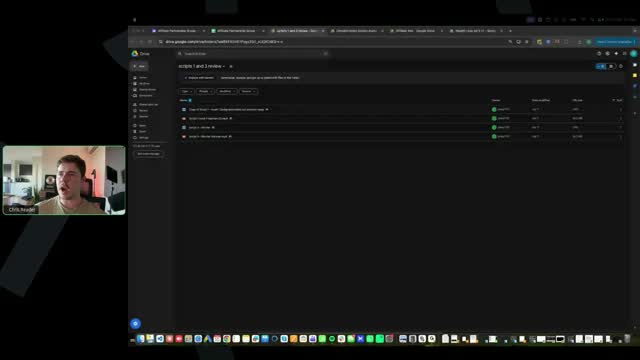
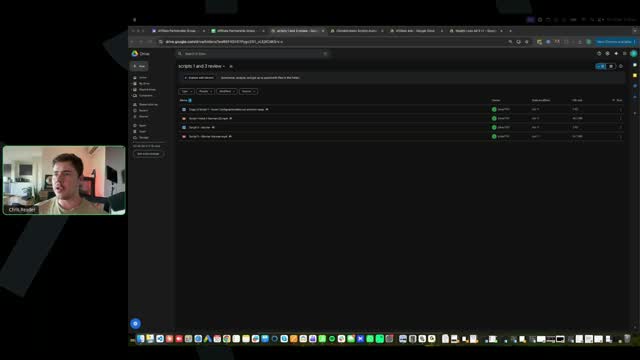
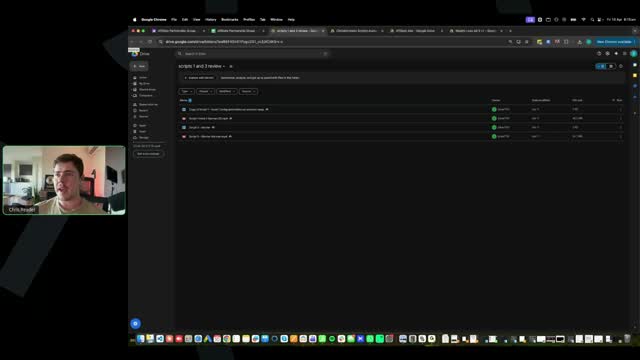
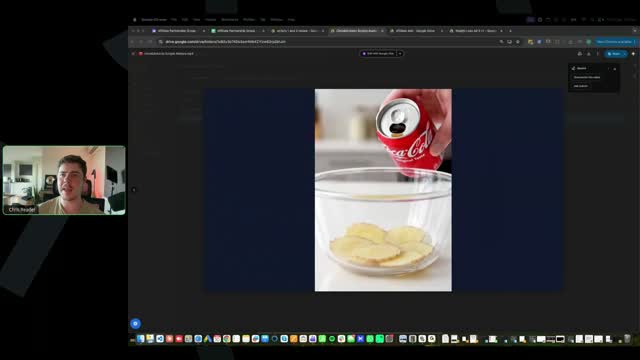
[SCREEN 43:28] Chris Reader shares his screen. It shows a Google Drive folder named "scripts 1 and 2 review". The folder contains three items: a Google Doc named "Copy of Script 1 - Front End/Body/Hook/Call to Action", a Google Doc named "Script 2 - double PK", and a video file named "Ich habe jahrelang hinter den Kulissen in Hollywood gearbeitet.mp4".
[43:31] Chris Reader: Someone said, progress-wise, what point should we be at by the next call? Look, progress, it just depends on what, uh, module you have unlocked. All right? So we've, we've done it strategically where we unlock, you know, the first two modules, then module three and four.
[43:48] Chris Reader: So you get module one and two the first week, module two and three the next week, sorry, module one and two the first time you join, then the week after you get module three and four, and then the week after you get module five.
[44:01] Chris Reader: Okay? And then they drip each week after that. Um, module five is obviously where we run our ads. So that will happen on the third week you join. And again, remember, some of you guys have joined in different weeks, because if you joined on like, you know, Saturday versus someone who, you know, got in on Monday, there will be like, you know, some people will be like separated, right?
[44:24] Chris Reader: But again, that does not matter. There is no like, oh, like I'm falling behind. It's all at your own pace. But I do definitely recommend, you know, by the time you guys get the module where you launch your ads, like launch your ads.
[44:37] Chris Reader: You don't want to be falling behind here. Um, not that you can fall behind, but I'm just saying like, you should be keeping up with the modules, all right?
[44:54] Chris Reader: Um, so someone said, I just, you know, I've just recently sort of joined the program here. Guys, there's only, there's only even been one actual prior call, okay? And, uh, that was just like basic sort of Q&A and stuff, okay?
[45:08] Chris Reader: So, um, you don't really need access to that prior call recording. So don't worry about that, Ken. This is all the good stuff that we're jumping, we're jumping into all the good stuff now. All right?
[45:20] Chris Reader: Okay.
[45:24] Chris Reader: All right, someone said, how do people already have ads already? Guys, look, I just answered it, Jennifer, because some people, like, have joined, if you joined a week, like even if you joined like two days after someone else, they will have a module unlocked already in front of you, okay?
[45:40] Chris Reader: Um, so again, everyone, all of you guys have joined in the same cohort, but just some of you have some modules unlocked earlier just due to the nature of some people getting access maybe three, four days in front of you, okay?
[45:53] Chris Reader: So that is, that is exactly why. All right? Now, let's jump in and have a look here.
[SCREEN 46:03] Chris Reader clicks on the video file "Ich habe jahrelang hinter den Kulissen in Hollywood gearbeitet.mp4". The video opens in a Google Drive video player.
[46:05] Chris Reader: But if you don't have your ads ready, you know, yet, that's fine, because take note of what I teach in this training, um, because, you know, yeah, take note of everything here.
[SCREEN 46:17] The video plays. It shows a blonde woman speaking. The text overlay says "Ich Habe".
[46:18] Video: Ich habe jahrelang hinter den Kulissen in Hollywood gearbeitet. Und die Trainer...
[SCREEN 46:22] The video shows the blonde woman. The text overlay says "Die Trainer".
[46:22] Chris Reader: By the way, it's really blurry because again, uploading to Google Drive compresses the quality, and then you're looking at it through my recording as well, but it would be better quality.
[SCREEN 46:32] The video shows a glass of liquid being poured. The text overlay says "Die Ernährungs-Berater".
[46:32] Video: ...die Ernährungsberater, jeder von ihnen wusste von diesem Ingwer-Trick und sagte nichts. Wenn du herausfindest, was er tatsächlich mit deinem Stoffwechsel macht, wirst du verstehen, warum sie ihn verschwiegen haben.
[SCREEN 46:45] The video shows the blonde woman. The text overlay says "Ihn Verschwiegen Haben".
[46:45] Chris Reader: A lot better. This is really, this is really good. All right, so the biggest key thing here, guys, is your, your B-roll, your visuals, your ads, they need to match what we provide in our winning ads, okay?
[SCREEN 46:59] The video shows a can of Coca-Cola being poured into a glass with ginger slices. The text overlay says "Den Kulissen".
[46:59] Chris Reader: So one of the biggest mistakes that people will make is just not making it match. All right? So when I mean match, it's when I actually demonstrate how to create the ads myself for you guys, I literally have like the winning ad next to me, and then I have my, you know, document, and I'm writing down the visuals.
[47:20] Chris Reader: So I'm writing down, you know, ginger in a blender, you know, woman drinking ginger, ginger juice. Um, you know, weird video of someone like, you know, smooshing ginger. You know, woman of, uh, video of woman, you know, holding out her pants of lost heaps of weight.
[47:36] Chris Reader: So when you see these visuals in the winning ads, you want to replicate those. All right? You basically want to replicate them, because that is the biggest key. All right? Like, I know that, you know, some of the ads that people have submitted look nothing like the examples of the winning ads, and that's completely wrong.
[47:55] Chris Reader: You need to make sure your ads copy and look like the winning ads that we have. The whole purpose of this, guys, is to get you guys as close to emulating our winners while being unique. And the best way you can do that is literally by just copying what our ads look like.
[48:11] Chris Reader: If it's, you know, a woman, make it a woman. If there's a ginger video, make it a ginger video. If there is, you know, a video of like some scientific thing, make a video of some scientific thing in that part of the script.
[SCREEN 48:25] The video shows the blonde woman. The text overlay says "Du Verstehen".
[48:25] Video: ...wirst du verstehen, warum sie ihn verschwiegen haben.
[SCREEN 48:27] The video shows the blonde woman. The text overlay says "Ihn Verschwiegen".
[48:27] Chris Reader: One thing I will take note of, guys, I don't know if you can hear the audio from my laptop, but this scene here has a shh, like a, a background noise.
[SCREEN 48:37] The video shows red blood cells flowing. The text overlay says "Du Heraus Findest".
[48:37] Chris Reader: So in your B-roll, okay, you need to make sure when you put it into your timeline editor, you mute it. Okay? You need to make sure you mute it. This one's not that bad, the audio is not that bad, but some of them have like really weird audio.
[SCREEN 48:52] The video shows red blood cells flowing. The text overlay says "Macht Wirst".
[48:52] Video: ...Stoffwechsel macht, wirst du verstehen, warum sie ihn verschwiegen haben. Jede Frau über 45 wird doppelt so viel Bauchfett ansammeln, wenn sie nicht anfängt, diesen Ingwer-Trick anzuwenden. Es kursiert ein Mythos auf Klatschseiten, dass mehrere Hollywoodstars ein geheimes Ingwer-Rezept zum Abnehmen... Rebel Wilson hat es ermöglicht, Rebel Wilsons gesamtes Körperfett in weniger als 50 Tagen zu verbrennen. Sie brauchte kein Mounjaro, kein Zepbound oder irgendeine Art von Gewichtsabnahme... wurde mehrmals fotografiert, wie sie Studios mit einem Behälter Ingwer in der Hand verließ. Ich habe Zugang zu einem exklusiven Video, das genau...
[SCREEN 49:34] The video shows a yellow liquid being poured into a bowl. The text overlay says "Das Genau".
[49:34] Chris Reader: So the first thing, guys, like in these early sessions, like the main key I want to make sure you guys are following is like the, the visuals. All right? People kind of understate how important the visuals are.
[49:45] Chris Reader: The visuals are very important because it keeps them engaged. So since you guys have our winning ad transcripts, and since you guys have our custom-built Claude script writer, I, you know, I trust that all of your, and I've taught you guys on scripts, I trust that all of your scripts are really high quality.
[50:03] Chris Reader: So the purpose of what I'm trying to do here early on is make sure that your visuals are good. All right? Because that, you know, if you've got, because I can't, like, literally make the visuals for you, but I've given you winning transcripts and the AI tool to rewrite them.
[50:18] Chris Reader: So I know that that is, like, already going to be really, really good. So the key here is making sure your visuals are good. And then later through the sessions, guys, we will then do more like script things.
[50:30] Chris Reader: We'll, we'll go more into like scripting. But again, you shouldn't really need that as much right now because you're, you're basically just copying our scripts. Okay? So I'm just sort of giving you guys like a lay of the land of like the structure that I'm sort of going through here.
[SCREEN 50:47] The video shows a hand placing ginger pieces into a container. The text overlay says "Von Meiner".
[50:47] Video: ...Zentimeter von meiner Taille... und fast 50 Zentimeter von meiner Taille einfach weg. Ich musste alle meine XXL-Kleidung wegwerfen oder spenden.
[SCREEN 50:58] The video shows the blonde woman. The text overlay says "Oder Spenden".
[50:58] Chris Reader: So this is good, right? This is good. You know, this looks exactly like one of our winning ads. And that's the biggest key. Like, if you look at our winning ads and look at yours, you know, ask yourself, does this look exactly like that visually?
[51:10] Chris Reader: Does it have the components, the recipe B-rolls, and things like that? And this does. So that's great. Um, we'll look at someone else's just because, you know, if you've got this structure down pat, then, you know, your other videos are going to have it down pat as well.
[51:24] Chris Reader: So let's have a look at someone else's here.
[SCREEN 51:27] Chris Reader closes the video and opens another video file named "coca-cola-lemon-ginger.mp4". The video opens in a Google Drive video player.
[51:27] Chris Reader: Someone said, do you find it better to have the, um, avatar actually doing the recipe in the kitchen, chopping, blending, or using multiple people? It doesn't matter too much. It really doesn't matter too much.
[51:42] Chris Reader: Um, it's something you can test later down the line, but look, it's not going to make or break your ad.
[SCREEN 51:50] The video plays. It shows a can of Coca-Cola being poured into a bowl with ginger slices.
[51:50] Chris Reader: All right, this ad here, uh, I don't know why you've got these borders around your ad. This tells me that your ad is not 9x16. Okay? Your ad, guys, you want your ads to be 9x16. So 9x16 is this.
[SCREEN 52:06] Chris Reader switches back to the previous video "Ich habe jahrelang hinter den Kulissen in Hollywood gearbeitet.mp4".
[52:06] Chris Reader: This here is 9x16.
[SCREEN 52:12] The video shows the blonde woman. The text overlay says "Jahrelang Hinter".
[52:12] Chris Reader: Okay? I also don't think that it's the correct, it's not even 9x16.
[SCREEN 52:16] Chris Reader switches back to the video "coca-cola-lemon-ginger.mp4".
[52:16] Chris Reader: So this is not 9x16, and you've also got these borders around your video, which mean that it's, it's, you've made this a horizontal video and you've not made it 9x16. Okay? So that needs to be fixed immediately.
[52:29] Chris Reader: All right?
[SCREEN 52:31] The video plays. It shows a can of Coca-Cola being poured into a bowl with ginger slices.
[52:31] Chris Reader: The next thing here is your opening hook, guys, the opening hook must be playing over the, over the visual. So you shouldn't just have the Coke pouring with no audio.
[SCREEN 52:47] The video shows a can of Coca-Cola being poured into a bowl with ginger slices.
[52:47] Chris Reader: Okay? The script needs to be playing with the opening scene, because it's the visual and the hook which captures the attention of someone. Like, in the future, later down the line, you can test just putting a different visual at the front with no script, and some of our ads do that.
[53:06] Chris Reader: But again, that's when you get to the point where you're doing the layering. But at this point, you're not doing the layering yet, okay? So again, you need to make sure that you're following the training, because we teach 9x16, and we, we teach you to put the, the hook over the visual.
[SCREEN 53:23] The video shows a can of Coca-Cola being poured into a bowl with ginger slices. The text overlay says "Damen".
[53:23] Video: Damen, ich zeige euch, wie einfach der Ingwer-Trick ist, der unter Frauen viral ging, die von Größe 48 auf Größe 40... Lasst mich euch das zeigen. Ich mache das, weil ich weiß, wie frustrierend es ist, Zeit und Geld für Diäten und Pillen auszugeben, ohne...
[SCREEN 53:40] The video shows a jar of honey and ginger on a wooden board. The text overlay says "Ohne".
[53:40] Chris Reader: All right, so the next thing here as well is, like we teach, guys, okay, and this is what I'm talking about. So this first person's ad is very good. This person's ad, not very good. Okay? The biggest key is, all right, so this opening, this visual here starts at 14 seconds, and it runs until 24 seconds.
[54:00] Chris Reader: So that's 10 seconds of the visual on the screen. You want your visuals to be like three seconds, four seconds max. This visual also isn't engaging at all. It's literally just like basically a static video.
[54:13] Chris Reader: They're not actually making a recipe, they're not doing really anything. And so this being on the screen for 10 seconds is doing the opposite of building engagement. All right? It's just kind of boring.
[54:26] Chris Reader: Okay? Compared to if you look at our winning videos, and you know, even this ad, these clips are all fast-paced, right? Look, woman drinking the shot, you know, this scene is, you know, on the screen for like a couple seconds.
[54:41] Chris Reader: Then you've got this, you've got this. They're all kind of a lot faster and a lot more fast-paced. And again, that's the biggest key. And you don't want your, your things here for like 10 seconds because it's just kind of boring and you waste slots.
[SCREEN 54:59] The video shows a blonde woman speaking. The text overlay says "Zahl".
[54:59] Video: ...die Zahl auf der Waage weiter steigt. Wenn ihr jede Anweisung richtig befolgt habt...
[SCREEN 55:05] The video shows a woman holding a glass of water and ginger. The text overlay says "Befolgt".
[55:05] Chris Reader: Again, our ads need to be 9x16. They can't be, like, you can't just have a 9x16 here and then make it like horizontal.
[SCREEN 55:13] The video shows a woman holding a glass of water and ginger. The text overlay says "So".
[55:13] Video: ...nicht so reagiert hat, wie er sollte...
[SCREEN 55:15] The video shows a woman holding a glass of water and ginger. The text overlay says "Er".
[55:15] Chris Reader: And again, guys, all this really just comes down to, um, you know, really just paying attention and like copying what I, like, I literally make the videos for you guys. So I show you where to click, I show you how to make it 9x16, I show you how to crop things so they fit well.
[55:30] Chris Reader: So you just need to follow what I...
[SCREEN 55:32] The video shows a woman drinking a glass of water. The text overlay says "Spezifische".
[55:32] Video: ...kennt ihr die spezifische Frustration. Alles richtig...
[SCREEN 55:36] The video shows a woman drinking a glass of water. The text overlay says "Spezifische".
[55:36] Chris Reader: This visual as well, guys, like, just because we're using AI, we still need to, like, she doesn't even drink the water. So like, you know, it's, it's very easy to generate AI B-roll. So like, we want to make sure we're generating enough to make sure we're selecting the best clips.
[55:53] Chris Reader: We don't want to just generate something and say, oh, that's good enough, you know? Oh, it's good enough, it looks good enough, right? Like, generating the AI B-roll is quite cheap and it's fast, and we can make multiple ones quickly and choose the best ones.
[56:07] Chris Reader: Okay?
[SCREEN 56:08] The video shows a blonde woman speaking. The text overlay says "Gemacht".
[56:08] Video: ...Problem hat einen Namen: Metabolische Unterdrückungssperre.
[SCREEN 56:13] The video shows a woman in a white top. The text overlay says "Unterdrückungssperre".
[56:13] Chris Reader: Like this scene, you know, none of our winning ads have a scene like this as well. So, and the other thing as well, this goes for way too long. It goes for...
[SCREEN 56:21] The video shows a woman in a white top. The text overlay says "Namen".
[56:21] Video: ...einen Namen.
[SCREEN 56:22] The video shows a woman in a white top. The text overlay says "Unterdrückungssperre".
[56:22] Chris Reader: Again, 10 seconds of a woman just like pointing, you know, that doesn't really have any engagement in it.
[SCREEN 56:29] The video shows a woman in a white top. The text overlay says "Mal".
[56:29] Video: Jedes Mal, wenn ihr Kalorien...
[SCREEN 56:31] The video shows a woman in a white top. The text overlay says "Kalorien".
[56:31] Chris Reader: Like, you've done a good job, like, you've got a, you've got a good amount of B-roll in here, but just your B-roll is not the best. And you've obviously not cropped it by 9x16.
[SCREEN 56:41] The video shows a glass with ginger and honey being poured into it. The text overlay says "Daran".
[56:41] Video: ...arbeitet euer Körper daran, Fett zu speichern.
[SCREEN 56:43] The video shows a glass with ginger and honey being poured into it. The text overlay says "Zu".
[56:43] Chris Reader: You know, this is a good visual, like, this is a weird, good visual, okay?
[SCREEN 56:48] The video shows a glass with ginger and honey being poured into it. The text overlay says "Verbrennen".
[56:48] Video: ...nicht zu verbrennen. Die Diäten selbst haben das Ergebnis jedes Mal schwieriger...
[SCREEN 56:53] The video shows a blonde woman speaking. The text overlay says "Schwieriger".
[56:53] Chris Reader: Okay. Um, all right.
[SCREEN 57:14] The video shows a blonde woman speaking. The text overlay says "Gemacht".
[57:14] Video: ...gemacht. Es gibt Frauen, die immer wieder dieselben Ansätze ausprobieren...
[SCREEN 57:19] The video shows a woman in an apron holding a glass with ginger. The text overlay says "Ausprobieren".
[57:19] Chris Reader: And like this scene, like, come on guys, like, what even is, like, you know, AI is not going to always give you the best visuals. Like, this is like a, a ginger root morphed into a cup, morphed into a shot glass.
[57:31] Chris Reader: You know what I mean? Like, guys, you know, come on. Right? Like, you need to emulate what we're doing. You can't just type one thing in and think, oh, this is good enough, right? Especially because it's so easy to do.
[SCREEN 57:45] The video shows a woman in an apron holding a glass with ginger. The text overlay says "Sich".
[57:45] Video: ...sich fragen, warum sich nichts ändert. Und es gibt Frauen, die innehalten und fragen...
[SCREEN 57:51] The video shows a woman in an apron drinking from a glass. The text overlay says "Ausprobieren".
[57:51] Chris Reader: And again, all these visuals are too long. They're all like 10 seconds.
[SCREEN 57:55] The video shows a woman walking down a hallway. The text overlay says "Die".
[57:55] Video: Die zweite Gruppe ist diejenige, die vorankommt. Ohne die metabolische Unterdrückungssperre anzugehen, bringt jeder neue Versuch ein...
[SCREEN 58:05] The video shows a woman chopping ginger. The text overlay says "Nicht".
[58:05] Chris Reader: Again, the same issue here, not 9x16.
[SCREEN 58:08] The video shows a woman chopping ginger. The text overlay says "Die".
[58:08] Video: Die Energie, die euch früher durch einen vollen Tag gebracht...
[SCREEN 58:11] The video shows a blonde woman speaking. The text overlay says "24".
[58:11] Video: ...24, der...
[SCREEN 58:13] The video shows a person pouring liquid into a mug with ginger. The text overlay says "Jahr".
[58:13] Video: ...Jahr. Eine Studie aus dem Jahr 2024 der Charité...
[SCREEN 58:19] The video shows a woman holding a phone. The text overlay says "20".
[58:19] Chris Reader: So an all right opening scene.
[SCREEN 58:21] The video shows a woman holding a phone. The text overlay says "Prozent".
[58:21] Video: ...20 Prozent...
[SCREEN 58:23] The video shows a blonde woman speaking. The text overlay says "Verschiedene".
[58:23] Chris Reader: Again, the same issue here. Same issue. So again, I would never run that ad, right? Like, guys, this is why we want to do these ad reviews, because even though I teach it a specific way, people don't follow it.
[58:34] Chris Reader: So that's why we need to make sure you are doing it the exact correct way, okay? So again, this is not to be harsh, this is just, um, okay, this is just to, this is just to make sure you're doing things correctly, okay?
[58:51] Chris Reader: This is just to make sure you're doing things correctly. So there's so much room to improve here. Um, I believe this is Angela, I believe. So, you know, make sure that we're improving on these before we run these ads.
[59:04] Chris Reader: Like, this person had it down pat. We're going to get to a point, guys, where everyone's ads are like this, because it looks the exact same as our winning ads. And that's all you need to ask yourself.
[59:14] Chris Reader: Does it look like the winning ads? All right, guys, we'll do one quick more here, and then I do have to jump off here, okay?
[SCREEN 59:21] Chris Reader closes the video and opens another video file named "coca-cola-lemon-ginger.mp4". The video opens in a Google Drive video player.
[59:21] Video: Dieser Ingwer-Trick hat mich fast in die Magersucht getrieben.
[SCREEN 59:25] The video shows a person pouring Coca-Cola over ginger slices in a bowl.
[59:25] Chris Reader: So I don't know why it's doing this error here. So again, make sure your ad is 9x16. Maybe it's just doing this because it's in Google Drive, these corners.
[SCREEN 59:34] The video shows a person pouring Coca-Cola over ginger slices in a bowl. The text overlay says "Cola Es".
[59:34] Video: Misch keinen Ingwer mit Cola, es sei denn, du bist bereit, dass dir dasselbe passiert. Ich habe...
[SCREEN 59:39] The video shows a woman speaking. The text overlay says "Passiert Ich".
[59:39] Chris Reader: So see how this opening scene has the text and the audio on top?
[SCREEN 59:43] The video shows a person pouring Coca-Cola over ginger slices in a bowl. The text overlay says "Dieser Ingwer".
[59:43] Video: Dieser Ingwer-Trick hat mich fast in die Magersucht getrieben. Misch keinen Ingwer mit Cola, es sei denn, du bist bereit, dass dir dasselbe passiert. Ich habe das Rezept mit Ingwer und Zimt in einem 30-Sekunden-Video gesehen. 21 Tage später habe ich meine Freundin völlig schockiert. Ich hatte 17 Kilo abgenommen. Niemand konnte glauben, dass ich dieselbe Frau war. Mädels, ich zeige euch jetzt, wie einfach es ist, dieses neue Ingwer-Zimt-Rezept zuzubereiten, das gerade mit über 21 Millionen Aufrufen in den sozialen Medien explodiert. Ich habe lange überlegt, ob ich das überhaupt posten soll. Ehrlich...
[SCREEN 1:00:26] The video shows a woman speaking. The text overlay says "Ehrlich".
[1:00:26] Video: ...Kombination in drei Wochen bei mir bewirkt hat, fühlte es sich schlimmer an, zu schweigen, als zuzugeben, dass ich falsch lag.
[SCREEN 1:00:34] The video shows a person pouring liquid through a strainer into a mug.
[1:00:34] Chris Reader: And see, like, this visual here is long, right? This is a, this is a over 10 second visual, but it's not the same thing. It's like cuts. It's like cuts, right?
[SCREEN 1:00:44] The video shows a person pouring liquid through a strainer into a mug. The text overlay says "Mir Bewirkt".
[1:00:44] Video: ...bewirkt hat, fühlte es sich schlimmer an, zu schweigen, als zuzugeben, dass ich falsch lag. Also bin ich jetzt hier. Ihr kennt doch die TV-Moderatorin...
[SCREEN 1:00:52] The video shows a woman speaking. The text overlay says "Posteingang Mit".
[1:00:52] Video: ...Umgang mit euren... etwas mehr als zwei Wochen gemacht und 11 Kilo verloren. Perfekt für mich, weil ich einen sehr stressigen Alltag habe und nichts ändern musste. Keine strengen...
[SCREEN 1:01:04] The video shows a woman speaking. The text overlay says "Keine Strenge".
[1:01:04] Video: ...keine Neben...
[SCREEN 1:01:05] The video shows a close-up of yellow fat tissue with a tube inserted. The text overlay says "Ich".
[1:01:05] Chris Reader: And I'm just going to sort of skip through.
[SCREEN 1:01:07] The video shows a close-up of yellow fat tissue with a tube inserted. The text overlay says "Und Ich".
[1:01:07] Video: ...und ich musste nach 21 Tagen...
[SCREEN 1:01:09] The video shows a woman speaking. The text overlay says "Sen Habe".
[1:01:09] Video: ...zu schnell... normal gegessen habe, ist mein Gewicht zu schnell gefallen und ich...
[SCREEN 1:01:13] The video shows a close-up of yellow fat tissue with a tube inserted. The text overlay says "Nicht Zu".
[1:01:13] Video: ...Schlankheitshormon aktivieren. Kluge Frauen über 50...
[SCREEN 1:01:16] The video shows a close-up of a blender with liquid inside. The text overlay says "Kluge Frauen".
[1:01:16] Chris Reader: If you're going to use visuals from like a YouTube thing, make sure you don't have like, you know, you've got like some branding, like I would not, you don't want any of that. Like, you don't want that branding in there.
[SCREEN 1:01:28] The video shows a person pouring liquid from a blender into a glass. The text overlay says "Ingwerrezept Bekannt".
[1:01:28] Video: ...Ingwerrezept, bekannt als hausgemachtes Magnaro, um Fett ohne Nebenwirkungen...
[SCREEN 1:01:33] The video shows a woman speaking. The text overlay says "Fett".
[1:01:33] Video: ...einfach...
[SCREEN 1:01:34] The video shows a woman speaking. The text overlay says "Einfach".
[1:01:34] Chris Reader: And look, you know, they don't have visuals through here, which is fine. You just want to really load up the visuals at the beginning and the end. Like, you don't need constant visuals throughout the whole thing, but they still have a good amount of visuals in here.
[SCREEN 1:01:46] The video shows a woman speaking. The text overlay says "Erfahren Button".
[1:01:46] Video: ...Übeltäter der...
[SCREEN 1:01:49] The video shows a woman speaking. The text overlay says "Klickt Einfach".
[1:01:49] Video: ...Klickt einfach...
[SCREEN 1:01:51] The video shows a woman speaking. The text overlay says "Zurückzubekommen Wie".
[1:01:51] Video: ...zurückzubekommen, wie...
[SCREEN 1:01:53] The video shows a woman speaking. The text overlay says "Lassen Bis".
[1:01:53] Chris Reader: All right. And there we go. All right. So there we go, guys. All right. Um, uh, so some people in the chat saying this is super helpful. So guys, I do have to run here unfortunately. I am running late for something else right now, because we have gone a bit over time here.
[1:02:08] Chris Reader: Uh, again, remember on the Monday EST calls, that's where we can go a lot more over time, and especially next week, we're going to have a really, really good session because now you guys are all understanding the flow of things, right?
[1:02:20] Chris Reader: Now you guys are all like, you know, two of those ads were great, one of them wasn't, but again, there's always room to improve and it's not that your ad is bad and you're a bad person or anything, right?
[1:02:29] Chris Reader: Like, you're just still learning the process, okay? But it is very important that you follow the steps. And the reason I want to review these, even though we give you winning ads, is because people still make these mistakes that you need to make sure you're not making.
[1:02:43] Chris Reader: All right, guys? So yeah, really good improvement here from everyone. So guys, that's all for now. Um, thank you all for being here. I'm really excited to have you guys all a part of this group.
[1:02:56] Chris Reader: And, um, yeah, sorry if this call felt a bit rushed. I'm just trying to get through as many questions as we can here, get through as many ad reviews. Um, all of these sessions kind of feel a bit sort of condensed to begin with because there's so many new questions coming in of people sort of figuring stuff out.
[1:03:11] Chris Reader: But once you guys, you know, we've clarified so much already on this call, and then we'll, we'll really start getting into the flow of things, especially once you guys start running your ads, especially once you guys start making sales, then we'll really get into a lot of the really, really good stuff.
[1:03:26] Chris Reader: All right? But guys, that's all for this session. I'll see you guys all next week on Monday, uh, EST. Make sure to keep a look out in your email. And, uh, yeah, we'll jump into some more ad reviews.
[1:03:36] Chris Reader: Antonio will be on there. And, um, yeah, super excited for it. All right, thanks everyone. I'll see you guys later. Bye guys.
Call 02 of 13, recording 02-Apr 09 2026.mp4. Gemini video pass at one frame every 2 s. Rebuilt 31 Oct 2026 15:24 Melbourne.