Full timestamped transcript with on-screen notes
I have carefully reviewed the video and created a detailed, timestamped transcript following your exact formatting instructions.

[00:00] Black screen with text: "Nobody has shared their screen or turned on their camera yet"
[00:03] Antonio: Welcome to the Super Affiliate Edge class. This is guys, this is such an important class. So I'm very excited to be with you guys. Some of you I know already getting sales, which is pretty freaking amazing because I can see this on my end. Which is pretty freaking awesome. I'm going to be answering all your guys' questions. I know you definitely have some doubts because we're teaching you guys some high, high-level stuff. Like some amazing, amazing stuff. So I'm really excited about this.
[00:26] Antonio: Good to see you all. Good to see you Caleb. Good to see you Patrick, Lori, Mike. And there you go, there you go, there you go. Warren is already saying, after four days my engagement campaign only had two impressions with two dollars a day budget and I followed everything in the video. Do I need a certain amount of impressions to warm up my account? No. So this engagement campaign is really just to tell Facebook that you're trying to be very sweet and just get traffic going to your page.
[00:55] Antonio: Having said that, look at your CPMs. That's weird. You should be having more impressions than that. Is the account just not spending? Just check your payment settings to see if it's all good with that and with the cards that you put in the ad account. And then apart from that, that's pretty much it, right? And by the way guys, I have a few important announcements. By the way, Caleb already saying, I got my first three sales. Yes, Caleb, that's freaking amazing. Your first three sales with CPAs in euros, which is pretty freaking amazing.
[01:25] Antonio: Marco is asking, do I have to get verified on Facebook account? You don't need to verify anything. Just create the account exactly like I teach in the training. Exactly like I teach in the training, please, please, please. Pretty please. Anyways, a few announcements guys. A few announcements. Not sure if everybody's here, but either way, let's get going. Let's have fun stuff.
[01:51] Antonio: Let me show you guys this. So, not sure if I have a class on this, but it's going to be important just for us guys, this is not for you, but we're always trying to improve the offers on our end. By the way, we're probably going to add another offer to the Notion this week, which is pretty freaking amazing. So you're going to have another option to test. Because as a super affiliate, we're always testing offers, always. Like a winning offer within weeks fatigues, and then we have to test a new offer.
[02:19] Antonio: So if you guys just check the Notion always to check the offers that we're adding, the offers that we're removing. Right now, obviously, if you're still getting sales and you're profitable in an offer, don't change it. Just create more and better ads for that offer and you're going to crush. However, sometimes if you're struggling with an offer, you can just test other offers until you find an offer that fits the ads that you're making. Because it's always winning ads and winning offer, winning ads, winning offer, winning ads, winning offer, right?
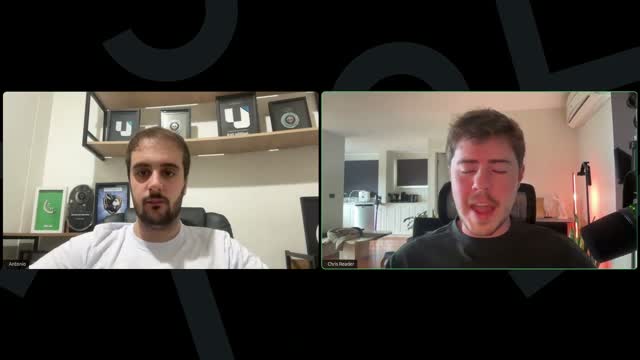
[02:47] Antonio: So on our end, just very, very quickly guys, so you guys hopefully you guys are paying attention. I'm going to share my screen real quickly in my affiliate account, which obviously is not getting any traffic because I'm not an affiliate. Wait, I need to let go to webinar share my screen. Hopefully it allows it. Oh, and there we have it. We have Chris as well. Hey Chris, how are you doing?
[03:08] Chris Reader: Hi guys. Sorry for the delay there. I had a bit of a technical issue logging on here, but hope you guys are all good. Super excited to be here. Antonio, do you just want to give me a rundown of sort of what you guys have discussed? Because I know we've got some announcements or things to mention here.
[03:25] Antonio: Oh yeah, I love it. So first things first is just making sure everybody's adding their postback to their Digistore account. This is really, I was just explaining to them, this is just on our end because we're always updating the offers. And if they don't add the postbacks, we don't know they're getting sales for a specific offer and we can't optimize this for them. So that's the only thing I explained.
[03:46] Antonio: So guys, please, please, please just watch and apply the class that Chris recorded for you guys adding the postback to your guys' Digistore. It's very important. We can see that not everybody has their postbacks. So please add the postbacks. It's very important. It's not technically going to affect your campaigns, but it's going to affect our ability to optimize the offers for you guys.
[04:08] Antonio: And I also told them to be aware of the Notion doc because we're always going to be adding new offers to the Notion doc. In fact, we probably are going to be adding a new offer, a new winning offer this week. So that's going to be pretty freaking amazing too. It's probably going to be a blood sugar offer. So it's also a pretty cool offer. So that's pretty much it. That's the only thing we spoke about. Do you have any announcements, Chris?
[04:31] Chris Reader: Awesome. Yeah. So first, welcome everyone. Welcome to the group. Super excited to have you all here. So the way, you know, obviously you guys are all getting acquainted to everything right now. Now I do want to say some of you guys are a little bit further ahead than potentially some of you as well. The way it worked is, you know, if you guys got access like a day before someone else or even like some of you guys joined a little bit later, just depending on when you guys, you know, had your call and got onboarded and everything.
[05:01] Chris Reader: So some people might be a little bit further ahead of yous and some people are even running ads, alright? So some guys in this group are even running ads, but you guys are all part of the same cohort. I just want to say this because whenever sometimes we mention something that is maybe in a module ahead of where some people are, they freak out and they think, oh, this isn't live or I wasn't, I didn't join the group first. Guys, there is only 100 people in this group. Some of you just joined a little bit later than others, so some of you are a little bit further ahead than others as well, okay?
[05:31] Chris Reader: So with that out of the way, we're super excited to have you guys. We do want to mention two really important things, okay? So the first thing is guys, when you get up to the part of launching your catalog ads, so Antonio has that great video where he teaches you how to set up the catalog ads. We have been hearing some reports of some people saying that it is buggy. So we tried to replicate the error and we couldn't have the error, but then we spoke with some people that we know that are, you know, that are in this group here.
[06:07] Chris Reader: And they were having an issue where the video was not appearing in the catalog ad. So they would make the catalog ad, and again, if you guys aren't up to catalog ads just yet, you know, don't worry about it, but you know, still pay attention. So with the catalog ad, the image and the video needs to appear there. So maybe you want to just discuss that, Antonio. And also, we did add another video into the training just called Troubleshooting Catalog Ads. So if you have any issues, you know, make sure to watch that. But Antonio, do you want to discuss that?
[06:46] Antonio: Yes, 100% guys. So it's very important that you avoid making any mistakes to the catalog ads. And once again, if you guys are not, are not there yet, don't worry. It's just honestly a super secret affiliate strategy, not even kidding, that allows you to not have as many ads rejected on Facebook. Because sometimes Facebook makes mistakes and rejects your ads. With this catalog method, you just reduce the chances of getting rejected.
[07:08] Antonio: Having said that, Facebook is buggy. So it has happened a couple times in the past. It's not often, doesn't happen often, but for you guys, I always recommend that you guys check the catalog. So we added that class, it's going to be a very important class, please watch that class. Which, which module we added to again, Chris? Do you remember?
[07:28] Chris Reader: It's at the end of module five where you guys create your catalog ads. So it's called Troubleshooting Catalog Ads.
[07:36] Antonio: Okay, so Troubleshooting Catalog Ads, end of module five, please watch it. Honestly, it just shows you guys to re-look at the catalog ads. So how do you guys re-check the catalog ads after it's launched just to be 100% sure you have the video there. Because sometimes Facebook just randomly deletes the video for no reason. And obviously when it does that, you're not going to be able to run catalog ads because the whole point is running traffic to the video and not to the clean image. The image is just there so Facebook doesn't reject it, right?
[08:04] Antonio: So that's very important. So always before running a campaign, just check the catalog of that campaign has the video. Very important. So you need to come back to the catalog, check if there's a video. If there's none, two main ways. First main way that I share in the training, you can just edit the catalog. So go to Commerce Manager, edit the catalog and re-upload the video.
[08:25] Antonio: Second main way, which is by the way, is the main way for a lot of things we do, a lot of the technical stuff we do. If you can't figure out why it's wrong or sometimes it's just a bug, just redo the whole thing. Literally. So just redo another catalog and then have another catalog for the ad that you're trying to run and then reconnect that catalog to your campaign. Right?
[08:45] Antonio: And by the way guys, that's a classic method. I already saw I think somebody asking about a tracking issue with ClickMagick. That's, that's very typical for anything that's highly technical. These guys are super, these things, these, this content is super advanced. So a lot of these things, they take a lot of steps, it's very technical, but that's why very few people in this space are getting super rich while everybody else is not, right?
[09:07] Antonio: So anytime you're finding an issue and you can't figure out what's going wrong, just redo the whole thing. Rewatch the video and redo the whole thing from scratch. It's a super, super simple method, but it works. Sometimes even myself, I can't figure out why I did something wrong, but when I redo everything from scratch, it works. Right? So literally, so just be resourceful in that matter. Having said that, yeah, just check your catalog ads every time to make sure the video is there.
[09:36] Chris Reader: Yeah. And so sorry guys, just to sort of reiterate that again, right? Like what we were seeing is some people were messaging us saying, hey, I set up the catalog ad, I put the image in there, I put the video in there, and then either they go to the Facebook and in the ad settings it doesn't have the option to like manually set like the video like as the primary thing. And that's because then the catalog ad when they had uploaded it, the video wasn't there.
[10:04] Chris Reader: So that's why that setting wasn't showing in Facebook in the ad level. And then other people again, when they went to their catalog ad, they uploaded the image, they uploaded the video, inside the catalog ad they could see that there was no video. Or they could even see when their Facebook ad was actually running that they there was no video. Like they'd already launched their ad and they didn't double check to see if the video was in the catalog before they launched it.
[10:29] Chris Reader: So we're just telling you guys, you know, if it's happened to a couple people, I guarantee it's going to happen to like a lot of people if you're not double checking this, okay?
[10:40] Antonio: And a very simple thing as well, that's why I recorded the whole thing doing from scratch, literally. Wait, is there a connection problem? No, I don't think so. So why I did that from scratch? Because in the ad setup, if you don't have the video, you're not going to be able to select that super important option of prioritize the video. Remember in the ad setup, for you guys who already have the module five unlocked, I have a whole class just showing how to run and launch your ads step by step.
[11:09] Antonio: In the ad setup, you need to select that box saying prioritize the video. Now obviously if there's no video there, you're not going to be able to select that option. So that's very important as well. That's one of the ways for you to know that there's no video there.
[11:22] Chris Reader: And I can, and again, we just are going to talk about this guys. Let us know if you understand. We want like feedback because no one said okay, yeah, got it in the chat yet about this. So I can even just see that in our support messages right now, three people have emailed in saying, again, in the ad setup format carousel, there is no option to select image or video. The format selection changing section, right?
[11:48] Chris Reader: So in the ad setup format carousel where we tell you to select single image or video, if you do not have the option to select single image or video, then most likely your catalog ad has bugged out and it's got an error in it and it's not showing, okay? So again, we just want to really emphasize that because all the people, not all the people, but we have seen it, it's just like buggy. We don't know why it's been buggy for some people, but again, if it's buggy for some people, it's probably going to be buggy for at least probably who knows, 50% of you.
[12:25] Chris Reader: And it's not that it doesn't work, it's just that it's buggy and you just got to make sure it's actually there when you set it up, right? And everyone that we told how to check and set it up and everyone we told to watch that new video we put in there has fixed it. And it sometimes I don't know, they when they do it, they said that it works like they have to do it like a couple times for the new carousel ad to to sort of work properly, alright?
[12:47] Chris Reader: Okay. Someone here just said, yeah, it was buggy for me again. I just redid it and it worked. Alright, perfect. Cool. So next, next thing that's important update as well. So in terms of the tracking with ClickMagick guys, alright? It's really important that you set up your postback tracking pixel into Digistore, okay? So that connection that you have, I teach you guys how to do that, right? You set it up, because you have to link Digistore to ClickMagick.
[13:21] Chris Reader: And so in the training, I teach you guys how to, and we're just going over all the foundations here guys again, then we'll jump into some more stuff in this Q&A. So if we sound redundant here, it's because it's important, okay? Because based on what we've been seeing from some people writing in emails, alright? You must set that up. So there's three things you need to do in Digistore, okay? You need to set up the postback purchase pixel. Alright? Then you need to set up the postback engagement pixel. Okay, they're the first two things.
[13:55] Chris Reader: Then once you do that, you need to set up the V2S, I believe it's called, postback integration. So there's three things that you must put in Digistore. Now the reason I say this is because again, some people have emailed in saying that they put, like some people emailed in saying that they're getting the sales tracking but not any engagements, okay? So in that case, you most likely do not have the engagement one set up, alright?
[14:26] Chris Reader: And I see Wendy, you just wrote in the chat, I am so lost. Guys, this is all very simple stuff and it's all listed in the training videos. So it's not like we're reintroducing all this crazy technical stuff here guys. I'm just from a bird's eye view informing you guys what to be paying attention to because some of you guys have not set up the tracking correctly within Digistore. And so I'm just saying like we need to reintegrate this section as well, okay?
[14:54] Antonio: And honestly, it's also just possible you didn't watch these classes yet. So if you have zero idea what they're talking about, maybe you just didn't watch the classes. But if you went up to module five, then you should know at least around what we're talking about.
[15:08] Chris Reader: Exactly, yeah. Um, yeah, Wendy said she's not there yet. Yeah, so if you're not at what we're there yet, then it's, um, yeah, quite confusing for you. Uh, okay, so that's just the first thing. Make sure your Digistores connect, alright? There's three things that you need to make sure is connected there. Uh, and again, in my video I walk you through every step of the way.
[15:28] Chris Reader: Now, last important update here, okay? Which is a technical, a technical thing. However, we noticed that in the current way that I teach the ClickMagick setup, there is an error in it, okay guys? So I have come to the awareness that there is an issue in the way that I have set up the ClickMagick tracking. So what I am going to do for you guys is I am going to refilm one of those videos and we will send an email out. I'm going to just look at what video it will be.
[16:03] Chris Reader: It's not a massive error, it's just the way, it's just the sequence that you put into White Rabbit to get that final link you put into Facebook, okay? So if some of you guys are aware, or if some of you guys are running ads, you might see that your UTMs are not tracking across correctly, okay? Funnily enough, I haven't actually seen many people in the support chat write this, but um, some people did bring it to me personally to my attention, okay?
[16:37] Chris Reader: But in that, it would be video 4.6, How to get your final links for Facebook. And then it says your routine for setting up Facebook links. So I'm going to be refilming that. And none of the setup has changed at all. Just the way you put the links in has to be changed, okay? So just the way that, so it's not like you have to redo all of module four, like the tracking and landing page setup. It's all the exact same. Just the sequence that you put the links into Facebook has to be redone, alright?
[17:18] Chris Reader: So in the training guys, I'm going to get, I'm going to film that after this call and it will be in the training probably in the next two hours, I would say. And I'm going to write at the, at the video title in the training, I'm going to put all caps UPDATED, okay? Just so you guys know which one has been updated. And then in a week or so, I'm going to remove the title UPDATED because then it doesn't need to be, you know, everyone that had to fix it would have fixed it and I'll just remove it. So just so you're aware, the title will be like all caps UPDATED, okay?
[17:57] Chris Reader: Now, we're aware that we've kind of bombarded you with a lot of sort of technical updates, but guys, that's the reason why we want to do these calls because we want to be providing you guys as much hands-on support as possible. And as we see people have certain issues that we didn't encounter, for example, the carousel ads bug, you know, we've never encountered that. We never saw that. We couldn't even replicate it in our accounts. But then we heard that some people were. So that's why, you know, we've got a good group here guys, we're super excited. Um, and you know, we'll fix these little issues as they come.
[18:30] Antonio: Okay? All right. But um, once these little issues are gone, like these are just some sort of like, you know, growing pain issues you could say. And we've fixed them all. So the Facebook one with the carousel ads is just a bug on their end, you just got to be aware of. The ClickMagick one, that's fully on me. Uh, I, I, I did the setup just a little bit wrong, which I'll be fixing for you guys. Okay.
[18:56] Chris Reader: Okay, awesome. Alright, now that that's out of the way guys, that's pretty much the only issues that anyone's been having related to these things. Now, the other thing to mention as well is with ClickMagick, ClickMagick gathers the data from Digistore. However, ClickMagick will not gather like 100% of all the information. Okay? So in the training video where I teach you this, I tell you that ClickMagick will track around like 90, 95% of all the data.
[19:34] Chris Reader: And the reason it can't track 100% of the data is because some people have certain pixel blockers or certain stuff on there, whether it's, you know, sometimes Apple doesn't send data back. There are certain things that prevent us from tracking 100% of all the data, okay? So you will always see typically more money in Digistore. And this is across the board for everything, right? YouTube ads, Facebook ads, everything. It's just because for some reason it doesn't always get tracked back, okay?
[20:07] Chris Reader: But again, 90% of all of your data should be getting tracked. And the way I do it, the way I do it is I always make my decisions based on ClickMagick. And then whenever I look in Digistore at the end of the day, whatever that difference is, I just classify as like a bonus, you know? Like if you're doing like $10,000 a day in sales on ClickMagick and you look into Digistore, it might show that there's been $11,000 in sales. So you've made like an extra thousand dollars.
[20:35] Chris Reader: But as long as you're just managing ClickMagick and you're, you're making decisions based upon the data you see there, the ROI you see there, you know, it's never been that big of an issue. Like it will only not track like a handful of sales, okay? But it depends on what you're scaling at. So like if you're doing like $10,000 a day, yeah, it might not track a thousand dollars in sales. But you've already got so much data in there to be making decisions on that it's not going to be that big of an issue, okay? And again, this is just the way it is with most tracking tools because people have different pixel blockers and stuff like that.
[21:11] Chris Reader: Alright? Um, okay, okay, okay. Alright, so let's go through now and answer some questions guys.
[21:22] Antonio: Uh, just uh maybe a final update for you guys who have already started running ads. So I know it's the minority of you guys, but I think it's still very important. Just if you guys are seeing it, it's taking too long to spend or even not spending at all, what we've done very simply is just increasing the budget on the ad set by 10%. So essentially instead of spending $25 in a 1-2-5-1, you're going to be spending $27.50.
[21:47] Antonio: But then because it's not the bare minimum budget, it just kicks the Facebook algorithm to spend a little bit faster. So that's an option. It's just for you guys who are, who are seeing it's taking too long to spend, which is by the way completely normal. For this specific strategy, in the long run it crushes, in the short term sometimes it just takes a little bit to spend, literally.
[22:06] Chris Reader: Yeah, and then some people, you know, uh, we got a question here about the engagement campaign. So someone here said, it's been four days, my engagement campaigns has only had two impressions with a two dollar budget. Alright guys, first things first, I never want to hear anyone mention impressions ever on these calls, alright? Uh, if you guys know from like the other courses, never ever mention impressions. Impressions does not matter ever, okay?
[22:30] Chris Reader: I just want to get this through everyone's head because all the time when we tell people what numbers to focus on, they, they say the wrong things. Impressions do not matter ever. So for example, for this question, you've said that it's only had two impressions over four days. That doesn't tell us anything. We need to know how much has it spent, right? Like your daily budget you said is two dollars and it's only had two impressions, but that doesn't tell us the issue.
[22:57] Chris Reader: So you should have just told us your daily budget is two dollars and it's spent this amount of money, okay? Impressions does not matter ever. Alright? I literally never want to see anyone write impressions in the chat here. What matters is how much money your ad has spent and then when you get to the point, like what's your CPC, what's your cost per engagement, what's your cost per sale, these are what matters.
[23:21] Chris Reader: But I just want to say that here. But in terms of this question, so your ad's been running for four days for your warm-up engagement and it's got a two dollar budget, but it has not been spending. So if it, if it, we have heard this as well from some people as well that their engagement ad hasn't spent. Uh, in that case, what I would do is I would just pause it and just relaunch another one, right? Just duplicate it, relaunch another one, and that should work. Uh, and then if that doesn't, just relaunch a new, like a new image. So make like a new image on your engagement ad. Um, that's what I would recommend, yeah.
[24:00] Antonio: Uh, but yeah, Antonio, have you, I've never seen that with uh the engagement ads not spending, but have you, have you seen that?
[24:06] Antonio: I just overall I've seen this for all kinds of campaigns to be honest. So same, same idea, right? Like if any campaign doesn't spend, two things. First, the engagement campaign really doesn't matter. It's just to show Facebook that you're, you're trying your best to get engagement to the platform, literally. That's why it's a warm-up campaign. So it's not a big deal.
[24:25] Antonio: Second, for any campaign for which that happens, you can just increase the budget just a little bit, like 10 to 20%, and sometimes it kicks, it kicks up the algo. Or pausing the original one, duplicating. These are two techniques that make the, the campaign that you want spend.
[24:42] Chris Reader: Yeah, so these are just little things. You guys will get the hang of these things. But obviously when you're first starting, we understand, so um, we have heard some people say yeah, their engagements haven't been spending, so just do what we just said just then, yeah. Uh, in other news, for the people that have, people that did get uh...
[25:00] Chris Reader: In an hour up to running ads, we've already been having people making sales, right? So Caleb has made his first three sales. We also had someone else in the chat here say that they've already done $600, which is amazing. And someone else in the chat said that they've also been making sales, but I can't find their name here right now.

[25:26] Chris Reader: I don't like the new... Oh, here we go. Sean made my first sale, $180. So awesome. And guys, that's amazing. You know, as you guys see, a lot of people are also saying in the chat now, yeah, I started running ads, already getting really good cost per engagements, which is great because again, the awesome thing about this is we make so much money per sale. So, you know, when we do get those sales, it really helps us get massive ROI.

[25:53] Chris Reader: So super excited for everyone to start making their first sales and it's only going to start ramping up as everyone else starts to get their ads running. And then we're going to do really cool stuff, guys, right? We're going to get into the ad account reviews. We're going to do like a lot of really cool stuff on these calls to help you guys getting scaled up, all right? So super excited for all that.

[26:15] Chris Reader: But again, for now, you know, we're focusing on all just the foundational stuff, right? We want to make sure everyone is fully aware of just like the strategies, the tactics, the technical stuff. Because like, you know, it's just learning something new. And once you guys understand it, then we can implement and really just focus on like the strategy, the tactics, you know, the ad improvements and stuff like this. All right.

[26:41] Chris Reader: Okay. Someone said, do I need to get verified on my Facebook account? So if Facebook asks you to verify, then you should verify it. You definitely need to. But if it doesn't ask you, then you don't, you don't really need to worry about it.

[26:55] Chris Reader: Someone here asking, yeah, ClickMagick account's not tracking the costs. Yeah. So this is related to the issue that I mentioned, which I will be updating and adding into the training here, guys.

[27:10] Chris Reader: Someone here said, I've submitted... talking about the offer approvals. Yeah. So guys, by now, every single person that joined, like every single person that's on like module three right now, you're all approved. Okay. So you're all approved. Every single person that is up to like module three right now, which again, would be like week two.

[27:35] Chris Reader: And again, depends on when you guys joined. Everyone joined in the exact same time. There is only a hundred people in this group. Okay. So every time I say this, if someone just joined recently due to the nature of how it flows, they think, oh, I'm late and everyone's ahead of me. Guys, you're not. It's all, you're all a part of the same cohort. Okay.

[27:52] Chris Reader: But yeah, everyone is pretty much approved right now. Like Antonio, you shared me over that file and it shows that like pretty much every single person's approved unless you've just like applied for it.

[28:02] Antonio: Yeah. If you can't find, because I mean, I see this happening with emails, it gets to your spam and you just don't check spam or something like that, or just promotions tab or social, whatever. If you haven't received it, also just let me know. Just send it here and I'll just check it for you with the team, literally, worst case scenario.

[28:22] Antonio: Having said that, yes, like 99% of you should be approved already. If you haven't received it, just let me know in the chat. I'll check it with my team. And yes, by the way, Sean is saying, plus no refund. Exactly. If we get a refund, we take the ownership and we lose the money, but you don't.

[28:40] Antonio: So the commission that you make, you don't have to worry about refunds, about chargebacks, about any of that. Obviously we need to make sure the products are really, really good so people don't ask for a refund. But even if they do, you don't have to worry about it. Like the money you receive in your Digi account is going to be there for you. So it's already for you as an affiliate.

[28:59] Antonio: You don't even pay, as far as I think so, because I haven't been running this specific offer in Digistore because I'm just the vendor, but I think you don't even pay for the Digistore fees. You literally get like the exact commission from your sale already as pure revenue in your ad account. So that's pretty freaking amazing.

[29:20] Chris Reader: Yeah. One sec.

[29:31] Antonio: So, and by the way, this model is... Oh, go for it, go for it.

[29:34] Chris Reader: Sorry, two people asked in the chat, have they been approved? I just messaged you guys.

[29:40] Antonio: And I'm sending the emails to my team, by the way.

[29:45] Chris Reader: Again, some people are stressing out how people are already accessing to module five when onboarding started last week, you know, isn't it one... Yeah. So guys, again, there's no reason to stress out. Some people got access a little bit earlier than others. And again, if you joined, whenever you joined or whenever you got the email for this invitation, it does not matter, guys. You're not going to fall behind.

[30:08] Chris Reader: Everyone gets the same amount of calls. We're here to help you guys. You're all a part of the same exact cohort. There is only 100 people of you in the... there isn't even 100 people in the call right now because not all 100 people will show up for the live calls, they'll watch the replays and so on. But I don't want to keep repeating it. You're all a part of this. You're all here. You're all with us. You're all part of this group. There is like, you know, there is no secret hidden tricks or anything, okay? But again, it is all drip fed depending on when you get access to, okay?

[30:37] Antonio: And by the way, I absolutely love, love this question from Caleb. It's a general one, but I think it's going to be very important for you guys to know what not to do. Because everything you need to do, guys, is in the training, literally. So for example, somebody had asked, how do I create a pixel? It's in the first module, I think, first or second module, where I just show you how to create a pixel. It's super easy. Just go to the events manager and follow the steps and it's going to be super easy.

[31:00] Antonio: But everything you should do is in the training. Now, what about the things you shouldn't do? So Caleb is asking, what are the biggest mistakes with media buying for affiliate traffic? I've done plenty of media buying for other markets, but finding affiliate to be a bit different. It's different because honestly, we're super advanced on a high level.

[31:15] Antonio: What I've done throughout my whole career, by the way, is I was crushing with affiliate marketing. And then when I went to traditional media buying, I was crushing even more because nobody is doing these strategies in traditional media buying. So the things you guys are learning skills-wise, they're going to be useful for all your campaigns, not just affiliate campaigns, but all your campaigns. So typically people make money not only with affiliate marketing, but also with all the things they learn and they apply this to traditional media buying.

[31:41] Antonio: Anyways, I'm going to answer your question. So the biggest mistakes, there are mainly three ones. So there's execution, obviously. And in this specific case, because we already have and we're testing the offers for you guys, the execution is mainly on the ads and on the media buying. So you just need to make sure you're media buying with the tools that we're giving you. So tracking is properly set up, the ads are good, honestly, just making really good ads. And that you're not making any major mistakes in setting up your catalog, in setting up your structure, the 1-25-1, 1-50-1, and all that fun stuff, right?

[32:18] Antonio: Decision making is the second type. So following the million dollar testing protocol, so making better decisions, knowing when to test, for example, a new offer now, because you've tested already this offer and you're not crushing yet, or knowing when to test a new ad account. And by the way, all of this is in the training too, when to do each of these things.

[32:37] Antonio: And then the third type of mistake is clarity. So not having enough clarity on what's going wrong if something goes wrong. So whether it's the ad, whether it's the account, or sometimes you just didn't get adapted to the offer, right, literally. So these are the three types of mistakes. Either you're executing things poorly, or you're making poor decisions, or you don't have enough clarity. And a lot of the times it's the three combined.

[33:01] Chris Reader: Yeah. And so some people are real quick. So some people are saying... some people are saying that like they're looking into their Digistore partnerships and they're seeing Slim Jaro, the memory offer and so on, but the commission sets to 0%. Guys, the commission, I believe Antonio can probably answer this because he's the offer owner here, but the commission will be set to 0% because it's not on rev share, it's on CPA. So I believe if it shows 0%, that still means they're approved, Antonio, but it's just they don't get a percentage, they get like a CPA.

[33:36] Antonio: Literally. You get more than what you would get with the percentage because with a percentage, guys, you would have to pay for refunds and chargebacks if this ever happens. With CPA, that's what I mean, it's just much better. You just receive the fixed commission depending on how many capsules people bought, so how many units of the product. And then you don't have to worry about refunds and chargebacks. So you know what you receive for a sale is constant. So you're not going to see a percentage. It's all CPA. You're never going to see a percentage, just to be very clear.

[34:09] Chris Reader: Yes. Okay. So yeah, it's... that's why it says... So yeah, if it says 0% for you guys, it doesn't mean that you're getting 0%, like you're getting paid obviously, it's just the way it's set up, right?

[34:26] Chris Reader: Someone said, how many students are running main offer ads? If they follow the training and set up with fault, how do they get the tracking correct? I'm not exactly sure what you mean there. The people that have ran the ads, you know, they've... they're the ones that have actually brought it to our attention that the ClickMagick was actually set up incorrectly, which is hence why we're fixing it right now.

[34:58] Chris Reader: How many hours will it take to see data after the campaigns launched? It entirely depends on when your campaign is spending, guys. Like it's all dependent on spend. That's why I was saying we don't want to see you guys talk about impressions. You just want to be able to see it spend. But in terms of how many days or what's the timeframe for your ad to be spending once it's launched? So sometimes it can take like 1 to 12 hours for an ad to get approved. Once it's approved, it can take 1 to another 12 hours to start spending.

[35:31] Chris Reader: Now, if your ad has been approved for more than 24 hours and it's not spending, that's where we recommend you guys, just like Antonio said, increase the budget on each ad by what did you say, like 25%?

[35:46] Antonio: Yeah, I said 10%.

[35:48] Chris Reader: 10%. Yeah. So that just gives the algorithm like a little kick to get it start spending again. If that doesn't fix it, you can just duplicate that entire campaign again, turn off the original, and then that will get it kicked into again, okay?

[36:05] Chris Reader: Someone said, I'm a bit confused, where do we sign up for the CPA you were talking about, Antonio? So it's in the training. When you get approved for the offers, when you apply for the offers, that does it all for you. Okay.

[36:21] Chris Reader: Miro, I can see that you said that, you know, you haven't received an email. I can see you have been approved, but the team just hasn't emailed you yet. So I believe they will be emailing you soon. But Antonio, do you want to check on that? Because in this document, it shows people that are like approved, but the email hasn't been sent yet.

[36:39] Antonio: That's Miro. Okay, for sure.

[36:42] Chris Reader: All right. All right. Yeah, someone said, someone here earlier said, I can't find the exact message, but they said, oh, Antonio, I've already set up a pixel in the past. Can you tell me how to create a new pixel from scratch? It's literally in the training, guys. Like it doesn't matter if you have a pixel or you've already got a pixel, you just set it up the exact same way that Antonio teaches in that video. Okay.

[37:07] Chris Reader: Someone here said, in the previous trainings of yours, you know, we've included India in the engagement campaigns. Is that still a good idea? Guys, ignore everything you've learned and just follow what we teach right now. Like if we teach you guys how to set up an engagement campaign, just do what we do, right? Don't think, oh, well, I could do this, you know, just do exactly as we do. All right. Now...
[37:30] Chris Reader: All right. Now, some other things. So I've been seeing in the support chat, in the support emails and stuff, some people have been having these issues, so I just want to clarify them because if some people are having them, other people will probably be having them, okay? So in Claude, a lot of you guys probably have brand new Claude accounts because we recommend Claude in this. When you're asking Claude to translate your offers from English to German, we're getting a lot of people saying that Claude is like refusing to do so because it's like a very sort of intense advertisement.

[38:07] Chris Reader: And I've never seen this before, okay? So I've literally never seen this before, but some of the messages Claude is giving you sound intense. It's like, I refuse to write this message because it is deceptive and XYZ and blah, blah, blah, right? I have never, ever seen that before in my life with Claude. And the reason it's happening to you guys is because your account is so brand new that it doesn't understand you're a marketer. So the way AI works is it has context and history of like you and what your chats are.

[38:39] Chris Reader: So if you have never, if you have never really used Claude or you haven't used it that much and it doesn't know you're a marketer, then it doesn't know what you're creating is like an advertisement. So for me, I've never, ever seen that. In new chats, never, ever seen Claude ever knock anything I've ever done back. So the fix is use the same Claude project, okay? So use the same Claude project. So in the training, I tell you guys to make a new chat that isn't the project to do the translation. And that's what's causing the issues because it doesn't have context.

[39:13] Chris Reader: So use the exact same Claude project that I gave you guys because it has all of the context in there and it understands you're a marketer and then it will do it. Okay? So someone said, yeah, it happened to me many months ago and it doesn't happen now. So yeah, like that's because it's a new Claude account. So again, if you're using a brand new chat, it will cause that issue, maybe, if it does. If it does, use the project I gave you. So just make a new chat in that project which has all the context, all the history, and it should be fine.

[39:48] Chris Reader: Um, the other thing is you can use ChatGPT to do the translation. You can also use Google Translate to do the translation, all right? You can use anything to do the translation, but it was just easier to tell you guys to use Claude, all right? And again, it will work if you do it in the same project file that I gave you with all that context. Okay? So I just want to mention that.

[40:12] Chris Reader: The other thing as well, guys, is this is coming up so frequently, even though I do mention it in the training, okay? So like, I just want everyone to know, like, you guys should be watching all the videos all the way through because it will save so many support questions. All right? And that is, so many people are getting the Claude project that we created, the script writer, and when it creates the script, it has these flagged sections at the bottom. And it says, you know, check with the VSL to make sure the mechanism is this. Check with the VSL to make sure the big idea is this, right?

[40:49] Chris Reader: This is done on purpose by me just to make sure you guys are aware that you need to just make sure that your actual ad is aligned to the VSL. Now, so many people are like kind of like confused and saying, oh, well, I haven't watched the VSL, I don't know what it is, I don't know this. And you don't need to, guys, because in the training, I show you at the very bottom of all the offers, Antonio's team has pulled out all the bits of information you need to see. So they've got the mechanism, they've got the idea, they've got the angles.

[41:25] Chris Reader: Okay? So for example, for like the memory one, you know, the Himalayan honey trick. For the weight loss one, the ginger trick. And it's got the angles, it's got the mechanisms, it's got how it works, it's got how it solves this issue, solves that issue. So the flagging thing, I honestly might remove it because so many people are getting confused from it. It's just telling you, hey, make sure that like the big idea or the mechanism is aligned to what is at the bottom of the offer page. Okay?

[41:56] Chris Reader: So that's all that matters. It's not flagged as in like a negative or something horrible. It's just like, hey, make sure that like again, you've now created your ad, just make sure that like it is aligned to these. Okay? All right? And it doesn't also, like your stuff doesn't also need to be aligned to Antonio's stuff 100%. Like, you could create a different sort of ginger loophole or something, right? Like you could create some similar, doesn't have to be perfectly aligned, but you know, if it talks about a ginger trick, you don't want to talk about a honey trick in the weight loss one, you know?

[42:35] Chris Reader: So a lot of people are getting confused. It's probably the biggest message we've been getting. And again, it makes sense, you guys all just want to confirm, but I'm just saying it now, like it's just literally telling you, hey, just make sure you double check to make sure it's all aligned, all right? Okay. Cool.

[42:57] Chris Reader: Um, Nancy, you have not been approved yet. You've just submitted your ads literally two days ago, so you have not been approved yet. Uh, you've not been approved. I can see in the chat here. So guys, it will take, it's honestly taking a bit longer than 48 hours. It's taking like a week because Antonio's team has to actually get Digistore to do it all in terms of your ads, you're getting approved for the offers.

[43:18] Antonio: Yeah, just so you guys know, if it were up to me, I'll be doing this literally all day, but I need to ask a Digistore affiliate manager. Honestly, just so you guys know, you don't need to know that, but just so you know. Uh, and then the affiliate managers at Digistore, they're having an event this week at Los Cabos, Mexico. So they're just taking longer than usual, but I'm following up like a maniac every single day. And obviously guys, just so you guys are okay with that, obviously all of you guys are already pre-approved.

[43:44] Antonio: So it's just a matter of them setting up on their end, but there's absolutely no chance you're not going to get approved. So just for you guys who didn't receive an email yet, it's all good. Don't get stressed. We're following up for you guys. And as soon as you guys get set up, you're going to receive an email. Now obviously just make sure you check out your inboxes because maybe you just didn't see the email too. So yeah.

[44:06] Chris Reader: Yes. Okay. All right. Someone said, might be getting a bit far ahead, but what happens when these offers eventually die? Will we always be getting new offers? Yes. So that's the biggest thing about this. So firstly, these offers are going to die a lot less because it is exclusive. These are exclusive offers and they are in Germany, so there is a lot less competition and saturation out there.

[44:35] Chris Reader: And the second thing is Antonio's team, I mean, you could speak on this, but also we already answered this in the training. Like, oh my god, guys, come on, please. Like, we have like an entire, like the entire welcome video and the entire like offer video is like talking about this. But yeah, we'll reiterate it. Um, Antonio's team tests like literally what, you test like five to seven offers a month, right? Is that right? Yeah. Antonio's team, yeah. So maybe you can just discuss it. Yeah.

[45:04] Antonio: Yeah, I said it in the beginning of the training as well, but we're always testing new offers. By the way, we're probably going to be adding a new offer this week. Um, so we're always going to be adding new offers. We're always going to let you know obviously if an offer like completely dies out, which is very rare. Like sometimes it's just progressive, it just slowly dies out. And then we're always testing new variations of the offer to avoid it from dying as well, obviously.

[45:26] Antonio: So we're doing this as a very, very active labor on our end. Um, but yeah, also we're always going to be receiving new offers. So not only is it going to take longer to die, when it does, we're going to let you know, and we're also going to be avoiding them from dying and giving you more offers every month. So that should be really cool.

[45:45] Chris Reader: Yeah. And also, um, there was actually when we originally were sort of getting this idea together, um, Antonio did have an ED offer as well. And the ED offer is still working and performing well, but it's not performing as well as these other two offers. So we want to only give you guys the top offers that are like, well, the top offers, like Antonio's got a couple different offers that he's running internally, but he only gives you guys the absolute two that are like performing the best because we want you guys to focus on ads that are going to make you, uh, you know, five sales compared to an ad that makes you two sales, right?

[46:24] Chris Reader: Like sure, an offer that's going to make you say like two sales, and I'm just saying like random metrics here, right? Like, but an offer that performs, we want you to run an offer that performs double than another. So like if one is performing at like double the rate, we want you to focus on that because you'll have double the success. Okay?

[46:46] Antonio: And that's important as well, guys, just for logistics, you're going to receive an email from OG Group. So just look for OG, the letter G, Group in your email. Um, that's the email that's going to send you the confirmation email as well for you guys who haven't received an email. For all of you guys who told me already you guys haven't received an email, just to double check, I already sent all the emails to my team during this call. Um, if anybody didn't say this yet in the chat, just feel free to let me know as well in the chat and I'll just make sure to triple check it. But everything should be ongoing already with the Digistore managers.

[47:21] Chris Reader: Yeah. And also I've got our support team, um, we've created a document so we can see everyone that has submitted for approval. And then my support team can now also confirm with you guys if you have been approved or not. So if you guys don't know if you've been approved, you can email the team and they can see Antonio's team has like highlighted your entry like green if it's been approved or et cetera. So you can also email our team. But again, please, like if you just submitted it like two days ago, like wait a week because it has been taking a little bit longer. But you will all get 100% approved, okay?

[47:58] Chris Reader: Um, all right. All right, all right, all right. All right, so it looks like we've answered pretty much all the questions so far, guys, and we've gone over those important sort of updates and things. Who has questions now? All right, so this Monday call for you guys can go a little bit overtime. We can go overtime on this call because we want to make sure you guys get like as much value out of this as possible. Um, so, um, someone here had a good question. So this is kind of exactly what we were talking about in terms of the catalog errors, guys. So someone here just wrote, Antonio, if you can see the top message there.

[48:36] Chris Reader: So in the catalog, after I created the products, the status toggle changes to inactive. When I try to toggle it on, I get a system error. What should I do? I've deleted the products and re-added, but I still get the same error due to system error. We are having trouble updating these products right now. Please try again later. I've been trying for a full day for it to reset.

[48:58] Antonio: I was going to say, have you tried to, yeah, I've seen you deleted the products and re-added. Have you just tried to recreate another catalog from scratch? Like as simple as it is, like a lot of people who have seen this bug, and it's a bug because most people are not having this issue, but, um, yeah, most people who have had this issue, they just recreated the catalog one day later and it worked. So as simple as it is, just recreating from scratch again, uh, without necessarily just adding within the same catalog that you had already created, just seems to be a little bit more effective.

[49:33] Antonio: And then after you do like three or four catalogs, like one of them is going to work, literally. It's a little bit annoying when this bug happens. It's brilliant on Facebook's end. Um, it doesn't happen often, but if it does, just try to create more catalogs from scratch to make it work. Obviously just making sure you're following exactly what I show in the training.

[49:51] Chris Reader: Yeah. Uh, and this issue that you just said, I'm looking in the chat with the other person that was having this error, who's actually Les. Um, this is the exact same bug.
[50:00] Chris Reader: Um, this is the exact same bug that she was having. Yeah, one of one product hasn't been updated due to system error, we're having trouble updating these products right now. So that's the same error that she was having.

[50:10] Chris Reader: And then, uh, one sec. And then yeah, she tried it again. I just updated the catalog ad, deleted all the products, created five new ones, the video held, and when I went back to the campaign, it was showing all the ads.

[50:25] Chris Reader: Uh, so yeah, it's just a bit buggy and you might have to fix it. Um, yeah, like wait some time, delete them all and retry again, okay?

[50:38] Chris Reader: So, all right. DJ, DJ San in the chat here. You just asked a question that I literally just answered, okay? So you're asking, Claude keeps telling me to check the flagged claims.

[50:51] Chris Reader: You know, again, I literally just answered this, okay? So I don't know if you didn't hear me, but I had literally just answered this, okay? So again, the flagged comments, the flagged section in the bottom of the scripts is not an issue.

[51:05] Chris Reader: It's not an issue as long as you're using the script writer. It's just telling you, hey, look out and make sure that your stuff is aligned to the offer and all the offer details are at the very bottom of the offer section.

[51:17] Chris Reader: It tells you the mechanism, the angles, the big ideas, all of these things, okay? So you just need to make sure they're aligned, okay? So guys, just a quick thing, if it says flagged, it literally does not matter.

[51:30] Chris Reader: As long as you're using the script writer the way I'm using it, it's fine. I've just built it in there to tell you to make sure that it is accurate with the details at the bottom of the offer section. Okay?

[51:46] Chris Reader: Someone said, any chance you could show us those student videos that were getting sales this week? I mean, it's up to students to submit those ads and we haven't got them. But guys, you don't need to, because the students that are making sales already are literally just copying our winning ads.

[52:01] Chris Reader: Like, you guys, it's all the same stuff, you know? Like, eventually in the future we'll ask people that are having success to like share some like ideas of, you know, what they're doing or share their videos and stuff.

[52:12] Chris Reader: But as long as you are replicating our video ads the way we are teaching you guys, that is how people are already having sales so fast. And that's why we're so excited for everyone, because it's, you know, it's just, it's the same stuff.

[52:26] Chris Reader: It's like literally the same stuff, you know what I mean? Like they're not like creating new script idea concepts or anything like this. They're just following the same formula we teach you, okay?

[52:38] Chris Reader: Um, Jack, Jack, you just said it's playing but it's in horizontal view. I don't know what you mean by that. Guys, when you submit questions, please, you know, submit like proper questions with full context.

[52:55] Antonio: I have a question from Valerie. How long our ads should be on average? We thought our ads shouldn't be over 2 minutes 30 seconds, but in the vault many ads are way over 3 minutes.

[53:04] Antonio: Two things, because we answered this last week, not sure if you were here Valerie. Uh, so two main things. First, double check if the actual script length is three, four minutes, because a lot of these ads, they have a call to action that's longer, it's extended.

[53:19] Antonio: Because this used to be one of the techniques to be able to run all kinds of ads. Nowadays it's not needed, literally, because you're running the catalog ads. So that's the first thing, just check the pattern for the ones that are not extended, so until the call to action.

[53:35] Antonio: Because a lot of the times the call to action just lasts for minutes, but the actual scripts of the ad doesn't last for five, six, seven minutes. It just lasts for like three, four minutes at most.

[53:44] Antonio: Having said that, uh, you do have the winners. So if you find a pattern in the winners, mimic that. Try to follow the pattern as well, right? So it doesn't need to be under 2 minutes and 30 seconds.

[53:55] Antonio: Having said that, as affiliates, you need to be a very, very good copywriter to make ads over that in the beginning. And I think you should, you should try to be a very good copywriter, but don't add just to add more text and just to be longer. That's very important, right?

[54:10] Antonio: So if you can just add more mental triggers and more psychological triggers so your ad keeps getting good even after 2 minutes and 30 seconds, it doesn't need to be longer.

[54:19] Antonio: Having said that, yes, a lot of our ads, I mean, some winners are 1 minute and a half, some winners are 3 minutes, some winners are 4 minutes. So it's not the same as for other niches. Some of these ads are longer, some of these ads are shorter.

[54:31] Antonio: Try to find patterns for the specific offer that you selected and then just mimic these patterns, literally.

[54:39] Chris Reader: Yeah. And so I don't know where you said that, you know, we never say anywhere in this training that the video should be under 2 minutes 50. So guys, this is a different, if you guys have obviously all been through trainings of mine or Antonio's, but this is different, okay?

[54:57] Chris Reader: So like focus on what we say here, right? Like this is not YouTube ads, this is not even, you know, pay per call ads, this is nothing. This is a different thing.

[55:06] Chris Reader: So if we have in the past told you to keep videos at, you know, under 2 minutes or 2 minutes 50, in this, we haven't told you that. So you need to come into this with like a fresh slate, okay?

[55:19] Chris Reader: Guys, the recordings of these sessions will be emailed to you after the session has been complete, okay? The replay uh sessions will be uh will be sent to you after the sessions have been complete.

[55:34] Chris Reader: Someone said, what is too fast? So again, like Antonio said, like if majority of all of the video ads that we have in there are winners and they're all like over two minutes or over three minutes or around three minutes, then that shows you that there is a pattern that a lot of these ads are performing at three minutes.

[55:52] Chris Reader: So you need to replicate that pattern. In saying that also, one of the tactics you can do to make these new ads unique is you could find an ad that is four minutes long and you could condense it down to two minutes and run that as a test to see if it works.

[56:08] Chris Reader: Now you're taking the winning ad that we have and you're modifying it just like we teach, but in one of the modifications you're making it a bit shorter. Now that can help it be a lot more, you know, engaging, get to all of the juicy good parts faster, and it's a test to see if it will work or not, right?

[56:26] Chris Reader: And in the training, I do show you, I do show you a range of ways that you can modify these ads. Making it shorter is one way, but guys, in that video, I specifically review the ad and I tell you in that video, oh look, the ad that I made modified to be shorter took out like four of the most important psychological elements.

[56:47] Chris Reader: So I had to reprompt it and get those back in there. So I want to re-emphasize that because a lot of you would have potentially done that shorter version, not even read that it took those psychological points out and just ran it.

[57:01] Chris Reader: So it's always important to understand the copywriting so that way when you're working with the AI, you can identify, oh shit, it just took out literally the big idea, the social proof and the mechanism, which are the most important parts, like they're all important, but they're like the most important parts.

[57:26] Antonio: Someone just said, out of curiosity, what do you mean when you say hey vron? I say hey everyone. Okay. Hey everyone. That's amazing. I love it. I'm just, I just guessed what you said, but I believe that's what you're talking about.

[57:46] Antonio: Uh, I mean, how fast can the avatar speak? Stephen is asking. Many native speakers speak much faster. Should we emulate this or not? A lot of the micro things guys in the creatives, a few things.

[57:57] Antonio: First thing, find the patterns for your specific offer. You have the winning ads examples there. So just emulate the patterns, literally. Media buying is a lot pattern recognition.

[58:08] Antonio: So finding what ads, what elements in our winning ads you should mimic, and then once you test your own ads, what patterns are crushing for your own ads and what patterns are just not working and you have already tested.

[58:19] Antonio: It's very important for you to develop this clarity. Having said that, you can test this variable. You can just, within superior ads for example, you can just make the voice faster. So it's something that you can test and you should.

[58:31] Chris Reader: Yeah, but like again, I would probably not like, you have so many tests to do guys, that like recreating your entire ad the exact same and making the voice like 10% faster, it's just very like redundant.

[58:49] Chris Reader: Like you should only really like, you're gonna have to spend all the money to recreate that ad, then you have to spend all the money to then retest that ad, and then now that's a variable that you have to test with every single ad.

[59:00] Chris Reader: Because you know, you always need to test strategically. So like, it's such a minimal test that the only, I've never even tested that, but like I would only ever test that on an ad that is like a winner.

[59:13] Chris Reader: Like when you're evolving it, like that would be like an evolved version of a winning ad. It wouldn't be something that I just initially test, you know?

[59:22] Antonio: Exactly. Just prioritize, and we have this in the creative modules as well, but prioritize the variables that you need to test. Like at the end of the day, the copy and the visual format are going to be the most important things.

[59:34] Antonio: So what's being said and what's being shown, literally. If you can make sure that you're testing these two things consistently, all the rest is just micro tests that are probably not going to move the needle.

[59:48] Chris Reader: Yes. All right. All right. All right. All right. All right. Guys, okay, let's now, we've come up to an hour, but we want to go a little bit overtime here to make sure everyone gets everything answered. So.

[1:00:05] Chris Reader: Okay, so sorry, uh, so Courtney just wrote something. So the flag thing. So yeah, guys, I think you wrote this out Courtney to help everyone, which is great.

[1:00:15] Chris Reader: So it's a reminder to just double check, preventing further issues, more of a flag of encouragement such as keep sticking to the path, not just like a flag. So it's a flag to double check everything is in alignment.

[1:00:28] Chris Reader: Yeah, exactly. So like, you know, you guys should be taking like the big idea, the mechanism, all of this stuff from that offer section. At the very bottom of the offer it has all the details.

[1:00:40] Chris Reader: If you're using that to write your ads, then it's perfect. But the flag is just like a reminder, like hey, make sure it is all aligned. Like just double check your ad. That's what it is, okay?

[1:00:51] Chris Reader: Um, all right, let's uh, let's just have a look now at some of the ads. Okay, so as you guys know in the training, we get you guys to submit your ads that you have created.

[1:01:05] Chris Reader: It's not because we're going to review absolutely every single person's ads, it's because we want to review and make sure everyone is following what we teach. All right?

[1:01:17] Chris Reader: Because even though I can teach something one way, some people do not follow it, okay? So what I'm going to do is we want everyone to make sure that they understand how to replicate these ads, okay?

[1:01:34] Chris Reader: And what I mean by that is guys, in the exact training video that I teach you using superior ads, watching the videos of the winners, taking notes of what are the b-roll, what are the recipe videos, what is, how many like, does it have like heaps of beginning videos.

[1:01:52] Chris Reader: This is what you need to emulate, like the exact same way that I do, okay? So we want to make sure you're all doing that, because I know some people have submitted ads that look literally nothing like what I create in the training or any of the example ads.

[1:02:08] Chris Reader: So what we're going to do is we're going to pick out some random videos people have submitted here, and we're going to show, you know, if this is doing it well, if it's not doing it well.

[1:02:17] Chris Reader: Because that's one of the most important things guys, like if you're not following the way that the videos are edited, your ads are not going to look like the ones that we have, and that's the biggest key, okay? So.
[1:02:30] Chris Reader: So let me just pick out some here. Just a sec, guys. We'll pick a couple out.
[1:02:54] Chris Reader: And we'll just sort of skim these. Now again, this is not us, like we're not going to be reviewing, you know, the script. We just want to look at how the videos are edited and if they're following the structure, all right?
[1:03:07] Chris Reader: So let me share my screen here, guys. And this is for everyone, guys. Like if we review an ad and we're like, guys, this ad's not good, like you need to have the awareness to be like, oh shit, my ad looks like that, or I'm making that mistake, okay?
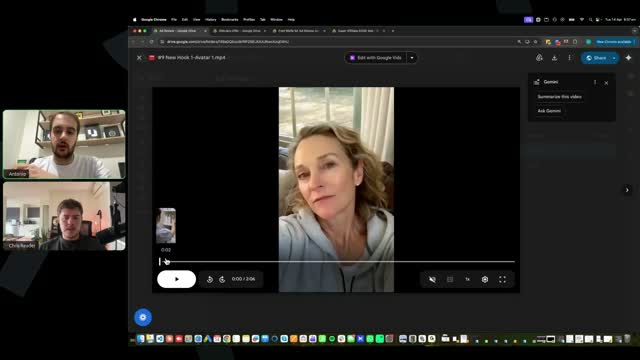
[SCREEN 1:03:16] Chris Reader shares his screen showing a Google Drive folder named "Ad Review". It contains two files: "#1 New Hook 1 Avatar 1.mp4" and "Camp1-EP-ScriptNo1-35-draft1.mp4".
[1:03:24] Antonio: Richard, you just put a question mark in the chat, but no message, so I'm not sure what you mean there.
[1:03:29] Chris Reader: All right, so let's jump in and review these.
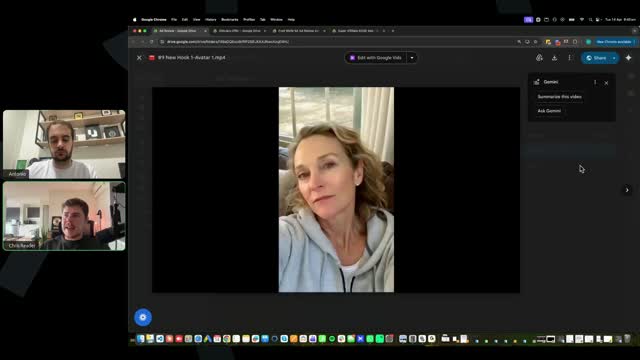
[SCREEN 1:03:32] Chris Reader opens the video file "#1 New Hook 1 Avatar 1.mp4". The video plays, showing a woman in a bathroom looking at a shelf, with German text overlay: "Wenn du eine Frau bist, die Kalorien zählt, jeden Tag spazieren geht". Then a shot of ginger being cut, then a woman talking to the camera.
[1:03:42] Chris Reader: All right, first thing, captions are too small. I also don't really like this caption animation style. It's all right, like it's not bad, like that's not going to cause any issues, the caption animation style, but the captions are just way too small.
[1:04:03] Chris Reader: Like guys, you want your captions to be like exactly like, again, this is what I'm talking about, like exactly like we teach in the video. Now, the style doesn't need to be exactly, like I tell you in the video, the style doesn't need to be the exact, I just choose a random style to test.
[1:04:20] Chris Reader: But what I do tell you guys needs to be the exact is the location and the size of the captions. The location and the size of the captions should be around here. And it should be like this big, okay?
[1:04:33] Chris Reader: It should be around here. This is how big and the size of the captions should be. All right? So every single person right now, you know, make sure your captions are like the size and the location of where I teach them. All right? This is important, right?
[1:04:52] Chris Reader: Second thing, the opening scene is very important. You have this weird like, you have like the person's face there for a millisecond. And then you've got this scene. This is an all right scene. But I don't know if it's the best scene to have for your opening scene. Okay?
[1:05:21] Chris Reader: Or if it is, what I would do for the opening scene is I would have it here. I would start the opening scene at this part because it's more interesting. It's like a piece of ginger and then rubbing something on the wrist. That creates more curiosity rather than, you know, this just looks like a basic, yeah, of course there is a piece of ginger in the thing, but it's not really noticeable. So it's not really that good of an opening scene.
[1:05:46] Antonio: Yeah, I think the hook is just not very good. As pretty much as Chris said, the more you can get people's attention, the better. And then what gets the more attention? Just ginger getting thrown off the norm and then getting rubbed like super quickly, or just showing up a person and then somebody doing that, for example, which I can't explain what it is.
[1:06:10] Antonio: But clearly it's just, I don't know, ginger getting thrown off and getting rubbed or something like that. So the more dopamine you can get in the first few seconds of the ad, the better, especially related obviously to the trick of the VSL, right?
[1:06:24] Antonio: So I think that's going to be huge, guys. Like having the first at least five seconds being super interesting, sometimes even switching scenes very fast. At least here you're switching scenes very fast, that's the one thing I want to give it to you. You're switching scenes fast in the first 10 seconds. I think you switch like four different scenes. That's good. But I just think the two initial scenes are just not strong enough.
[1:06:47] Chris Reader: Yeah. So that's really important, guys. The opening scene is literally very, very important. So that's something that you will be testing very frequently. Okay, like once you find a winning ad, it's just going to be a part of the evolution method.
[1:07:00] Chris Reader: But again, in your very initial ads, you need to just make sure you get this correct, right? Because it's very important. So.
[1:07:07] Antonio: Yeah, and just to be clear, Richard is asking as well, how intense can I make the ads? Like time-based claims and before and after pictures. Because of the catalog structure, you can make them very intense. So you shouldn't worry about being too compliant.
[1:07:23] Antonio: Probably from other courses and other, especially on Meta, you guys are scared of being more aggressive with the copy and the visuals. Because of the catalog ads, you don't need to be scared. You can go more aggressive if you think it's going to convert. Now obviously don't say anything necessarily illegal, literally, but within reason.
[1:07:42] Antonio: But you don't need to be scared by Facebook compliance. Like most of the things that people are scared of typically is just because of Facebook. It's not because you're lying or something like that, it's literally just because of Facebook. But the catalog ads, they are a workaround to that. So please don't be scared of doing something that you know are going to convert much, much better on the visual and on the copy side of things.
[1:08:05] Chris Reader: All right, so outside of the opening scene and the captions not being correct, they have a good amount of visuals in here, right? Like they've got like, all right, the recipe video, then they've got the avatar, then they go flick into like this scene, you know, they're drinking the ginger, which is good.
[1:08:23] Chris Reader: Back to the avatar, back to now like another ginger thing, putting honey in it, mixing it, it's interesting. Back to the avatar, you know, fat melting away from the legs, back to the avatar. So this is good. This is like the cadence again of what the ads have.
[1:08:40] Chris Reader: So recipe video, person cutting the ginger, putting it into a blender, you know, another woman doing it. So like they've got the cadence down, which is great. Okay. Which is good, right?
[1:09:00] Chris Reader: So this is what's important, like it looks good now. And again, remember like kind of in the middle, guys, like you don't need as many video clips, which you can see they've got here. Like it doesn't matter if you have it or not, but like you need to have a lot of that engaging clips like in the very first like half, because that's what's going to keep people like engaged, right?
[1:09:20] Chris Reader: And yeah, so they've got the clips here, they're blending something, they're making some weird juice gross thing that looks weird. Perfect, right? So this is edited well. So this is the reason why we want to do these videos, guys, because it's a goodly edited video, but the captions being too small, the opening scene being weak, these are the things that are going to make your ads not perform. Okay? These are the ads that are going to make you not perform. All right?
[1:09:54] Chris Reader: Someone said, in the ads, is it okay to say celebrities have used the product? Guys, I wouldn't go to that point and talk about celebrities or have images of celebrities. Depends how aggressive you want to go, but I would not recommend that for you guys. You know, definitely don't use like videos of celebrities and I wouldn't, you can say celebrities have used it, but don't actually name celebrities. Like you can say celebrities have used this, but don't name celebrities. Like that's what I would say.
[1:10:25] Antonio: Yeah, I think that's a good benchmark honestly. You can say celebrities have used it, yeah, just don't name drop them because it would be, yeah.
[1:10:33] Chris Reader: But yeah, so everyone, I want you to all pay attention to your ads now. Again, look, this person's ad is good, like the video style editing is great, but again, the captions are not and the opening scene is not. So this again can make your ad flop.
[1:10:48] Chris Reader: And that's why we wanted to tell you guys this process and we want to review these ads because if you don't have a good opening scene, like again, we just want you guys to get as close to our winners as possible. And so yeah, this person's doing good editing styles, but again, the opening scene sucks and the captions aren't good. All right? So everyone review your ads, make sure your opening scene is good and your captions are good. Let's have a look at this next one.
[SCREEN 1:11:11] Chris Reader opens the next video file "Camp1-EP-ScriptNo1-35-draft1.mp4". The video plays, showing a woman holding out the waistband of loose jeans, with German text overlay: "Ich muss dich warnen, bevor du diese Ingwer-Zimt-Kombination ausprobierst".
[1:11:12] Antonio: Yeah, guys, opening scene, I can't stress enough how important it is. Like it's literally what sets the tone for the rest of your ad. This is true, by the way, for any ads that you're going to ever run in your life. The first five to 10 seconds are crazy important, crazy important. Having a good hook, that's why we test hooks individually, because hooks are very, very important. Even for organic, by the way, if you ever run organic traffic, well, this is a whole different topic, but it's going to be the same thing. So please pay attention to the first seconds. By the way, I can already see that that is going to be better.
[1:11:41] Chris Reader: Yeah. And by the way, some people are saying that in the weight loss scripts and some of the scripts, it actually mentions TV presenters and celebrities. So I would recommend you guys like taking that out. Yeah, for you guys. Like, you know, if you want to get more aggressive in the future, you can, but we would not recommend you guys do that.
[1:12:00] Chris Reader: And again, it's not like going to make or break your ad anyway, okay? Like it's such a small section.
[1:12:07] Chris Reader: All right. Someone here also said, I have not seen a video of the avatar with the bookend style. So guys, as you know, we also teach a style of ads where, you know, am I here? Am I glitching out?
[1:12:23] Antonio: I think you're good.
[1:12:25] Chris Reader: All right, cool. So yeah, as you guys know, there's a couple ways to create your ads, right? One is where you have like the first 30 seconds is the avatar. The other is where you've got the avatar throughout the entire video. And then the other is the bookends, where you've got like the first, you know, 30 seconds or one minute of an avatar, and then the next, at the very end, the last 30 seconds or one minute is the avatar.
[1:12:49] Chris Reader: Both work. All three work. You know, you will even see in our examples of winning ads, some literally only have the avatar for like 30 seconds and then it's just got nothing and it's just the captions, okay? They all work. Again, I'm just choosing random ads here from people that have submitted. So some of them might have the bookend style or not. It's just, I'm just choosing random ones, all right? But let's have a look at this one.
[SCREEN 1:13:14] Chris Reader plays the second video again. The text overlay reads: "Ich muss dich warnen, bevor du diese Ingwer-Zimt-Kombination ausprobierst".
[1:13:16] Chris Reader: So see this caption is in the correct spot and it's much larger. So I just want to show you guys like the difference, right?
[SCREEN 1:13:20] Chris Reader switches back to the first video "#1 New Hook 1 Avatar 1.mp4" to show the smaller captions.
[1:13:23] Chris Reader: See how this caption is like barely visible, you can't really read it? Like the captions are very important for the people to be reading, okay?
[1:13:35] Chris Reader: Someone said, can I have the email for the support team to this, you know, group that we're in? It's, guys, it's in the welcome module, okay? Like literally in the very first welcome video, it has all the details of how to get access to the support. So I want you to just go to the support, the module in the course, the welcome video, and the email is there, all right?
[SCREEN 1:13:58] Chris Reader switches back to the second video "Camp1-EP-ScriptNo1-35-draft1.mp4" and plays it. The video shows the woman with loose jeans, then a woman talking to the camera.
[1:14:00] Chris Reader: So let's go through here. All right, so this opening scene, like it's, it's better, it's all right. I don't think it's that amazing.
[1:14:18] Antonio: Okay, cool. All right, Perla, I'm going to email it to you now.
[1:14:28] Chris Reader: You can also reach out to the person on my team who brought you in as well if you have any issues as well getting email access, access to the logins and stuff.
[1:14:37] Chris Reader: All right, better opening scene. And again, it's better, but you will get into the habit, guys, of we will be testing a lot of different opening scenes. Especially like again, one of the things is like you can see the pattern of success with our ads. You will notice that even some of the winning ads, you will see that some of them there's like top one, two, three, four, five, six, it's like the exact same ad, the only difference is just the opening scene. And that...
[1:15:00] CHRIS: Any difference is just the opening scene. And that's how big of a difference it can make. Like, you could literally have the exact same script and just change the opening scene and then that could turn into like five completely different winners. And it's the exact same ad with just five different opening scenes, okay?
[SCREEN 1:15:00] Video ad playing. A woman in oversized jeans. Text overlay: "Diese Ingwer".
[1:15:18] CHRIS: But yeah, let's go through.
[SCREEN 1:15:18] Video ad continues. Text: "Zimt Kombination ausprobierst, die gerade viral geht."
[SCREEN 1:15:24] Video ad shows ginger being put in a blender. Text: "Ich habe schneller abgenommen als erwartet, schneller als es gesund war, und musste aufhören."
[SCREEN 1:15:30] Video ad shows a woman in a car. Text: "Besonders Frauen über 50, euer Stoffwechsel reagiert darauf..."
[1:15:34] CHRIS: I'll turn off the audio because it's not really needed. All right, they're doing the split screen, which is good.
[SCREEN 1:15:36] Video ad shows a split screen: woman in car on top, ginger/cinnamon mixture on bottom.
[1:15:42] CHRIS: You know, the split screen thing is always a good tactic. I like the split screen thing.
[SCREEN 1:15:46] Video ad shows a 3D animation of a woman's back. Text: "17 Kilo abgenommen".
[SCREEN 1:15:54] Video ad shows liquid being poured over ginger slices. Text: "Rezept zuzubereiten".
[1:15:56] CHRIS: Now, one thing I would say is you could probably add... All right, so see this is the biggest thing here. So see this scene here goes for... at 3:34... goes for like six seconds.
[SCREEN 1:16:03] The scene with liquid pouring over ginger continues. Text: "Es ist... Ingwer Zimt... 21 Millionen... Aufrufen in... den sozialen... Medien explodiert".
[1:16:14] CHRIS: Now, ideally, I'm nitpicking here guys, but it's important. Once you understand the foundations of editing, like everything will be better. Like you want your video clips to sort of be changing three to five seconds max. But if it's also a very sort of static scene like this, then make it, you know, make it go faster. Like make it like cut in between. Okay? The other thing here is this is a Coke bottle I can see, but you're not getting the effect of the Coke bottle because you can't even see it. So regenerate this so you can actually see it being poured on. All right? But you want your clips to be fast and punchy guys. Like you will see in some of ours, like what this person did was good here because they had like the person was making the concoction, then it skips immediately.
[SCREEN 1:16:59] Chris switches to another video ad example.
[SCREEN 1:17:02] Screen shows a new video ad. A person making a concoction, pouring it into an ice cube tray.
[1:17:06] CHRIS: Like see how it's quite fast? Look, like two seconds, two seconds, and then like it's skipping through these different scenes, which is showing it's like more engaging, okay?
[SCREEN 1:17:10] Video ad shows a woman talking.
[SCREEN 1:17:18] Chris switches back to the first video ad.
[1:17:20] CHRIS: All right, so again, this scene, it just feels like it goes for too long, right?
[SCREEN 1:17:27] Video ad shows a split screen: woman in car on top, hands cutting ginger on bottom.
[1:17:27] CHRIS: All right, another split screen one, which is, you know, good.
[SCREEN 1:17:35] Video ad shows woman in car. Text: "TV Moderatorin... oder sie... die es...".
[1:17:35] CHRIS: You guys are also doing good now, a lot of the videos are also not looking with the super AI look, so you guys are following that well.
[SCREEN 1:17:42] Video ad shows a split screen: woman in car on top, before/after photos on bottom.
[SCREEN 1:17:46] Video ad shows a woman holding ginger. Text: "Kilo abgenommen... Perfekt für... sehr stressigen...".
[SCREEN 1:17:52] Video ad shows a split screen: woman in car on top, woman drinking from a glass on bottom.
[1:17:52] CHRIS: All right, again, this scene is a little bit longer, but since it's the person, it's all right.
[SCREEN 1:18:02] Video ad shows a woman in a white top holding a glass. Text: "verrückt oder... ich...".
[1:17:58] CHRIS: But I would say for this, you'd need more clips in here. Like this doesn't have as many clips in here. And so it feels like a lot slower of a pace. It feels like a lot slower pace. And we want to make sure we have a lot of like a lot of speed in there.
[SCREEN 1:18:12] Video ad shows an older woman pouring from a kettle. Text: "Hausgemachtes Magnaro... um Fett... während...".
[1:18:17] CHRIS: But yeah, Antonio, like any thoughts?
[1:18:19] ANTONIO: No, 100%. Just put yourselves into the viewer's shoes. I think especially for the B-roll and even for the avatar honestly, that takes just too long. If people are not getting enough dopamine, that's just the world we live in. Right? So I love the split screen there by the way, because it grabs...
[1:18:35] CHRIS: Yeah, but also, you know, it's basically got her whole boob hanging out. Like guys, you don't want to have that there. Right? Like make sure you don't have any like crazy nudity or anything like that because that's a bit much. Like her boob's basically hanging out there.
[SCREEN 1:19:04] Video ad shows a split screen: woman in car on top, a larger woman walking down stairs on bottom.
[1:18:50] ANTONIO: But just in terms of the dopamine, so just make sure there's enough dopamine there. Because if I'm just looking at the same like recipe for like six seconds long, like this would be enough for me to just stop watching the ad, literally. And I think it would probably be the case for most of you. Just think that the person is literally just doom scrolling on their phone and if they're bored for like five seconds, they're going to scroll away. Because that's literally the case, right? So that's why you need dopamine like every three to five seconds at most, especially if it's a very dumb like just recipe B-roll. And if the avatar is talking by himself for like 20, 30 seconds, kind of same thing. So it's very important for you to have this feeling of, would I watch this for five seconds straight on my phone? Probably not. So I think it's very important. So the ad does a really good job. The opening scene is much, much better. I think just there are a few times where it just takes too long to change the scene, especially when it just has the recipe there. That would be my main caveat.
[SCREEN 1:19:36] Video ad shows the older woman pouring from a kettle again.
[SCREEN 1:19:40] Video ad shows a split screen: woman in car on top, another woman on bottom.
[SCREEN 1:19:46] Video ad shows a split screen: woman in car on top, woman drinking from a glass on bottom.
[1:19:51] CHRIS: Yeah. And other things as well, like small little things, but you see how she's quite zoomed in here, but then here she's zoomed out. That's okay. That's actually okay to do. And that can actually create engagement as well. Like sometimes like what you could even do is you could have it like each scene is like zoomed more in and then zoomed out and then zoomed in and then because again, it's like a different visual thing. And a lot of actual content creators on Instagram, TikTok and stuff actually do that because even though it's just them talking, it still got some like effect, right?
[SCREEN 1:20:32] Video ad shows a split screen: woman in car on top, woman sitting on a couch on bottom.
[1:20:31] CHRIS: Now, I'm just saying that as an idea. I don't recommend everyone out there now like do that because it's just going to take so much long to like edit and clip. But I'm just saying, I'm just giving you an example.
[SCREEN 1:20:40] Video ad shows a split screen: woman in car on top, larger woman walking down stairs on bottom.
[1:20:42] CHRIS: Also you've got like this opening visual like at the, you know, this could work here. But yeah, so overall again, it's good, but we just, you know, there's not really anything that bad here. We're kind of nitpicking. But again, the biggest thing with this is just understanding like guys, like it needs to be like engaging, right? Like one of the best things you can do, and again, I do this in the training, is watch an example of the video, one of our winning ads, and get a notepad next to you. While that video is playing, literally write down every scene that you see. Like ginger being cut, ginger in blender, close up of ginger being poured, close up of, you know, woman holding pant legs, close like literally like write all of the scenes down and then make all those scenes. And you will see like, oh, this video ad had like 15 scenes in it. So mine should have 15 scenes and it should be, you know, it doesn't have to be the exact same ones. You know, it should be very similar, but like this will get you in the habit of like understanding the process of it, right?
[1:21:51] ANTONIO: And just honestly guys, for these little tips that we're going to cover here, if you just get into the standard of following them all across every single ad that you create, it's just going to be better overall. Like every single ad that you create is going to be better because you're getting all those little tips combined with just better execution, better subtitles, more dopamine hits, more scene changes all the time. So the better you get at this, just the more money you're going to make. So that's very important.
[1:22:19] CHRIS: Yeah. And you will get more familiar with stuff, right? Like you guys, once you've like understood how to emulate us, you've understood the skills and the patterns and the stuff, then you guys can then start experimenting on your own and creating, oh, well, now I understand how to use all these AI tools and create these ads and I understand how to make good ads. Well, I'm going to test like a different style. Like, you know, we show you guys opening scenes of like the Coke and the ginger, but like eventually a lot of you guys will actually want to test different things that are also interesting. Like maybe they're putting like a ginger in a piece of coffee, right? Just because again, to begin with, we want you guys to emulate us really close, but eventually you want to start sort of becoming a little bit more unique and more unique because the ginger, the Coke and the ginger is a good one, but that had to be found, right? That's a thing that had to be found. And you guys will want to test unique things on your own, which will give you your own little bit of an edge and which might convert even better than this. For example, we had to test to find the Coke and the ginger. Maybe you could test pouring coffee in the ginger. Maybe you could test, you know, putting a piece of ginger on a piece of chocolate and someone eating it, right? Different things like this, okay?
[SCREEN 1:22:05] Chris switches to a different video file in Google Drive: "Script 1 Hook 4.mp4".
[SCREEN 1:22:08] Screen shows a new video ad. A hand pouring Coca-Cola over ginger slices in a bowl. Text: "Ich muss euch warnen... bevor ihr dieses neue... Ingwer Zimt Rezept ausprobiert... das gerade die Runde macht...".
[1:23:43] CHRIS: All right, first thing for this opening scene, it has a bit of that AI glare. Right? It looks like it's got a bit of that like cinematic AI glare. Now with our videos, we want to try and stay away from that as much as possible. Right? So...
[SCREEN 1:23:58] Video ad shows a woman in a white top holding a glass.
[SCREEN 1:24:04] Video ad shows ginger in a blender.
[1:24:03] CHRIS: So see this? See how this scene looks a lot more like real?
[SCREEN 1:24:10] Chris switches back to the Coke/ginger scene.
[1:24:09] CHRIS: And this scene has that weird kind of orangey like AI glare. I don't know what it's like, it creates this weird cinematic effect. I don't recommend you create clips like that. Now you might have to tweak the prompting a little bit, but it just makes it, it looks really fake, right? It can still work, but again, I want to get you guys in the habit of not doing it.
[1:24:31] CHRIS: The other thing here is see this scene is, you know, eight seconds long, right? This scene is eight seconds long. So it doesn't... you're like, cool. And then you're like, oh, cool. Oh, you know, oh, and then you're like, whatever. And then you skip, right? Because there's no like engaging engagement.
[1:24:51] ANTONIO: Yeah, and that's literally why just having the dopamine hits and putting yourself into the person's shoes is so important. And also just the more realistic the better. Like a lot of people in the space, for example, they get like real footage of something on TikTok, for example, that's super UGC and sometimes it just converts better. So yeah guys, just especially in the hook, maybe a good benchmark is trying to change scenes every like two to four seconds. Because just yeah, the more dopamine the better. And every scene being interesting, every scene being an interesting idea.
[1:25:24] CHRIS: Yeah. And, you know, again, like when I teach the opening scenes and stuff, I tell you guys the more sort of advanced tactic, which is like, well, it's not so much advanced, but it's the layering tactic. And like I teach you guys all this stuff because you need to understand the importance. Like if like a lot of our winning ads not only just have one scene, but have like two, three scenes back to back, then why would you put one scene for eight seconds? You know what I mean? So this is really important, okay? Like so important. Someone said, is it better to have fewer, shorter overlays? I try to fill in the overlays and thus sometimes make them too long. Yeah, guys, like literally never have a scene more than four seconds unless it's like snapping. Like if you've got one clip that's got multiple clips within it, sure. But never ever have anything more than four seconds. All right? Like that's just a rule of thumb, which I also mentioned in the training, okay?
[1:26:24] CHRIS: All right, another thing here is the captions are a bit... they're all right. The captions are all right, actually. They're a bit big. One thing you will notice with every tool is, especially with German words, like you might set it to only have captions on two lines, but since German words are so massive, you might find situations where it comes like bigger.
[SCREEN 1:26:48] Video ad shows a woman holding ginger. Text: "Sekunden Video... 21 Tage... Rezept mit Ingwer und...".
[1:26:45] CHRIS: Like this. Like it will go into three lines. It's not that big of an issue. Like see this is just massive words. It's not that big of an issue, okay?
[1:26:57] CHRIS: So all right, they have an eight second opening scene. Then they don't have any visuals for another... like 20 seconds. So again, you know, there's like no visuals for another 20 seconds, which is going to, you know, you're not building that engagement, right? And the scene you have here, it's a good scene, but it's not again, it's not like a hyper engaging scene. So like I would be having a lot more scenes throughout this opening part.
[1:27:31] CHRIS: The other thing as well, people keep doing this, I don't understand. This video is not formatted by 9x16. Like I'm not sure how this is happening for so many of you guys, but I can literally see the size of this image is this big.
[SCREEN 1:27:43] Chris shows how the video size changes between scenes.
[1:27:47] CHRIS: But then if we go to this scene, it's bigger. Like it's wider. This scene is this size and then this is wider. So guys, you need to follow the training videos. I cannot say it enough. Like I don't understand guys. Like the first thing you do when you create your video is you change the video to 9x16. That's the first thing you do. And then you edit your video in the 9x16, which will fix this issue, okay? What you've done here is you've... your video is a 16x9, your video is a full horizontal video, and you've just cropped everything to be 9x16. But the video itself, the settings need to be 9x16. In the training, I teach you the very first thing you do is you go into the video settings and you select 9x16 and it will make the project 9x16, okay? This is like literally the most basic thing that you need to be following and it's the very first thing that I teach, okay? So again, someone said this happened to me, you need to go into the settings in the video editor and manually change it. Yes, you do. Exactly like I teach in the very first step of making a video. All right, guys? Now I don't say all this to be mean, but you know, from my perspective, you can understand it gets a bit frustrating when people keep making the same mistakes and not following the video. But again, that's why we do these videos. All right? I'd rather be like harsh and like drill it into you guys because these are so simple, we need to get these all right, which is why we're doing these video breakdowns, okay?
[1:29:22] CHRIS: All right, Fred said, this is my video. I'm having trouble getting the video to come out to 9x16. Sometimes I think it comes... sometimes I think I've got 9x16, but it comes out as something else. This is because you shouldn't be trying to think it comes out or trying to make it. You just set the settings. All right? It's got nothing to do with you. It's the settings.
[SCREEN 1:29:36] Chris opens a new tab for "superaffiliate.ai" (or similar, URL is blurry but looks like superads.com or similar).
[1:29:43] CHRIS: So like I just want to show you guys this. Um, my thing, I'm in like a wrong profile here. So just wait a sec.
[SCREEN 1:29:59] Chris switches back to Google Drive and opens "Script 1 - Short - Avatar 1.mp4".
[1:29:59] CHRIS: I'm going to set this up, but Antonio, I'm just going to put this on play and then you can critique it while I sort this out.
[1:30:06] ANTONIO: Yeah, and honestly it's probably going to be the same stuff, but let's check it out.
[SCREEN 1:30:06] Video ad shows a woman holding ginger. Text: "Ausprobierst... ich sah das... Zimt in einem 30... Sekunden Video... 21 Tage...".
[SCREEN 1:30:11] Video ad shows a woman drinking from a glass. Text: "Freundin völlig... ich hatte...".
[SCREEN 1:30:14] Video ad shows a woman talking. Text: "17 Kilo verloren... niemand... konnte glauben dass ich... dieselbe Frau war Mädels...".
[1:30:18] ANTONIO: It's talking about specific kilos that she lost, which is good. Don't be afraid of being a little bit more aggressive than usual guys, because you don't need to worry too much about Facebook compliance at least.
[SCREEN 1:30:20] Video ad shows hands preparing ginger and liquid in a bowl. Text: "Wie einfach es ist... Rezept zuzubereiten das gerade... mit über 21 Millionen... Aufrufen in den sozialen...".
[SCREEN 1:30:28] Video ad shows a woman talking. Text: "Medien explodiert viele haben... den gestrigen Livestream verpasst... noch nach diesem Trick... also zeige ich euch... er funktioniert ihr kennt... die TV Moderatorin Daniela... Katzenberger oder sie war... es ausprobiert hat seit...".
[1:30:29] ANTONIO: Okay, I like the scene switch up. Exactly, more unique, more money, literally Patrick. The more unique you can make your video with the more mental triggers, the better. The better.
[SCREEN 1:30:44] Video ad shows a blender. Text: "Ich den Ingwer Trick... Posteingang mit euren Fragen... überflutet ich halte es... Wochen lang gemacht und...".
[1:30:44] ANTONIO: Maybe a little bit too long on that scene. So maybe having another video there a little bit sooner, I think would be cool.
[SCREEN 1:30:52] Video ad shows a woman talking. Text: "11 Kilo verloren perfekt... einen sehr stressigen Alltag... habe und nichts ändern... nichts es ist völlig... natürlich und hat keine...".
[1:30:56] ANTONIO: Then she's back speaking. At least it looks honestly the avatar looks very natural, which is good.
[SCREEN 1:31:02] Video ad shows before/after photos of a woman. Text: "Nebenwirkungen aber Vorsicht schaut... Kanada passiert ist ich... war anfangs auch skeptisch...".
[1:31:04] ANTONIO: Okay, we have the before and after, which is a great kind of thing that you can have as well guys. Absolutely love that.
[SCREEN 1:31:08] Video ad shows a woman talking. Text: "Aber weil ich schnell... Hochzeit meiner Tochter habe... täglich gemacht und das... war mein Fehler sogar... Pizza und Schokolade jeden... Tag sank mein Gewicht... aufhören klingt verrückt oder... das dachte ich auch... Studien der Johns Hopkins... University und Harvard bestätigen... dass diese Zutaten wenn... das Schlankhormon aktivieren kluge...".
[1:31:14] ANTONIO: And you... I'm just trying to find the section in the video. So guys, just a sec. And by the way, Charles is asking, why do the recipes have to do with the product? I love the question, Charles. That's a common question in the space. Because you're selling a done-for-you solution versus buying the product. But we do say in the video, if you saw the script, that they need to watch the video to find out the recipe. And then in the video, in the VSL, they figure out, okay, they can either do this themselves, but it's very hard to do it themselves, or they can buy a product that's going to be much better for them. So that's the whole point of this whole funnel that works really well. You can test without it, by the way. If you want, you can 100% test without it. But we've seen a lot of winners being like that. So that's why we still have it, literally. We just tested, data is saying it's better, so we're still using it.
[SCREEN 1:31:33] Video ad shows hot water being poured into a mug with ginger. Text: "Dieses Ingwerrezept bekannt als... Hausgemachtes Magnaro um Fett...".
[SCREEN 1:31:40] Video ad shows a syringe. Text: "Ohne Nebenwirkungen zu schmelzen...".
[SCREEN 1:31:42] Video ad shows a woman talking. Text: "Hunderte von Euro im... Jojo Effekt ausgeben wenn... du das jetzt siehst... wenn du dieses Rezept... lernen möchtest findest du... Videos klick einfach auf... wirst du sehen wie...".
[SCREEN 1:32:00] Video ad shows hands preparing ginger in a bowl. Text: "Unglaublich einfach es ist... das virale Video dein...".
[SCREEN 1:32:04] Video ad shows a woman talking. Text: "Dein Glückstag ich habe...".
[SCREEN 1:32:08] Chris opens a video editor (looks like CapCut or similar online editor).
[1:32:04] CHRIS: All right. So... um... so I believe, so I found the issue. So guys, if you're input... if you know, there's two ways you can make a video, right? You can go to your AI avatar and then click open in video editor. And if the AI avatar is 9x16, it will then make your settings 9x16. But if you go into the video editor first, you need to go here. See where it says settings? So when you first open it, you go to settings, okay? And then in settings, you select 9x16. Okay? So it will have the option for what you want your actual like project to be. Just like, you know, if you open a Word document or you go into Canva, you need to set the project size. So you can go into the settings and then you set like what format you want it to be. Okay? All right.
[SCREEN 1:32:38] Chris switches back to the video ad in Google Drive.
[1:32:57] CHRIS: So... yeah, so the biggest thing I think with this one I was watching it is a lot of the clips look kind of AI-y and there isn't as many engaging clips. Like it's still pretty good, you know what I mean? Like this will still work to some extent. Again, like guys, like most likely like all your ads are going to be making sales because you're all following winning scripts, you know? So that's why we want you guys to focus on the things that really give you the edge of making your ads like really good, okay? Which is always going to come down to making it engaging. At this point, we'll get into script writing and stuff later, but there's no point of getting into script writing if you guys aren't getting the basics of the video editing down. And you guys are already leveraging our winning scripts with the script writer. So like there's only going to be also minor improvements there as well, making sure you're following everything. But we will get into that as well for people that want to get more advanced with copywriting and stuff, okay?
[SCREEN 1:34:03] Chris switches to another video ad: "Script 1 - Short - Avatar 4.mp4".
[1:33:59] CHRIS: Um, all right, let's do one last ad guys, and then we'll jump off here.
[SCREEN 1:34:04] Screen shows a new video ad. A hand pouring Coca-Cola over ginger slices in a bowl. Text: "Du hast Diät um Diät versucht und dein Stoffwechsel...".
[1:34:06] CHRIS: All right, opening scene, Coke on the thing. Again, scene's too long.
[SCREEN 1:34:07] Video ad shows liquid being poured over ginger slices. Text: "Ist wichtiger... gerade viral geht... ein Rezept es...".
[1:34:12] ANTONIO: And a little bit fake. Yeah, and a little bit fake as well.
[SCREEN 1:34:13] Video ad shows a woman in scrubs talking. Text: "Stoffwechsel... den er...".
[SCREEN 1:34:16] Video ad shows liquid being poured over ginger slices. Text: "Ist wichtiger... es nicht nur... Ingwer Trick der...".
[1:34:16] CHRIS: And it looks very fake because like the Coke doesn't like come out, it doesn't like pour.
[1:34:22] ANTONIO: Yeah, just ask yourself, would my grandma watch this for eight seconds on TikTok? Probably not, because she would be like, oh, that maybe AI, and then she would run away.
[1:34:33] CHRIS: Yeah, so that's why like in the training guys, I spend a lot of time emphasizing... like I show you guys different models and I show you what looks AI-y, what doesn't, different ways to make it. So it doesn't take long to generate like four of these Coke scenes and then choose the most realistic one. You know what I mean?
[SCREEN 1:34:33] Video ad shows a split screen: woman in scrubs on left, hands preparing something on right.
[SCREEN 1:34:54] Video ad shows a woman in scrubs talking. Text: "Stoffwechsel... den... Diäthalten...".
[1:34:55] CHRIS: Another thing, so this caption... the caption like animation, I don't think is the best where it like makes it bigger.
[SCREEN 1:35:01] Video ad shows a woman in scrubs talking. Text: "Gezielt anspricht und... aktiv schwerer umkehrbar...".
[SCREEN 1:35:06] Video ad shows a split screen: woman in scrubs on left, hands preparing something on right. Text: "Macht und die... die falsche Version...".
[1:35:08] CHRIS: Another thing as well, small but like important is see how it's not all the way at the bottom here? See there's this gap? You can see the gap, it's not like all the way at the bottom. It's small, but again guys, these things stack up, right? Like these are just basic foundational things that you need to get right. Like if you're going to have an overlay or something, like make sure it's all the way at the bottom so there's no gap, okay?
[SCREEN 1:35:18] Video ad shows a woman in scrubs talking. Text: "Hast wahrscheinlich schon... ich mein du...".
[SCREEN 1:35:34] Video ad shows a hand pouring Coca-Cola over ginger slices in a bowl. Text: "Du hast Diät um Diät versucht und dein Stoffwechsel... um dein... ist wichtiger...".
[1:35:36] CHRIS: But I like, again, the opening scene's too long, but I like, you know, you've got this scene which is a bit engaging here.
[SCREEN 1:35:40] Video ad shows a split screen: woman in scrubs on left, hands preparing something on right. Text: "Meisten... die falsche... Leute gesehen die...".
[SCREEN 1:35:46] Video ad shows a woman drinking from a glass. Text: "Trick zeigen aber... hier ist die...".
[1:35:46] CHRIS: Again, really AI-y scene, doesn't... not really interesting or curiosity creating, not really the target market either. Looks kind of like some Pepsi ad or something. So not really good scene selection there either. And again, is this scene anywhere in any of our examples of winning ads? Like is there a scene like this? Okay, no, there isn't, right?
[SCREEN 1:35:50] Video ad shows a woman in scrubs talking. Text: "Dieser viralen Rezepte...".
[SCREEN 1:35:54] Video ad shows a woman drinking from a glass. Text: "Wahren die meisten...".
[SCREEN 1:36:00] Video ad shows a woman in scrubs talking. Text: "Dieser viralen Rezepte...".
[SCREEN 1:36:04] Video ad shows a woman drinking from a glass. Text: "Wahrheit die meisten...".
[SCREEN 1:36:08] Video ad shows a woman in scrubs talking. Text: "Wahrheit die meisten... deshalb probieren so...".
[SCREEN 1:36:12] Video ad shows a woman holding her stomach. Text: "Deshalb... viele... an und bekommen...".
[1:36:13] CHRIS: Again, another issue with the formatting. You've not formatted it correctly. You can see this gap on the left here. Okay, you guys can see that. It's because they've not overlaid it correctly. So these are all things that should never be happening in your ads guys, right? Like your ads should never have anything over four seconds. They need to be formatted correctly. They need to be put together correctly.
[SCREEN 1:36:22] Video ad shows a woman in scrubs talking. Text: "Aus und bekommen...".
[SCREEN 1:36:28] Video ad shows a woman in scrubs talking. No text.
[SCREEN 1:36:36] Video ad shows a woman in scrubs talking. Text: "Nur darum Ingwer... manche Zutaten hinzuzufügen...".
[SCREEN 1:36:40] Video ad shows two doctors looking at a tablet. Text: "Forschungen der Universität...".
[1:36:42] ANTONIO: Yeah, as I said before, execution mistakes, literally. It's there's both decision making because the scenes are just bad, and also execution mistakes. When you combine these two types of mistakes, suddenly your whole ad is just bad, literally. So they stack up. To be a really good creative person, you need to be really detail oriented. And every detail be intentional. Does this scene make sense? Does this avatar make sense? Is it spending too long just showing the same thing in the ad? Right? One thing that I've done before as well guys, just so you guys can get more reps in, and I still feel like most of you guys are just, you produce and then you test. In the beginning, it's normal, it's not going to be great. It's normal because you're doing this for the first time. This is very high level marketing, by the way. But how do you... okay, so if it's normal, that's not going to be great, Antonio, what do I do? Produce more than what you're going to test. I said that in the class last week as well, but just produce more. So if you want to test three for the first batch, produce six. Then you're going to be able to compare all the ads against themselves. You're going to be able to tell what are my top three ads that me as a viewer, I would watch them versus the other ones, and then just launch three. Don't be afraid of putting in the trash three ads for every three ads you launch, because this is going to allow you to test with your money in a more efficient way. And I know a lot of people are like, okay, but I'm spending with credits and all that fun stuff. This is one tactic that you guys can use.
[1:38:12] CHRIS: And it's also practice as well, you know what I mean? And like generating B-roll clips is like super cheap, right? Like even in the training, like I would recommend, like in the training, like Antonio is saying, produce more than what you're going to test because it's like practice. You know what I mean? Like if you're an expert athlete, are you just going to like never practice hitting a baseball or are you going to like always practice hitting baseballs? You know what I mean? Like it's the same thing.
[1:38:41] ANTONIO: I love it because you'll be the equivalent of you're a pro baseball player and you just practice when you're in the match. Literally.
[1:38:52] CHRIS: Exactly, right? So, you know, and that's for your whole ad, but even for the clips, right? Like all it takes is to just generate the... and I do this in the training video, right? I generate like the same clip like three or four times. And then if it's not perfect, I alter the prompt and I generate it another three or four times. Because guys, like look how bad this scene is right here. Right? All right, she's... look, she just develops an arm and there's a 4D person now, her mirror is now grabbing her waist. So, you know, like this is not good, right? And again, AI is not perfect. Different models have different issues. This stuff can happen, right? AI is not perfect by any means. But it's so easy to just notice this yourself and be like, all right, I'm not going to use this clip and I'm just going to regenerate it. Right? So this is so important. Like it only takes literally like two seconds guys to just see is this clip good or not. But it takes you like 5, 10, 15 minutes to make this entire video. And now you've just made this entire video with this error and now you're going to have to redo it again, you know?
[SCREEN 1:37:11] Video ad shows a woman measuring her waist in a mirror. Text: "Unerklärlich... hatte ich vergessen...".
[SCREEN 1:37:32] Video ad shows a woman measuring her waist in a mirror.
[SCREEN 1:38:56] Video ad shows a woman measuring her waist in a mirror. Text: "Sogar im Schlaf... der weiter arbeitet... unendlich...".
[SCREEN 1:39:16] Video ad shows a woman measuring her waist in a mirror. Text: "Sogar im Schlaf... der weiter arbeitet... unendlich...".
[SCREEN 1:39:19] Video ad shows a woman measuring her waist in a mirror. Her arm looks distorted/AI generated. Text: "Hatte ich...".
[SCREEN 1:40:00] The screen shows a Google Drive folder with a video playing. The video is an ad featuring a woman in a doctor's coat. The text overlay is in German, starting with "VersuchtMich". The video player timeline shows it's 2:04 long. The hosts' video tiles are on the left: Antonio and Chris Reader.
[1:40:00] Chris Reader: So on top of that again, there's not as many scenes in here. Like you don't have any scenes, like you still need scenes. Even though you'd need more scenes at the beginning, you've got literally no scenes in here from like 34, 44 seconds all the way to like a minute 20. So that's like pretty much like 50 seconds without anything.
[1:40:24] Chris Reader: And again, the biggest thing guys, I cannot say it enough, is like look at this, look at your ad versus our winning ads and ask yourself, is this similar? If you pull this ad up against any of the winning ads, it will not be similar. You don't have as many clips. You don't have as many clips that are similar. Right? Like you've got random clips and you know, you've got really AI video clips in here.
[1:40:53] Chris Reader: So again, again, we're not saying this to be harsh guys, but there comes a point where we can't keep saying the same thing of like, you just have to like emulate what we're doing. So you have to emulate what we're doing guys. Again, you know, like Antonio said, this is all normal if it's the first time you're doing stuff guys, but even on your very first ad you create, it should be as close to the ones I create in the training because I show you the exact step-by-step structure to do it.
[1:41:25] Chris Reader: Like I show you, get the winning video, get a word document, type out the scenes, create those scenes, recreate those scenes until they're good or find scenes that are good. Okay, don't make them look AI, don't make them have visual errors, and then edit them together the same way. Okay? This is the most important thing.
[1:41:44] Chris Reader: So someone here just said, watching these make me realize the mistakes I've made. Exactly. And that's why we want to do this because even out of these four that we watched, right, only one of them was actually really good.
[SCREEN 1:41:54] Chris closes the video player and returns to the Google Drive folder "Fred Wolfe SA Ad Revie...". He opens a video named "Camp1-EP-Script1v1-35-draft1.mp4". The video shows a woman pouring something into a jar.
[1:42:00] Antonio: Yeah, one of them was good.
[SCREEN 1:42:00] Chris opens another video named "#1 New Hook 1 Avatar 1.mp4". The video shows a woman talking to the camera.
[1:42:01] Chris Reader: You know, and then they all still had some issues. Okay? Right? So yeah, you know, we need to get this proper, right? We need to get this on point. And it is going to take some time, but that's like we said, you know, everything takes practice. If it's your first time, you know, moving around the timeline editor and making B-roll clips, you'll get the hang of it.
[1:42:25] Chris Reader: But that's why we recommend make like, you know, fix all the issues before you launch. Like make like six, seven, eight, nine, 10 ads, review them. Do exactly what we said. Get your ad, review it next to our winning ad, and you should literally be able to see the difference of our winning ads versus your ad.
[1:42:45] Chris Reader: And you guys should, like you guys should have been able to spot all of these errors yourself without me and Antonio having to come on here and spot these errors.
[SCREEN 1:42:49] Chris returns to the first video, "Script 1 - Short - Avatar 1.mp4", showing the woman in the doctor's coat.
[1:42:53] Chris Reader: So that's the other thing. Like are you guys actually proof watching your videos? Like are you making it and then watching it? Because if you are, you should have the ability to see, all right, this is, this needs to be improved a lot, right? This is the biggest thing that we're trying to teach you guys. Okay?
[1:43:10] Chris Reader: Brett said, this is my ad, yeah, look shit. Yeah, so, but again, right? But again, you know, if it's your first time using it, I understand there's like a technical, you know, you guys are going to have to build the skills up. Totally fine. But that's why we want you guys to do this by yourself. We want you to get this process, you know, instead of me and Antonio having to be like, hey, this is, you know, got all these issues, you guys should all now look at your ad and view your ad and say, okay, I need to improve this. You know, you should be able to have that understanding yourself before, before, you know, it gets to even running the ad. All right?
[1:43:50] Chris Reader: Okay. All right, cool. Any final questions guys? We've been on for nearly two hours. So any final questions before we jump off here guys? Any final questions?
[1:44:05] Chris Reader: So again, to recap guys, for carousel ads, make sure you're fixing those, those, make sure there's no bugs happening. Um, for the ClickMagick tracking, I will be straight after this call, I'm going to get some breakfast because I haven't even eaten today, and I'm going to re-film that video and upload it for you guys. Okay? And I'll have it up, I'll have the word updated and it will be a new training as well.
[1:44:30] Chris Reader: Um, and then yeah guys, you know, I'm excited for everyone to start getting their ads running. But the biggest thing is I wouldn't have submitted any of these, none of these ads we reviewed today guys, I would have launched. Okay? So this is the biggest key. Like sure, launch one of them if you want to just get the understanding, but like we want to get you guys to a level where all these little mistakes aren't happening. Okay? Because like we just need the foundations to be correct and then we can build upon it and make things even better and better, right? But um, yeah, any, any thoughts there, Antonio?
[1:45:03] Antonio: That's, that's literally it. Like the small execution mistakes stack up. So please, please just make sure that you, you have attention to details, you follow everything that Chris mentioned in the creative module. Um, and I don't have my mic on me, Chris, but I will have it in the next meetings.
[1:45:21] Chris Reader: Yeah. Uh, one sec. There was one other question here. Someone said, does Superior Ads not have any guides or instructions? I keep hitting problems assembling ads in the video editor. The guide is my training guys. Like, you know, you, you know, I teach you every single thing that you need to follow here. You know, even if these tools do have guides guys, like every tool has like something, but forget it. Right? Like follow how I use it, how I teach you. Okay? All right. That's the, that's the important thing.
[1:45:58] Chris Reader: Um, all right guys, we're going to jump off here now. So thank you everyone. And we'll guys, we'll see you all uh the next call uh this week as well. All right. Thanks everyone. See you guys all. Bye everyone.
Call 03 of 13, recording 03-Apr 13 2026.mp4. Gemini video pass at one frame every 2 s. Rebuilt 31 Oct 2026 15:24 Melbourne.