
Edge Method · CapCut edit automation
Editing the Edge Method videos in CapCut, from the storyboard, without touching the timeline
Matt Loui's "Claude edits CapCut" workflow (video 5N1moUCsVhI, his skill zip and prompt doc, all consumed 15 Oct 2026) mapped onto our production: the approved short script, the clip-strip storyboard, the HeyGen talking head, the Veo B-roll and the approved stills. Nothing here is built yet. This page is the plan for Ryan to read and decide on.
1. How Matt's workflow actually works
The trick is not computer use and not a CapCut plugin. CapCut desktop stores every project as plain JSON on disk, and Claude writes that JSON directly while CapCut is closed. When the project is reopened, the full timeline is there: clips cut on the voice, keyframed zooms, captions, music with volume keyframes, sound effects on their own tracks. Because it is a real timeline, anything can be tweaked by hand afterwards.
- Where the project lives (Mac):
~/Movies/CapCut/User Data/Projects/com.lveditor.draft/<project folder>/. The folder name is a date stamp, so the project is found by itsdraft_nameinsidedraft_meta_info.json. The timeline isdraft_info.json(Windows builds call itdraft_content.json), kept in up to six identical copies (root,.bak,template-2.tmp, and the same three underTimelines/<id>/). All six are written. - The viewer's only CapCut steps: new project, import the media files, rename the project, quit CapCut completely. If CapCut is open while the file is written it overwrites the new timeline when it closes.
- Every object is a clone of something CapCut itself saved. The skill ships
capcut_templates.jsonharvested from CapCut 9.5 on macOS (a photo segment, an audio segment, a text segment with its material and the extras each one references). The builder deep-copies these, gives them fresh UUIDs, and fills in paths, time ranges and keyframes. Top-level settings and version numbers come from the viewer's own empty project, so their CapCut version opens it as its own. - Timing is word-level. The voiceover is aligned to the script words (faster-whisper, pause-corrected), every cut sits in the pause before the shot's first word a frame early, and every caption and sound effect is placed by a word index (
w12), a cut (c5) or an offset (w12+0.2). Rebuild the timing and every cue moves with it. - QA before install: the builder validates the file (no gaps, no overlaps, keyframes inside their clips, captions inside the 5 percent safe area), a preview renderer mixes the audio the way CapCut does and renders an MP4 plus a still for every caption, and the install step backs up the project and verifies every written copy by md5.
- His exact edit prompt: "Edit 'Emuwar 3', perfectly syncing the visuals to the VO. Add subtle zooms (in and out) using keyframes to each of the images. Super subtle, will add a little motion. Add sound effects and relevant music. Add any text you deem fitting but make sure it fits in the frame. Do NOT use computer use or open CapCut. Build the timeline by writing the project files directly through file access to my Mac."
- Limits he states: CapCut desktop only (CapCut Web will not work), Claude needs file access to the Mac, and some CapCut builds (the Chinese edition, JianYing 6+) encrypt projects and cannot be edited this way. Music and effects come from the viewer's own library folder; nothing is generated for audio in the edit step.
2. What transfers to us, what is dropped
| Part of Matt's skill | Verdict | Why |
|---|---|---|
Writing the CapCut project JSON directly (build_capcut.py, templates, six-copy install, backup + md5, install_to_project.py) | keep | The core mechanism. Forked, not rewritten. |
Word-level alignment of the voice to the script (align_vo.py, whisper method, pause correction, words.json / words.txt) | keep | Our cuts and captions are both driven by spoken words. We run it on the HeyGen render's audio. |
Time expressions wN / eN / cN / end with offsets | keep | Lets the storyboard's "words over this clip" become cut times that survive re-timing. |
| Cut rule (cut lands in the pause before the first word, a frame or two early, snapped to whole frames) | keep | The ad study calls for hard cuts on the spoken beat. |
Caption fitting and placement (textfit.py: measured font, safe area, busy-area avoidance, pop-in scale keyframes) | keep, re-tuned | Re-measured for a 1080x1920 canvas and Ryan's caption spec (white box, black text, blue word highlight, two lines; section 6). |
| Audio levelling (BS.1770 loudness, music ducked under the voice with volume keyframes, effects levelled against the voice, peak ceiling) | keep | Needed the moment we add music or effects. Idle until then. |
Preview renderer (preview.py: MP4 + a still per caption, mix peak and loudness) | keep, extended | Must render video sources (HeyGen, Veo), not just stills. This is the thing Ryan approves before anything is installed. |
| Validation (no gaps, no overlaps, frame-snapped starts, keyframes inside clips, last clip reaches the end) | keep | What keeps CapCut from rejecting the file. |
Sound library indexing and cue search (scan_library.py, sfx_cues.json, analyze_audio.py) | later | Useful once Ryan points at a music and effects folder. Not needed for the first edit. |
| Script writing, Higgsfield voice and image generation, character sheets, shot-list prompts, contact sheets | drop | We have the approved script, the HeyGen voice and lip sync, Nano Banana stills and Veo clips. Different media, our own approval loop on the production sheet. |
| 16:9 1920x1080 canvas, photo-only video track, 150 words a minute pacing, YouTube extras (thumbnails, chapters) | drop | Ours is 9:16 1080x1920, video clips with source offsets, split screens, overlays, Meta delivery. |
| Route B and Route C delivery (cloud session with device tools; zips and a double-click installer) | drop | This session runs on Ryan's Mac with the repo and his home folder reachable. Route A only. |
3. What we already have per ad
Gluco Armor ad01-short is the worked example. Everything the edit needs already exists or is being made by the production session. The builder reads them; it never generates media.
| Input | Where it is today | Format | What the builder does with it |
|---|---|---|---|
| Approved script, three hooks | blood-sugar-glucoarmor/rewrite1-short-FINAL.md + approvals JSON | Hook 1/2/3 + body + CTA, 299 to 321 words per hook | The word sequence every cut and caption is indexed against. |
| Storyboard, clip-strip format (15 Oct) | production/ad01-short/storyboard-hooks.json, storyboard-v3.json | Per beat: text, clips[] each with words, frames[], split, label; options with approved/rejected status | Each clip's words becomes a cut time; frames name the media; split stacks two clips. |
| HeyGen talking head (the master audio and Kristian's picture) | heygen-upload/04-heygen-renders/: hook1 4.7 s, hook2 12.9 s, hook3-full 1:50 | 1080x1920, 25 fps, 48 kHz stereo MP4, frame-tiled and checked | V1 Kristian clips (trimmed per beat by source offset) and A1 the one audio track. |
| Veo B-roll from the approved stills | being generated now by the other session (nine clips planned) | 9:16, 720p, 8 s, silent | V2 clips for B-roll beats and the lower half of splits; a beat longer than 8 s needs two clips or a hold. |
| Stills for push-ins | heygen-upload/03-broll-for-the-edit/ 08 doctor, 09 institute, 10 liver render | PNG/JPG 9:16 | Photo segment with a slow keyframed scale (the skill already does this). |
| Overlay layers named in the storyboard | not made yet, mine to supply: medication box + red X (beat 9), quote card (beats 13/14), three white chevrons (beat 16) | PNG with alpha, made deterministically (never by an image model) | V3 overlays with alpha keyframes. |
| Word timing | exists for the ElevenLabs reads (vo/*.words.json), NOT for the HeyGen audio | whisper words with start/end | Re-made from the HeyGen render's audio in step 1. |
| Caption style | Ryan's spec 15 Oct + reference 1019.mp4 (section 6) | white box, black bold text, blue highlight on the spoken word, two lines | Text segments generated from words.json. |
4. Our pipeline, step by step
Scripts live in scripts/meta_video/capcut/ (forks of Matt's, same names where the logic is his). Work files per ad in campaigns/meta-video/<offer>/production/<ad>/edit/. Nothing paid is spent in any step.
Step 0. One-off setup: CapCut on the Mac, and a harvest project Ryan, about 15 minutes, once
- Install CapCut desktop (international build, not the web editor). Ryan signs in himself.
- Create one throwaway project called Harvest (also the empty-project template every real project is cloned from) containing one of each thing our edit uses, placed by hand: a video clip, a still with a scale keyframe, a two-clip split screen (one clip cropped and positioned top, one bottom), a caption in the ad-study style with one word boxed, a PNG with transparency on an upper track, an audio clip. Quit CapCut.
- I copy the project and harvest every object into our own
capcut_templates.json. Matt's templates are CapCut 9.5, 16:9, photo-only. Ours must come from Ryan's version so the fields match exactly, and the split screen, video material, text background box and PNG overlay are objects his skill never wrote. - Same copy proves the format is plain JSON (first byte
{) and tells us whether his build names the filedraft_info.jsonordraft_content.json.
Step 1. Word timing of the master audio automatic
- Extract the audio from the full HeyGen render (hook 3 full, 1:50). Run faster-whisper word timestamps, matched back to the script words exactly as
align_vo.pydoes (whisper method, pause correction, unheard-word report). Outputwords.jsonandwords.txt. - Unheard-word clusters are read, not ignored: they mark a place where HeyGen slurred or skipped a word, which is a re-render question for Ryan, not something to time around.
- Done once per render. Hooks 1 and 2 get the same treatment for their head clips (section 7).
Step 2. Beats to cuts automatic, then shown on the production sheet
- Walk the storyboard's clip strips in order. Each clip's
wordsis matched against the script word sequence (the same strict check asplan_shots.py: joined in order they must be the script word for word, and it says where it breaks). The clip's cut = the pause before its first word, a frame early, frame-snapped. First clip at 0, last clip holds to the end of the audio plus a short tail. - Output
cuts.jsonand a cut table (start, end, seconds, words, frames, split) that goes on the production sheet as a new stage so Ryan sees the real timing of what he approved. Notes come back if a beat runs past what its clip can cover. - Example, hook 1: "You don't have the slightest clue" = split (HeyGen top, drizzle below) from 0:00; "what we do in" holds; "Norway to never get type 2" cuts the bottom to the fork clip; "diabetes." collapses to Kristian full frame. Four cuts in about six seconds, which is the montage pace the ad study asks for.
Step 3. Asset manifest automatic, with a stop on anything missing
- Every
frames[]id in the storyboard resolves to one media file: a HeyGen render plus the source offset for that beat, an approved Veo clip, or an approved still. Only items marked approved on the sheet are eligible; a candidate or a rejected take stops the build with its name. - Each Veo clip's length is checked against the beat it covers: 8 s clips cannot fill a 13 s beat, so the manifest says "needs a second clip" or "hold the last frame" per beat, and Ryan decides on the sheet.
- Everything is built in Ryan's Dropbox folder
0 A. META 2026/Video Creation/CapCut Working Files/<Product>/<Script>/(Ryan 15 Oct):shared/holds the master HeyGen render, approved stills, Veo clips and overlays;Hook 1/2/3/each hold the variant's media, build and export. The CapCut project itself lives in CapCut's own drafts folder (CapCut rewrites it while running, so it stays out of Dropbox) with a copy of the written draft files inbuild/. Nothing moves after the project points at it.
Step 4. The edit plan automatic from the storyboard, hand-adjustable
- A JSON plan in Matt's shape, extended:
canvas1080x1920,fps, the audio master, a list ofclipsper track with start/end expressions, source offsets, split geometry, push-in amount, overlay alpha curves, and the caption list generated fromwords.json. - Any change Ryan asks for ("hold the jar clip a second longer", "caption colour orange") is a change to this file, then rebuild. Nobody hand-edits the CapCut JSON.
Step 5. Build the CapCut project file automatic
- Fork of
build_capcut.py: video materials (type video, duration, has_audio) withsource_timerangeoffsets; photo materials with scale keyframes; the split as two tracks with the harvested crop and transform values; overlay PNGs on a third track with alpha keyframes; caption text segments with the boxed-word treatment; the HeyGen audio at unity on A1; Veo native sound (if kept) on A2 at a low level; SFX and music tracks when we have them. - Same validation as his, plus ours: V1 or V2 covers every frame (no black), captions inside a 9:16 safe area with the baseline at 60 percent, no cut lands inside a word, no beat has a candidate asset.
- Writes the timeline file,
draft_meta_info.jsonwith the right duration,build_report.json,report.md, and the six install targets.
Step 6. Preview and look automatic render, then every frame looked at, then Ryan
- Fork of
preview.pythat composites video sources (ffmpeg): the whole ad at 540x960 as an MP4, plus a still 0.3 s after every caption appears. Frames tiled at 2 fps and read before anything is surfaced: caption covering the chin, a split seam off, a black gap, a clip ending early. - The preview MP4 and the caption stills go on the production sheet as the Edit stage. Ryan approves the edit there. Nothing is installed before that tick.
Step 7. Install into Ryan's CapCut project Ryan: 4 steps in CapCut, then "done"
- No manual project setup (Ryan 15 Oct): the builder clones the empty Harvest project into a new folder in CapCut's drafts, names it Gluco Armor Ad 01 Short Hook 3, lists the media, writes the timeline and registers it, so it appears in CapCut's project list. Proven in step 0; Ryan's four manual steps (new project, import, rename, quit) are the fallback only if the registry resists.
install_to_project.pyas Matt wrote it: finds the project bydraft_name, refuses if CapCut is running, backs up every file it touches into_backup_before_cca_<time>/, writes all six copies, sets the duration, re-reads and compares md5.- Ryan opens CapCut, clicks the project, watches, tweaks if he wants, exports for Meta at 1080p on the free plan: CapCut's help pages put watermarks only on Pro-badged templates, effects, fonts, stock and the auto-added ending clip, none of which the builder uses, and 4K/60 fps is the only export setting that is Pro. For changes from my side: edit the plan, rebuild, quit CapCut, reinstall.
Step 8. Later: sound effects, music, the "reassess" loop
- Effects are mine to find or make and file in one folder (Ryan 15 Oct); music is parked. When that folder exists,
scan_library.pyindexes it and the ad study's cue list drives placement: a whoosh on each hook cut, a soft pop as a boxed caption lands, a riser into the reveal, music ducked under the voice with a lift on the CTA. All levelled by the existing loudness code. - Matt's "I've made changes, reassess the project and learn from my tweaks" step maps to us as: diff Ryan's re-saved project against our build (clip lengths, caption sizes and positions, music level) and write the differences into the plan defaults so the next ad starts where he left this one.
- The ad study says hard cuts only, no transitions. So transitions stay out unless Ryan asks; if he does, they are one more harvested object.
5. The timeline the builder writes (9:16, 1080x1920)
| Track | What is on it | Source | Notes |
|---|---|---|---|
| T2 Word highlight | One blue-box word per spoken word, sitting behind that word in the chunk | words.json | Starts and ends with the word. Blue rgb(50,140,252). |
| T1 Captions | Two-line chunks, black bold text on a white rounded box | words.json | On the seam in splits, at the 60 percent baseline on full-frame beats. Holds while its words are spoken. |
| V3 Overlays | Medication box + red X (beat 9), quote card (beats 13 to 14), chevrons (beat 16) | PNGs we make | Alpha keyframes for slide-in and fade. |
| V2 B-roll / split bottom | Veo clips, stills with push-in | Approved assets only | In a split: cropped and positioned to the lower half. |
| V1 Kristian / split top | HeyGen render, trimmed per beat | 04-heygen-renders | Source offset = timeline time for hook 3; see section 7 for hooks 1 and 2. In a split: cropped to the upper half. |
| A1 Master audio | The HeyGen render's audio, unbroken, unity gain | 04-heygen-renders | The one voice track. Nothing else carries speech. |
| A2 Veo sound | Pour, plate, berries | Veo clips | On, low under the voice; Ryan judges it in CapCut and mutes it there if it fights the voice. |
| A3, A4 Effects, music | Later (step 8) | A folder I build | Levelled against the voice; music lifted on the CTA. |
6. Captions
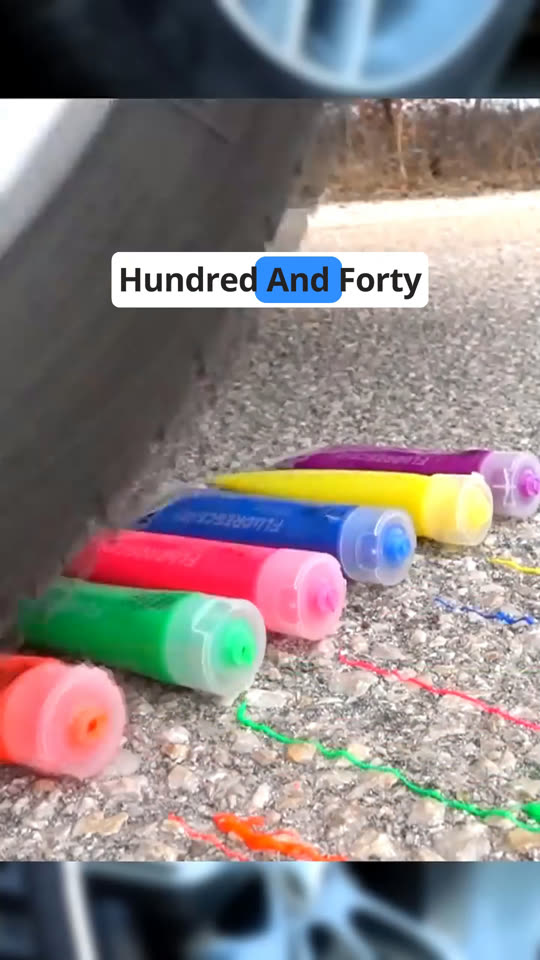
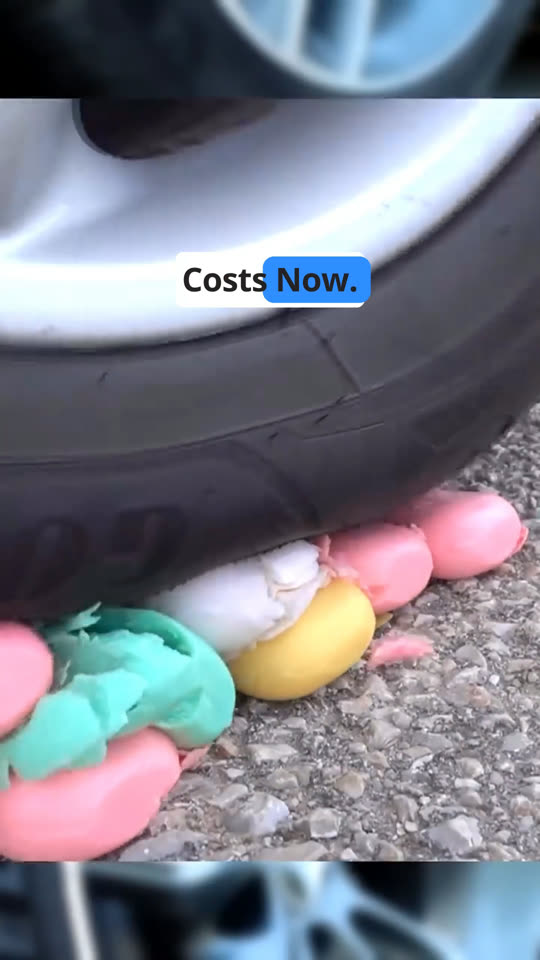
Ryan's spec (15 Oct): black text on a white background box, a blue highlight on the word as it is read, two lines on screen. Reference: the auto insurance ad 1019.mp4, measured below. The builder writes them; CapCut's auto-captions and HeyGen's subtitles stay out.
| Element | Reference (measured on 1019.mp4, 1080x1920) | Ours |
|---|---|---|
| Box | White, rounded corners, 110 px tall for one line, centred, three words wide (x 223 to 856) | Same box, two lines, sized to the longest line, rounded corners |
| Text | Black, heavy geometric sans (Poppins or Open Sans Bold look), Title Case, three words a line | Same font weight and colour; two lines of 2 to 4 words; Title Case as the reference, or caps if Ryan prefers |
| Highlight | The word being spoken sits on a blue rounded box, rgb(50,140,252), swapped word by word on the voice | Same blue, one blue box per word timed from words.json; the box moves across both lines |
| Position | Box centre at 29 percent of frame height (the reference is a product crush with nothing in the top third) | Where the storyboard puts captions for Kristian: on the seam in the splits, at the 60 percent baseline on full-frame beats, never over the chin or the jar |
| Timing | A line holds while its three words are spoken, then the next line replaces it | A two-line chunk holds while its words are spoken (about 1 to 2 s), broken at pauses and punctuation, never across a cut; 25 fps timeline |
Why the builder writes them, not CapCut's auto-captions
- Timing: ours come from the same words.json the cuts come from, so a caption chunk never straddles a cut and the highlight lands on the word the audio is on. CapCut's recogniser produces its own timing with no link to our cuts.
- Text: ours is the script, word for word. Auto-captions transcribe Kristian's accent and need proofreading on every run (the production guide found machine errors left in winning ads).
- Rebuilds: ours regenerate with every plan change. Auto-captions need a UI pass in CapCut (run recognition, pick a template, restyle) every time the project is rebuilt, which is exactly the manual step this whole pipeline removes.
- How it is built in the file: two text materials per chunk. One is the two-line caption with a white background box (CapCut text materials carry background colour, alpha and corner radius). The other is a single-word text on a blue box, one segment per word, positioned by measuring the line with the same font so it sits exactly behind that word. Both objects are harvested from the Harvest project in step 0 (one white-box caption, one blue-box word, placed by hand once).
- Font: a free one only. Pro-badged fonts are the one way a caption could put a watermark on the export, so the builder uses CapCut's bundled system font or a free font Ryan picks in the Harvest project.
- Check: every chunk's still is looked at before the preview goes to Ryan, and the full caption text is diffed against the script.
7. Three hooks from one body
Ryan's rule: one HeyGen render is the underlying audio for the whole video, and the hooks are swappable heads. The approved reads already work this way (one body, three heads), and the HeyGen renders follow it: hook 3 is the full script, hooks 1 and 2 are head-only clips.
- Hook 3: the full render is V1 and A1 from 0:00; timeline time equals source time.
- Hooks 1 and 2: the head clip (4.7 s or 12.9 s) plays first; then the full render joins at the word "My" of "My name is Kristian" (its time from words.json), with the pause before it trimmed to the same gap the ElevenLabs splices used. Every body cut and caption is shifted by the head's length minus the hook 3 head's length. That offset is one number in the plan.
- Deliverables: three CapCut projects (Gluco Armor Ad 01 Short Hook 1, 2, 3) from one plan with one changed field, the shared assets in
shared/, each variant's export in its ownHook N/export/. Master ads get a 4-digit id in0 Master Ads/later (2000-series, with a register of product, script, hook, opener).
8. Decisions (Ryan, 15 Oct 2026)
- Captions: mine, in this edit step, never at video generation. Written by the builder from the word timing (section 6 says why that beats CapCut's auto-captions). Style: white box, black text, blue highlight on the spoken word, two lines.
- Highlight colour: the blue from the reference, rgb(50,140,252).
- Frame rate: whatever keeps the source quality, nothing upscaled: the timeline runs at the HeyGen render's 25 fps and 1080x1920, Veo's 24 fps clips are resampled by CapCut either way. Export 1080p.
- Veo native sound: the clips come with their sound; it goes on A2 and Ryan judges it in CapCut (mute there if it fights the voice). Test, not decided.
- Music: not yet.
- Sound effects: later, and mine to find or make and file in a folder; nothing for the first ad.
- Overlay PNGs (medication box, red X, quote card, chevrons, whatever the storyboard calls for): supplied by me, built deterministically, approved on the sheet like any asset.
9. What has to be proven first, before any ad is built this way
- The current CapCut build writes plain JSON. Matt's video shows it on CapCut desktop in October 2026 (project EmuWar 2, draft_info.json). Checked on Ryan's install in step 0 with one byte read. If it is encrypted, this whole route is dead and we say so before any work.
- Our harvested objects reopen cleanly: video material with a source offset, the split (crop + transform), the white-box caption and the blue-box word, a PNG with alpha. Proven by one tiny build (hook 1's six seconds) installed and opened in CapCut, before the full ad. One unit first, then the batch.
- Whisper timing on the HeyGen audio holds to about 0.1 s on word starts (the skill reports its own heard/unheard counts). Checked by reading the words.txt against the audio at five random points.
- Veo clip length versus beat length is known per beat only once the Veo clips exist. The manifest step flags every beat over 8 s.
- Nothing on screen Ryan has not approved: the manifest refuses candidates, and the preview stage is the gate before install.
10. Build order and what Ryan does
| Phase | What I build | What Ryan does | Done when |
|---|---|---|---|
| A. Prove it | Harvest templates from his CapCut; words.json from the HeyGen audio; the builder for video clips, splits, stills, captions; the preview renderer for video sources; a six-second hook 1 build | Installs CapCut, makes the Harvest project, quits; later imports the hook 1 folder and opens the result | The six seconds open in CapCut with the split, the captions and the cut on "diabetes." where the storyboard says |
| B. First full ad | GA ad01-short hook 3 end to end: cut table on the sheet, manifest, plan, build, preview, install | Approves the cut table and the preview on the sheet; four CapCut steps; exports | Ryan has an exported MP4 of ad 01 hook 3 that he would run |
| C. Variants and sound | Hooks 1 and 2 projects; an effects folder I build; the reassess diff | Tweaks in CapCut if he wants | Three hook projects installed; effects on all three if wanted |
| D. Every other ad | Nothing new: a storyboard in the clip-strip format plus approved assets is the only input. Ads 02 to 05, SugarReset, Olivaro run through the same steps | Approves storyboards and previews on each sheet | Each ad is a production sheet with an Edit stage ticked |
Cost of the edit step itself is zero. The only paid inputs (HeyGen credits, Veo credits, stills) are already in the production pipeline and unchanged by this.
11. Reference material filed
campaigns/meta-video/capcut-edit/reference/capcut-editing-automation/: Matt's skill, unpacked (SKILL.md, five references, 13 scripts, templates, installers, caption font).campaigns/meta-video/capcut-edit/reference/youtube-5N1moUCsVhI-transcript.md: the full video, audio and screen, timestamped (Gemini 3.1 Pro).campaigns/meta-video/capcut-edit/reference/youtube-5N1moUCsVhI-description.txt,matt-loui-prompts.txt,matt-loui-setup-guide.txt: the description with chapters, the six prompts, the setup guide from the Drive folder.- This page:
campaigns/meta-video/capcut-edit/plan-body.html, hosted at/edge/capcut/byscripts/meta_video/edge_site.py.