
Module 5: Going Live, lesson 5.3
Getting Your Links Ready for Launch
12 steps3:56 long1 rules
This lesson serves as a brief recap on preparing tracking links before launching Facebook campaigns. The coach emphasizes the importance of organizing domains, ClickMagick redirect links, and White Rabbit URLs in a single text document. Students are reminded to revisit Module 4, specifically steps 5 and 7, to generate the final links needed for their ads.
Rules and numbers
- Repeat step 5 (video 4.4) and step 7 (video 4.6) for every new ad/campaign you create.
Gotchas
- If you don't have your links ready in a document, you need to go back and follow Module 4 to get everything set up.
- If you watch a video and don't understand it, rewatch it a second time because you will have more context and it will make more sense.
“I want you guys to make sure is that you've got everything in order, you understand the process, you've got everything ready to go and you know, you're organized.”
“If you've done all the foundational setup, the only videos that you really need to repeat each step is step five, which is video 4.4.”
“And then also step seven, which is in video 4.6... we actually use that to then get our actual links from White Rabbit that we put into Facebook.”
Step 100:00 to 00:35
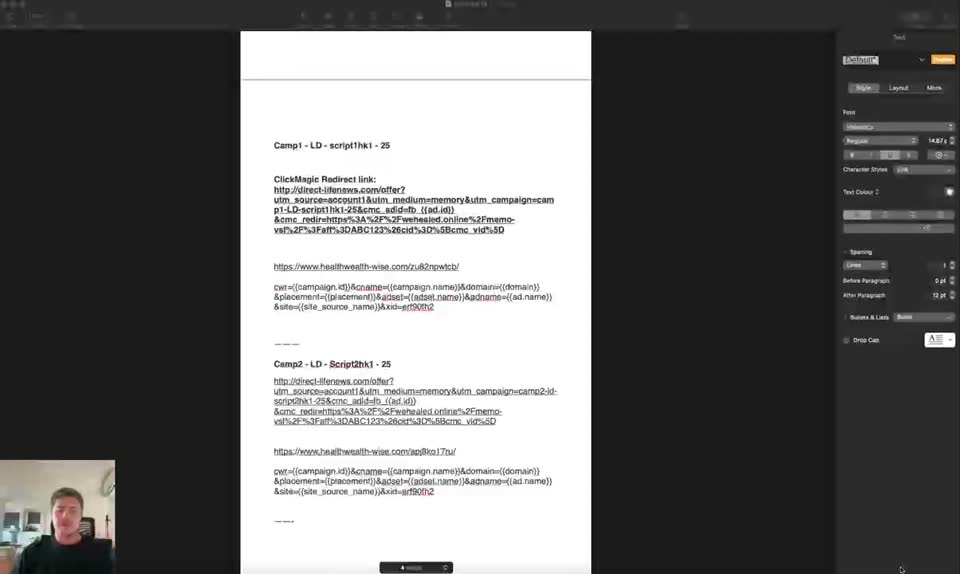
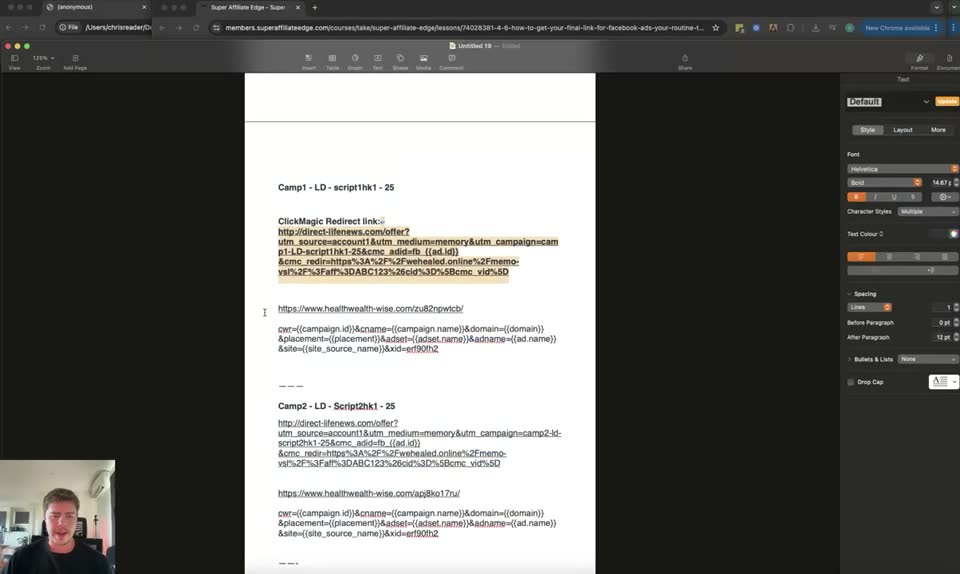
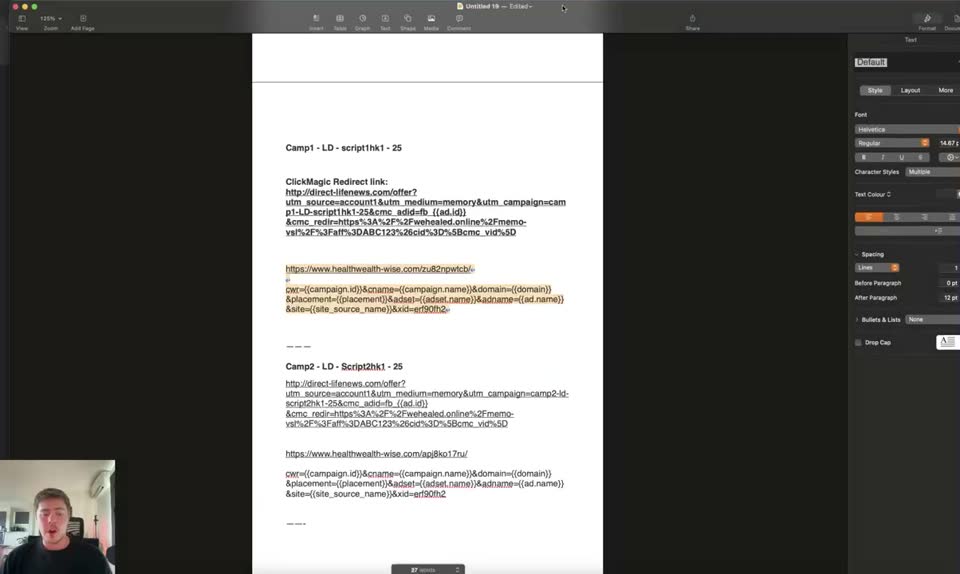
Review the tracking links document in the word processor to ensure all campaign links are organized.
- Campaign 1 Name = Camp1 - LD - script1hk1 - 25
- ClickMagic Redirect link = http://direct-fitness.com/offer?utm_source=account1&utm_medium=memory&utm_campaign=camp1-LD-script1hk1-25&cm_adset=[adset]&cm_ad=[ad]&cmc_vid=[clickid]&cmc_v1=[campaign_name]&cmc_v2=[adset_name]&cmc_v3=[ad_name]&cmc_v4=[site_source_name]&cmc_v5=[fbclid]
- White Rabbit URL = https://www.healthwealth-wise.com/u/b2dwyotv
- URL Parameters = ?ad=[campaign_id]&cname=[campaign_name]&domain=[domain]&placement=[placement]&adset=[adset_name]&adname=[ad_name]&site=[site_source_name]&fbpixel=83052...
- Campaign 2 Name = Camp2 - LD - Script2hk1 - 25
- ClickMagic Redirect link = http://direct-fitness.com/offer?utm_source=account1&utm_medium=memory&utm_campaign=camp2-LD-script2hk1-25&cm_adset=[adset]&cm_ad=[ad]&cmc_v1=[campaign_name]&cmc_v2=[adset_name]&cmc_v3=[ad_name]&cmc_v4=[site_source_name]&cmc_v5=[fbclid]
- White Rabbit URL = https://www.healthwealth-wise.com/u/b2dwyotv
- URL Parameters = ?ad=[campaign_id]&cname=[campaign_name]&domain=[domain]&placement=[placement]&adset=[adset_name]&adname=[ad_name]&site=[site_source_name]&fbpixel=83052...
To make sure you have everything in order, understand the process, and are organized before launching.
Step 200:35 to 00:59
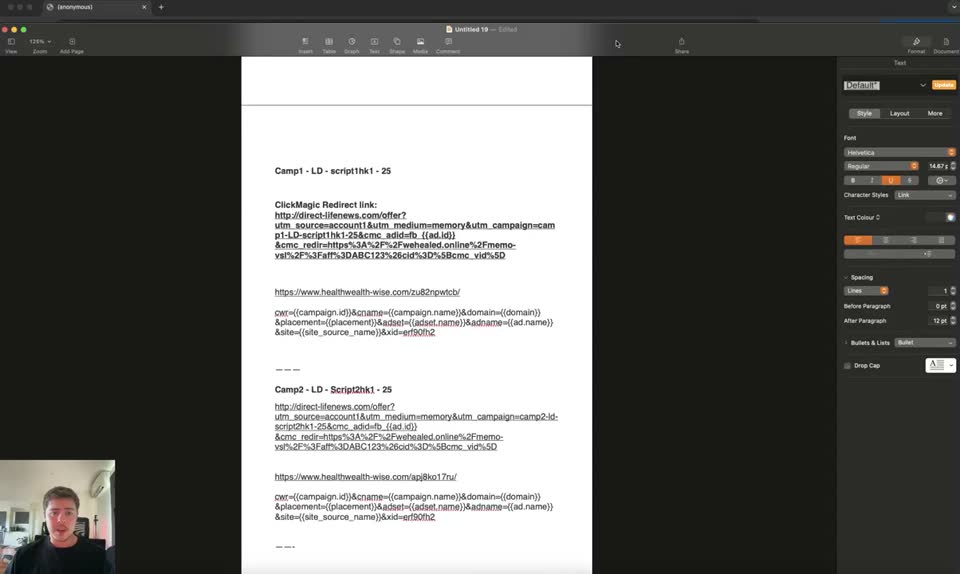
Review lesson 4.6 in the Super Affiliate Edge course platform.
- Module = Module 4 - Pre-Launch Setup & Tracking Step-by-Step
- Lesson = 4.6 How To Get Your Final Link For Facebook Ads (Your Routine To Set Up Links)
- Step 7 = Get Your Final Link for Facebook Ads
- Step 8 = Connect ClickMagick to Digistore
To reiterate the routine for setting up final links for Facebook ads taught in a previous module.
Step 300:59 to 01:35
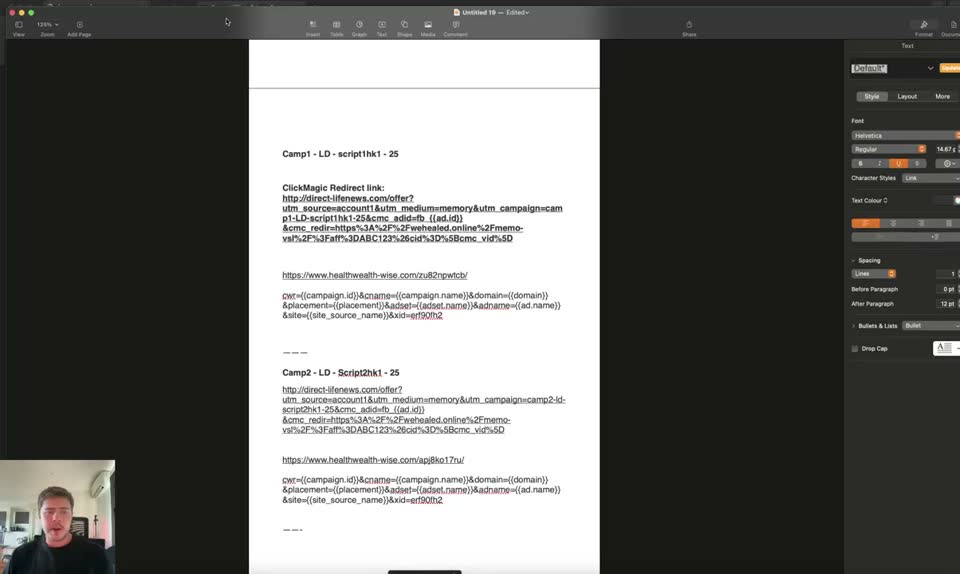
Review the domain setup section at the top of the tracking document.
- Domain 1 - Your Safe Page domain = natural-wellness-report.com -> https://natural-wellness-report.com/welcome
- Domain 2 - Your Offer Redirect Page domain = direct-fitness.com -> http://direct-fitness.com/offer
- Domain 3 - Your White Rabbit Redirect Page domain = healthwealth-wise.com -> https://www.healthwealth-wise.com
- Clickbank link = https://hop.clickbank.net/?affiliate=YOURCLICKBANKID&vendor=YOURVENDORID
- CM Affiliate link = https://www.clkmg.com/YOURUSERNAME/YOURTRACKINGLINK
To verify that all domains and ClickMagick redirect links are properly set up and documented.
Step 401:35 to 02:00
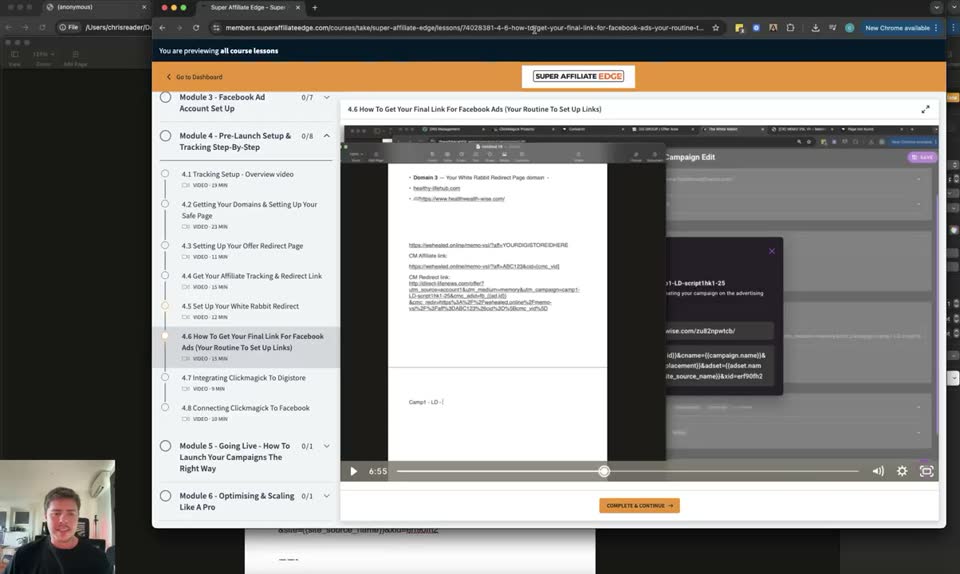
Return to lesson 4.6 in the course platform.
- Lesson = 4.6 How To Get Your Final Link For Facebook Ads (Your Routine To Set Up Links)
To emphasize going back to Module 4 if your links are not ready.
Step 502:00 to 02:19
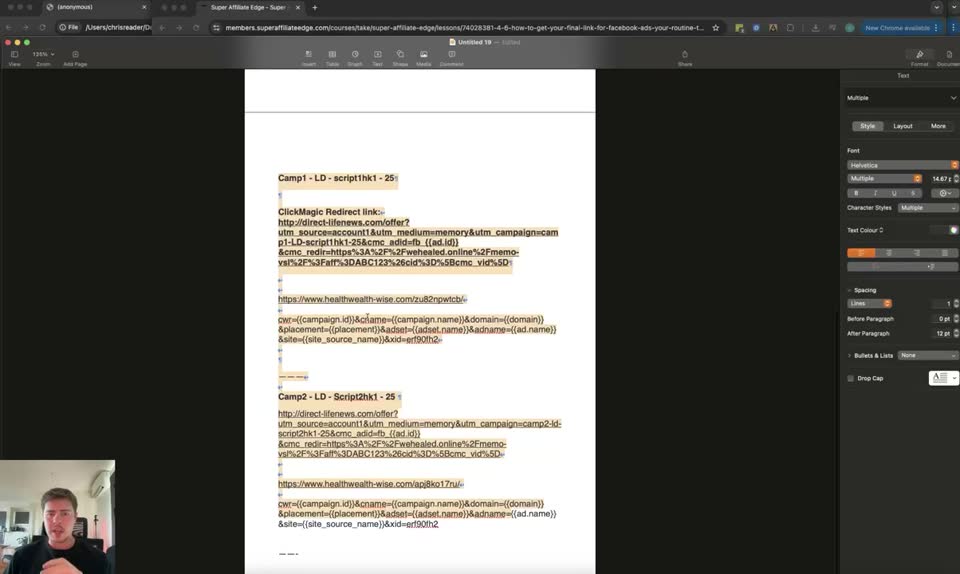
View the tracking document.
- Document = Untitled 19
To remind students that Antonio will use this exact document setup in the next training video.
Step 602:19 to 02:34
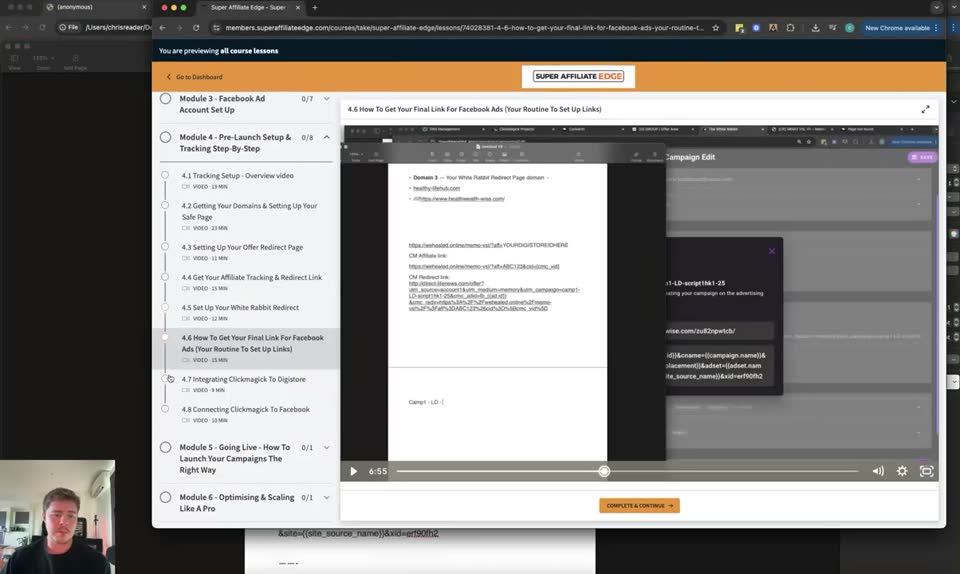
Return to lesson 4.6 in the course platform.
- Lesson = 4.6 How To Get Your Final Link For Facebook Ads (Your Routine To Set Up Links)
To recommend rewatching Module 4 for clarity if needed.
Step 702:34 to 02:54
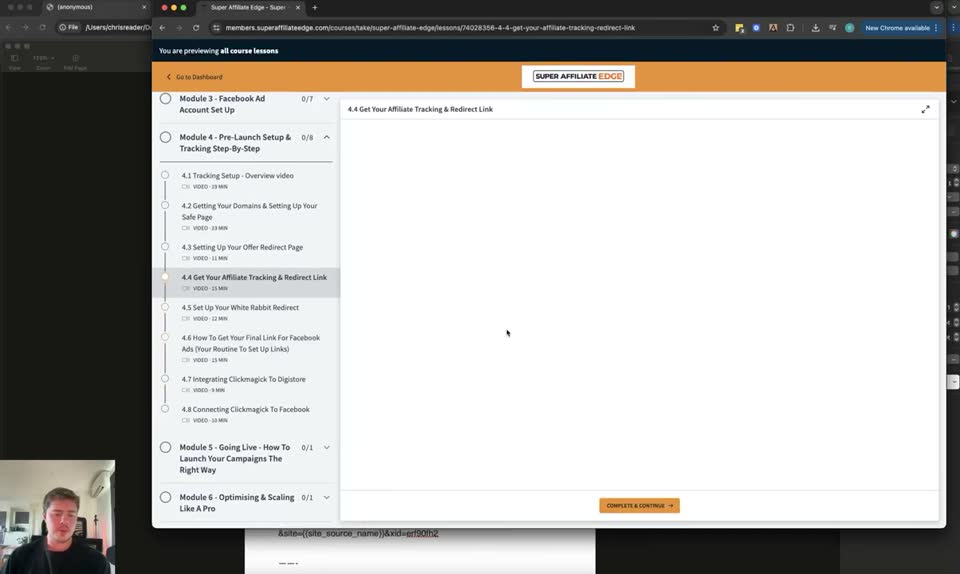
Navigate to lesson 4.4 in the course platform.
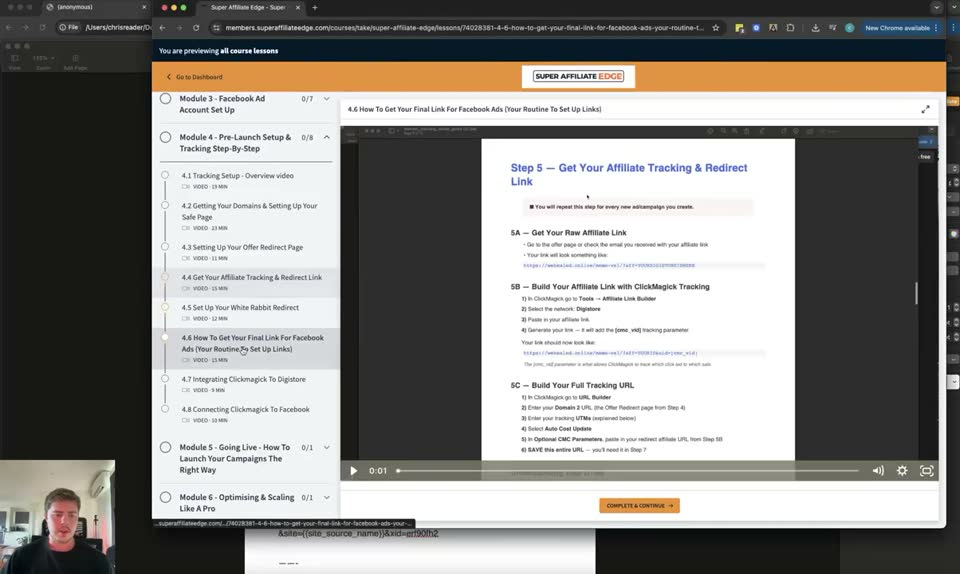
- Lesson = 4.4 Get Your Affiliate Tracking & Redirect Link
- Step 5 = Get Your Affiliate Tracking & Redirect Link
- 5A = Get Your Raw Affiliate Link
- 5B = Build Your Affiliate Link with ClickMagick Tracking
- 5C = Build Your Full Tracking URL
To review where to get the ClickMagick redirect link with all tracking included.
Step 802:54 to 03:00
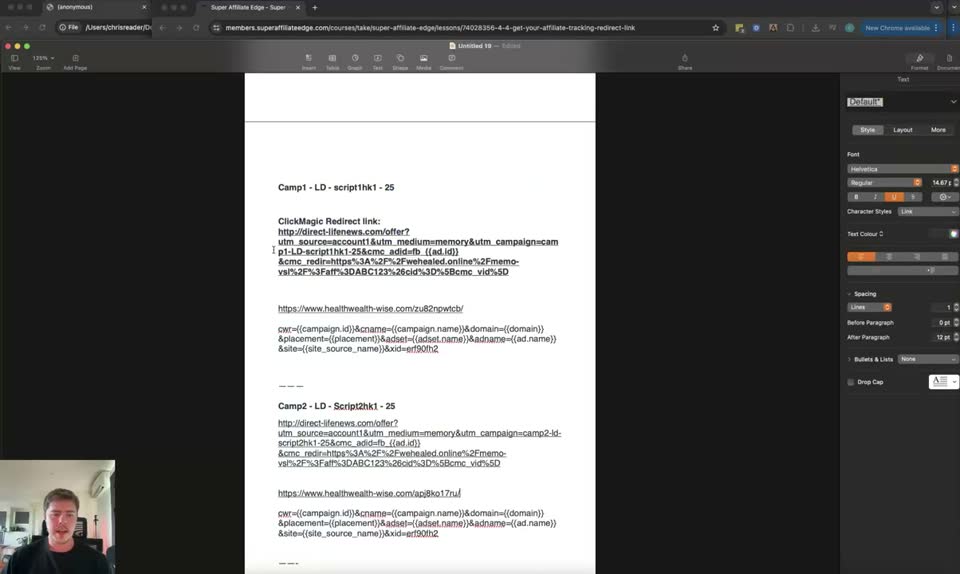
View the tracking document.
- Document = Untitled 19
Step 903:00 to 03:03
Navigate to lesson 4.6 in the course platform.
- Lesson = 4.6 How To Get Your Final Link For Facebook Ads (Your Routine To Set Up Links)
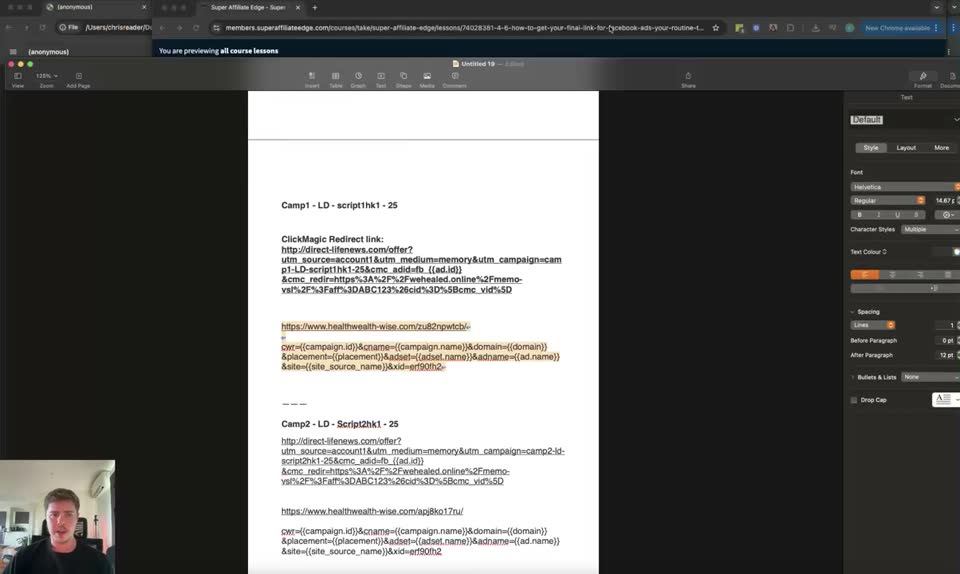
To review where to get the actual links from White Rabbit to put into Facebook.
Step 1003:03 to 03:20
View the tracking document.
- Document = Untitled 19
To emphasize having everything in line before launching.
Step 1103:20 to 03:42
View lesson 4.6 in the course platform.
- Lesson = 4.6 How To Get Your Final Link For Facebook Ads (Your Routine To Set Up Links)
Step 1203:42 to 03:42
View the tracking document.
- Document = Untitled 19
Full timestamped transcript with on-screen notes
[SCREEN 00:00] A document titled "Untitled 19" in a word processor.
Text visible:
Camp1 - LD - script1hk1 - 25

ClickMagic Redirect link:
http://direct-fitness.com/offer?utm_source=account1&utm_medium=memory&utm_campaign=camp1-LD-script1hk1-25&cm_adset=[adset]&cm_ad=[ad]&cmc_vid=[clickid]&cmc_v1=[campaign_name]&cmc_v2=[adset_name]&cmc_v3=[ad_name]&cmc_v4=[site_source_name]&cmc_v5=[fbclid]

https://www.healthwealth-wise.com/u/b2dwyotv

?ad=[campaign_id]&cname=[campaign_name]&domain=[domain]&placement=[placement]&adset=[adset_name]&adname=[ad_name]&site=[site_source_name]&fbpixel=83052...

Camp2 - LD - Script2hk1 - 25

ClickMagic Redirect link:
http://direct-fitness.com/offer?utm_source=account1&utm_medium=memory&utm_campaign=camp2-LD-script2hk1-25&cm_adset=[adset]&cm_ad=[ad]&cmc_v1=[campaign_name]&cmc_v2=[adset_name]&cmc_v3=[ad_name]&cmc_v4=[site_source_name]&cmc_v5=[fbclid]

https://www.healthwealth-wise.com/u/b2dwyotv

?ad=[campaign_id]&cname=[campaign_name]&domain=[domain]&placement=[placement]&adset=[adset_name]&adname=[ad_name]&site=[site_source_name]&fbpixel=83052...

[00:00] COACH: Hey everyone, in this video we're going to do a, it's going to be a quick video because in this I'm going to be going over getting all of your links ready to launch your first campaigns, okay? So in this module, Antonio is going to be showing you how to launch your campaigns and it's really important in order to be organized. So what I want you guys to make sure is that you've got everything in order, you understand the process, you've got everything ready to go and you know, you're organized, right? So in this video, I'm just going to reiterate what we discussed in a previous video. So in a previous video, and I'm going to go into the exact website here.

[SCREEN 00:35] Chrome browser tab: Super Affiliate Edge.
URL: members.superaffiliateedge.com/courses/super-affiliate-edge/lessons/9428051-4-6-how-to-get-your-final-link-for-facebook-ads-your-routine-to-set-up-links
Sidebar menu:
Module 4 - Pre-Launch Setup & Tracking Step-by-Step
4.1 Tracking Setup - Overview video
4.2 Getting your Domains & Setting up Your Safe Page
4.3 Setting Up Your Offer Redirect Page
4.4 Get Your Affiliate Tracking & Redirect Link
4.5 Set Up Your White Rabbit Redirect
4.6 How To Get Your Final Link For Facebook Ads (Your Routine To Set Up Links)
4.7 Integrating Clickmagick to Digistore
4.8 Connecting Clickmagick to Facebook
Main content area:
Video player titled "4.6 How To Get Your Final Link For Facebook Ads (Your Routine To Set Up Links)".
Text below video:
Step 7 - Get Your Final Link for Facebook Ads
1. Go to White Rabbit
2. Click on Campaigns
3. Click Create Campaign
4. Name it the name of your Adset
5. Paste your Clickmagick Redirect Link into the URL field
6. Target Countries: Select Worldwide OR USA + Canada + UK + Australia + New Zealand + Ireland + South Africa + Switzerland
7. Click Create
8. Copy the URL + URL Parameters for White Rabbit generated.
9. Paste it into your document for your records.
Step 8 - Connect ClickMagick to Digistore
The final step is to connect Clickmagick to Digistore so that your sales are tracked back to Clickmagick.
Follow the official Clickmagick guide for Digistore integration here.

[00:41] COACH: Okay, in module four, we have a video here that says how to get your final link for Facebook ads, your routine to set up links. So this process, and in module four, this is where I taught you guys how to get your links ready.

[SCREEN 00:59] Document "Untitled 19" scrolled up.
Text visible:
Domain 1 - Your Safe Page domain -
natural-wellness-report.com
-> https://natural-wellness-report.com/welcome

Domain 2 - Your Offer Redirect Page domain -
direct-fitness.com
-> http://direct-fitness.com/offer

Domain 3 - Your White Rabbit Redirect Page domain -
healthwealth-wise.com
-> https://www.healthwealth-wise.com

https://hop.clickbank.net/?affiliate=YOURCLICKBANKID&vendor=YOURVENDORID
CM Affiliate link:
https://www.clkmg.com/YOURUSERNAME/YOURTRACKINGLINK

Camp1 - LD - script1hk1 - 25

ClickMagic Redirect link:
http://direct-fitness.com/offer?utm_source=account1&utm_medium=memory&utm_campaign=camp1-LD-script1hk1-25&cm_adset=[adset]&cm_ad=[ad]&cmc_vid=[clickid]&cmc_v1=[campaign_name]&cmc_v2=[adset_name]&cmc_v3=[ad_name]&cmc_v4=[site_source_name]&cmc_v5=[fbclid]

https://www.healthwealth-wise.com/u/b2dwyotv

?ad=[campaign_id]&cname=[campaign_name]&domain=[domain]&placement=[placement]&adset=[adset_name]&adname=[ad_name]&site=[site_source_name]&fbpixel=83052...

[01:01] COACH: And in that module, we created this document where we set up all of our domains, but more importantly, we got everything set up in order to run our ads. So you know, for each ad that we're testing, for example, script one hook one, we created the actual links here in White Rabbit. Okay. Um, you know, we got our ClickMagick redirect link that we put into White Rabbit and then White Rabbit gave us our URL and our code that goes in the parameters. So that is what I wanted to re-mention here because we've already created this and rather than filming everything the exact same way, I just wanted to reiterate this and make sure you guys have everything ready here.

[SCREEN 01:35] Chrome browser tab: Super Affiliate Edge, lesson 4.6.

[01:48] COACH: So if you don't have this ready, you need to go back, you need to follow the module four getting everything set up and specifically, you know, making sure you get your final links ready for Facebook ads.

[SCREEN 02:00] Document "Untitled 19".

[02:00] COACH: All right. So that's going to be the end of this video. Make sure you get a document. Even in the training video where Antonio shows you how to set everything up, he's going to be using this exact setup. Um, because again, you need to get your links ready to actually put them into Facebook. All right. So that's all for this video. If you guys want clarity on this, I would recommend you go through either skim or rewatch uh some of the videos in module four, specifically this module.

[SCREEN 02:19] Chrome browser tab: Super Affiliate Edge, lesson 4.6.

[02:26] COACH: Okay. Like if you've done all of the setup, if you remember, if you've done all the foundational setup, the only videos that you really need to repeat each step is step five, which is video 4.4.

[SCREEN 02:34] Chrome browser tab: Super Affiliate Edge. Clicks on "4.4 Get Your Affiliate Tracking & Redirect Link" in the sidebar.
Main content area:
Video player titled "4.4 Get Your Affiliate Tracking & Redirect Link".
Text below video:
Step 5 - Get Your Affiliate Tracking & Redirect Link
You will need to repeat this step for every new ad/campaign you create.
5A - Get Your Raw Affiliate Link
1. Go to Digistore24
2. Find the offer you want to promote
3. Copy your Promo Link
5B - Build Your Affiliate Link with ClickMagick Tracking
1. Go to Clickmagick -> Tools -> Affiliate Link Builder
2. Select Affiliate Network: Digistore24
3. Paste your Promo Link
4. Generate your CM Affiliate Link. This will add the tracking parameters.
5. Copy this link and save it.
5C - Build Your Full Tracking URL
1. Go to Clickmagick -> Links
2. Create New Link
3. Link Group: Select your offer group
4. Link Name: Name it the same as your Adset (e.g., Camp1 - LD - Script1Hk1 - 25)
5. Tracking Link: Leave as default
6. Primary URL: Paste your CM Affiliate Link from Step 5B
7. Click Create Link
8. Click on the link you just created
9. Copy the Tracking Link (this is your ClickMagick Redirect Link)
10. Save this link in your document.

[02:41] COACH: And then also step seven, which is in video 4.6. So, you know, step five in 4.4, so getting your affiliate link tracking, this is where we actually get our actual ClickMagick redirect link, which has all the tracking in it.

[SCREEN 02:54] Document "Untitled 19".

[02:59] COACH: And then in the video 4.6,

[SCREEN 03:00] Chrome browser tab: Super Affiliate Edge. Clicks on "4.6 How To Get Your Final Link For Facebook Ads (Your Routine To Set Up Links)" in the sidebar.

[03:02] COACH: we actually use that to then get our actual links from White Rabbit that we put into Facebook.

[SCREEN 03:03] Document "Untitled 19".

[03:09] COACH: Okay. So I just wanted to emphasize this point as well, just so you've got everything in line and you know, if you've forgotten about that, this is your reminder that they're the processes that you need to follow. All right. So if you have any questions, um, you know, come to the weekly sessions, but also make sure to rewatch videos, guys. All these videos are here to teach you. If you don't understand something, rewatch it. Now that you have more clarity, if you've watched something and you don't understand it, the second time you watch it, you know, you've got more context, more understanding that it will start to make more sense. And again, you just need to follow the steps here. All right. Sweet. So that's all guys. I'm not going to keep rambling about this, but now you've got everything ready to go and you guys are about to get your campaigns launched and started. So super excited for you guys. And um, yeah, make sure to jump on the weekly live calls. See you everyone. Bye.

[SCREEN 03:20] Chrome browser tab: Super Affiliate Edge, lesson 4.6.

[SCREEN 03:42] Document "Untitled 19".
Recording 5 3 Getting Your Links Ready To Launch.mp4. Gemini video pass. Rebuilt 31 Oct 2026 15:24 Melbourne.